Contributor I
March 24, 2021

app shows stereo pcm / 2.0, but using eARC and surrounds

Hi


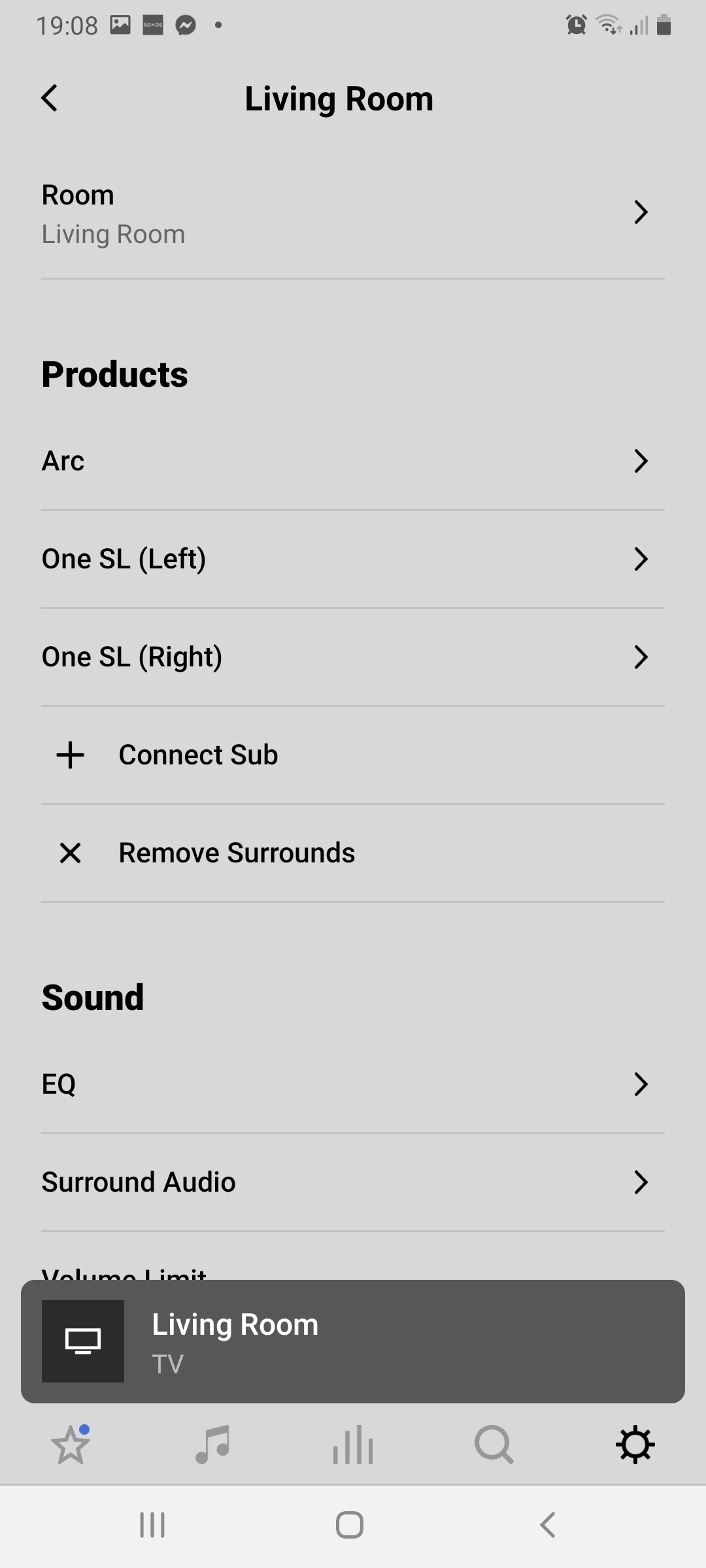
I have a sonos Arc and 2 Sonos one SL as surrounds 


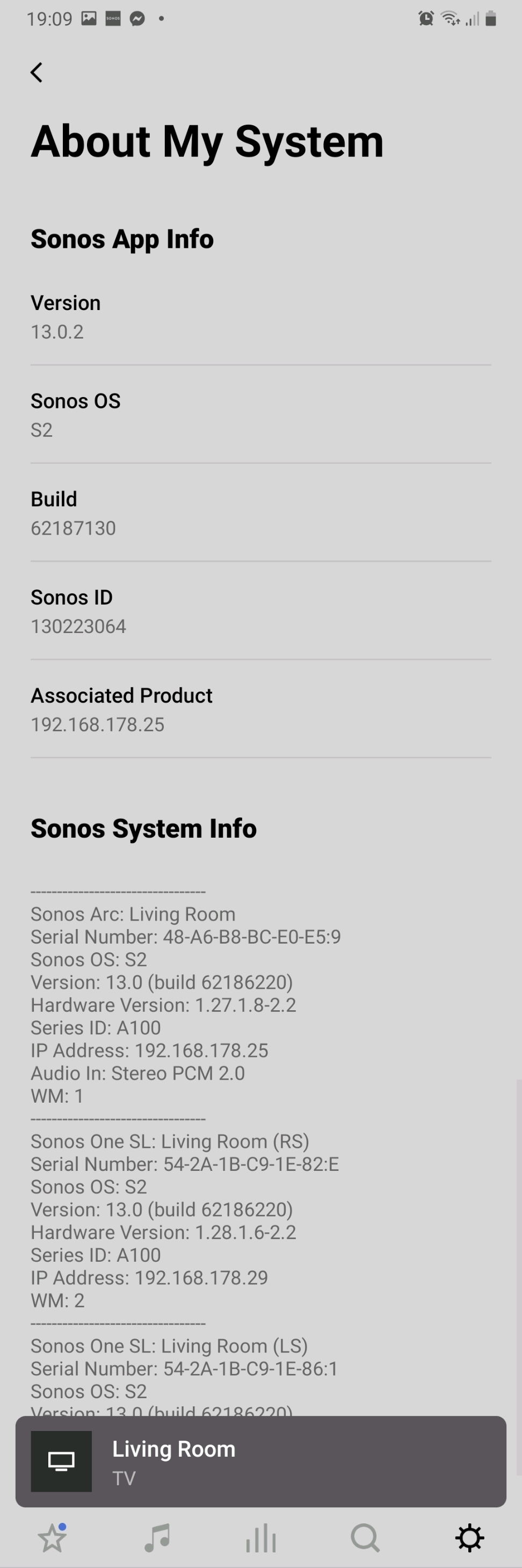
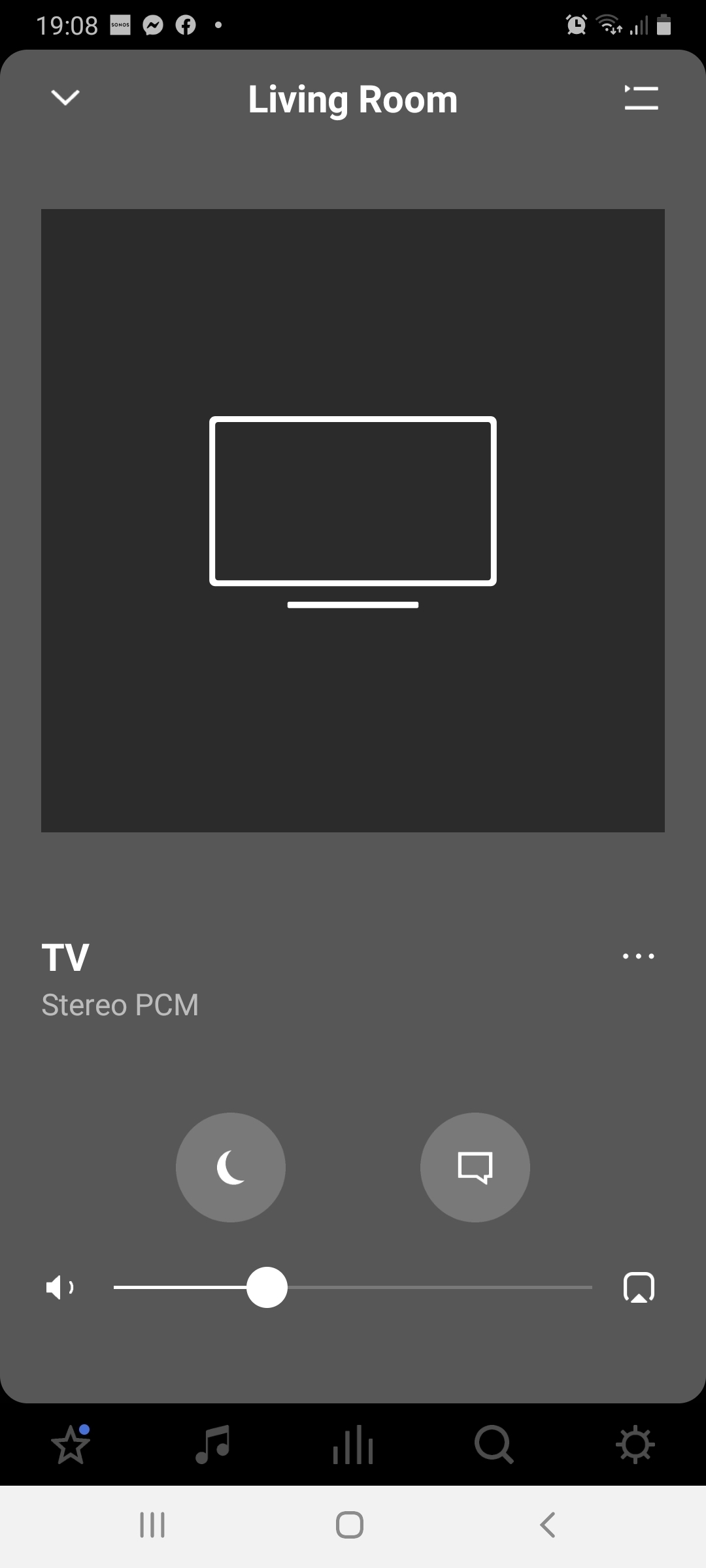
The app says its playing stereo pcm and in the settings that the arc is receiving stereo 2.0


However, I'm running a brand new 55 inch LG oled TV and the arc is connected via a eARC hdmi cable.


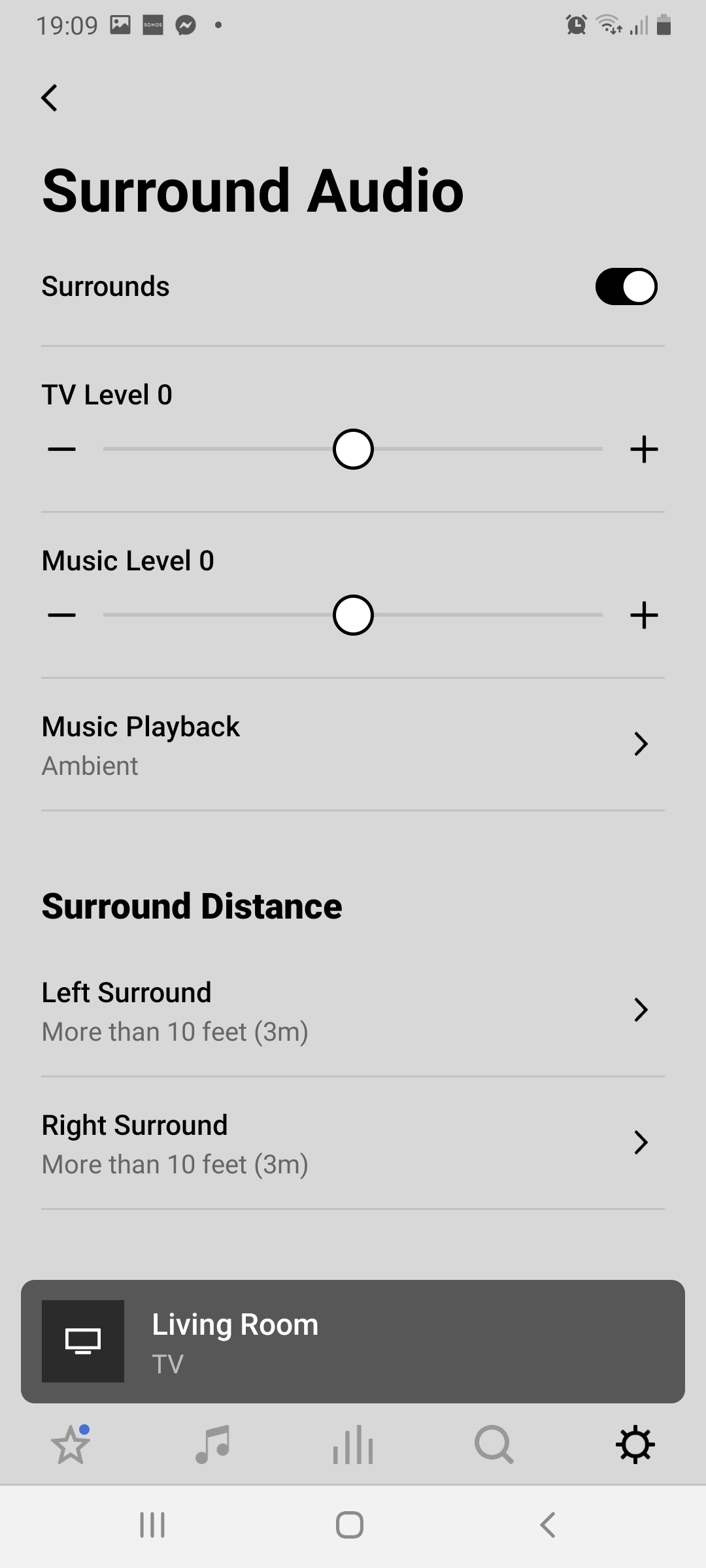
The app shows that the audio is set to surround and the rear speakers are working.


But when I stream dolby atmos from Disney plus the app still says its receiving stereo


So ... I have connected it properly, I'm streaming dolby atmos, the TV is running the audio out correctly to the arc sound bar, the rear speakers are connected correctly, the app shows the sound mode is set to surround,  but on the about my system and the player on the app it says clearly its running stereo pcm…


How do I get this set up to run atmos?!?!
 

This topic has been closed for further comments. You can use the search bar to find a similar topic, or create a new one by clicking Create Topic at the top of the page.
Pinned Reply By Ben dadds

Hi buddy,


Its a cx series LG OLED


However, after some exploring I found there were some additional setting in the tv's advanced sound settings that had not activated,  ... I changed them to dolby digital plus and pass through and it seems to have worked!


Full atmos and also 5.1 on other services 


Job done…


Tbh,  I wouldn't have worked it out if I hadn't been reading for round in these forums.


Thanks chaps

18 replies

Lead Maestro
March 24, 2021

What specific TV model do you have?

"Receive with simplicity everything that happens to you." - Rashi
Ben daddsAuthorPinned
Contributor I
March 24, 2021

Hi buddy,


Its a cx series LG OLED


However, after some exploring I found there were some additional setting in the tv's advanced sound settings that had not activated,  ... I changed them to dolby digital plus and pass through and it seems to have worked!


Full atmos and also 5.1 on other services 


Job done…


Tbh,  I wouldn't have worked it out if I hadn't been reading for round in these forums.


Thanks chaps

Lyricist I
June 13, 2021

Hi Ben

I have the same issue. I have an LG CX7 OLED and found the setting for Dolby Digital Plus, but it made no difference.

I did find a setting for Digital Sound Out, for the HDMI Arc connection, that was set on PCM and I have changed that to Auto.

Where is the pass-through setting you found? Is that on the TV or the app? 


Cheers

Wayne

Ben daddsAuthor
Contributor I
June 13, 2021

It was buried I the spund settings in the tv 


I think it was under extras or additional settings etc.


It was third tier in the menu so wasn't at all obvious 

Lyricist I
June 14, 2021

Thanks Ben. I think the setting I found for PCM that I set to auto has done the trick. I am now seeing Dolby for Netflix 5.1 movies. Still saw Stereo PCM for Dolby Atmos demos on YouTube but they may be my slow internet connection

Lead Maestro
June 14, 2021

Thanks Ben. I think the setting I found for PCM that I set to auto has done the trick. I am now seeing Dolby for Netflix 5.1 movies. Still saw Stereo PCM for Dolby Atmos demos on YouTube but they may be my slow internet connection

All YouTube videos are in stereo. YouTube doesn’t support Dolby Atmos or 5.1 audio.

"Receive with simplicity everything that happens to you." - Rashi
Lyricist I
August 18, 2021

Hi there


I sometimes seem to have the same Problem. I’m using a Nvidia shield as a Player and sometimes, eventhough I’ve got the passthrough on auto in the eARC Settings not pcm.

Regards

Wytoo

Ken_Griffiths
August 18, 2021

Hi there


I sometimes seem to have the same Problem. I’m using a Nvidia shield as a Player and sometimes, eventhough I’ve got the passthrough on auto in the eARC Settings not pcm.

Regards

Wytoo

It may depend on what you are playing and from which App …and in some instances it may also depend on the level of subscription, for instance a Netflix ‘premium’ account needs to be used to be able to playback Atmos content.

Gerard McCormack
Lyricist III
October 30, 2021

Hi buddy,


Its a cx series LG OLED


However, after some exploring I found there were some additional setting in the tv's advanced sound settings that had not activated,  ... I changed them to dolby digital plus and pass through and it seems to have worked!


Full atmos and also 5.1 on other services 


Job done…


Tbh,  I wouldn't have worked it out if I hadn't been reading for round in these forums.


Thanks chaps

This is brilliant thank you, I have the same tv and soundbar and couldn't figure out why it was only pcm 2.0. It was driving me mad.. changed my audio settings to pass through in the LG and left the digital plus option to auto and its working perfectly. Thank you!

Lyricist I
November 16, 2021

Hi all. Thanks for everyone’s input so far. I seem to be getting a “better” sound than the stereo channel that it used to purge out of the Arc but after following the settings recommended above, I seem to only get Dolby Multichannel PCM 2.0 (watching Extraction on Netflix, which is meant to be in Atmos I’ve read). Can anyone please have some info on the exact settings you have to enable/disable?


mine is as follows:
LG C1 

Settings >

Sound Out: HDMI(ARC) Device

Advanced Settings >
(please note my Dolby Atmos is greyed out for some reason)


DTV Audio Setting: Auto (I also tried this on Dolby Digital Plus but get the same result)

Digital Sound Output: Auto (again, I tried on Passthrough and produced the same result)

eARC support: On (when I turn this off, it becomes Dolby Digital Plus 5.1rather than Dolby Multichannel PCM 2.0)