
Contributor II
July 27, 2020
Answered

Sonos Arc not showing Atmos in app, not sure if I am getting Atmos (Vizio P65-F1 w. 4k fire stick)

Hi All,

I have my Firestick 4k plugged into HDMI 4 and my Sonos Arc into HDMI 1 (ARC channel).

I set my sound settings on the Vizio p65 TV to bitstream (but tried auto as well).

Sound settings on Firestick is set to “Always DD+”

I tried several shows on both Netflix and Amazon Video with no luck in getting the Sonos S2 app to show the Dolby Atmos logo in the now playing screen.

On the P65 (TV) remote, I can press the “Info” button, and it shows I am getting Dolby audio, but I suspect it is not Atmos.

I’ve tried Jack Ryan season 3 ep 8, I tried Better Call Saul Season 4, Baby Driver, and a few others.

Is the S2 app glitchy? I tried it on both an Android phone and an Iphone. Am I really not getting Atmos? Where do you think I am going wrong?
This topic has been closed for further comments. You can use the search bar to find a similar topic, or create a new one by clicking Create Topic at the top of the page.
Lyricist I
July 28, 2020

Yea, the AppleTV4K has issues sending Atmos in a way that the Sonos arc can pick up. thats why the Arcana was made. From what I can gather (eg my interpretation) is that because the Sonos Arc doesn't support LPCM the ATV4K cant send it audio. Having LPCM would fix the problem and supposedly they are working on it though no official word. It’s a decent sized premium, market to leave ATV4K out in the cold. Subreddits for Sonos and Vizio both have a lot of discussion here. 


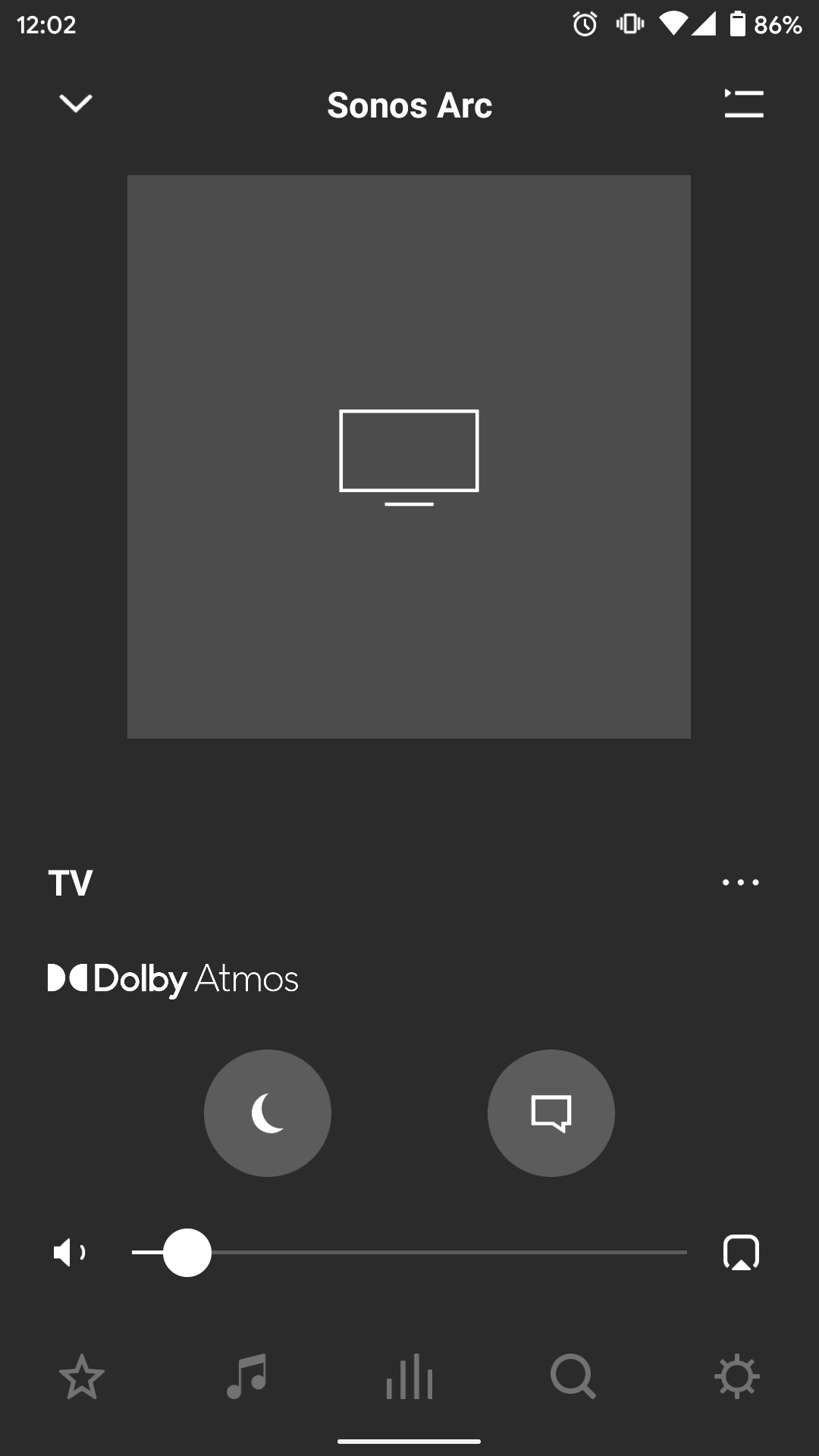
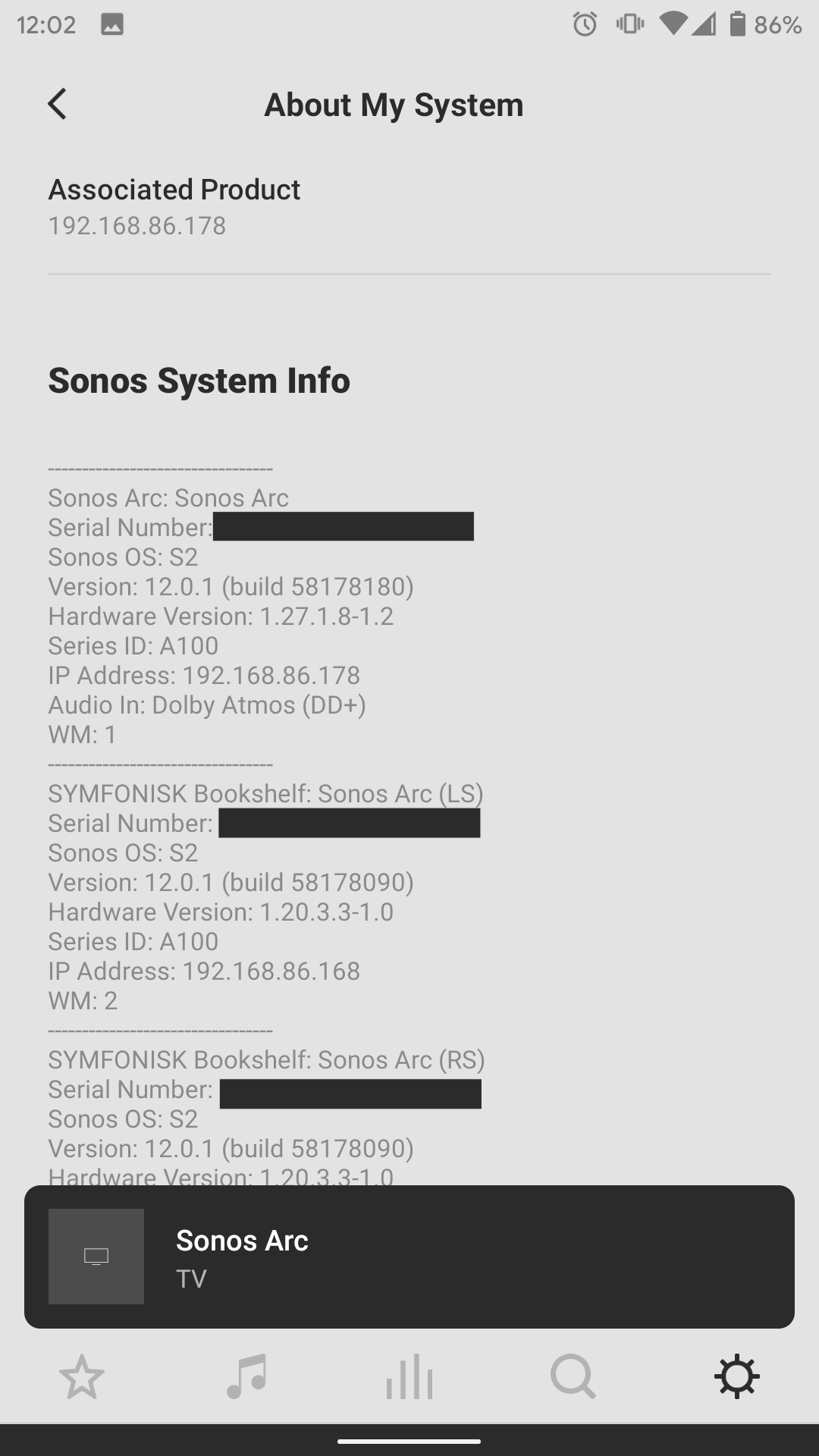
Veryrealperson- wish I could help more - I dont think the issue with the HDMI port. I think HDMI1 -4 are all the same (except 1 is Arc) and HDMI5 is different to optimize for gaming lag. You probably wont notice much of a difference (but who knows with Vizio). I’d try using VUDU since across the board that seems to be the most consistent. Also, I’m attaching the screenshots of what your S2 App will show you when you have Atmos. 


20 replies

Lyricist I
July 27, 2020

I don’t think you’re going to see Dolby Atmos on the system info screenshot you posted.  Atmos is a format within DD+ (and TrueHD), not a separate codec.  Sonos decided they would display the Atmos logo on the room tab (middle one that looks like an equalizer.   click on living room so it’s the full display, not showing your other rooms.  If you’re getting atmos you’ll see it there.


You should see it in that screenshot. . The S2 App will show the Dolby Atmos Logo if it being passed Atmos. The info in the About section of the system will also show Atmos.  I’ll post a screenshot later. 


I’ll look into the room tab as well. Thats an interesting one. 

Contributor II
July 27, 2020

I have very little confidence I will be able to experience or have confidence that DD+ is being passed through…

Just pre-ordered the HD Fury unit for peace of mind. Frustrating but seems like too many inconsistencies between apps.

Enthusiast I
July 27, 2020

I have a P75-F1. Basically the same TV just the 75” version. Using internal apps I can get Atmos from Vudu which is officially the only built in app that supports it. It is sent over DD+ and both the Sonos app and the TV’s system info confirm it. I also get Atmos from like the 2-3 things on Prime Video that support it (Jack Ryan Season 1 but note the HDR version isn’t Atmos for some reason). No Atmos from built in Netflix. Only regular DD+. Obviously the TV can do it from a hardware perspective since it works with other apps so this is just a software issue.


As someone else mentioned above this model does not support anything more than regular DD passthrough from an external source (such as Apple TV, Fire, etc). So you won’t get Atmos from them unless you get the Arcana that was mentioned.

Contributor II
July 27, 2020


It’s complicated. For example on Netflix, both “6 Underground” and “Dark” show the Atmos badge on the title card. However, while 6 Underground will actually play Atmos as reported by both the TV and the S2 app, Dark wont (so, title card shows atmos, TV adn S2 app both show DD+). Note: this is using the Shield.

The TV and the S2 app are always aligned in what is being passed to the soundbar. However there is no consistency in the apps themselves. I’ve never see nothing appear in the Audio Type Out, usually there is something there, so that’s pretty weird. I’ll take some pics / screenshots tonight so you can see what it looks like for reference. 

I’ll check the episode you mentioned and see what I can find. Im in the US, so not sure if that will impact things. 


I tried “6 Underground” and “Dark” on both Fire Stick 4k and the inbuilt Vizio netflix app. Maybe its a Canadian Netflix thing:

6 underground only shows “Dolby Vision” and “5.1”.

Dark shows “Ultra HD 4k”

Checking on both in the now playing Sonos S2 app, and the info button on the Vizio remote show no Dolby Atmos logos. Just Dolby Audio on the info button, but nothing on the S2 app.

Enthusiast I
July 27, 2020

Also the Fire Stick 4K does not support Atmos with Netflix. Odd I know but I looked into it and it’s even listed on the specs as such now.


Regardless you won’t get Atmos since it requires DD+ passthrough which these 2018 year P-Series that we have don’t support. Only regular DD which can’t pass through Atmos. So your only option is to hope Vizio can work with Netflix and hope they add support for it on the internal app or get an Arcana plus something like a Apple TV 4K or the Fire TV Cube (which does do Atmos on Netflix).

Lyricist I
July 28, 2020

Also the Fire Stick 4K does not support Atmos with Netflix. Odd I know but I looked into it and it’s even listed on the specs as such now.


Regardless you won’t get Atmos since it requires DD+ passthrough which these 2018 year P-Series that we have don’t support. Only regular DD which can’t pass through Atmos. So your only option is to hope Vizio can work with Netflix and hope they add support for it on the internal app or get an Arcana plus something like a Apple TV 4K or the Fire TV Cube (which does do Atmos on Netflix).


Hmm, I’m getting Atmos (confirmed by S2 App) from my Shield (HDMI-2). It appears passthrough works on the P65-F1.  

Enthusiast I
July 28, 2020

Also the Fire Stick 4K does not support Atmos with Netflix. Odd I know but I looked into it and it’s even listed on the specs as such now.


Regardless you won’t get Atmos since it requires DD+ passthrough which these 2018 year P-Series that we have don’t support. Only regular DD which can’t pass through Atmos. So your only option is to hope Vizio can work with Netflix and hope they add support for it on the internal app or get an Arcana plus something like a Apple TV 4K or the Fire TV Cube (which does do Atmos on Netflix).


Hmm, I’m getting Atmos (confirmed by S2 App) from my Shield (HDMI-2). It appears passthrough works on the P65-F1.  


That’s interesting, I can confirm I am not getting DD+ from my Apple TV 4K on my P75-F1 (HDMI 3) which is on the latest firmware. I get regular DD only. Others have reported not getting it either so not sure why the difference here. Maybe I’ll try HDMI 2 just in case there’s a difference.  I would assume (hope?) that all 2018 P-Series would be the same regardless of screen size. Beats me though…

Contributor II
July 28, 2020

Tried HDMI 2 for the hell of it. No luck getting DD+ to show up on the S2 app using fire stick 4k.

Guess I will just wait for the HD Fury Arcana to see what Atmos is really about. 

Lyricist I
July 28, 2020

Yea, the AppleTV4K has issues sending Atmos in a way that the Sonos arc can pick up. thats why the Arcana was made. From what I can gather (eg my interpretation) is that because the Sonos Arc doesn't support LPCM the ATV4K cant send it audio. Having LPCM would fix the problem and supposedly they are working on it though no official word. It’s a decent sized premium, market to leave ATV4K out in the cold. Subreddits for Sonos and Vizio both have a lot of discussion here. 


Veryrealperson- wish I could help more - I dont think the issue with the HDMI port. I think HDMI1 -4 are all the same (except 1 is Arc) and HDMI5 is different to optimize for gaming lag. You probably wont notice much of a difference (but who knows with Vizio). I’d try using VUDU since across the board that seems to be the most consistent. Also, I’m attaching the screenshots of what your S2 App will show you when you have Atmos. 


Enthusiast I
July 28, 2020

Tried HDMI 2 for the hell of it but no change. I’m not expecting Atmos from the Apple TV 4K since I know it doesn’t send it over DD+ but rather LPCM as you say which requires an eARC port which our TV’s don’t have. I would expect to get regular DD+ 5.1 though but still only get DD 5.1 from the Apple TV 4K. I don’t understand how you’re able to get DD+ passthrough on this model when others aren’t and even Vizio says you won’t. Because if I got DD+ passthrough I would at least get something like the Nvidia Shield or Fire TV Cube to get Atmos like you are doing via DD+. This is just baffling considering we have the same 2018 model year P-Series TV’s.