
Contributor I
Feb 6, 2023 8:52 PM UTC
Answered

Cannot add Google Assistant to Sonos

I’ve been trying to add the ability to control my Sonos system with Google Assistant. In the Sono2 app, I go to “Service & Voice”, then select “+ Add a third-party smart device to control Sonos”. I then get the option of either Amazon Alexa or Google Assistant. When I choose Google Assistant, I get the following screen:
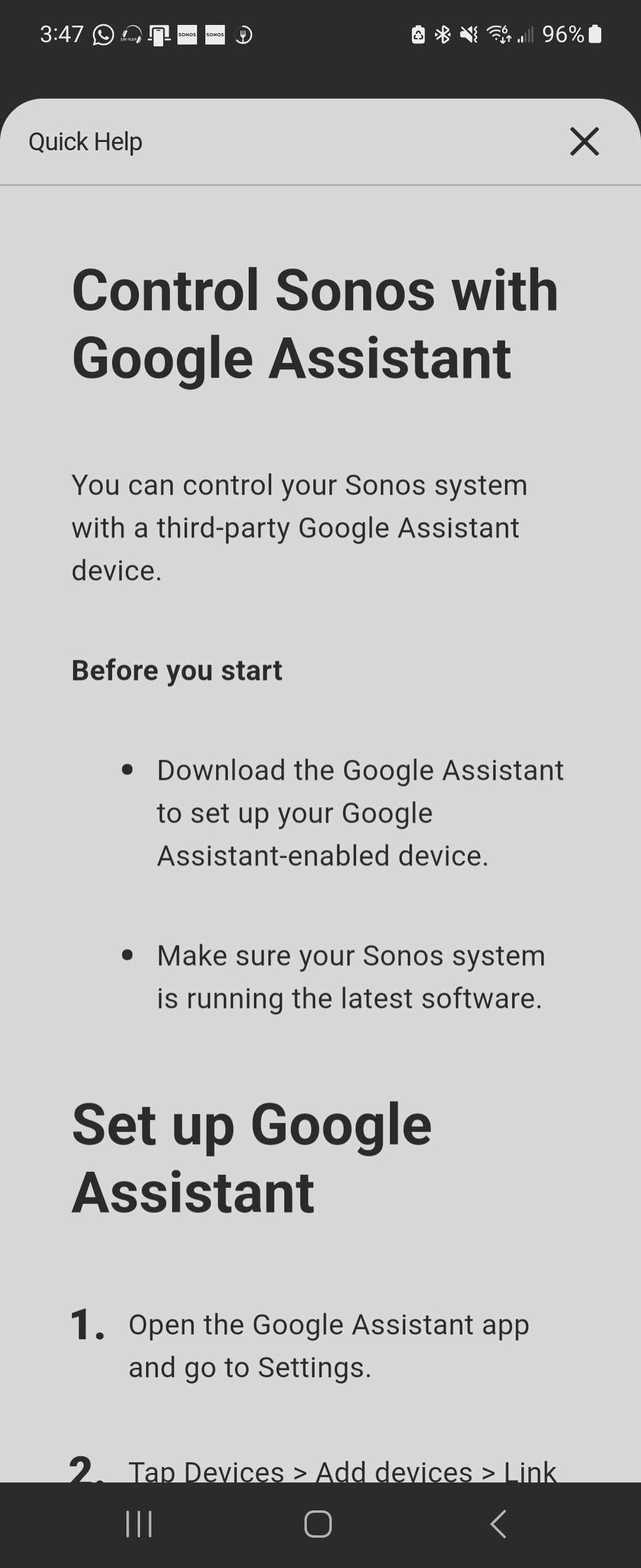
 

It doesn’t let me add any functionality in the app itself. I have followed this instructions on Google Assistant but it doesn’t work. I spent a long time on the phone with Sonos Technical Support but they couldn’t solve this. Anyone get past this issue?


Thank you 

This topic has been closed for further comments. You can use the search bar to find a similar topic, or create a new one by clicking Create Topic at the top of the page.
Lead Maestro
Feb 6, 2023 8:58 PM UTC

Make sure you tap the “Add Google Assistant” button, not “Learn more”.

See the full instructions here:

https://support.sonos.com/en-us/article/set-up-a-google-assistant-device-to-control-sonos

"Receive with simplicity everything that happens to you." - Rashi

6 replies

Lead Maestro
Feb 6, 2023 8:58 PM UTC

Make sure you tap the “Add Google Assistant” button, not “Learn more”.

See the full instructions here:

https://support.sonos.com/en-us/article/set-up-a-google-assistant-device-to-control-sonos

Translate
"Receive with simplicity everything that happens to you." - Rashi
DrWhoAuthor
Contributor I
Feb 6, 2023 9:04 PM UTC

I am tapping “Google Assistant” but this Quick Help screen is what I get and I cannot get past it.

Translate
Lead Maestro
Feb 6, 2023 9:07 PM UTC

Have you tried deleting and re-installing the Sonos app?

Translate
"Receive with simplicity everything that happens to you." - Rashi
DrWhoAuthor
Contributor I
Feb 6, 2023 9:19 PM UTC

Tried it, same outcome. (Thanks for helping, btw).

Translate
DrWhoAuthor
Contributor I
Feb 14, 2023 2:32 AM UTC

This is not answered… I still can’t add Google Assistant for voice control on either an Android or iOS device. Help!

Translate
Corry P
Sonos Staff
Feb 14, 2023 8:45 AM UTC

Hi @DrWho 

Welcome to the Sonos Community!

You need take no steps in the Sonos app to use your Sonos system with Google Assistant on a separate device. Simply link to your Sonos account in the Google Assistant app, as described in https://support.sonos.com/en-us/article/set-up-a-google-assistant-device-to-control-sonos.

Google Assistant can only be added to a Sonos system if you have compatible speakers, which you do not.

I hope this helps.

Translate
"Common sense is the collection of prejudices acquired by age eighteen." - Albert Einstein