Question

Sony tv and Sonos

  • September 22, 2026
  • 4 replies
  • 48 views

Dogdad
Forum|alt.badge.img+16

Maybe someone can share some insight on this..my house has Sonos in every room. Two rooms each have a Sony tv, Arc, sub, and two one SL’s. One of the Sony TV’s stopped showing the volume level on the screen. It was working but now does not.  Remote works as well as the Sonos app fine..just no level indication except on the Sonos app. The other Sony tv shows the volume level and as the other , both remote and app work…but shows volume level o the screen. Both TV’s have same settings as well as the settings for the Arc’s. Ive reset the tv and I’ve searched high and low with really no clear answers. Just throwing this out there to see if anyone might why it stopped. 

4 replies

Stanley_4
  • Grand Maestro
  • September 22, 2026

Are both the same model? Are they on the same update version?

I'd suspect a change to the tv's ineternal software caused the change.


MoPac
Forum|alt.badge.img+20
  • Headliner III
  • September 22, 2026

At times i have the same problem with my Sony TV sporadically showing volume levels.  It comes & goes.  Just using my ears or the app.


Airgetlam
  • September 22, 2026

Sonos themselves don’t generate the volume display, this is a function of the TV. All Sonos does is respond to CEC data sent across the HDMI cable, it doesn’t send that data back to the TV.


AjTrek1
  • September 23, 2026

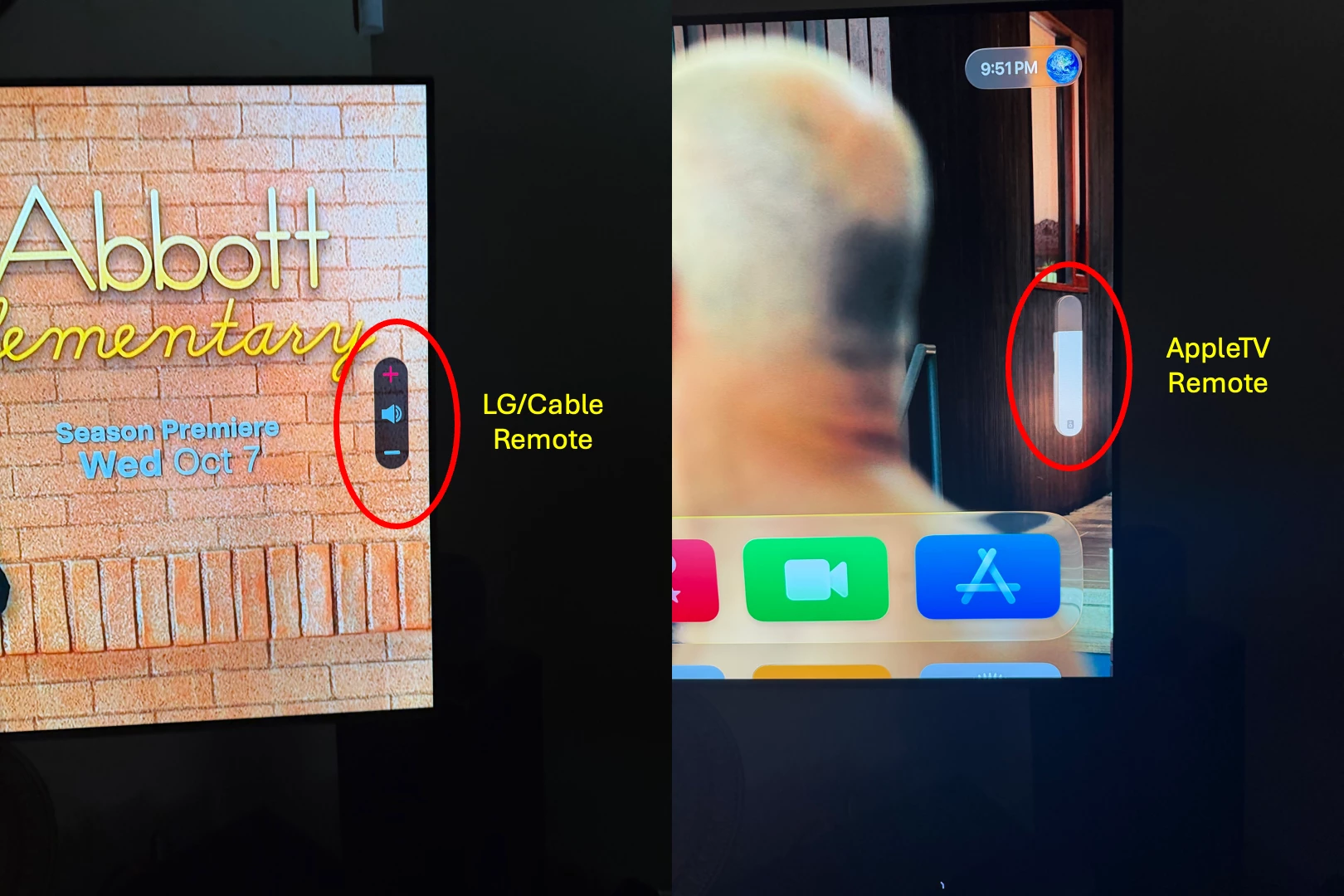
Just an example to show that Sonos has nothing to do with how the Volume Indicator appears on the TV screen.

TV is an LG. The model is not important as I have three (3) of different model/years and the behavior is the same.

  • The picture on the left shows the volume indicator when using either the LG remote or the Cable Remote programed to work with the LG
  • The picture on the right shows the volume indicator when using the AppleTV 4K remote 

As you can see the Volume Indicator changes depending upon the signal sent by the remote and the TV interprets how it wants to display it.