

Dogdad
Headliner III
August 27, 2026
Answered

Finally switched over to Sonos app..

Used to use the Sonos app exclusively. Then as we all know Sonos threw us a bomb that messed up a lot of users. After reading the constant complaints and issues so many were having, I went with the SonoPhone and Clic apps. They worked fine and I didn’t do any Sonos update's for two years. Now, I listen to SoundCloud most of the time if not a movie. Lately, SoundCloud and Sonos weren’t playing well together and I threw in the towel. I downloaded / updated the Sonos app……and ..drumroll 🥁🥁…. the Sonos app has been great and SoundCloud is perfect once again . 
Now I have a question..can one have the option “ No Content “ in a room , or will it always show music or tv?

Stanley_4
Stanley_4Answer
Grand Maestro
August 27, 2026

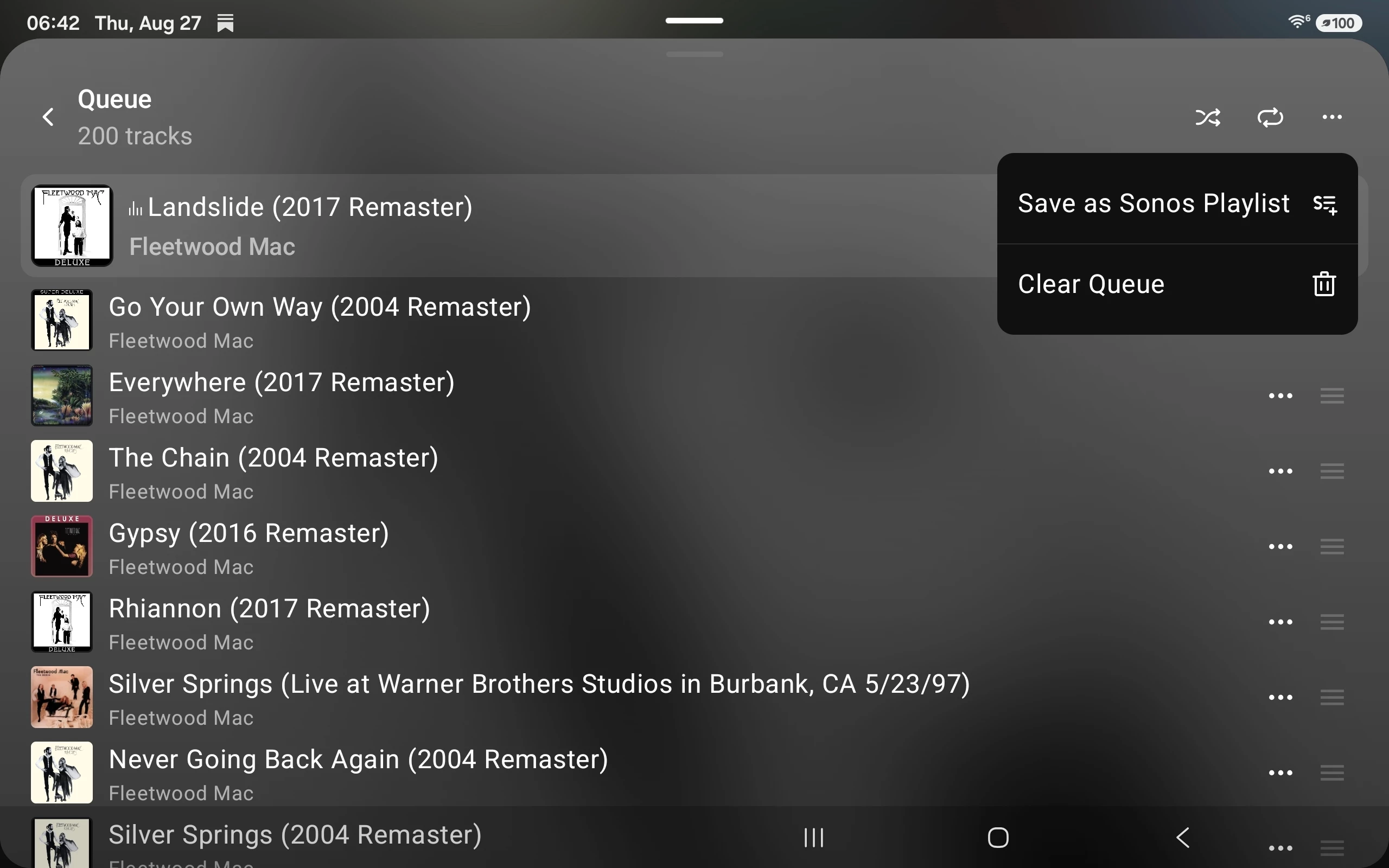
Doesn't  this work for you?


10 replies

Airgetlam
August 27, 2026

You mean like this?

Had a 6 hour power outage the other day, the rooms I haven’t yet played in show this:


Bruce
Dogdad
DogdadAuthor
Headliner III
August 27, 2026

Yes.. 

Stanley_4
Grand Maestro
August 27, 2026

If you put something in the queue, play it and clear the queue you get the no content label. 

Dogdad
DogdadAuthor
Headliner III
August 27, 2026

If you put something in the queue, play it and clear the queue you get the no content label. 

 Now.. if only there was an option to delete the whole list at one time… 

Stanley_4
Stanley_4Answer
Grand Maestro
August 27, 2026

Doesn't  this work for you?


Dogdad
DogdadAuthor
Headliner III
August 27, 2026

Doesn't  this work for you?


Didn’t know the option existed..thanks 

Contributor II
August 27, 2026

So I’m a long-time Sonos user; my whole house sound system is built around Sonos devices that, mostly, work dependably and well (needing an occasional reboot to keep things working correctly).  My problem is with the indexing of my albums.  Randomly, certain artists & their albums won’t categorize correctly.  The albums disappear and songs are listed by their track number regardless of album.  Has anyone had a similar problem and discovered a fix?  It was really nice to consistently access a favorite album and hear it as it was recorded.  I should note that this happens randomly and not consistently.  Some artists and their albums are indexed correctly, but others aren’t.  I haven’t been able to identify the common denominator in those that do versus those that don’t.  Any suggestions?  (I’ve tried deleting and re-adding my music library multiple times to no avail!)

kdowling
August 27, 2026

Is it possible you’re seeing this?

Although, your symptoms don’t match that specific problem. Have you looked closely at the metatags of the problem albums to make sure they are correct?

Contributor II
August 28, 2026

I did a bit more poking around with the various ways of accessing the music collection on my hard drive and discovered that if I sort by albums, most all of the music displays properly by track number within the album.

However, if I sort first by artist, all sorts of funky things happen, including some music sorts not by artist’s albums and then by song titles within each album, but all songs by that artist sorted together alphabetically regardless of album.

Very strange!  (And not at all convenient!)

Airgetlam
August 28, 2026

Rather than posting here for the public (although we’re interested), you probably want to present your findings to Sonos, by calling Sonos Support to discuss it.

Occasionally, the moderators here are able to forward some information to the various teams, but you’re much better off supplying that data directly to support. 

Bruce