


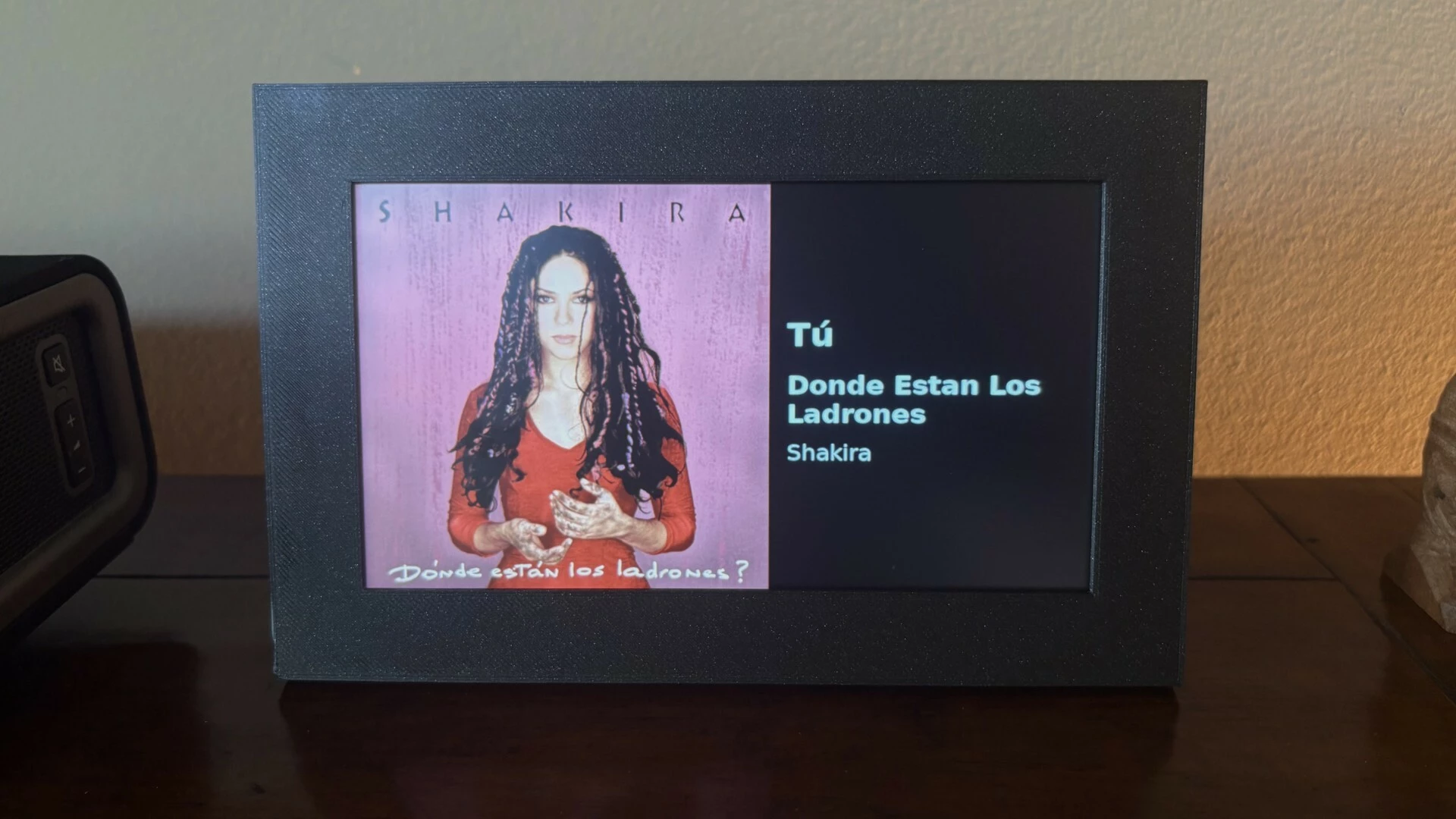
Album Art Display shows the album art from the currently playing track on your Sonos music system. It runs on a Raspberry Pi 3 Model A+ (or more current version) with an attached 7-inch DSI touchscreen. The album art fills the left square of the screen, with the song, album, and artist shown on the right. The display's backlight turns fully off when nothing is playing and wakes automatically when music starts.
Touch the screen at any time to bring up on-screen transport controls (previous track, pause/resume, next track, and a sliding volume control) which fade away a few seconds after your last touch. If the Pi cannot automatically connect to a Wi-Fi network at startup, it broadcasts its own temporary Wi-Fi hotspot so you can connect it to the Wi-Fi network from your phone. A small built-in web page also lets you switch which Sonos zone is shown from any device on your network.
I open-sourced this project. The code and complete DIY instructions are available for free here: [link redacted - search GitHub for Album Art Display]
Moderator Note: Modified in accordance with the Community Code of Conduct.


