This topic has been closed for further comments. You can use the search bar to find a similar topic, or create a new one by clicking Create Topic at the top of the page.
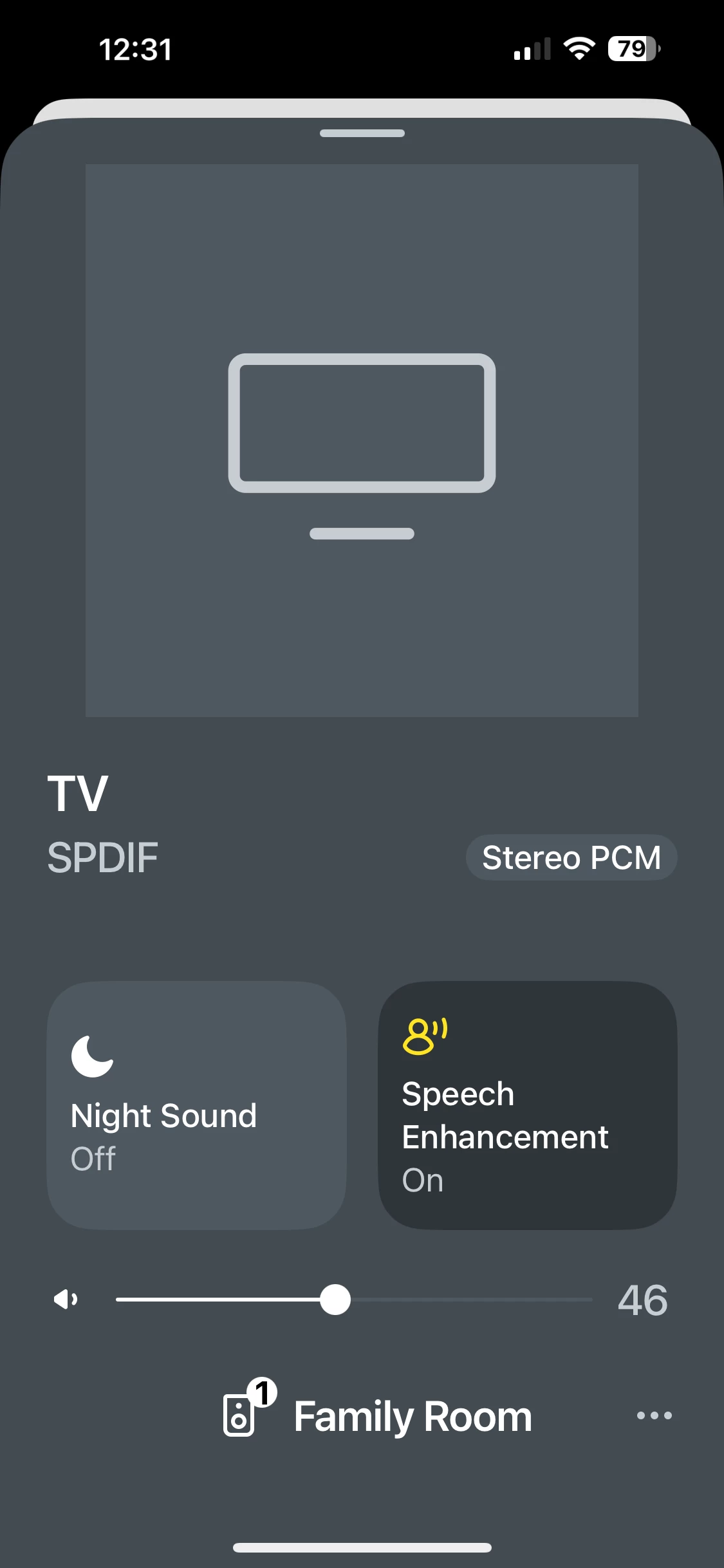
It means you only have that one speaker connected, the Family Room. If you had another speaker or two connected to the Family Room (in a group of 2 or more, including the Family Room) then there would be a 2 or 3 there, for example.
Substitute ‘room’ for ‘speaker’, please. It does not reflect the number of speakers connected, just the number of ‘rooms’ in the Sonos software ‘grouped’.
It’s a fine distinction, I’ll grant you, but I’m pedantic. (And somewhat annoyed with a programmer / UI person who thinks showing a 1 makes sense)
The "we'll show a 1" dufus has to get in line BEHIND the foole that decided changing Zones to Rooms was a good idea.
I'm pretty sure there is a "marketing group" swilling cheap gin and trying to find ways to make using and supporting Sonos harder. Sure, I should never attribute what is likely just stupidity to malice but it happens so often.
Translate
A
Anonymous
Aug 5, 2025 8:38 PM UTC
Yep, comments about the daft (1) iconography on the new app thread too... Not needed for default, bad design and bad for 'at a glance' pattern recognition... 🤷🏼♂️
Am I the only person who still has the old speaker symbol and no number despite having the most up to date app and firmware?? I’ll take it though as that “1” looks annoying…
(It will have been said before but surely it should only say “1” when it’s grouped with one other speaker.)
Hard to know if you’re the only one. I’ve certainly got them, but that’s no indication of anything other than I have it.
I would recommend that you submit a system diagnostic, and call Sonos Support to discuss it. Don’t post the resulting diagnostic number here, they get sensitive about GDPR.
There may be information included in the diagnostic that will help Sonos pinpoint the issue and help you find a solution.
When you speak directly to the Support staff, they have tools at their disposal that will allow them to give you advice specific to your network and Sonos system.