This topic has been closed for further comments. You can use the search bar to find a similar topic, or create a new one by clicking Create Topic at the top of the page.
Yes I have an Android tablet that works too with the largest text/display settings. I just don’t have an Android phone, so perhaps not a good comparison - the iPhone XR I have displays that same text okay too with largest text size.
You might be able to reproduce if you also slide the display size setting all the way to the right on your Android tablet.
I was able to get the text size so BIG on an iPhone XR that the text-display is extra/extra large and still the Sonos App works - Using the chosen screenshot mentioned here, just as an example, I had to record a video to get all the display included as the text is that big.
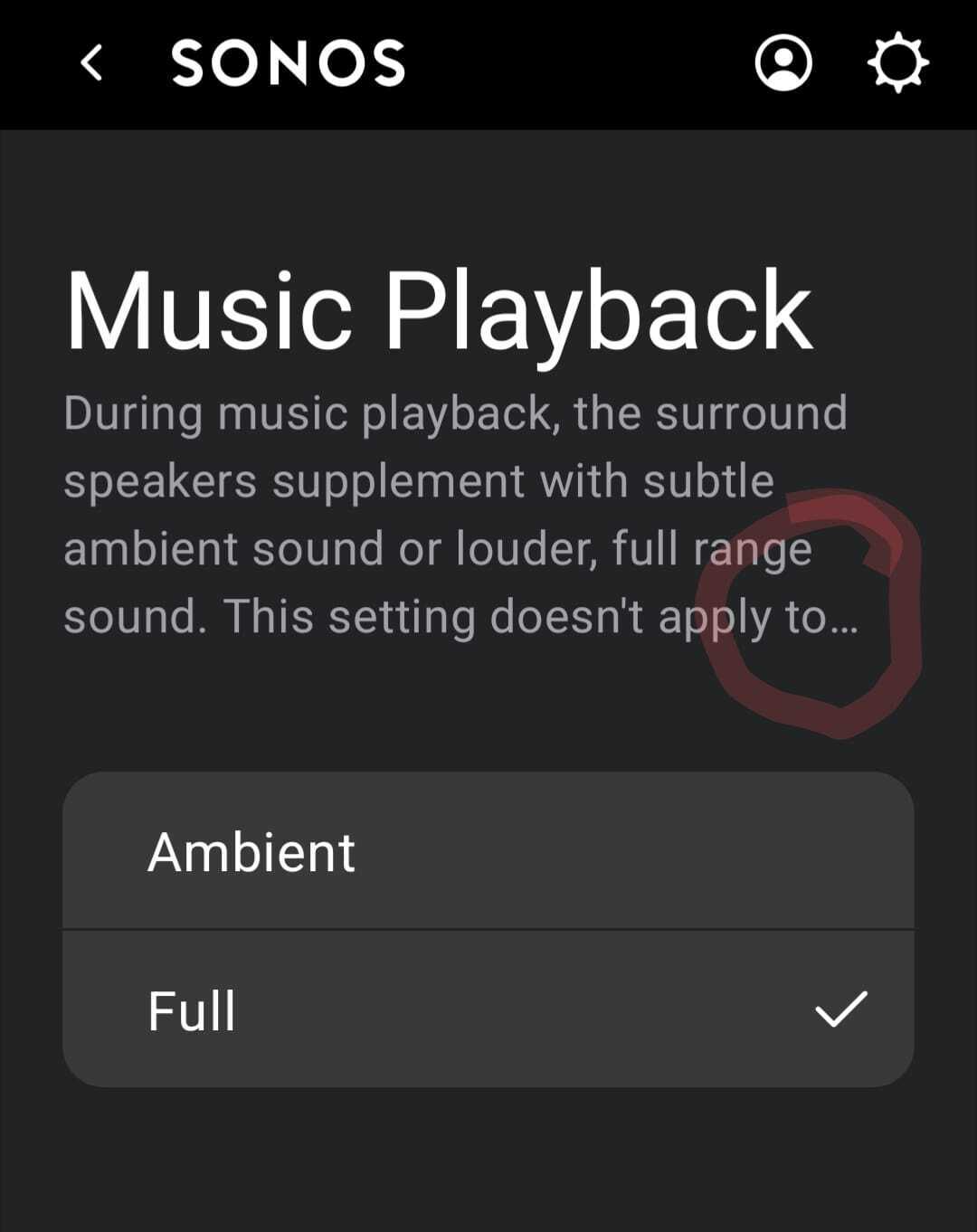
However as you can perhaps see from the attached, all the information is still there and not truncated. So it’s perhaps just an Android matter, or Pixel 7 matter, that Sonos need to look at.
I was able to get the text size so BIG on an iPhone XR that the text-display is extra/extra large and still the Sonos App works - Using the chosen screenshot mentioned here, just as an example, I had to record a video to get all the display included as the text is that big.
However as you can perhaps see from the attached, all the information is still there and not truncated. So it’s perhaps just an Android matter, or Pixel 7 matter, that Sonos need to look at.
Yeah your video shows how it should work. Like you I don’t see it on my iPhone -but it’s there along with a number of other LP display issues (eg can’t accept the EULA) on my Android phone (Essential).
Yes I have an Android tablet that works too with the largest text/display settings. I just don’t have an Android phone, so perhaps not a good comparison - the iPhone XR I have displays that same text okay too with largest text size.
You might be able to reproduce if you also slide the display size setting all the way to the right on your Android tablet.
It can’t get any larger text on my tablet as far as I can ascertain - but the iPhone text in my last post is the largest I could achieve with any device and the Sonos App seems fine - it’s just too big for the small phone to perhaps cope with clearly, but that could be said for any App on the App Store, I suspect.
The Sonos App display though did not truncate the text, like that seen on the Pixel 7 - so Sonos likely need to just look at the display for that Google device and see if it’s something on the Sonos side that can be fixed or pass it onto whoever can resolve the issue.
At the risk of stating the obvious, the Pixel 7 is literally a Google product and is a gold-standard-kind-of-thing wrt Android. So I agree with Ken that this is something Sonos ought to examine, as the issue likely crops up with a good slice of Android phones.
The OP has certainly done a thorough job of explaining and screen shotting things. 👏👏👏