
Majo133
Renowned Enthusiast I
May 8, 2024 7:35 AM UTC

TruePlay simply does not work in the new App

I tried to TruePlay Arc / Sub / Ones but the tuning is simply stuck on “Continue” step.

I’ve updated to the latest version 80.00.04. 
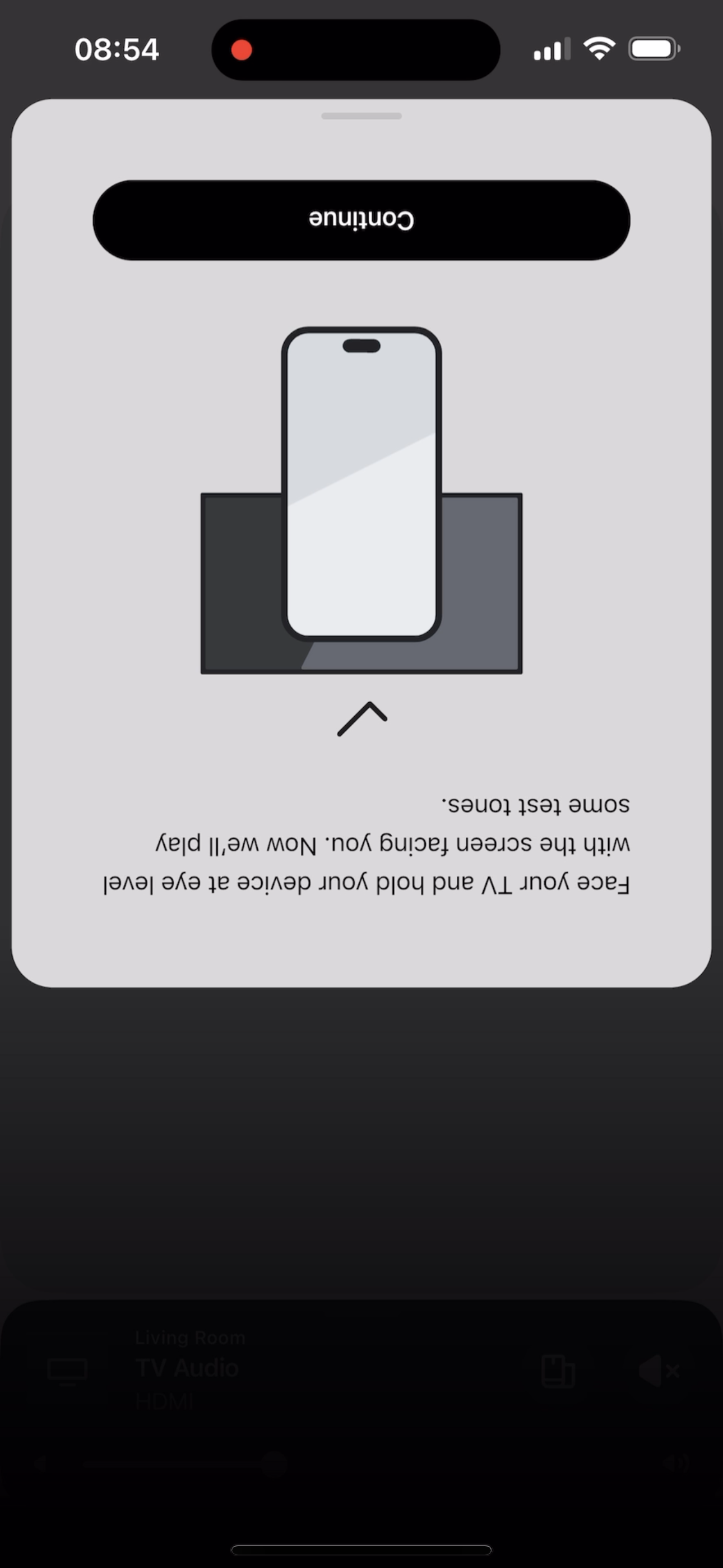
 

@Corry P do u guys are aware of this?


This topic has been closed for further comments. You can use the search bar to find a similar topic, or create a new one by clicking Create Topic at the top of the page.

370 replies

Lyricist III
May 14, 2024 6:02 PM UTC

A new update arrived 4 hours ago, but Trueplay still doesn't work.

I'm getting really angry…. why should a redesigned application be released without being tested...because it's not just Trueplay that has a problem...yesterday when I tried to reinstall the system I had to try several times because I got an error message every time. I don't remember the exact error message, but this was the gist of it: "We can't add the speaker to your account"


Translate
Lyricist III
May 14, 2024 6:28 PM UTC

When you want to ask support for help….the same message for hours…yesterday and today I tried to reach technical support by phone… Yesterday the expected waiting time was 114 minutes… Today: “The expected waiting time is 110 minutes”… this is a joke!!


Translate
Lyricist III
May 14, 2024 6:57 PM UTC

I tested it.  

Trueplay works on:

-Stereo pair of Era 100

-Playbar / no sub,no surronds /

Not working:

-Arc+Sub+2 Era 300 surrounds.

So I think the problem is with the software of the Arc or the Sub or the Era 300.

However, according to Sonos, my system is up to date…


Translate
Lyricist I
May 14, 2024 9:58 PM UTC

Same, still no fix? Cmon Sonos we spend a lot of money on your products. Stop releasing app updates before they work. We are tired of being your guinea pigs. I didn’t sign up for a beta program 🙄

Translate
Lyricist III
May 14, 2024 11:28 PM UTC

And the biggest problem is that no one from Sonos technical support writes in this "Sonos Community" topic: "We know about the problem, we are working on it and we are sorry. Sorry for the inconvenience."
Every user tries to solve the peoblem by himself, only those who need it don't.

They left me in the dark and for now the way to the light is not visible.

Translate
Lyricist I
May 15, 2024 1:18 AM UTC

Hey I found a fix for this. Go on the Sonos app and make sure you have Spotify or Apple Music on it. Play about 10 seconds of any song and pause it, then go into trueplay and it’ll work. 

The fix posted by @Rdawkins fixed my issue, not sure why the fix works, but 

Translate
Lyricist I
May 15, 2024 1:19 AM UTC

Sorry I replied to the wrong post

Translate
Lyricist II
May 15, 2024 2:33 AM UTC

Same issue

Translate
Lyricist II
May 15, 2024 2:40 AM UTC

Hey I found a fix for this. Go on the Sonos app and make sure you have Spotify or Apple Music on it. Play about 10 seconds of any song and pause it, then go into trueplay and it’ll work. 

This worked for me as well

Translate
Contributor I
May 15, 2024 11:29 AM UTC

Hey I found a fix for this. Go on the Sonos app and make sure you have Spotify or Apple Music on it. Play about 10 seconds of any song and pause it, then go into trueplay and it’ll work. 

This worked for me as well

Still doesn’t fix the issue.  Arc, Sub, Era 300s

Translate
