
Majo133
Renowned Enthusiast I
May 8, 2024

TruePlay simply does not work in the new App

  • May 8, 2024
  • 370 replies
  • 30953 views

I tried to TruePlay Arc / Sub / Ones but the tuning is simply stuck on “Continue” step.

I’ve updated to the latest version 80.00.04. 
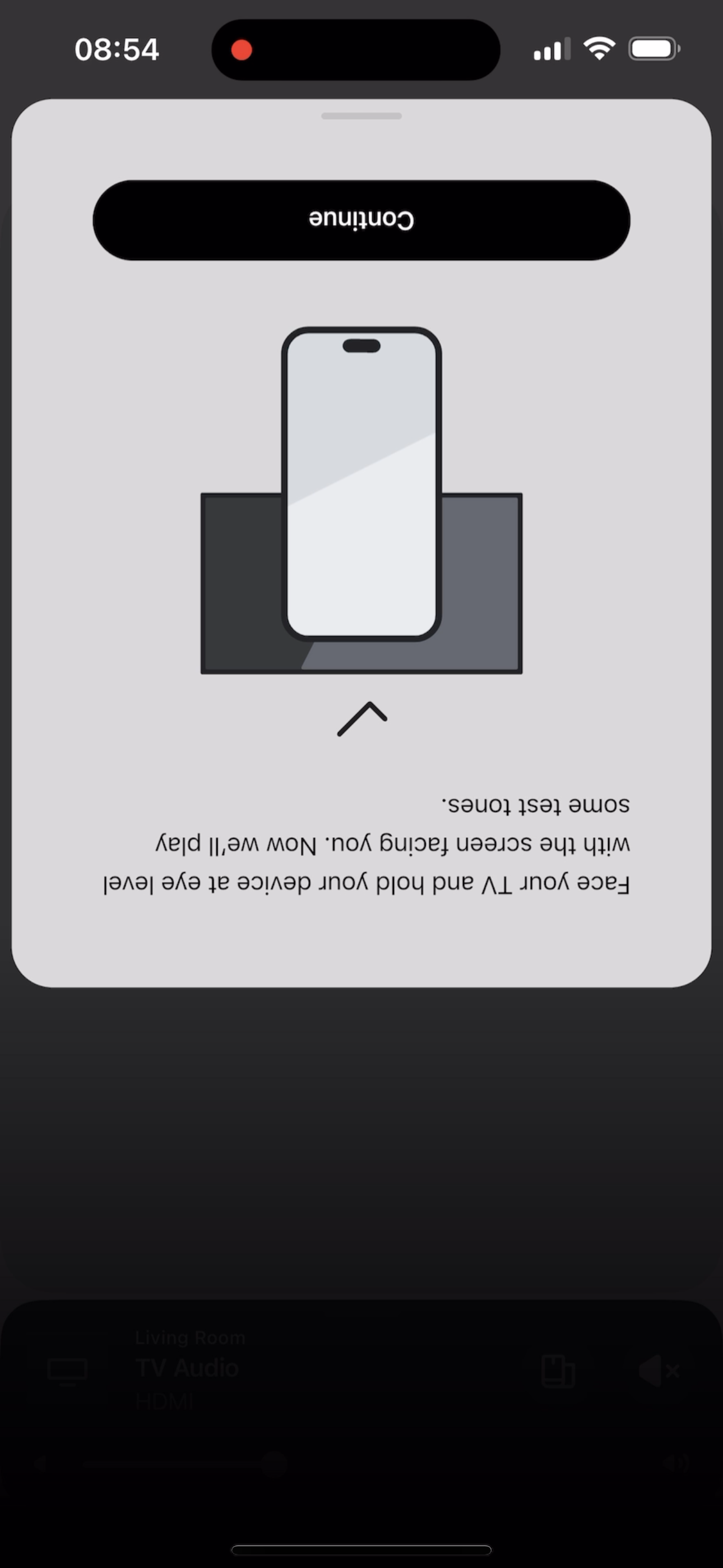
 

@Corry P do u guys are aware of this?


This topic has been closed for further comments. You can use the search bar to find a similar topic, or create a new one by clicking Create Topic at the top of the page.

370 replies

Lyricist I
May 11, 2024

My arc had its microphone disabled for some reason and when enabled I was able to get past the “continue” screen and started to tune but was not able to complete it as it was getting stuck at the final stage. 
 

issue still persists unfortunately 

My microphone Shows off as well. How do you enable it. 

I believe you have to enable a voice assistant.  Once I did that, the microphone light automatically illuminated.

Lyricist I
May 11, 2024

Same problem here. Just added a Sub Gen 3 to my Playbar and two play ones. (Could not add the sub until I logged out and logged back in 🙄)

Unable to setup Trueplay. Just gets stuck after rotating the phone. Extremely disappointed that the developers broke an app that was working perfectly fine. 
 

restarted phone and reinstalled the app. 

Lyricist I
May 11, 2024

The new app completely broke our perfectly working Arc + Sub. I had to factory reseted both of them, deleted and reinstalled the new app for them to pair again. Not only that, the connection dropped after 20’ and could not be found at all within the app. TruePlay also stuck during setup as reported by many other users - no matter what method I have tried.

Luckily, my iPad still used the previous version, so I used it to re-setup everything. Now it is working perfectly!

I still cannot believe that Sonos is able to produce top-notch high quality hardware, but they allowed this half-baked untested software to be released though. Huge disappointment!

Lyricist I
May 11, 2024

My arc had its microphone disabled for some reason and when enabled I was able to get past the “continue” screen and started to tune but was not able to complete it as it was getting stuck at the final stage. 
 

issue still persists unfortunately 

My microphone Shows off as well. How do you enable it. 

In the right side of the bar, but it those not solve the problem…

May 11, 2024

Has anyone spoken to technical regarding this as it seems to be an issue for everyone 

Lyricist III
May 11, 2024

My plan was to by an iPad Air 6 when it’s released, but on careful consideration I bought a discounted iPad Air 5 last week, one of the very reasons was because I understood it would work with my Sonos Arc and TruePlay. Alas, when I try to use TruePlay it keeps getting stuck on the ‘begin tuning’ screen. I tried rebooting, resetting etc and nothing has worked.

I’m very angry with Sonos about this and I will NEVER buy another Sonos product again. When I bought my Sonos Arc in 2021 it worked absolutely fine with TruePlay on my old 2013 iPad Air, with zero issues. Yet in 2024, with a newer iPad it’s full of problems. It’s bad enough that the Arc has to rely on a compatible Apple device in order to use TruePlay, yet even when you have one it doesn’t work!

Lyricist I
May 12, 2024

Same issue here. App freezes at test tone message and needs to be restarted. Restarting phone and reinstalling app makes no difference.

Lyricist I
May 12, 2024

How about the company fixes the update bug, would seem to be a better solution than the hoop jumping your customers have to do.

Lyricist I
May 12, 2024

Hey I found a fix for this. Go on the Sonos app and make sure you have Spotify or Apple Music on it. Play about 10 seconds of any song and pause it, then go into trueplay and it’ll work. 

Lyricist I
May 12, 2024

Hey I found a fix for this. Go on the Sonos app and make sure you have Spotify or Apple Music on it. Play about 10 seconds of any song and pause it, then go into trueplay and it’ll work. 

This worked for me as well
