
Trending Lyricist I
Jun 10, 2024 8:08 AM UTC
Answered

The new app doesnt work

Good morning, the new app doesn’t work on my device, a realme X2 Pro (Snapdragon 855 Plus + 12GB RAM + 256GB). The new app is not working. It simply won't start. Here are some pictures:

The app shows a logo...


  1. It stays on the logo screen for minutes and minutes, then it just goes to a black screen. As you can see, it keeps trying to start, but it never does.

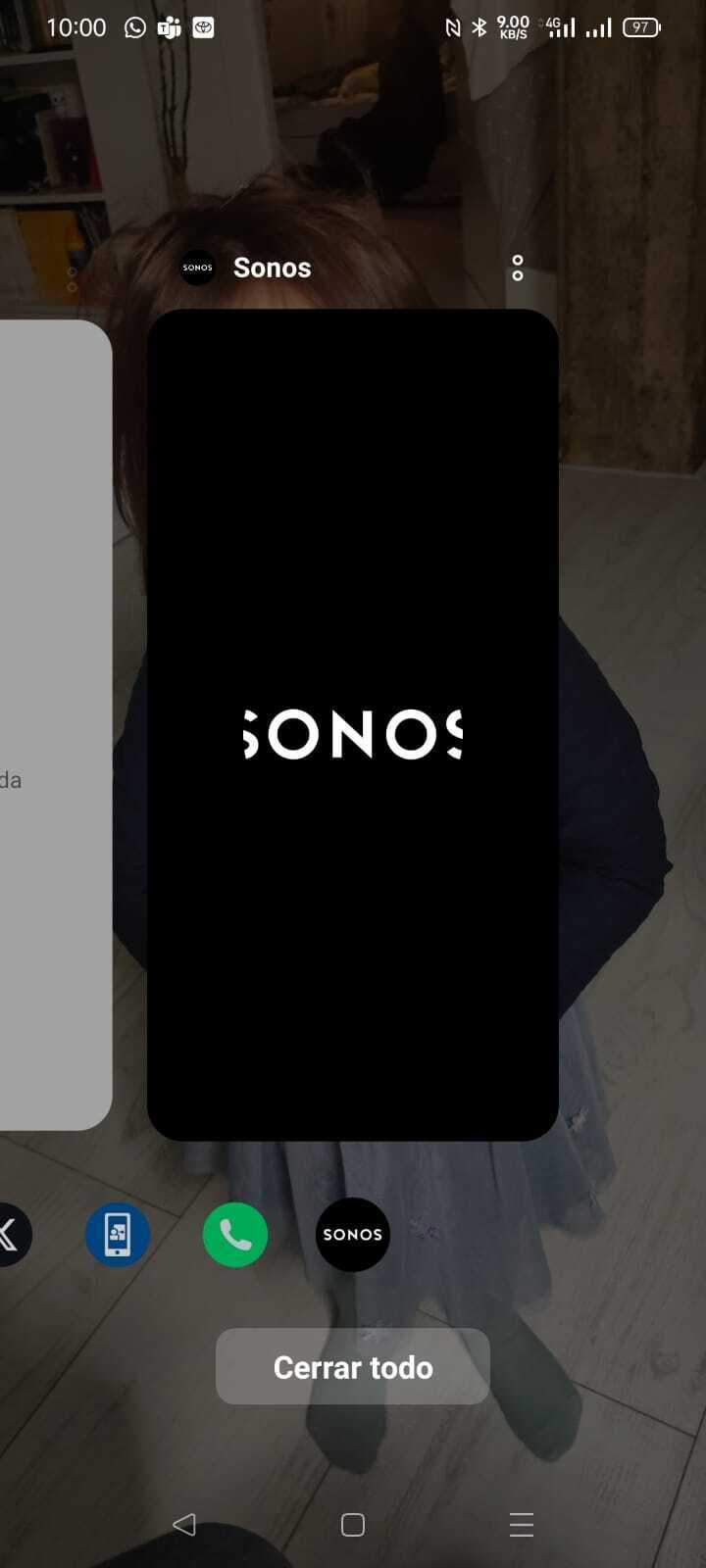
 

Black Screen

I've tried clearing the cache, uninstalling and reinstalling, etc., but always the same result. It won't start.

What can I do? I'm left without Sonos (I have two Sonos Play 1 and a Sonos Play 5 (Gen 2)).

Thank you.

This topic has been closed for further comments. You can use the search bar to find a similar topic, or create a new one by clicking Create Topic at the top of the page.
Corry P
Corry PAnswer
Sonos Staff
Jun 18, 2024 1:03 PM UTC

Hi @jorge_cab_rod et al

We have identified an issue affecting Android devices running ColorOS or MIUI OS that results in the Sonos app opening to a blank/black screen. We are investigating, but have no ETA for when a resolution might be made available.

"Common sense is the collection of prejudices acquired by age eighteen." - Albert Einstein

57 replies

Lyricist II
Jan 2, 2025 11:27 PM UTC

Do Sonos staff see these posts ? I’m new here. Looking back there was one “Corry P” who replied  4 months ago that issues were ongoing but no update since..?

Translate
Collaborator II
Jan 3, 2025 12:04 AM UTC

Do Sonos staff see these posts ? I’m new here. Looking back there was one “Corry P” who replied  4 months ago that issues were ongoing but no update since..?

Official staff respond sporadically. 
 

Here’s the latest update from the people in charge of this mess. https://support.sonos.com/en-ca/article/the-new-sonos-app-and-future-feature-updates

Translate
Airgetlam
Jan 3, 2025 1:11 AM UTC

Not a huge fan of ‘bots, but that’s neither here nor there, and I suppose it matters how ‘smart’ they are. For all I know, you’re a ‘bot (but most unlikely!)

Sometimes, in my opinion, it requires an actual human, at least right now,  to analyze what is going on. The good thing is that at least sometimes, it’s working. The next time that happens, submit a system diagnostic and make a note of the number so that you can reference it on your call. That will give them an opportunity to look at some ‘hard’ data, and maybe see why it’s not connecting at other times.

But every programmer I’ve ever worked with in the past prefers bugs that have repro steps, or at the least some hard data to look at, I’d assume Sonos folks do as well. As far as I know, the data for a diagnostic is stored for a long time, so that it can be pulled up by multiple people to be looked at. What I don’t know is if that data is deleted. I’d assume it is, but have no idea if that’s 3 months, 3 years, or backed up and effectively infinite (something we tried to always due with customer data in my past).  

Translate
Bruce
Corry P
Sonos Staff
Jan 3, 2025 10:09 AM UTC

Hi ​@Nick_T 

There have been no updates from staff here because there have been no updates to give you. I am not saying no progress has been made, just that I do not receive updates on progress that is made so I have nothing I can update you all with.


Translate
"Common sense is the collection of prejudices acquired by age eighteen." - Albert Einstein
Contributor I
Jan 3, 2025 2:41 PM UTC

I tried to talk to support via chat yesterday, spent 1 hour waiting in line and the agent stopped the chat the second it was my turn so I couldn’t ask anything. Will try again and share if I get some official feedback

Translate
Lyricist II
Jan 3, 2025 10:59 PM UTC

Do Sonos staff see these posts ? I’m new here. Looking back there was one “Corry P” who replied  4 months ago that issues were ongoing but no update since..?

Official staff respond sporadically. 
 

Here’s the latest update from the people in charge of this mess. https://support.sonos.com/en-ca/article/the-new-sonos-app-and-future-feature-updates

Thanks for the link. Nothing in the latest update about this issue unfortunately. I wonder if Sonos have decided to kick it in the long grass and the issue will go away as people renew their phones etc..

Translate
Lyricist II
Jan 3, 2025 11:00 PM UTC

Not a huge fan of ‘bots, but that’s neither here nor there, and I suppose it matters how ‘smart’ they are. For all I know, you’re a ‘bot (but most unlikely!)

Sometimes, in my opinion, it requires an actual human, at least right now,  to analyze what is going on. The good thing is that at least sometimes, it’s working. The next time that happens, submit a system diagnostic and make a note of the number so that you can reference it on your call. That will give them an opportunity to look at some ‘hard’ data, and maybe see why it’s not connecting at other times.

But every programmer I’ve ever worked with in the past prefers bugs that have repro steps, or at the least some hard data to look at, I’d assume Sonos folks do as well. As far as I know, the data for a diagnostic is stored for a long time, so that it can be pulled up by multiple people to be looked at. What I don’t know is if that data is deleted. I’d assume it is, but have no idea if that’s 3 months, 3 years, or backed up and effectively infinite (something we tried to always due with customer data in my past).  

I wasn't aware I could generate a diagnosis file, will give it a go.. 

Translate