
Trending Lyricist I
June 27, 2024
Answered

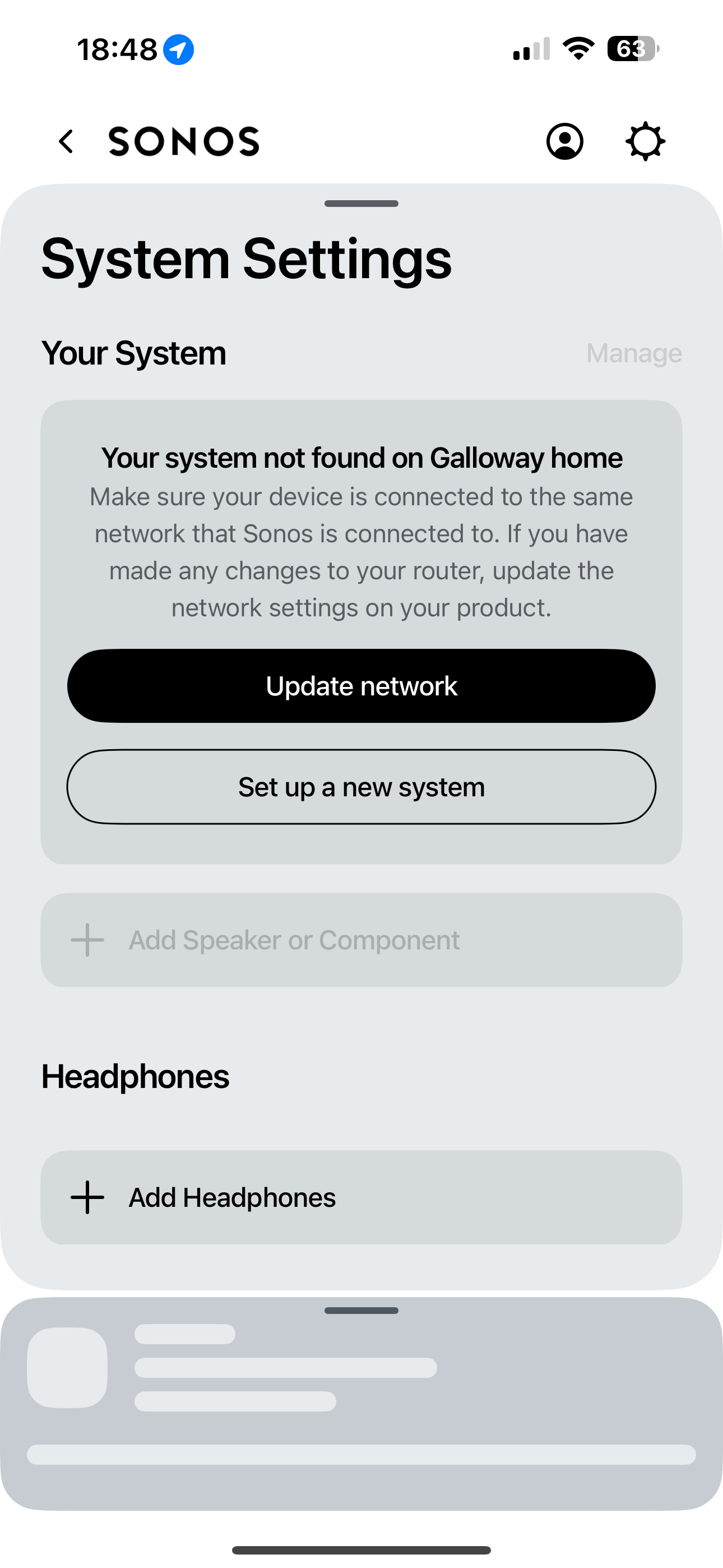
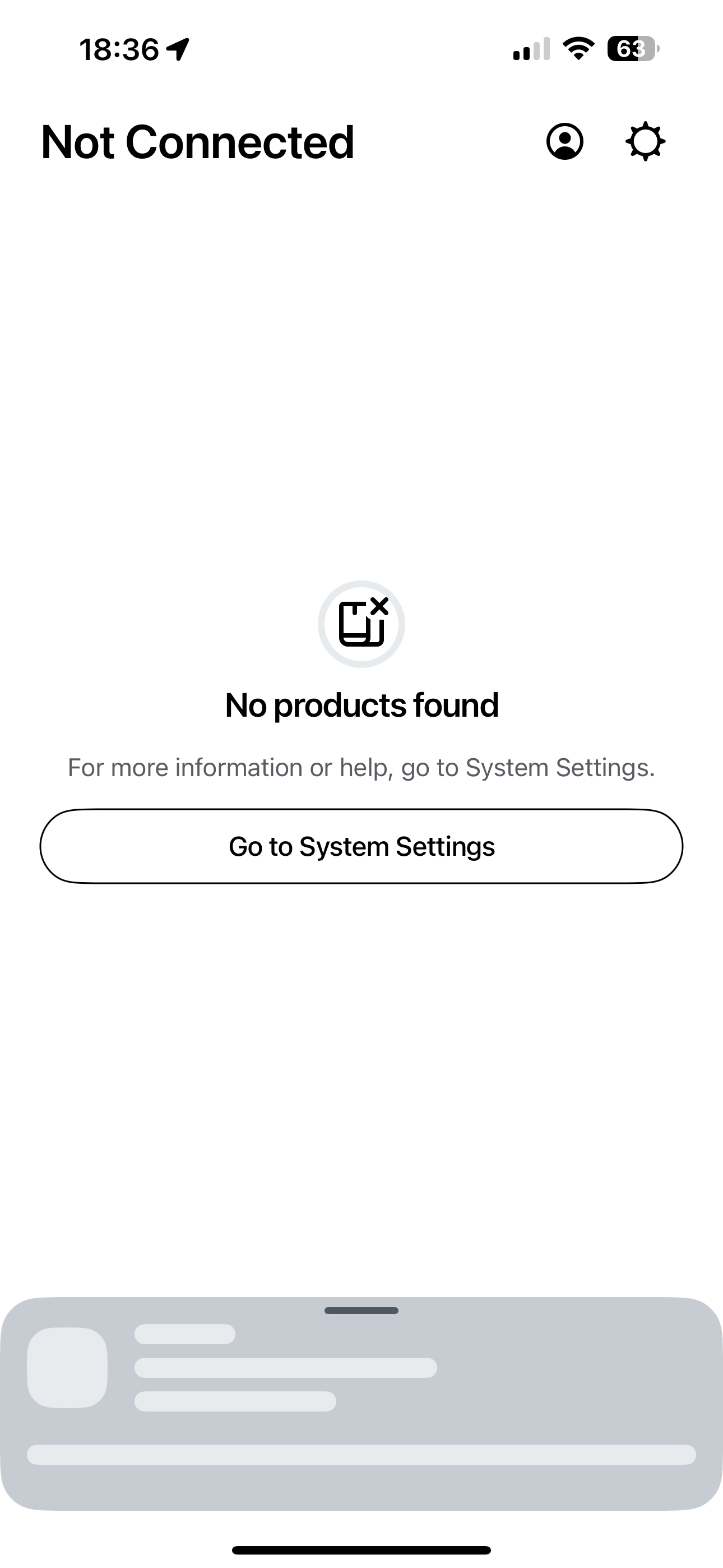
System not found on network ……. EVERYTIME i access app
  • June 27, 2024
  • 30 replies
  • 4681 views

Hi folks, turning to the community as one last throw of the dice to try and resolve this, otherwise I will be selling the 2 x Move speakers. Having read through the various posts around the updated app (absolutely horrible) and various posts surrounding my similar issue, I have been unable to find a solution that works. 
 

when I try to access the speakers through the app (BT full fibre and iPhone 15 pro) I get the attached error message about “system not found on network”. I then search and add my speakers once again. Within 2 minutes, they disappear yet again. 
 

I have to go through this process EVERY time I access the app, I have been unable to simply open the app and play music since the app update. 
 

can anyone offer some advice with this that has maybe found a solution as I do love the speakers but this has now become unusable and will be forced to sell. 
 

thanks all. 

This topic has been closed for further comments. You can use the search bar to find a similar topic, or create a new one by clicking Create Topic at the top of the page.
Best answer by Andigalls

I managed to speak to Sonos support who requested a system diagnosis be sent. They reviewed and advised that as I have a TP-Link power line adapter connected to my BT Home Hub 2 (which provides internet to garage Apple TV) and an Ethernet switch also connected to router (again to hard wire living room tv/Apple TV box etc) that it is causing the “system not found” issue!!! I am unsure why this would be the case as both are Ethernet connection and not WiFi in the home. The advice was to disconnect these and try the app, if successful this is confirmed issue. What is strange is that these have been connected the whole time I’ve owned the Sonos speakers and has NEVER caused any issues before the app update. I’ll try disconnecting and check the app to confirm this is the issue but if it is, it leaves with with the choice of having a power line set up to access WiFi in garage or using Sonos speakers!!! 
 

im not happy or convinced this is the cause but if it is, then I’ll be choosing the powerline as have my gym set up in garage and need internet access. 
 

Speakers will be advertised on eBay this weekend and will give Sonos one more try with a Five which I can connect via Ethernet, see if this helps. 

30 replies

Lyricist II
August 18, 2024

I had this issue too but what I did was go into settings then network then I hit update network. I updated the WiFi on all my devices and magically it worked. I updated it to the same exact WiFi it was already on and for some reason it worked.  I’ve been good for a few days with no issues now. 

Contributor I
August 18, 2024

If you are using an router with app try to figure out if your speaker is connected to your WiFi. If it isn’t connected you would have an information about no system, even if your phone is connected to the proper WiFi. 
I had a problem that my second speaker (any of my four) hadn’t be able connect to my WiFi. Even the diode was white after doing the factory reset procedure. 
Because you are sure that you are choosing the proper WiFi it must be problem with the speaker and its connection. 
It’s also possible to accidentally create the second empty system in the app, you should change your system. 

Michael
AndigallsAuthor
Trending Lyricist I
August 19, 2024

If you are using an router with app try to figure out if your speaker is connected to your WiFi. If it isn’t connected you would have an information about no system, even if your phone is connected to the proper WiFi. 
I had a problem that my second speaker (any of my four) hadn’t be able connect to my WiFi. Even the diode was white after doing the factory reset procedure. 
Because you are sure that you are choosing the proper WiFi it must be problem with the speaker and its connection. 
It’s also possible to accidentally create the second empty system in the app, you should change your system. 

Thanks. I’ve updated my network, reinstalled my “system” and speakers probably 10 times already! I’ve factory reset both speakers 3 times too. Nothing I try seems to work. 

Lyricist I
August 19, 2024

Hi all, just adding my voice to this as I have exactly the same very frustrating problems and have been trying to fix them for a couple of months now (I have two Era 100s and one Roam), specifically:

  • My app always tells me the speakers aren’t connected to the network, even though I’ve connected them. About 1/5 times after about 15 minutes it changes its mind and will display (apparently randomly) 1,2 or 3 of my three speakers as being available. There is usually a problem with the though, most often that the volume is set to zero and I can’t change it on the app.
  • Voice control still apparently works, but also with a roulette element to it - when I say ‘sonos play’ either nothing happens/error noise, or it starts to play from the Sonos radio, or it resumes playing what I was playing before. Sometimes I can control which speakers are playing via the app, sometimes I can’t.
  • New this week: the microphones on the three different speakers seem to have combined/morphed. If I say ‘sonos play’ into the one in my bedroom, it will start playing in the living room, but not in the bedroom. The microphone on the living room one doesn’t work at all though, so I have to control it from the bedroom. Sometimes the Roam will join in, sometimes not.

I’ve spoken to my internet provider (talktalk) who have tested all the connections (and told me the solution some had found on their forum of removing ‘wifi optimisation’ doesn’t apply to me). Everything is fine. I’ve also done all the resetting/re-installing that others have tried.

Is there anyone from Sonos customer support on here who can gather our collective problems and try to find a solution? 


Local Superstar
August 19, 2024

I am also on a BT hub. I contacted Sonos support and they have a know issue with WiFi configuration.  The email received from them contained 

Thank you for contacting Sonos Customer Care.

As we spoke on the phone, please log in to your router and change/check the following settings 
1. For the band 2.4Ghz, please change Wireless mode from 1 to 2. (this will enable B/G/N);


i changed wireless mode to 2 and that seems to have resolved all my issues about not finding components, failing to group or change volume. 
Good to have a fix but beyond belief that they knew this and weren’t proactively telling users

Hope this helps. Colin

It is mentioned a couple of times, last year pre new App

And here:

Also, some info on BT site about the modes:

https://www.bt.com/help/broadband/what-is-the-wireless-mode-feature-on-my-bt-smart-hub-#:


Lyricist I
August 25, 2024

Hi Colin and everyone and thank you for sharing this info. I made this change on my talktalk router and for about a day it seemed to have worked, but now back to how it was before so I’m going to keep trying to get through to Sonos customer support and hope they have another fix up their sleeves!


AndigallsAuthor
Trending Lyricist I
August 26, 2024

Hi Colin and everyone and thank you for sharing this info. I made this change on my talktalk router and for about a day it seemed to have worked, but now back to how it was before so I’m going to keep trying to get through to Sonos customer support and hope they have another fix up their sleeves!


Same here, worked for a whole 24 hours moving to mode 2. Now back to the same old garbage. No system found. 
 

Thankfully I have interest in my speakers so hopefully, I’ll be done with them and can try another brand. I was planning on trying a Five with Ethernet connection but I’m not even going to go this route now. I’m done with Sonos. 

AndigallsAuthor
Trending Lyricist I
September 1, 2024

Well, my Sonos saga is now over. I have sold all my speaker today after getting absolutely nowhere trying all suggestions to fix my app issue. 
 

I had planned on trying a Five (with Ethernet port) to see if the hard wired connection made any difference but have decided against sticking with Sonos. Going to research other brands now and try elsewhere, as it’s too much money to spend and risk this same ridiculous situation happening again. 
 

For those sticking with it, good luck and I hope you get a solution soon. 

Lyricist I
September 2, 2024

I have the same issue but after restarting the app it usually finds the speakers. This is clearly an issue on the Sonos side. The app fails on bigger homes with wifi range extenders. This shows how this products are dependent on smartphones and wifi networks. Smartphone issue? WiFi issue? No music. I would consider selling it if there’s a better alternative, but I’m not sure there is.

Lyricist I
September 4, 2024

I managed to speak to Sonos support who requested a system diagnosis be sent. They reviewed and advised that as I have a TP-Link power line adapter connected to my BT Home Hub 2 (which provides internet to garage Apple TV) and an Ethernet switch also connected to router (again to hard wire living room tv/Apple TV box etc) that it is causing the “system not found” issue!!! I am unsure why this would be the case as both are Ethernet connection and not WiFi in the home. The advice was to disconnect these and try the app, if successful this is confirmed issue. What is strange is that these have been connected the whole time I’ve owned the Sonos speakers and has NEVER caused any issues before the app update. I’ll try disconnecting and check the app to confirm this is the issue but if it is, it leaves with with the choice of having a power line set up to access WiFi in garage or using Sonos speakers!!! 
 

im not happy or convinced this is the cause but if it is, then I’ll be choosing the powerline as have my gym set up in garage and need internet access. 
 

Speakers will be advertised on eBay this weekend and will give Sonos one more try with a Five which I can connect via Ethernet, see if this helps. 

I've just been told by Sonos that it might be my 5g router causing this problem. Seemingly their fine print says 5g is unsupported. I pointed out I've had for 2yrs without issue as problems only occured in the last couple of months.