
Trending Lyricist I
June 27, 2024
Answered

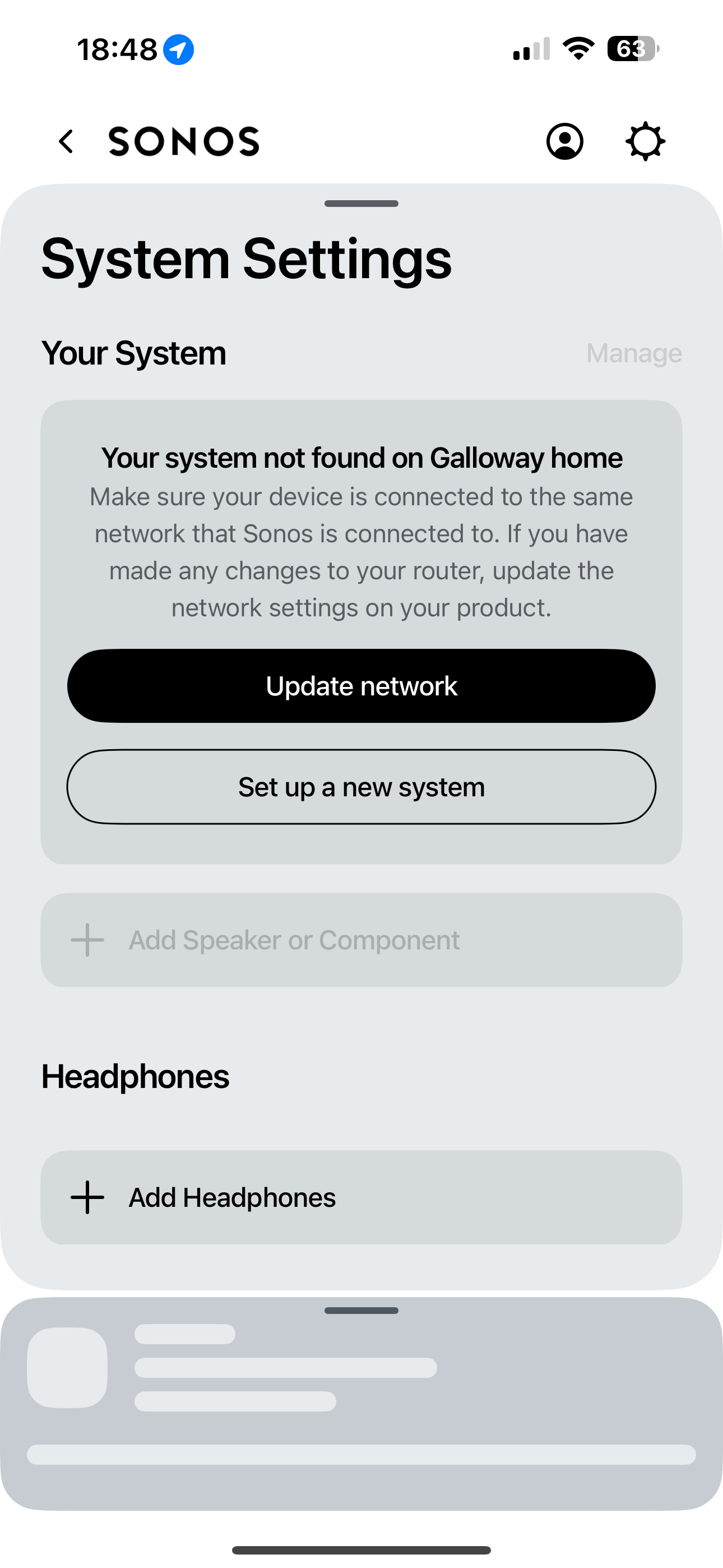
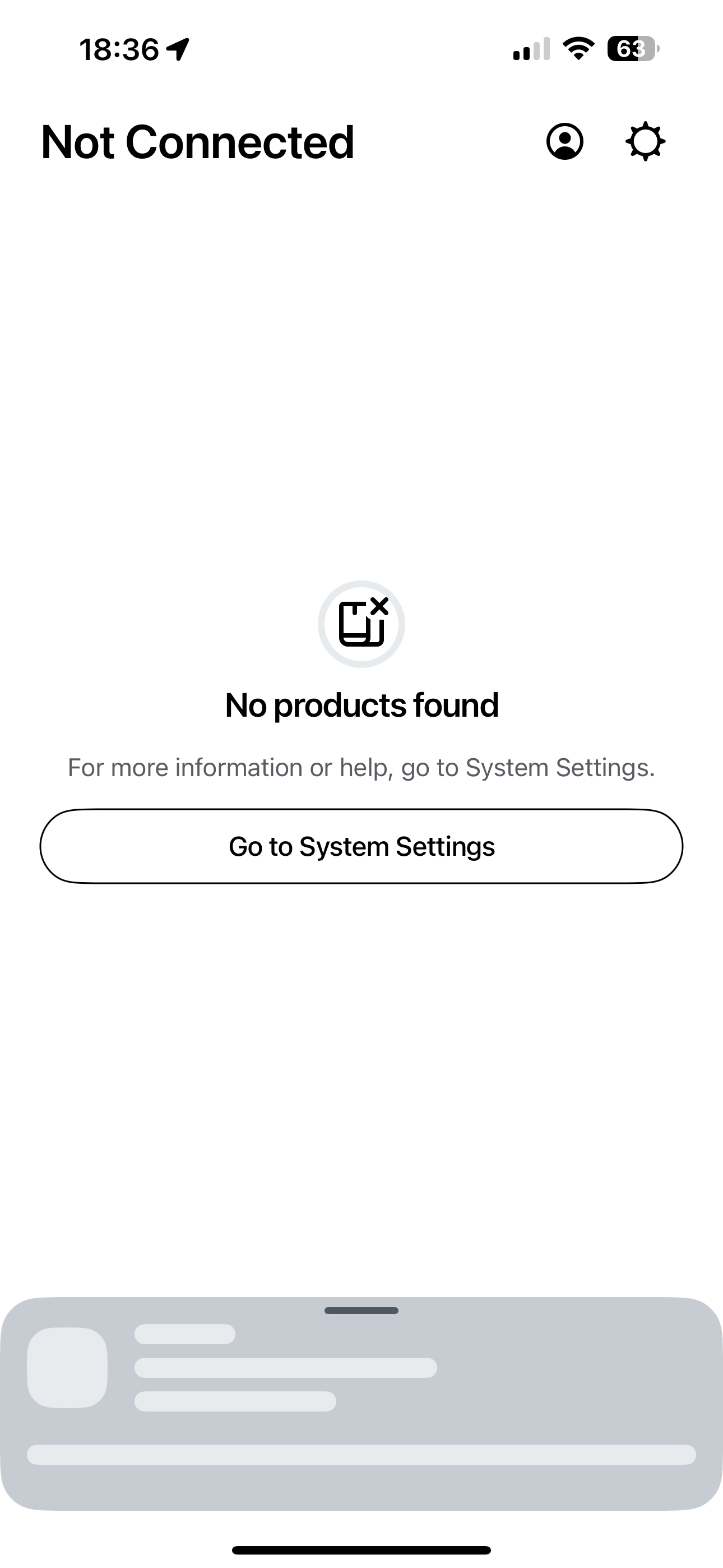
System not found on network ……. EVERYTIME i access app
  • June 27, 2024
  • 30 replies
  • 4681 views

Hi folks, turning to the community as one last throw of the dice to try and resolve this, otherwise I will be selling the 2 x Move speakers. Having read through the various posts around the updated app (absolutely horrible) and various posts surrounding my similar issue, I have been unable to find a solution that works. 
 

when I try to access the speakers through the app (BT full fibre and iPhone 15 pro) I get the attached error message about “system not found on network”. I then search and add my speakers once again. Within 2 minutes, they disappear yet again. 
 

I have to go through this process EVERY time I access the app, I have been unable to simply open the app and play music since the app update. 
 

can anyone offer some advice with this that has maybe found a solution as I do love the speakers but this has now become unusable and will be forced to sell. 
 

thanks all. 

This topic has been closed for further comments. You can use the search bar to find a similar topic, or create a new one by clicking Create Topic at the top of the page.
Best answer by Andigalls

I managed to speak to Sonos support who requested a system diagnosis be sent. They reviewed and advised that as I have a TP-Link power line adapter connected to my BT Home Hub 2 (which provides internet to garage Apple TV) and an Ethernet switch also connected to router (again to hard wire living room tv/Apple TV box etc) that it is causing the “system not found” issue!!! I am unsure why this would be the case as both are Ethernet connection and not WiFi in the home. The advice was to disconnect these and try the app, if successful this is confirmed issue. What is strange is that these have been connected the whole time I’ve owned the Sonos speakers and has NEVER caused any issues before the app update. I’ll try disconnecting and check the app to confirm this is the issue but if it is, it leaves with with the choice of having a power line set up to access WiFi in garage or using Sonos speakers!!! 
 

im not happy or convinced this is the cause but if it is, then I’ll be choosing the powerline as have my gym set up in garage and need internet access. 
 

Speakers will be advertised on eBay this weekend and will give Sonos one more try with a Five which I can connect via Ethernet, see if this helps. 

30 replies

Lyricist III
August 17, 2024

Agreed, I bought mine a week or two before the new app launched. Had 2 weeks of brilliance with a totally stable app that allowed me to edit playlists properly and was responsive throughout.

Sorry a simple close and open doesn't fix it for you. Doubt it's your setup since mine has the problem with none of the additional network complexity.

Wish they'd either launched the new app once it's reached feature parity with the old app if you MUST force users to only use the new app, or launch the new app broken and light on features as they did, but make use of it optional. Users will migrate to it once it's good enough if the old app stopped receiving updates. Doesn't half feel like the lag and connectivity problems are due to the switch to cloud based microservices for everything rather than the old app's direct API calls to the local device.

AndigallsAuthor
Trending Lyricist I
August 17, 2024

Agreed, I bought mine a week or two before the new app launched. Had 2 weeks of brilliance with a totally stable app that allowed me to edit playlists properly and was responsive throughout.

Sorry a simple close and open doesn't fix it for you. Doubt it's your setup since mine has the problem with none of the additional network complexity.

Wish they'd either launched the new app once it's reached feature parity with the old app if you MUST force users to only use the new app, or launch the new app broken and light on features as they did, but make use of it optional. Users will migrate to it once it's good enough if the old app stopped receiving updates. Doesn't half feel like the lag and connectivity problems are due to the switch to cloud based microservices for everything rather than the old app's direct API calls to the local device.

100%. The release was far too early as was (and is) littered with bugs. A real shame as do love the speakers but the only way I can access them is through voice assistance now, which has huge limitations. An option to revert back to previous app version would satisfy, what appears to be, thousands (if not millions) of users. For it to go on this long, with users receiving various “causes” of the issues experienced, all of a different nature but with the same “system not found” outcome, is really really poor. It seems obvious that all of our issues are completely linked to the new app alone. 
 

I am willing to try another Sonos speaker (probably a Five) which has an Ethernet connection to establish if this provides a stable connection. If the issue remains, I’ll look elsewhere for speakers. 

Lyricist III
August 17, 2024

Agreed, one thing I'll try is pressing play on the device itself next time my app does this. If the device resumes whatever song I was last playing then it'll be clear the device is still connected to the network and can access the music services, and it is really just the app that's failing.

Local Superstar
August 17, 2024

Can you clarify the TP-Link devices to garage, are they just providing ethernet, or is the one in garage also a WiFi device? Or is there another WiFi AP in garage? 

Where are the Moves, and do they move between house (BT Hub) and garage?

I think if you have the time, this will be a very good test to disconnect the TP-Link power line.

Yes, the tp-link device is connected to hub via Ethernet to power line adapters in wall socket which leads to another tp link adapter in garage where the tv and Apple TV are connected again via Ethernet. I’d does actually have a WiFi extender built in to the garage side yes. 
 

the moves are in the living room, approx 1 metre each side of the home hub router, they are rarely moved but if we do, they are taken to the garden. I have 2 x BT discs too. Prior to app update, the same set up was in place with thw TP-Link power line in place and never had any issues? 

I am slowly getting a better picture of your network now, as every time you post, more devices are being described. 😀

Did you try with the TP-Link Powerline and WiFi extender powered off?

On you phone do you see multiple WiFi networks? eg one from your Home Hub router, one from BT discs and one from your WiFi Extender?

IIRC if you are using BT Whole Home discs you should disable the BT router WiFi.

The extender(s) may be creating a separate ‘_EXT’ WiFi network?


AndigallsAuthor
Trending Lyricist I
August 17, 2024

Can you clarify the TP-Link devices to garage, are they just providing ethernet, or is the one in garage also a WiFi device? Or is there another WiFi AP in garage? 

Where are the Moves, and do they move between house (BT Hub) and garage?

I think if you have the time, this will be a very good test to disconnect the TP-Link power line.

Yes, the tp-link device is connected to hub via Ethernet to power line adapters in wall socket which leads to another tp link adapter in garage where the tv and Apple TV are connected again via Ethernet. I’d does actually have a WiFi extender built in to the garage side yes. 
 

the moves are in the living room, approx 1 metre each side of the home hub router, they are rarely moved but if we do, they are taken to the garden. I have 2 x BT discs too. Prior to app update, the same set up was in place with thw TP-Link power line in place and never had any issues? 

I am slowly getting a better picture of your network now, as every time you post, more devices are being described. 😀

Did you try with the TP-Link Powerline and WiFi extender powered off?

On you phone do you see multiple WiFi networks? eg one from your Home Hub router, one from BT discs and one from your WiFi Extender?

IIRC if you are using BT Whole Home discs you should disable the BT router WiFi.

The extender(s) may be creating a separate ‘_EXT’ WiFi network?


I only have my home WiFi network in available our home and the EE WiFi network (which is linked my existing home hub as forms part of my deal with being able to access BT HOTSPOTS). I’ve not tried disconnecting the power line yet but this is not a long term solution as need the internet in garage and the power line is the only stable connection I can achieve out there. 
 

the whole home discs are located on upstair and one in garden, and again are required for WiFi access in these areas. 
 

as said, prior to the update, I had zero issues with this set up. 

Local Superstar
August 17, 2024

I only have my home WiFi network in available our home and the EE WiFi network (which is linked my existing home hub as forms part of my deal with being able to access BT HOTSPOTS). I’ve not tried disconnecting the power line yet but this is not a long term solution as need the internet in garage and the power line is the only stable connection I can achieve out there. 
 

the whole home discs are located on upstair and one in garden, and again are required for WiFi access in these areas. 

What I suspect is happening is your phone is connecting to a different network that your Sonos speakers are connected to, as example your phone maybe connecting to the EE/BT/guest/public WiFi, but your Sonos speakers are connected to the BT Disc Whole Home WiFi.

I can simulate the same as what you are seeing, if I connect my phone to the guest network, I don’t see my Sonos speakers from the App.

Ensure you are connected to same network.

Also try play.sonos.com from a laptop/tablet, do you see speakers there?

And, if you can try to turn of the powerline.

I did note you said you had zero issues, but you have issues now, and I am only trying to help you isolate where the issue(s) are 😀


AndigallsAuthor
Trending Lyricist I
August 17, 2024

I only have my home WiFi network in available our home and the EE WiFi network (which is linked my existing home hub as forms part of my deal with being able to access BT HOTSPOTS). I’ve not tried disconnecting the power line yet but this is not a long term solution as need the internet in garage and the power line is the only stable connection I can achieve out there. 
 

the whole home discs are located on upstair and one in garden, and again are required for WiFi access in these areas. 

What I suspect is happening is your phone is connecting to a different network that your Sonos speakers are connected to, as example your phone maybe connecting to the EE/BT/guest/public WiFi, but your Sonos speakers are connected to the BT Disc Whole Home WiFi.

I can simulate the same as what you are seeing, if I connect my phone to the guest network, I don’t see my Sonos speakers from the App.

Ensure you are connected to same network.

Also try play.sonos.com from a laptop/tablet, do you see speakers there?

And, if you can try to turn of the powerline.

I did note you said you had zero issues, but you have issues now, and I am only trying to help you isolate where the issue(s) are 😀


Appreciate the help, absolutely. I can confirm this isn’t the case (my phone auto connects to my “home WiFi” which is the same as the Sonos. The hotspot network is not connected to my phone at all as I have to manually join that network. I will disconnect powerline tomorrow and see if that does help. However, if this is the issue, it is not a viable long term solution to simply disconnect the power line as I need internet access in the garage so if this is causing the Sonos app issue, it’s an easy choice to keep the power line and get rid of the speakers. As said, I simply don’t understand why, since the app update, this issue has appeared as I had no issues at all before the update. Really is so frustrating that I have to choose between connecting speakers to an app or have internet access all throughout my house!! 

Lyricist III
August 18, 2024

Definitely an app issue. Opened the app today and no products found, but while in this error state I can press the play button on the speaker itself and it does resume the song I was playing yesterday. I can also skip to next track and it works, so the speaker knows what album it was last playing and can still connect to the Sonos back end or music streaming service. Interestingly my other phone (pixel) doesn't have this issue. Only my OnePlus does. All one WiFi setup with no extenders etc...

AndigallsAuthor
Trending Lyricist I
August 18, 2024

Definitely an app issue. Opened the app today and no products found, but while in this error state I can press the play button on the speaker itself and it does resume the song I was playing yesterday. I can also skip to next track and it works, so the speaker knows what album it was last playing and can still connect to the Sonos back end or music streaming service. Interestingly my other phone (pixel) doesn't have this issue. Only my OnePlus does. All one WiFi setup with no extenders etc...

Agree with this too. I can press play and music resumes, can access via voice assistant too so def an app problem 

Lyricist III
August 18, 2024

I am also on a BT hub. I contacted Sonos support and they have a know issue with WiFi configuration.  The email received from them contained 

Thank you for contacting Sonos Customer Care.

As we spoke on the phone, please log in to your router and change/check the following settings 
1. For the band 2.4Ghz, please change Wireless mode from 1 to 2. (this will enable B/G/N);
2. If not set already, please change the frequency to 20mhz (802.11);
3. UPnP is already enabled, please disable it, save settings / re-enable UPnP, and save settings;
4. Power cycle router;
5. Power cycle Sonos speakers by unplugging the power cord, wait 10 seconds, and plug the power cord back.


i changed wireless mode to 2 and that seems to have resolved all my issues about not finding components, failing to group or change volume. 
Good to have a fix but beyond belief that they knew this and weren’t proactively telling users

Hope this helps. Colin