
Trending Lyricist I
June 27, 2024
Answered

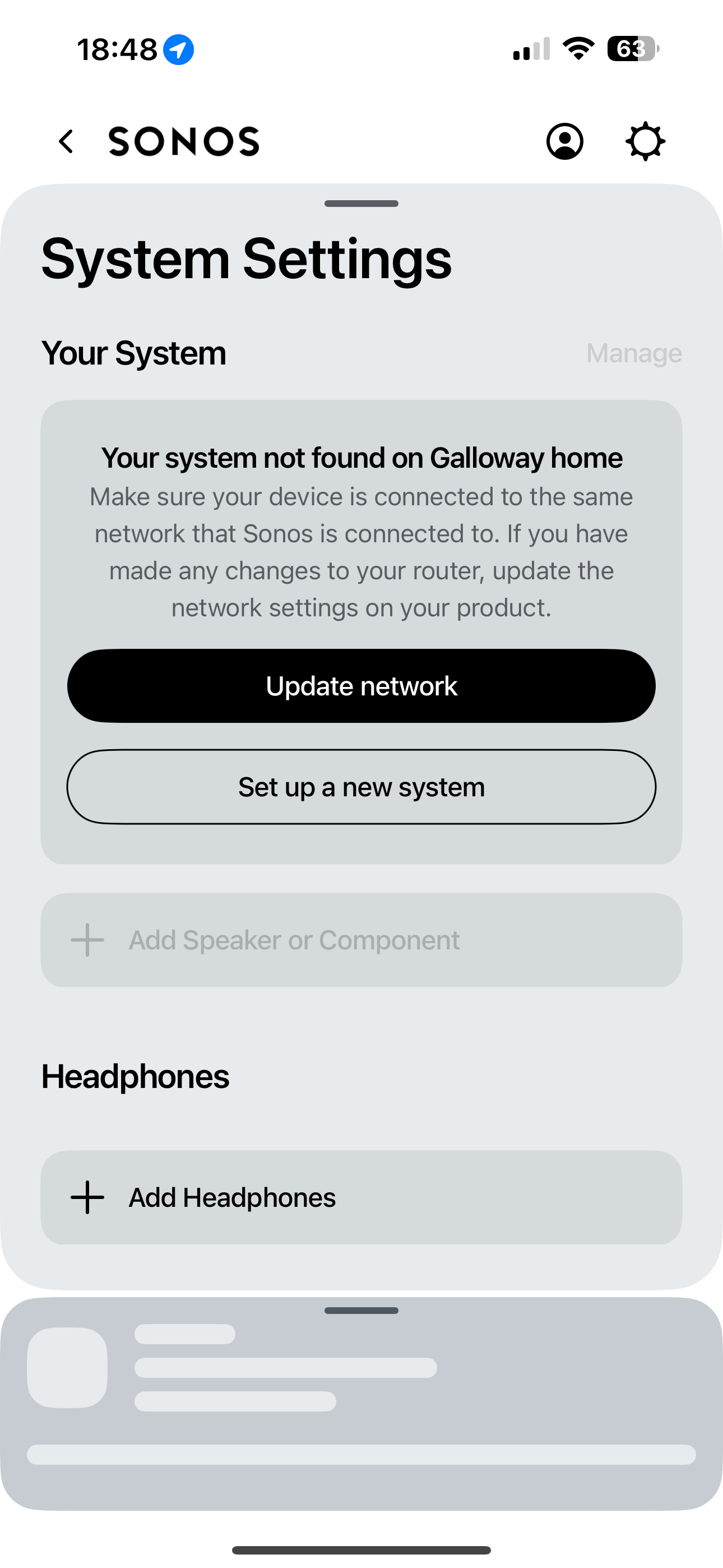
System not found on network ……. EVERYTIME i access app
  • June 27, 2024
  • 30 replies
  • 4681 views

Hi folks, turning to the community as one last throw of the dice to try and resolve this, otherwise I will be selling the 2 x Move speakers. Having read through the various posts around the updated app (absolutely horrible) and various posts surrounding my similar issue, I have been unable to find a solution that works. 
 

when I try to access the speakers through the app (BT full fibre and iPhone 15 pro) I get the attached error message about “system not found on network”. I then search and add my speakers once again. Within 2 minutes, they disappear yet again. 
 

I have to go through this process EVERY time I access the app, I have been unable to simply open the app and play music since the app update. 
 

can anyone offer some advice with this that has maybe found a solution as I do love the speakers but this has now become unusable and will be forced to sell. 
 

thanks all. 

This topic has been closed for further comments. You can use the search bar to find a similar topic, or create a new one by clicking Create Topic at the top of the page.
Best answer by Andigalls

I managed to speak to Sonos support who requested a system diagnosis be sent. They reviewed and advised that as I have a TP-Link power line adapter connected to my BT Home Hub 2 (which provides internet to garage Apple TV) and an Ethernet switch also connected to router (again to hard wire living room tv/Apple TV box etc) that it is causing the “system not found” issue!!! I am unsure why this would be the case as both are Ethernet connection and not WiFi in the home. The advice was to disconnect these and try the app, if successful this is confirmed issue. What is strange is that these have been connected the whole time I’ve owned the Sonos speakers and has NEVER caused any issues before the app update. I’ll try disconnecting and check the app to confirm this is the issue but if it is, it leaves with with the choice of having a power line set up to access WiFi in garage or using Sonos speakers!!! 
 

im not happy or convinced this is the cause but if it is, then I’ll be choosing the powerline as have my gym set up in garage and need internet access. 
 

Speakers will be advertised on eBay this weekend and will give Sonos one more try with a Five which I can connect via Ethernet, see if this helps. 

30 replies

jgatie
June 27, 2024

Temporarily turn off any VPN, virus scan, or firewall software (do one at a time).  Then launch the app.  If it finds your system, that’s your culprit.  You may need to get ahold of Sonos if you need help configuring the virus/firewall software to get around the block. 

Note: If it is the VPN, they aren’t compatible with the Sonos app, so Sonos can’t help, and it is very difficult to configure to get them to work together. 

AndigallsAuthor
Trending Lyricist I
June 28, 2024

Thanks for the reply, much appreciated. I’ll look in to this but I don’t use a VPN so that’s one less thing to consider. Thanks again. 

AndigallsAuthor
Trending Lyricist I
June 28, 2024

Sadly, all seems to be set up as it should be, still having to “set up system” on each occasion I try to use the app. 
 

im calling it a day and advertised the speakers for sale this morning. Shame as always did think the Sonos speakers sounded great but they have become almost unusable now. 
 

thanks for the reply again though. 

Lyricist I
August 8, 2024

I have the exact same issue and it is absolutely infuriating. I’m tempted to throw the overpriced speaker out of the window.

I would appreciate any guidance from anyone who has found a solution.

Thanks!

Lyricist I
August 12, 2024

I have come onto here out of frustration to find other people with the same problem. No system found! Then it will connect as if by magic then disconnect. I have uninstalled the Sonos app with the intention of reinstalling it to see if that helps but now can't even get started because the “accept” tab in the terms and conditions is greyed out. Advice regarding the router is not helpful as I have lots of other connected systems which are working fine.

AndigallsAuthorAnswer
Trending Lyricist I
August 16, 2024

I managed to speak to Sonos support who requested a system diagnosis be sent. They reviewed and advised that as I have a TP-Link power line adapter connected to my BT Home Hub 2 (which provides internet to garage Apple TV) and an Ethernet switch also connected to router (again to hard wire living room tv/Apple TV box etc) that it is causing the “system not found” issue!!! I am unsure why this would be the case as both are Ethernet connection and not WiFi in the home. The advice was to disconnect these and try the app, if successful this is confirmed issue. What is strange is that these have been connected the whole time I’ve owned the Sonos speakers and has NEVER caused any issues before the app update. I’ll try disconnecting and check the app to confirm this is the issue but if it is, it leaves with with the choice of having a power line set up to access WiFi in garage or using Sonos speakers!!! 
 

im not happy or convinced this is the cause but if it is, then I’ll be choosing the powerline as have my gym set up in garage and need internet access. 
 

Speakers will be advertised on eBay this weekend and will give Sonos one more try with a Five which I can connect via Ethernet, see if this helps. 

Local Superstar
August 16, 2024

Can you clarify the TP-Link devices to garage, are they just providing ethernet, or is the one in garage also a WiFi device? Or is there another WiFi AP in garage? 

Where are the Moves, and do they move between house (BT Hub) and garage?

I think if you have the time, this will be a very good test to disconnect the TP-Link power line.

AndigallsAuthor
Trending Lyricist I
August 17, 2024

Can you clarify the TP-Link devices to garage, are they just providing ethernet, or is the one in garage also a WiFi device? Or is there another WiFi AP in garage? 

Where are the Moves, and do they move between house (BT Hub) and garage?

I think if you have the time, this will be a very good test to disconnect the TP-Link power line.

Yes, the tp-link device is connected to hub via Ethernet to power line adapters in wall socket which leads to another tp link adapter in garage where the tv and Apple TV are connected again via Ethernet. I’d does actually have a WiFi extender built in to the garage side yes. 
 

the moves are in the living room, approx 1 metre each side of the home hub router, they are rarely moved but if we do, they are taken to the garden. I have 2 x BT discs too. Prior to app update, the same set up was in place with thw TP-Link power line in place and never had any issues? 

Lyricist III
August 17, 2024

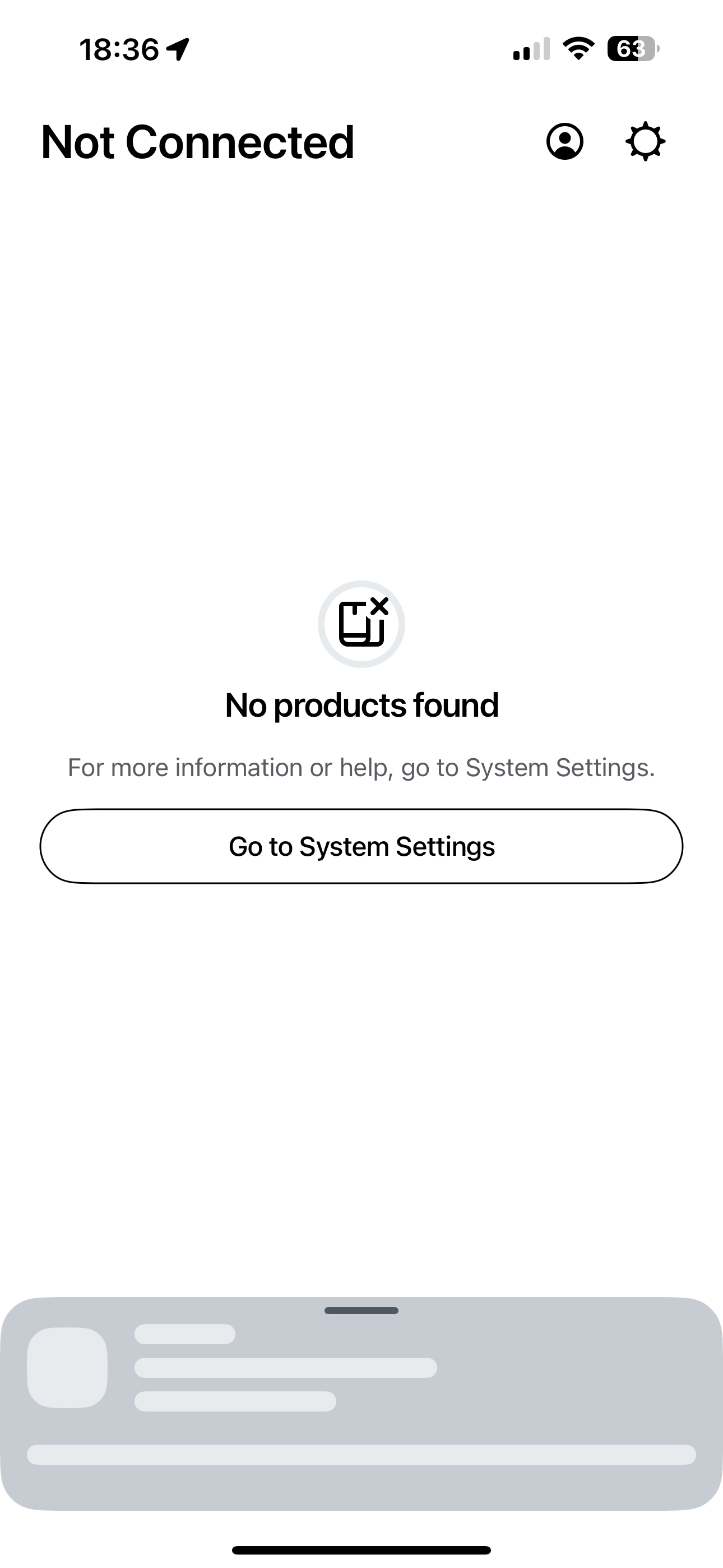
I get the same error almost every time I open the app, "No products found" and that's with the simplest possible setup of both my phone and the era300 directly connected to ISP router via WiFi - no other devices involved.


I simply close the app and open it again and that fixes the issue most of the time - the problem usually goes away on 2nd launch of the app...

AndigallsAuthor
Trending Lyricist I
August 17, 2024

Same issue as me, however, closing and restarting the app doesn’t work for me at all. Occasionally (after testing) it sometimes works after approx 10 restarts but then simply vanishes again after a few minutes. I am simply not convinced it is linked to my powerline set up as the move speakers are literally right next to the home hub router, they should be easily close enough not to be confusing the WiFi extender located in the garage!! 
 

I have advertised them for sale now and planning on trying a Five speaker, which I can connect via Ethernet, to see if this makes for a stable connection. 
 

so very frustrating as the previous app version never caused any issues whatsoever.