RaultTN
Prominent Collaborator I
January 25, 2023
Answered

SonosNet Greyed out

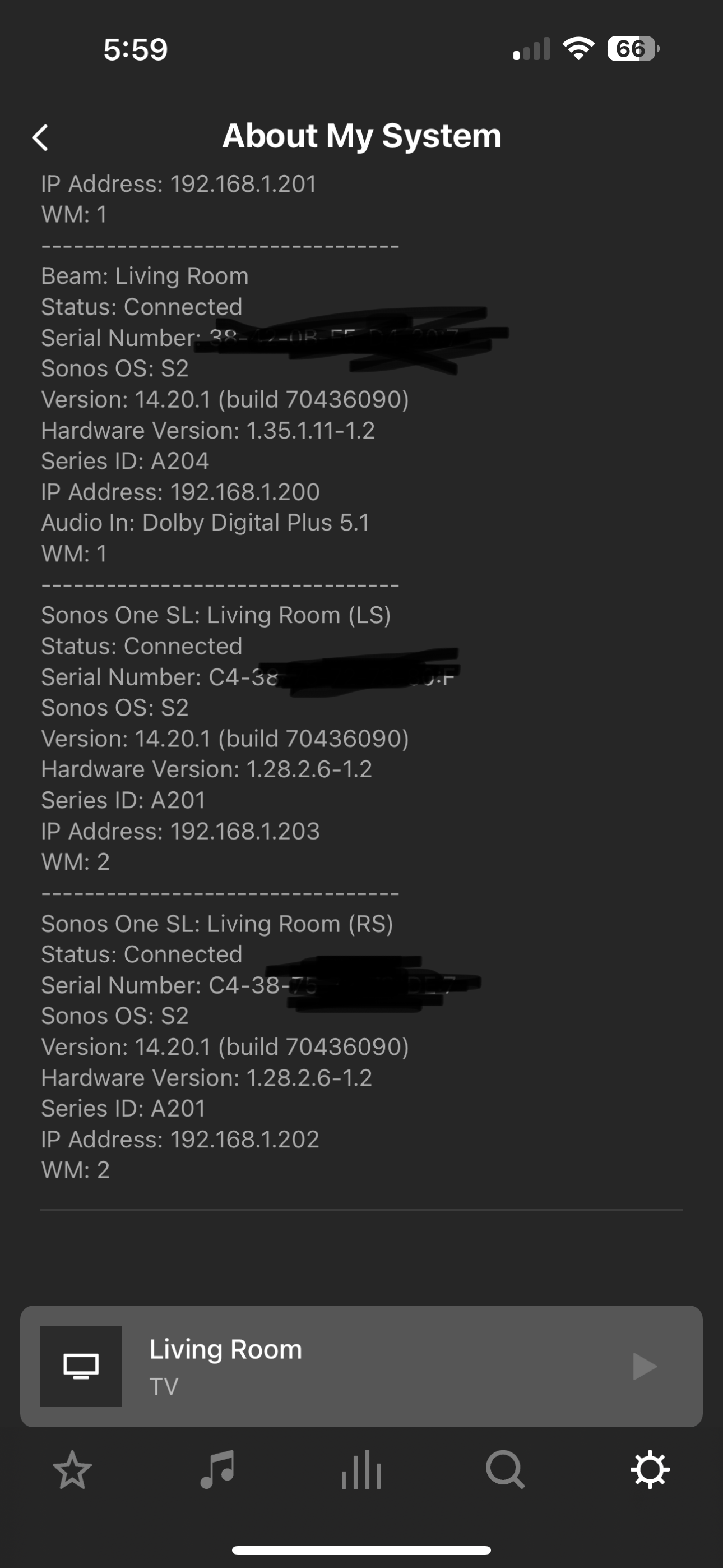
Hi all. I have my Beam (Gen 2) hardwired with 2 SonosSL as surround speakers (not hardwired). Until recently they were all connected via SonosNet showing WM:0. today SonosNet is greyed out and they are showing as copied below. Any ideas?  The only change recently made was static IP’s for all devices. 
 

Secondary question, Should I disable my Wi-Fi network that I previously used?  Maybe that will “force” SonosNet?  Or does it not work like that? 


This topic has been closed for further comments. You can use the search bar to find a similar topic, or create a new one by clicking Create Topic at the top of the page.
Stanley_4
Stanley_4Answer
Grand Maestro
January 26, 2023

Likely just loose or a bit of crud or corrosion if the unplug-plug fixed it.

You might check the locking tab to insure it is working well.

17 replies

Mr. T
January 25, 2023

I would check the Ethernet cable is correctly inserted into both the Beam and your router.

Once you get your speakers onto SonosNet, you can remove your WiFi credentials from the app if you do not have any portable devices (Roam and/or Move as they will always connect through WiFi)

RaultTN
RaultTNAuthor
Prominent Collaborator I
January 25, 2023

I would check the Ethernet cable is correctly inserted into both the Beam and your router.

Once you get your speakers onto SonosNet, you can remove your WiFi credentials from the app if you do not have any portable devices (Roam and/or Move as they will always connect through WiFi)

unplugged and re-plugged in Ethernet and back to all WM:0 on all. Is it best practice to remove Wi-Fi credentials or just let it go since all is working?


Thanks again

Rick

Mr. T
January 25, 2023

I would remove the WiFi credentials so your system had no option other than to be on SonosNet.

RaultTN
RaultTNAuthor
Prominent Collaborator I
January 25, 2023

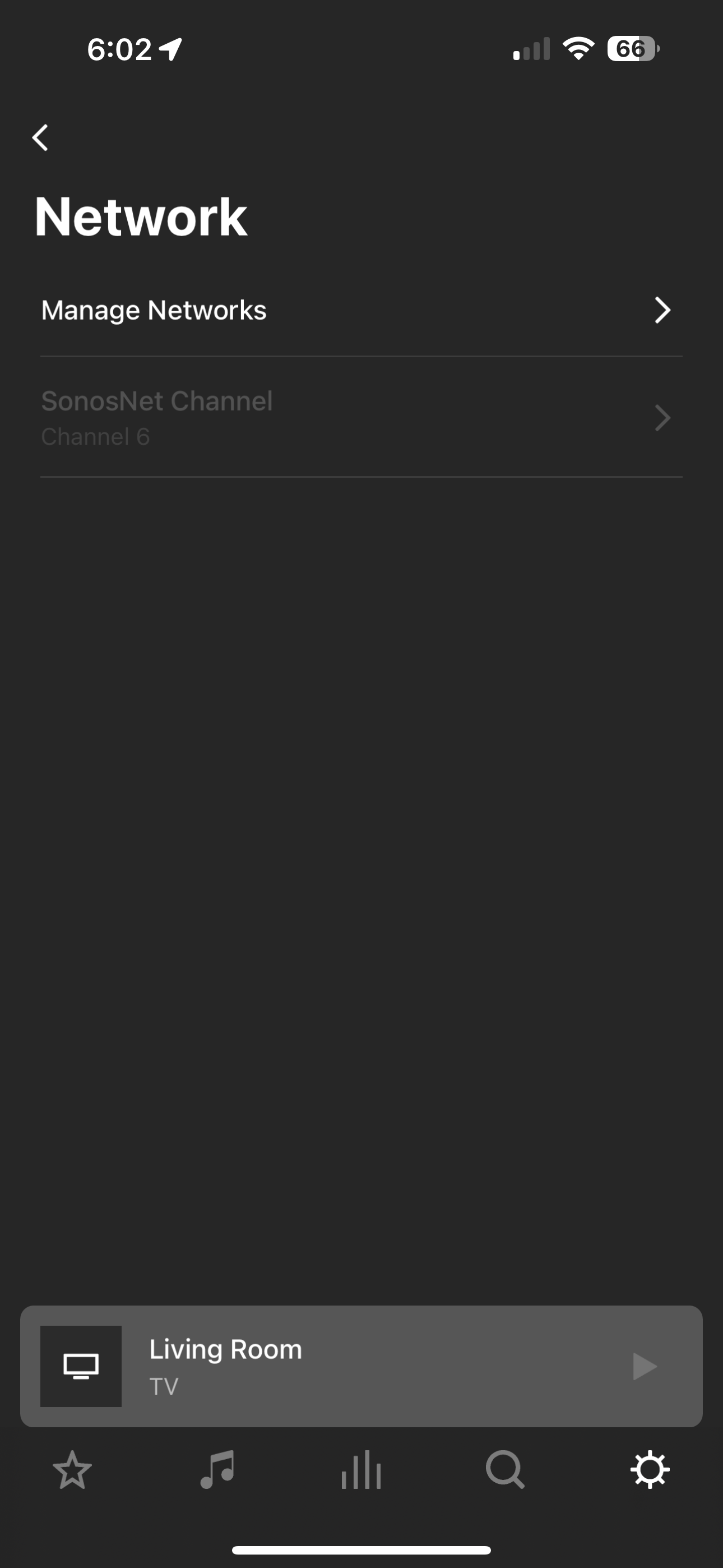
Is there ever a reason to change the SonosNet channel?

jgatie
January 25, 2023

Is there ever a reason to change the SonosNet channel?


It should be different from your router.

Mr. T
January 25, 2023

Is there ever a reason to change the SonosNet channel?

There is always a chance of wireless interference on a given channel. The interference may only be temporary, but changing the SonosNet channel could improve performance if the initial channel started to have issues. You should ensure your router is not broadcasting on the same channel as SonosNet. For you router, also only choose between channels 1, 6 and 11, rather than Auto.

Airgetlam
January 25, 2023

Yes. I had a neighbor move in who was using the same channel as I was using for my SonosNet, so I ended up needing to switch. 

Bruce
RaultTN
RaultTNAuthor
Prominent Collaborator I
January 25, 2023

Is there ever a reason to change the SonosNet channel?

There is always a chance of wireless interference on a given channel. The interference may only be temporary, but changing the SonosNet channel could improve performance if the initial channel started to have issues. You should ensure your router is not broadcasting on the same channel as SonosNet. For you router, also only choose between channels 1, 6 and 11, rather than Auto.

Good info. So if I understand correctly the Control Channel I should set to 9 (currently using 9 but chosen by auto) and then I should be all set because my SonosNet is channel 6?  
 

Everything else look ok?


RaultTN
RaultTNAuthor
Prominent Collaborator I
January 25, 2023

 @Mr. T I Also noticed once I choose channel 9 the “Extension Channel” defaults to “Below”.  Assume that is ok?

Mr. T
January 25, 2023

Is there ever a reason to change the SonosNet channel?

There is always a chance of wireless interference on a given channel. The interference may only be temporary, but changing the SonosNet channel could improve performance if the initial channel started to have issues. You should ensure your router is not broadcasting on the same channel as SonosNet. For you router, also only choose between channels 1, 6 and 11, rather than Auto.

Good info. So if I understand correctly the Control Channel I should set to 9 (currently using 9 but chosen by auto) and then I should be all set because my SonosNet is channel 6?  

Everything else look ok?

No, set the Control Channel to either 1 or 11, as SonosNet is on 6

You can also change the bandwidth to 20MHz only.


 @Mr. T I Also noticed once I choose channel 9 the “Extension Channel” defaults to “Below”.  Assume that is ok?

I don’t have an “Extension Channel” option on my Asus router. If you can disable that setting then I probably would.