Contributor I
Oct 19, 2024 6:14 PM UTC
Answered

sonos not seen by macos sequoia (15.01)

Since I upgrade to latest macos 15.01 the mac cannot see anymore the sonos device.

the message says “cannot connect to device”. I Updated it to the latest sonos version. It works on Iphone

I tried with the support all tests without success
 

This topic has been closed for further comments. You can use the search bar to find a similar topic, or create a new one by clicking Create Topic at the top of the page.
Iain59
Iain59Answer
Collaborator II
Oct 19, 2024 6:37 PM UTC

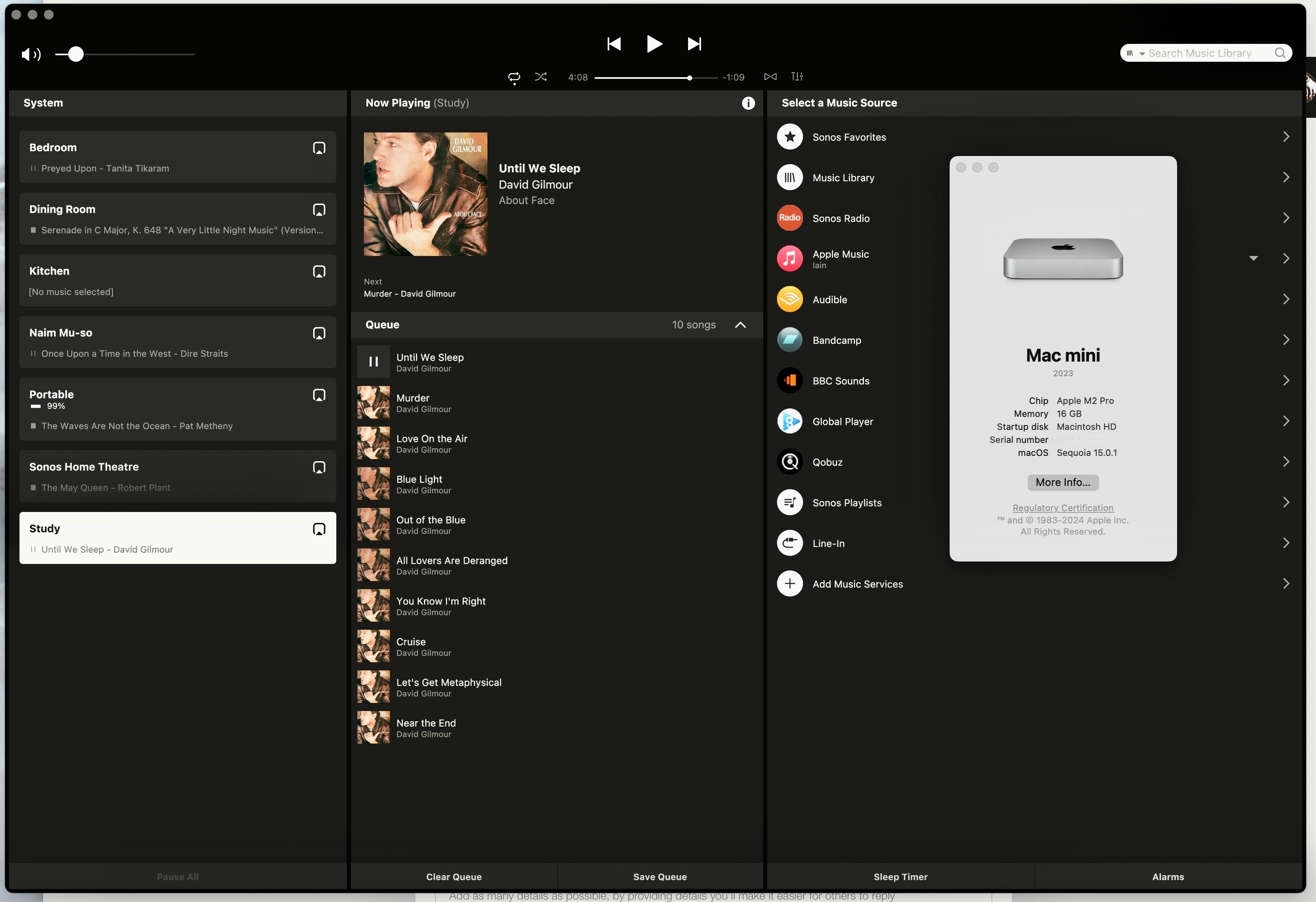
Worth checking the System Setting Privacy & Security/Local Network/Sonos to make sure the Sonos App has access to devices on the local network. The app should ask for such access when started following the upgrade to Sequoia. Sonos does work with Sequoia:


3 replies

Iain59
Iain59Answer
Collaborator II
Oct 19, 2024 6:37 PM UTC

Worth checking the System Setting Privacy & Security/Local Network/Sonos to make sure the Sonos App has access to devices on the local network. The app should ask for such access when started following the upgrade to Sequoia. Sonos does work with Sequoia:


Translate
didiergAuthor
Contributor I
Oct 20, 2024 7:47 AM UTC

Hi, thank you I did make the change and it works! 

Translate
Contributor I
Nov 11, 2024 6:16 PM UTC

I did as suggested and it worked fine after I uninstalled Sonos and then reinstalled it. Then, the next day, it was back to the same problem. So, I uninstalled again and reinstalled with a restart to get it to work again. The problem persists at this point.

Translate