Dogdad
Headliner III
January 14, 2023

sonos app issues…

  • January 14, 2023
  • 15 replies
  • 363 views

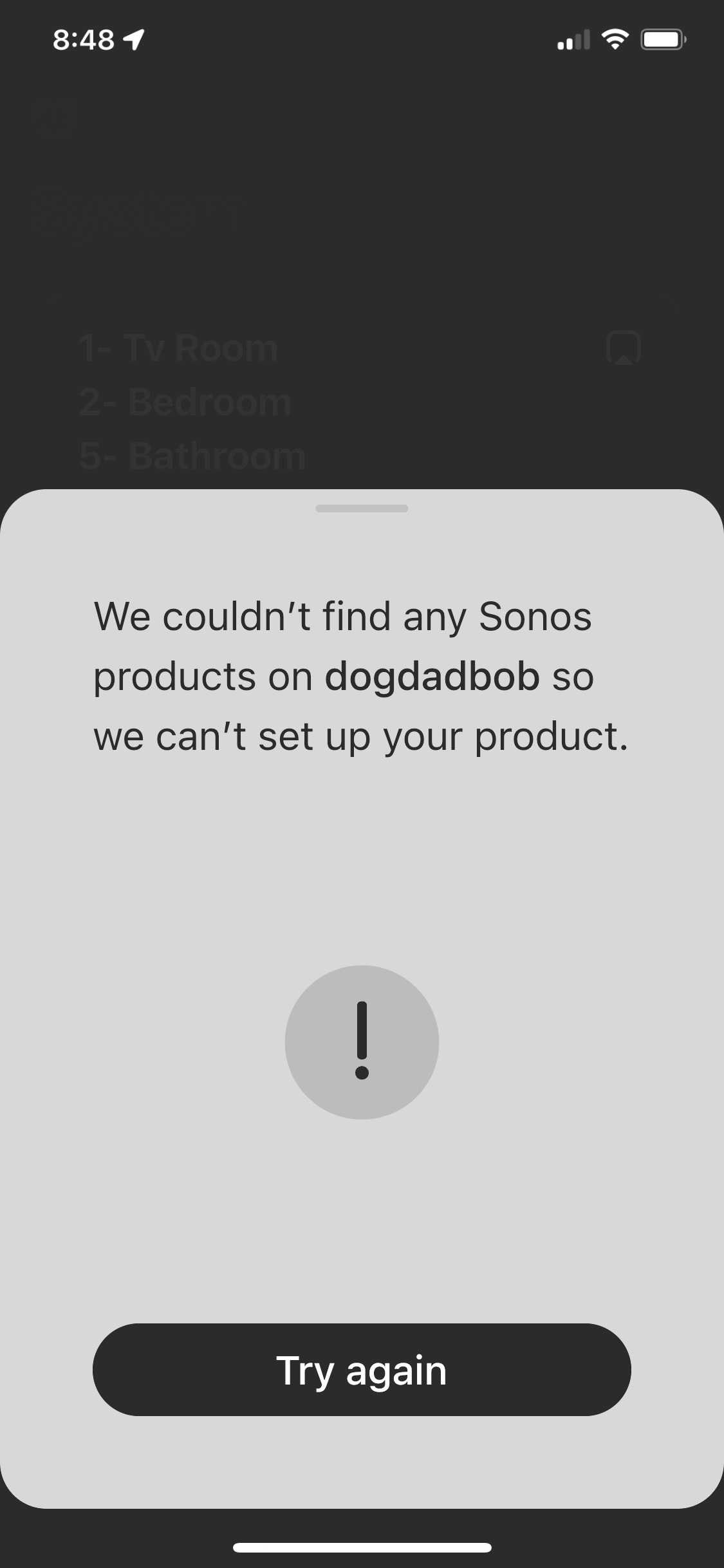
My house is full of Sonos..in ever room. Never had issues in 3 years. WiFi is fine. 14 total Sonos devices including Boost. Since the LAST SONOS PHONE APP UPDATE, I get this occasionally. I see several others mention the same in different groups. All my speakers are working. If you click on the “fix it “issue < it comes back and says no Sonos products found on my WiFi…really? All are playing. Close the app out..guess what??!! Shows no issues. And at times ..app still crashes… 
 

This topic has been closed for further comments. You can use the search bar to find a similar topic, or create a new one by clicking Create Topic at the top of the page.

15 replies

Senior Virtuoso
January 14, 2023

I read in a different thread the possibility of 2.4 and 5Ghz wifi channels not bridging? Phone on one band, and Sonos on the other? Maybe someone will add to this…

Dogdad
DogdadAuthor
Headliner III
January 14, 2023

I read in a different thread the possibility of 2.4 and 5Ghz wifi channels not bridging? Phone on one band, and Sonos on the other? Maybe someone will add to this…

My phone is on the 2.4…I’ve checked. So I can rule that out..

Ken_Griffiths
January 14, 2023

I’ve also seen mentioned that ‘Private WiFi Address’ (MAC address spoofing) can sometimes cause such issues with iOS devices and SSDP (multicasting) device discovery across the different (wired/wireless) elements of the LAN  - admittedly I leave that feature switched off for Home Network connections with my own Apple mobile devices, so not sure if it does play a role🤔?

Mr. T
January 14, 2023

I’ve also seen mentioned that ‘Private WiFi Address’ (MAC address spoofing) can sometimes cause such issues with iOS devices and SSDP (multicasting) device discovery across the different (wired/wireless) elements of the LAN  - admittedly I leave that feature switched off for Home Network connections with my own Apple mobile devices, so not sure if it does play a role🤔?

I’m not saying that couldn’t be a potential cause (mainly because I don’t know) but I’ve never disabled that setting on any of my Apple devices.

Also see the edit in Corry’s post in this recent thread:


Ken_Griffiths
January 14, 2023

I read in a different thread the possibility of 2.4 and 5Ghz wifi channels not bridging? Phone on one band, and Sonos on the other? Maybe someone will add to this…

My phone is on the 2.4…I’ve checked. So I can rule that out..

The issue now of course is that S2 Sonos devices (except HT devices) can now use either the routers 2.4Ghz or 5Ghz WiFi band these days, but that depends on a few things, such as whether the SSID’s are stored in the Sonos App network settings and if the SSID’s are different, or the same, for each band. 

If not doing already, one option might be to run all on a 2.4Ghz SonosNet signal instead by wiring one standalone Sonos device to the router (keep it one metre or more away from the router) and set the SonosNet channel so that it’s different to the routers 2.4Ghz channel (which should be set to 20Mhz only and non-overlapping).

If there are no Sonos portable products (Roam/Move) in the system, I would actually remove the local routers WiFi credentials altogether from the Sonos App, as that will prevent speakers hopping between SonosNet and the local WiFi signal and (hopefully) improve SSDP discovery.

One other final thing is to reserve the Sonos IP addresses (make them static on the LAN and easier to find) by adding them to the routers DHCP reservation table. 

So hope those few suggestions might assist @Dogdad to perhaps improve the discovery of your products by your mobile controller device.

Mr. T
January 14, 2023

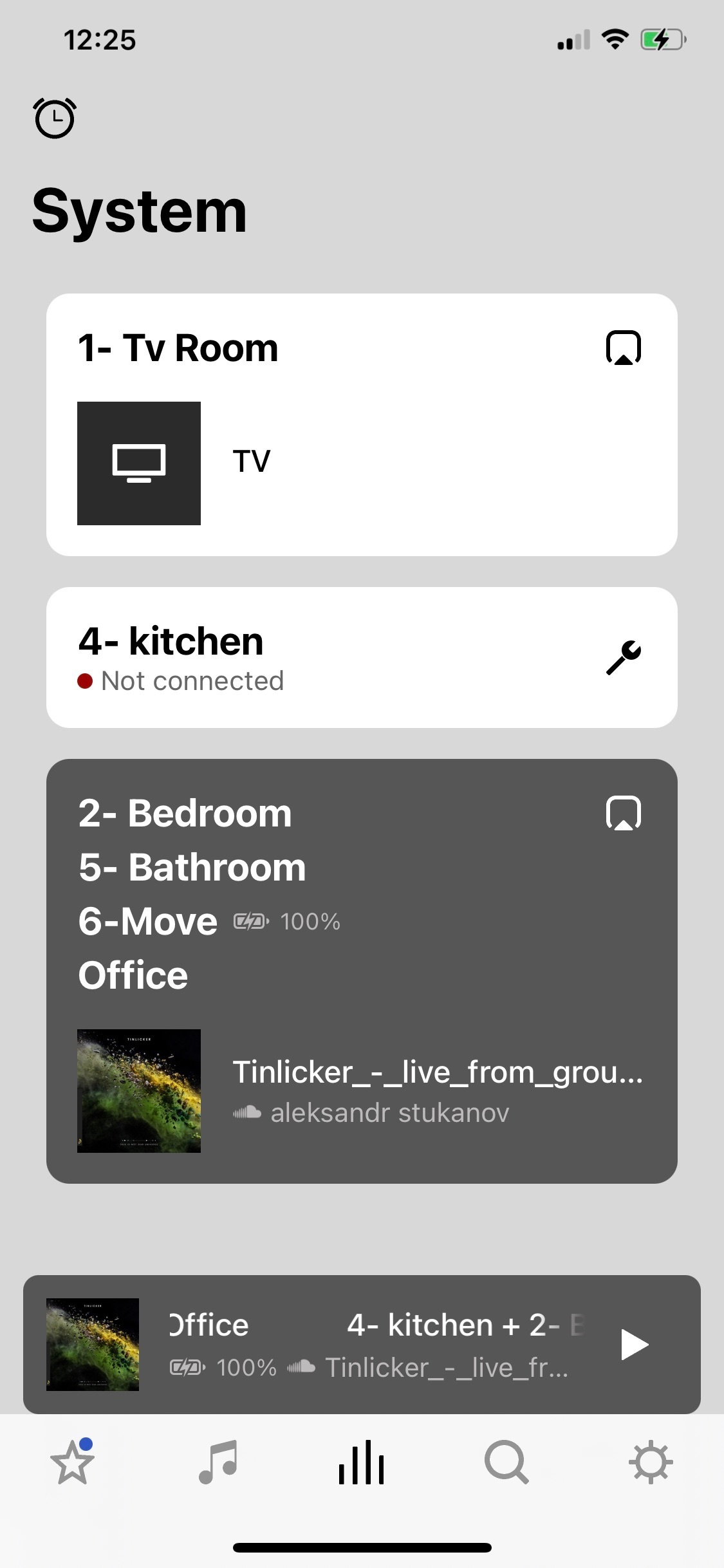
@Dogdad - what speakers are in the Kitchen? Stereo pair of One SLs?

Dogdad
DogdadAuthor
Headliner III
January 14, 2023

I read in a different thread the possibility of 2.4 and 5Ghz wifi channels not bridging? Phone on one band, and Sonos on the other? Maybe someone will add to this…

My phone is on the 2.4…I’ve checked. So I can rule that out..

The issue now of course is that S2 Sonos devices (except HT devices) can now use either the routers 2.4Ghz or 5Ghz WiFi band these days, but that depends on a few things, such as whether the SSID’s are stored in the Sonos App network settings and if the SSID’s are different, or the same, for each band. 

If not doing already, one option might be to run all on a 2.4Ghz SonosNet signal instead by wiring one standalone Sonos device to the router (keep it one metre or more away from the router) and set the SonosNet channel so that it’s different to the routers 2.4Ghz channel (which should be set to 20Mhz only and non-overlapping).

If there are no Sonos portable products (Roam/Move) in the system, I would actually remove the local routers WiFi credentials altogether from the Sonos App, as that will prevent speakers hopping between SonosNet and the local WiFi signal and (hopefully) improve SSDP discovery.

One other final thing is to reserve the Sonos IP addresses (make them static on the LAN and easier to find) by adding them to the routers DHCP reservation table. 

So hope those few suggestions might assist @Dogdad to perhaps improve the discovery of your products by your mobile controller device.

I have a boost connected to router..

Dogdad
DogdadAuthor
Headliner III
January 14, 2023

@Dogdad - what speakers are in the Kitchen? Stereo pair of One SLs?

Correct 

Mr. T
January 14, 2023

@Dogdad - what speakers are in the Kitchen? Stereo pair of One SLs?

Correct 

Thx, I based that on a screenshot you added to a previous thread. I’m not psychic.

So, the Kitchen speakers should be connecting through SonosNet due to your system being wired.

Why it is not is then the question here. The culprit is likely due to some router setting/issue. You should explore @Ken_Griffiths suggestion above re static IP addresses, although I know we’ve also talked about that before.

Ken_Griffiths
January 14, 2023

I have a boost connected to router..

Channels/channel-width in use on the router and in use for SonosNet? How far away is the Boost? Any Sonos portable devices.. are the WiFi credentials stored in the Apps network settings etc?