
Avid Contributor I
July 22, 2023
Answered

Problems adding music library on Synology NAS

I’m trying to give my Android Pixel 6 phone access to my Synology 1522 music library. I believe the attached screenshot is where I do that. If so, I can’t get past inputting what I think is the required information. Hopefully one of you will know if that’s true. 

Regardless of whether what I’m entering is right or wrong, when I click OK, nothing happens. The only option is to click Cancel.
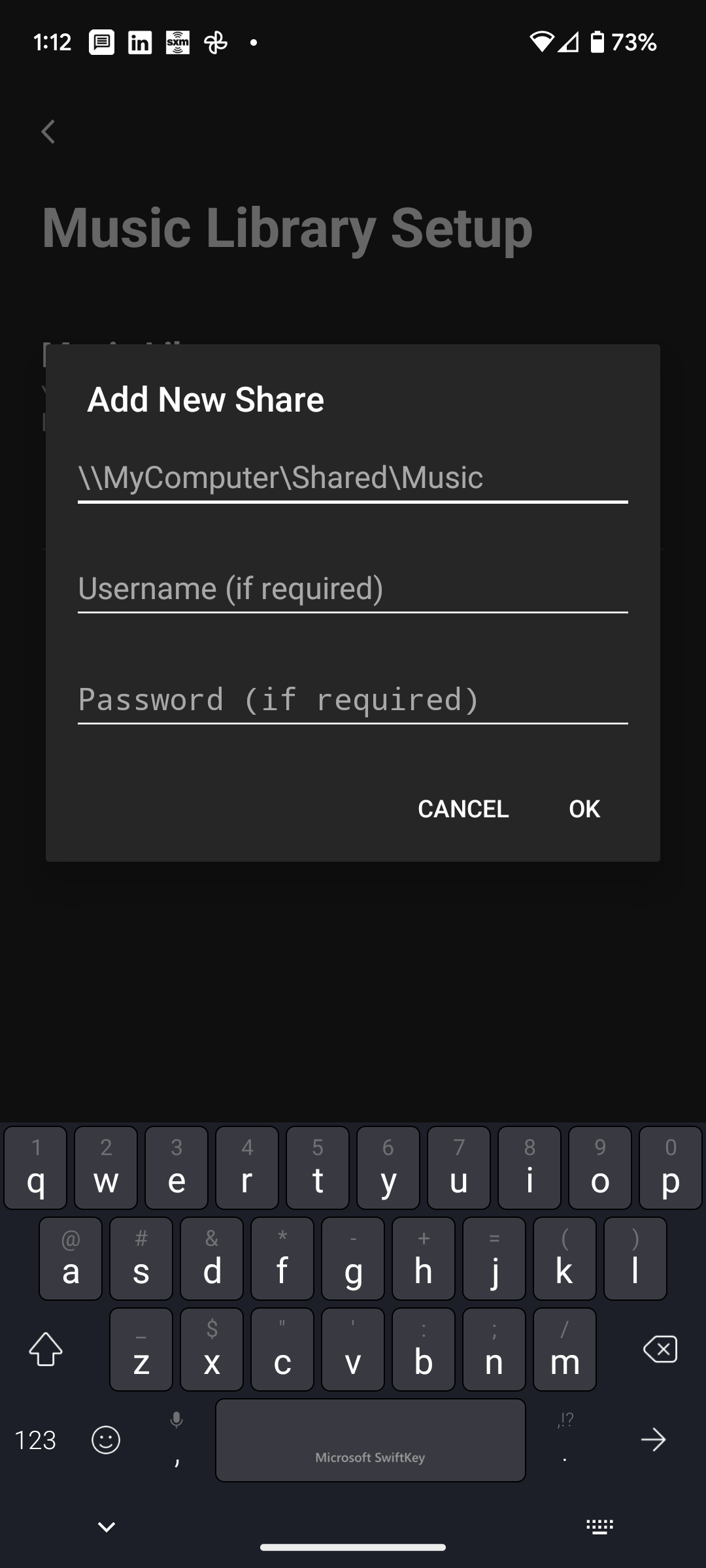
 

Suggestions?

This topic has been closed for further comments. You can use the search bar to find a similar topic, or create a new one by clicking Create Topic at the top of the page.
Ken_Griffiths
July 25, 2023

The playlists in iTunes are stored in library.xml file which once you’ve deleted them in iTunes can be exported…

File -> Library -> Export Library and get an XML file of your library metadata

Just replace the file on the NAS with the exported copy and see if that solves the indexing issue.🤞

23 replies

WaugustAuthor
Avid Contributor I
July 25, 2023

Thank you, @Ken_Griffiths. I had seen the second video, but not the first.

Update

Before calling Sonos this morning to question not being able to play music on my NAS without turning on the computer, I looked to see if the NAS source might be on my phone after all. Maybe it would take overnight “cooking” for this to happen. I opened the Sonos app on my phone and only saw what I knew to be there before. I assumed, my music located on my computer. (The attached screenshot is from my computer but it’s the same on my phone.)

Since my computer was not on, I decided to try to play something, believing it would not work. It did! I still saw brief notes, something about a song that could not be played. Too brief to read the full message. But that could be for a number of reasons.

The screenshot shows only one Music Library source, I expected two. The one located on my computer I previously was able to connect to Sonos, and now, a second one located on the NAS. I don’t know why there’s only one but do know for certain, my computer was not on this morning when I successfully started play music.

You’re probably right about indexing not completing due to too many songs in playlists. There are three I would like to delete, but so far have not figured out how to do that. I assume that has to be done on the NAS. If so, I can’t find anything to delete other than the music files. I don’t find a way to delete them in the Sonos app.

Note to any of you following this thread. @Ken_Griffiths has been extremely helpful. He knows what he’s talking about.


Ken_Griffiths
July 25, 2023

The playlists in iTunes are stored in library.xml file which once you’ve deleted them in iTunes can be exported…

File -> Library -> Export Library and get an XML file of your library metadata

Just replace the file on the NAS with the exported copy and see if that solves the indexing issue.🤞

WaugustAuthor
Avid Contributor I
July 25, 2023

Everything is working as I hoped. Thanks for your patience and input @Ken_Griffiths , I couldn’t have done it without you.