
Contributor I
Jul 22, 2024 5:28 PM UTC
Answered

Multiple empty album copies

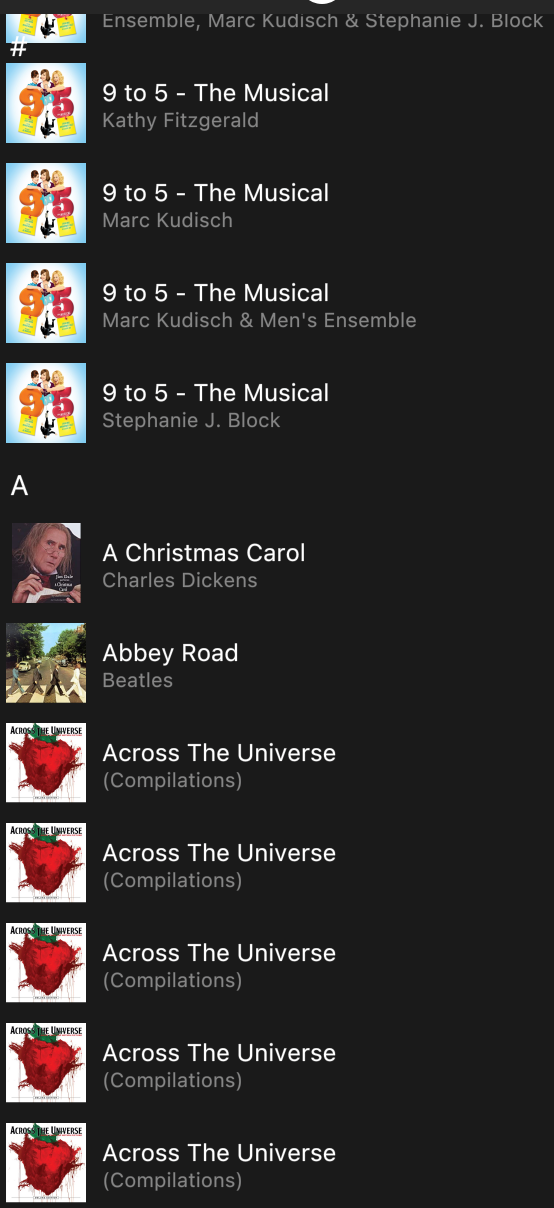
I followed the instructions on my MAC and worked around the 913 error by creating the path to my library as if it were a NAS. Everything was fine until last week’s update and now most of my albums are listed multiple times in Sonos and the majority of them are empty. (Example below) I have tried deleting and reloading and even using the real NAS version of my library, but without any change. Does anyone know a fix for this?

 

This topic has been closed for further comments. You can use the search bar to find a similar topic, or create a new one by clicking Create Topic at the top of the page.
buzz
buzzAnswer
Grand Maestro
Aug 1, 2024 2:35 PM UTC

Me too. I recommend waiting until this is fixed. Don’t modify your library. SONOS accesses the library in read only mode. 

6 replies

Contributor I
Jul 27, 2024 3:37 AM UTC

Sorry, no solution, just following this because I’m seeing the same issue.  It’s completely inconsistent.  I pulled up one artist where, of the five albums, 3 were listed only once (yay), 1 was listed 3 times, and 1 was listed 8 times.  It’s all over the place.


It’s harmless, but just so annoyingly broken.


Translate
hshumanAuthor
Contributor I
Jul 27, 2024 10:31 AM UTC

Thanks for your response. I enjoy the commiseration. It is actually not “harmless” since on many of the multiple listed albums, the contents are blank.

Translate
rosswells127
Prodigy I
Jul 27, 2024 10:47 AM UTC

Is it just with compilation albums as per your example?
If so then check out this thread...


Ross.

Translate
hshumanAuthor
Contributor I
Aug 1, 2024 2:29 PM UTC

No. I fould albums that are not compilation (and do not reside in the compilation folder) that have shown up with multiple (empty) copies.

Translate
buzz
buzzAnswer
Grand Maestro
Aug 1, 2024 2:35 PM UTC

Me too. I recommend waiting until this is fixed. Don’t modify your library. SONOS accesses the library in read only mode. 

Translate
MoPac
Headliner III
Aug 1, 2024 2:53 PM UTC

 Sonos messed up any album that has different artists in it.  The way I tag albums with multiple artists is Artist = (actual artist) & Album Artist = Various.  In my sample album I’ll say there are 12 tracks, all different artists. Sonos in the Albums category displays that album as 12 different albums with nothing inside any of them.  So I went into that album and changed each track tag so that Album Artist matched Artist.  For example track 03 was the artist Argent so I changed the Album Artist tag from Various to Argent.  Did this to all twelve tracks.  After a rescan I had 12 albums but now each one had one track in it.

 Have not tried this yet but I’ll bet if I change the tags so that Artist = Various & Album Artist = Various I’ll get one album rather than 12 albums.  Will have to try that.  Meanwhile folder view works.

Translate