

kevkev
Contributor I
March 16, 2025
Answered

Error 1066

  • March 16, 2025
  • 24 replies
  • 6418 views

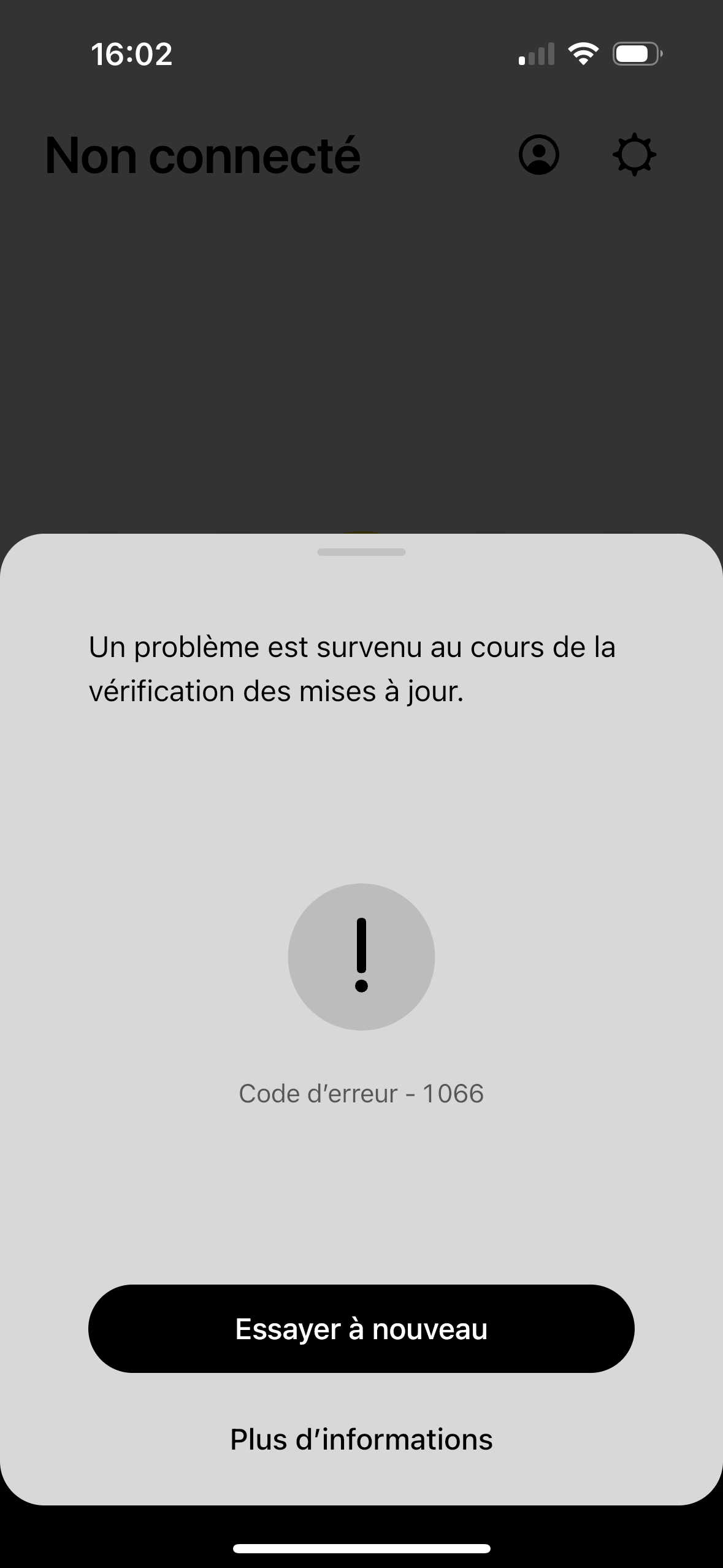
Hello, what does error 1066 mean, please ?
I reset all my speakers (system suddenly not found), and this message appears when the update check begins just before the speaker installation process is complete and I have no choice and I have to leave the configuration.

PS : I haven't changed any of my network settings. The message of my screen capture in english is : A problem occurred while checking for the update.
 

This topic has been closed for further comments. You can use the search bar to find a similar topic, or create a new one by clicking Create Topic at the top of the page.
Best answer by kevkev

Hello everyone, with the support service on the phone, I reset all my speakers again, I installed each speaker one by one and an update arrived at the end of each installation. 

Don't ask me how or why, I did nothing more than when I had the 1066 error…

I don't understand what the problem was in the end. On the plus side, the phone support service is quite friendly, thank you to them.

24 replies

Lyricist I
March 23, 2025

It finally worked after 1 hour of trying, reinstalling the app did the trick. 

So now no updates available and still not able to select google assistant in the speech options. Only Amazon Alexa or Sonos voice. 

Anyone knows what to do? 

Airgetlam
March 23, 2025

I would recommend that you submit a system diagnostic within 10 minutes of experiencing this problem, and call Sonos Support to discuss it. But don’t post the resulting diagnostic number here, they get sensitive about GDPR.

There may be information included in the diagnostic that will help Sonos pinpoint the issue and help you find a solution.

When you speak directly to the Support staff, they have tools at their disposal that will allow them to give you advice specific to your network and Sonos system.

Bruce
Airgetlam
March 23, 2025

Oh, one more note: Google Assistant isn’t available to install on every device, Google changed the goalposts. While the ‘older’ devices are grandfathered in, the ‘newer’ speakers don’t have the option to add it to that speaker.

I believe the entire Sonos system can still be controlled by Google Home, but you need an ‘older’ speaker to install it on, or an external Google capable device to do so. 

Bruce
kevkev
kevkevAuthor
Contributor I
March 28, 2025

Hi everyone, the 1066 is back, i’m so happy… Am i the only one in Sonos world i have that problem ?

Kev
Lyricist III
April 10, 2025

I have the same error code setting up a brand new Arc Ultra on an S2 system (the rest of the house is on S1). Spent 2 hours on support yesterday and got nowhere even with an escalation to level 2 support.
 

Reset everything multiple times (router, apps in multiple devices, factor resets on arc). Checked multiple last tings on router. Nothing worked.

Added a new device to the S1 system last week without any issues at all. I now feel the pain everyone else has been having with S2


Ended up having to drop the call to go to an appointment. Will have to try calling back on Monday now. 
 

Will report back on the results of my call. 

Airgetlam
April 10, 2025

You didn’t mention it specifically, and I’d think it should have been part of the factory reset anyway, but did you power cycle (reboot) the device? 

 My instinct suggests an issue in reaching out to the update servers, due to some sort of port blocking, either by VPN, work profiles, virus protection, or other software, but without a FAQ from Sonos, it is hard to be sure that my assumption is even remotely correct. 

I will be fascinated by the results of your call.

Bruce
Lyricist III
April 10, 2025

We power cycled at least 7 or 8 times during the 2 hour call.

Also checked all of the other items on your list, on devices and the router.

Also tried WiFi and RJ45 connection on the Arc Ultra

Thanks, though

Airgetlam
April 10, 2025

Worth a shot, since a power cycle wasn’t specifically mentioned. Please keep us posted as to your call!

Bruce
Lyricist I
April 20, 2025

Hello everyone,


After a lot of unsuccessful attempts, I changed my DNS from OpenDNS to Cloudflare, restarted my router and then it just works fine and began to upgrade my Sonos One.


Hope this helps


Lyricist III
April 21, 2025

We got a workaround (I wouldn’t quite call it a solution) in the end. Turned out there was some sort of conflict on my account between my existing S1 system and the new “S2” I was trying to set up with the Arc. 
 

Got everything working by registering the new S2 system on a different email address. Not ideal, but it works.