
Contributor I
March 9, 2021
Answered

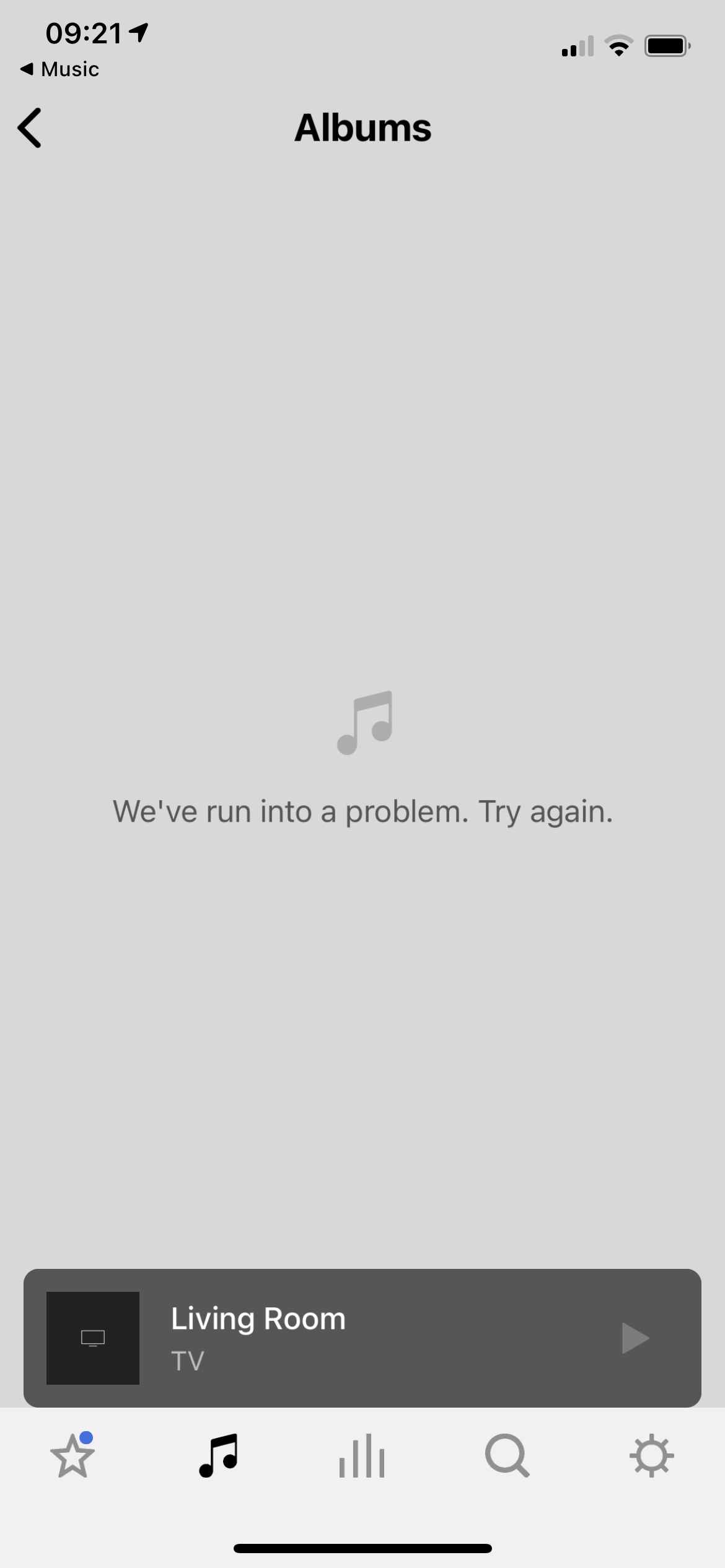
Apple Music - “We’ve run into a problem. Try Again.”

I run into this error every time I try to browse Apple Music through the S2 app. Weirdly it only occurs in the Albums and Artists tabs - “We’ve run into a problem. Try Again.” Have restarted router, updated and restarted Sonos, reset app, reauth’ed Apple Music. I have a beam which is wired in and Sonos net for two ones as surrounds. Anyone else have this issue?


This topic has been closed for further comments. You can use the search bar to find a similar topic, or create a new one by clicking Create Topic at the top of the page.
Ken_Griffiths
March 9, 2021

Try removing Apple Music from your music services in the Sonos app and re-adding it and rebooting your phone.

This doesn't fix it I’m afraid. Have also removed it, rebooted Sonos and readded and has made no difference.

Are these your own iCloud ‘matched’/‘uploaded’ Albums?

No, I removed everything that was matched. It is simply Apple Music’s own music.

I think in that case, you may have to recreate the error and submit a diagnostic report and post it’s reference back here. Then chat/contact Sonos Support via this LINK to see if the report reveals what the issue might be.

Just to add, I’m using Apple Music too and not seeing the issue, so I suspect it’s possibly something specific to your AM account, but perhaps see what the staff can discover.

5 replies

Lead Maestro
March 9, 2021

Try removing Apple Music from your music services in the Sonos app and re-adding it and rebooting your phone.

"Receive with simplicity everything that happens to you." - Rashi
Contributor I
March 9, 2021

Try removing Apple Music from your music services in the Sonos app and re-adding it and rebooting your phone.

This doesn't fix it I’m afraid. Have also removed it, rebooted Sonos and readded and has made no difference.

Ken_Griffiths
March 9, 2021

Try removing Apple Music from your music services in the Sonos app and re-adding it and rebooting your phone.

This doesn't fix it I’m afraid. Have also removed it, rebooted Sonos and readded and has made no difference.

Are these your own iCloud ‘matched’/‘uploaded’ Albums?

Contributor I
March 9, 2021

Try removing Apple Music from your music services in the Sonos app and re-adding it and rebooting your phone.

This doesn't fix it I’m afraid. Have also removed it, rebooted Sonos and readded and has made no difference.

Are these your own iCloud ‘matched’/‘uploaded’ Albums?

No, I removed everything that was matched. It is simply Apple Music’s own music.

Ken_Griffiths
March 9, 2021

Try removing Apple Music from your music services in the Sonos app and re-adding it and rebooting your phone.

This doesn't fix it I’m afraid. Have also removed it, rebooted Sonos and readded and has made no difference.

Are these your own iCloud ‘matched’/‘uploaded’ Albums?

No, I removed everything that was matched. It is simply Apple Music’s own music.

I think in that case, you may have to recreate the error and submit a diagnostic report and post it’s reference back here. Then chat/contact Sonos Support via this LINK to see if the report reveals what the issue might be.

Just to add, I’m using Apple Music too and not seeing the issue, so I suspect it’s possibly something specific to your AM account, but perhaps see what the staff can discover.
