Contributor I
Nov 26, 2024 9:55 PM UTC
Answered

App cant load system without turning wifi on and off on phone

Whenever I return home or after a period of time not using system sonos app will not load the system u til I turn wifi off and on again on my phone. Any ideas as to why this would happen and how to fix?

This topic has been closed for further comments. You can use the search bar to find a similar topic, or create a new one by clicking Create Topic at the top of the page.

AjTrek1
AjTrek1Answer
Nov 27, 2024 1:39 AM UTC

OK...assuming there are no VPN’s active on your phone and/or it’s not a work phone administered by your employer here are a few suggestions:

  • Make sure the iOS is up-to date (18.1.1)
  • Make sure the Sonos App is up-to date (80.12.02 or 80.12.03) *
  • Go to Settings > General > Transfer or Reset iPhone > Reset > Reset Network Settings **
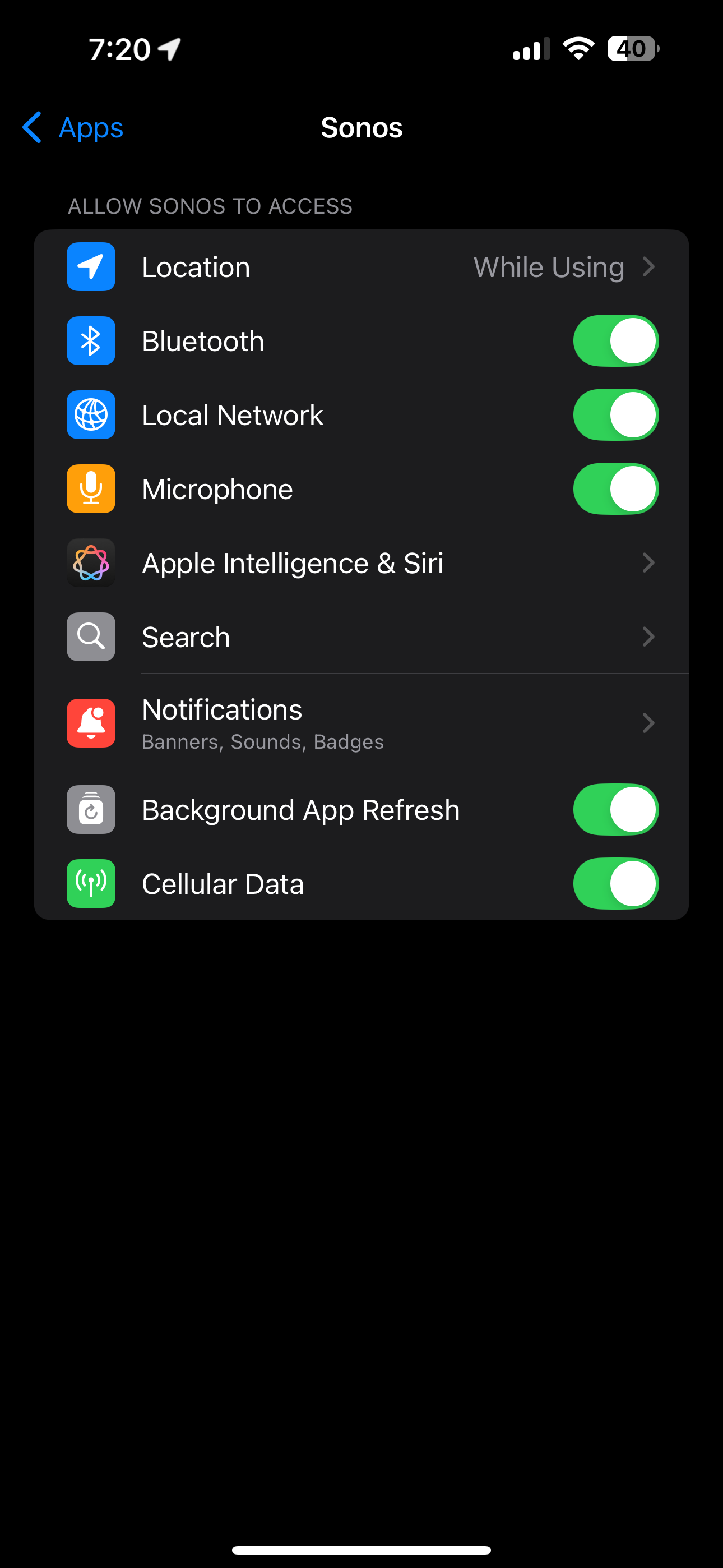
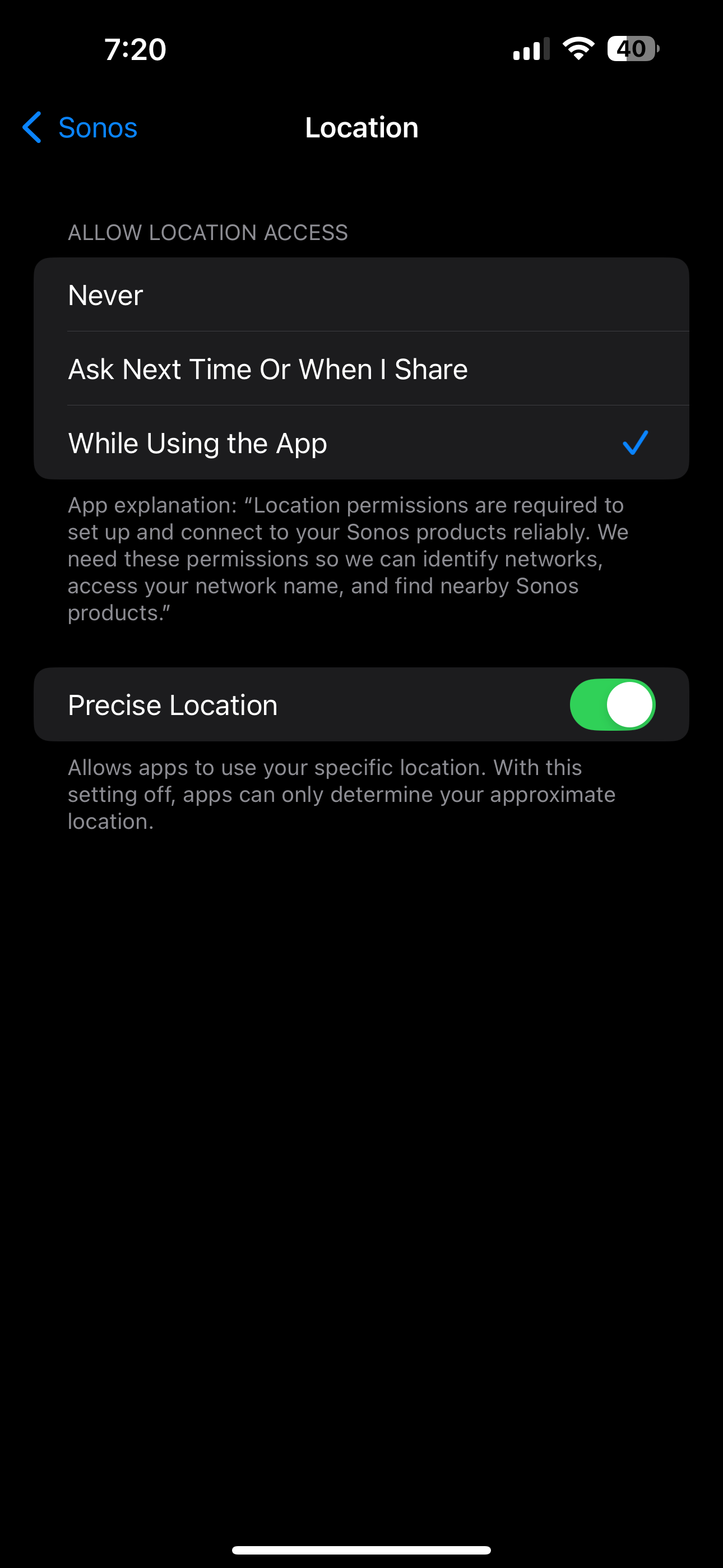
  • Go to Settings > Apps > Search for Sonos: Turn on the Options/Settings below:


 * What shows here may differ from what shows on your iPhone ergo 80.12.03

 ** You’ll have to re-enter your Wi-Fi credentials 

Together Everyone Achieves More = T.E.A.M.

4 replies

AjTrek1
Nov 26, 2024 9:58 PM UTC

What phone are you using; iPhone or Android?

Translate
Together Everyone Achieves More = T.E.A.M.
Jmc_84Author
Contributor I
Nov 26, 2024 10:03 PM UTC

iPhone 14 Pro

Translate
Stanley_4
Grand Maestro
Nov 27, 2024 1:10 AM UTC

Is the phone automatically connecting to your home WiFi and using it as the preferrred (over mobile-data) network?

Any VPN or the like on the phone?

Translate
AjTrek1
AjTrek1Answer
Nov 27, 2024 1:39 AM UTC

OK...assuming there are no VPN’s active on your phone and/or it’s not a work phone administered by your employer here are a few suggestions:

  • Make sure the iOS is up-to date (18.1.1)
  • Make sure the Sonos App is up-to date (80.12.02 or 80.12.03) *
  • Go to Settings > General > Transfer or Reset iPhone > Reset > Reset Network Settings **
  • Go to Settings > Apps > Search for Sonos: Turn on the Options/Settings below:


 * What shows here may differ from what shows on your iPhone ergo 80.12.03

 ** You’ll have to re-enter your Wi-Fi credentials 

Translate
Together Everyone Achieves More = T.E.A.M.