
Contributor I
June 15, 2024
Question

Amazon Music no longer working

  • June 15, 2024
  • 180 replies
  • 10169 views

I am hoping that someone can assist with a major problem I have and this is not yet another 'new app problem'.

I have Amazon Music Unlimited connected to my (extensive) Sonos system. With the latest app update it has basically stopped working leaving me with limited misic. Behaviour is odd however mostly it just doesn't work and I get errors saying there is a problem with Amazon. However, every so often it does at least list some music, e.g a playlist. When I try to play it, it may work or skip a number of songs before finding one that plays. After that it will stop. If a speaker already had a music queue, you can hit play on the speaker and it works but stops after maybe 3 songs.

I have tried:

- uninstalling and reinstalling Sonos app

- re authorising Amazon Music

- other devices (same behaviour)

- contacting Sonos support (have an incident number but have to phone next week - will update if I find out more as I have sent diagnostics).

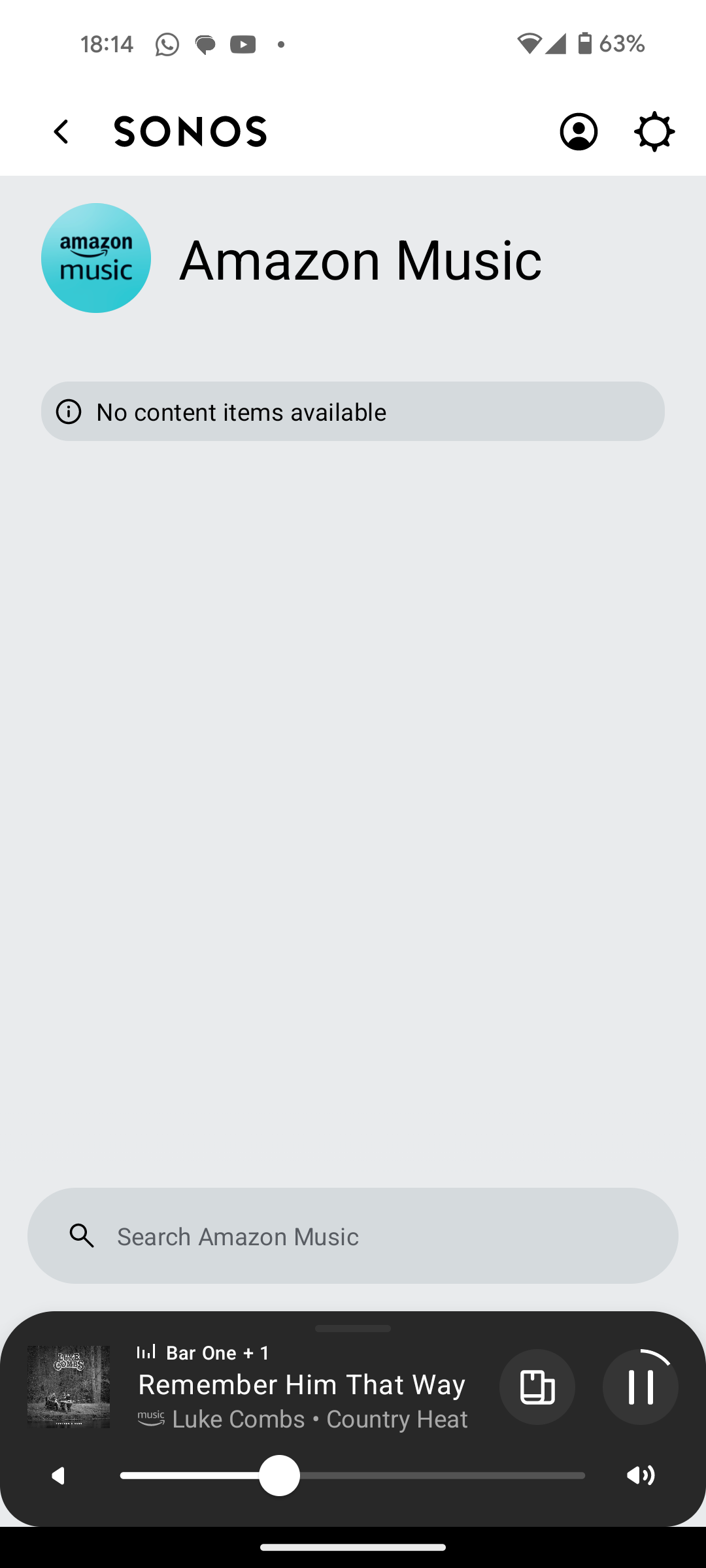
I attach screen shots as examples. I also have a video of it wildly skipping songs but don't seem to be able to upload.

Note other services work. Sonos Radio and Calm. Plus Amazon Music App itself works sweetly.

Help. I currently have a very expensive, unusable system.

Thanks


This topic has been closed for further comments. You can use the search bar to find a similar topic, or create a new one by clicking Create Topic at the top of the page.

180 replies

Prodigy III
August 28, 2024

@Corry P, I've done something a bit different from what you'd asked me: I turned on the Wi-Fi radio of my ISP's ONT/Router. So, different router, ISPs DNS servers, no switches, no MoCA, no cabling, nothing. Only the ISP, the fiber connection and the ONT are the same.

Then, I reset my Play:1, connected my phone to the ISP Wi-Fi and created the new system on it with the Play:1. I started playing an album from Amazon there. Again, it skipped the 2nd track, going from track #1 to track #3. Shuffle is off. Diagnostics ending on 678.

Now, I'll try to borrow my son's phone to do what you'd asked me.

Prodigy III
August 28, 2024

BTW, there's an additional step I had to do before opening the Sonos app on device 1, which was to reset the app, clearing its storage.

Lyricist III
August 28, 2024

For the past two days, I am also having a problem playing my music via Amazon Music (my main streaming music subscription that I have always used with my Sonos system). I typically listen to full albums, rather than playlists or individual tracks or stations. Here’s what happens when I try to play an album from my “favorites” list through the Sonos app:

  • first song might play for a minute or a few seconds, then skips to the next track.
  • it goes through the track list, trying to play the next track. Sometimes no success, sometimes it will only play a few seconds, and sometimes it plays a few seconds in the middle of the song before skipping to the next track.
  • It does this until it reaches the end of the album - hardly any tracks are played.

Doesn’t matter which albums, as it affects all albums saved in my favorites list. I’ve tried removing the albums from my favorites, and just playing them from an Amazon Music search, but the result is the same.

I’ve deleted and reinstalled Sonos app. I’ve reauthorized Amazon Music. I’ve restarted my router. I’ve reconnected all Sonos products to my network. NOTHING works, and I basically cannot listen to any of my music.

Starting to think Sonos will never again be the enjoyable experience it used to be for years and years. Something has to change.

Trending Lyricist I
August 28, 2024

For the past two days, I am also having a problem playing my music via Amazon Music (my main streaming music subscription that I have always used with my Sonos system). I typically listen to full albums, rather than playlists or individual tracks or stations. Here’s what happens when I try to play an album from my “favorites” list through the Sonos app:

  • first song might play for a minute or a few seconds, then skips to the next track.
  • it goes through the track list, trying to play the next track. Sometimes no success, sometimes it will only play a few seconds, and sometimes it plays a few seconds in the middle of the song before skipping to the next track.
  • It does this until it reaches the end of the album - hardly any tracks are played.

Doesn’t matter which albums, as it affects all albums saved in my favorites list. I’ve tried removing the albums from my favorites, and just playing them from an Amazon Music search, but the result is the same.

I’ve deleted and reinstalled Sonos app. I’ve reauthorized Amazon Music. I’ve restarted my router. I’ve reconnected all Sonos products to my network. NOTHING works, and I basically cannot listen to any of my music.

Starting to think Sonos will never again be the enjoyable experience it used to be for years and years. Something has to change.

This is my exact issue. Started over weekend. I thought i was going mad when no-one else had the same issue - but it's exactly this. 

Trending Lyricist I
August 28, 2024

For the past two days, I am also having a problem playing my music via Amazon Music (my main streaming music subscription that I have always used with my Sonos system). I typically listen to full albums, rather than playlists or individual tracks or stations. Here’s what happens when I try to play an album from my “favorites” list through the Sonos app:

  • first song might play for a minute or a few seconds, then skips to the next track.
  • it goes through the track list, trying to play the next track. Sometimes no success, sometimes it will only play a few seconds, and sometimes it plays a few seconds in the middle of the song before skipping to the next track.
  • It does this until it reaches the end of the album - hardly any tracks are played.

Doesn’t matter which albums, as it affects all albums saved in my favorites list. I’ve tried removing the albums from my favorites, and just playing them from an Amazon Music search, but the result is the same.

I’ve deleted and reinstalled Sonos app. I’ve reauthorized Amazon Music. I’ve restarted my router. I’ve reconnected all Sonos products to my network. NOTHING works, and I basically cannot listen to any of my music.

Starting to think Sonos will never again be the enjoyable experience it used to be for years and years. Something has to change.

This is my exact issue. Started over weekend. I thought i was going mad when no-one else had the same issue - but it's exactly this. 

And corry is looking in to it for us

Prodigy III
August 28, 2024

Submit diagnostics, guys

Trending Lyricist I
August 28, 2024

Submit diagnostics, guys

I did

Lyricist III
August 28, 2024

Submit diagnostics, guys

I did

Done.

Avid Contributor I
August 28, 2024

Music skipped a track

submitted diagnostic report

playing Nubya Garcia, album called source. Skipped track called ‘together is beautiful place to be’

apple iPad Air 3rd gen, iOS 17.6.1

amazon app 24.15.1.218548

UK based


Prodigy III
August 28, 2024

Hi @furacaopr 

To be clear to everyone else, I am not saying that the following applies to anyone other than @furacaopr - I am not making sweeping statements about the issue you are all reporting (though the fact that we cannot reproduce does say something, I suppose).

In your case, @furacaopr, we’re still thinking it’s due to something local. Regardless of ethernet, 2.4 Ghz or 5Ghz, and regardless of which speaker you use, we are seeing connection problems to Amazon that result in the dropouts you hear. In addition, we are unable to recreate the issue in our own testing. The speakers are reporting multiple attempts to reduce the bitrate of the incoming feed in order to improve things for you, but this is not working.

Do you see any issues when streaming video, or during any other intensive use of your internet connection?

Would you mind - please feel free to say “no” as it will be a bit of work - factory resetting your standalone speaker and adding it to a hotspot from a phone/tablet? Please be aware that you would need two devices - one to run the Sonos app, and one to provide the hotspot. We’d really like to see the behaviour when using a different internet connection. The process would be as follows:

  • Factory reset the speaker
  • Start a hotspot on device 2 (We’ll call your device with the Sonos app that you’ve been using device 1)
  • Connect device 1 to device 2’s hotspot
  • Open the Sonos app on device 1
  • When the app can’t find a system, opt to create a new one
  • Setup the speaker
  • Add Amazon Music and test playback
  • Submit a support diagnostic
  • And to get back to current config, reset the speaker again, disconnect device 1 from hotspot and set speaker up on WiFi.

Thanks.


I was finally able to borrow my daughter's phone. Same skipping issue with diagnostics ending on 291.

I used her phone only to setup the system and I had to return it to her. So, I connected my laptop to my phone hotspot in order to search, play and submit diagnostics using the Windows app.

My phone, which was used as hotspot, was connected to LTE+ from Fido, not related in any way to my ISP, which is Bell Canada.