
Collaborator II
October 13, 2025

Albums have suddenly started to behave strangely.

  • October 13, 2025
  • 141 replies
  • 3287 views

Hello all, I hope someone can help me.

I noticed the other day that a few albums in my library had suddenly split into multiple albums. At first I thought there may have been an update that had changed the way certain albums were tagged. I did some rudimentary checks on the album tags (I use Tag & Rename) but couldn't see any issues. However on further examination I noticed that the multiple of the albums had the same track in them see images below.

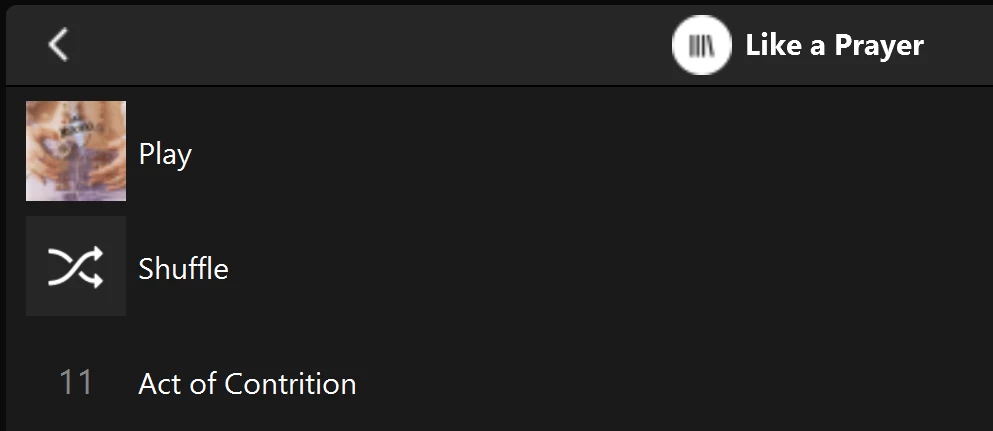
Multiple of one album.
Only one track (The same track) showing in both albums

You can see that a look into the folder for this album shows 11 tracks. 
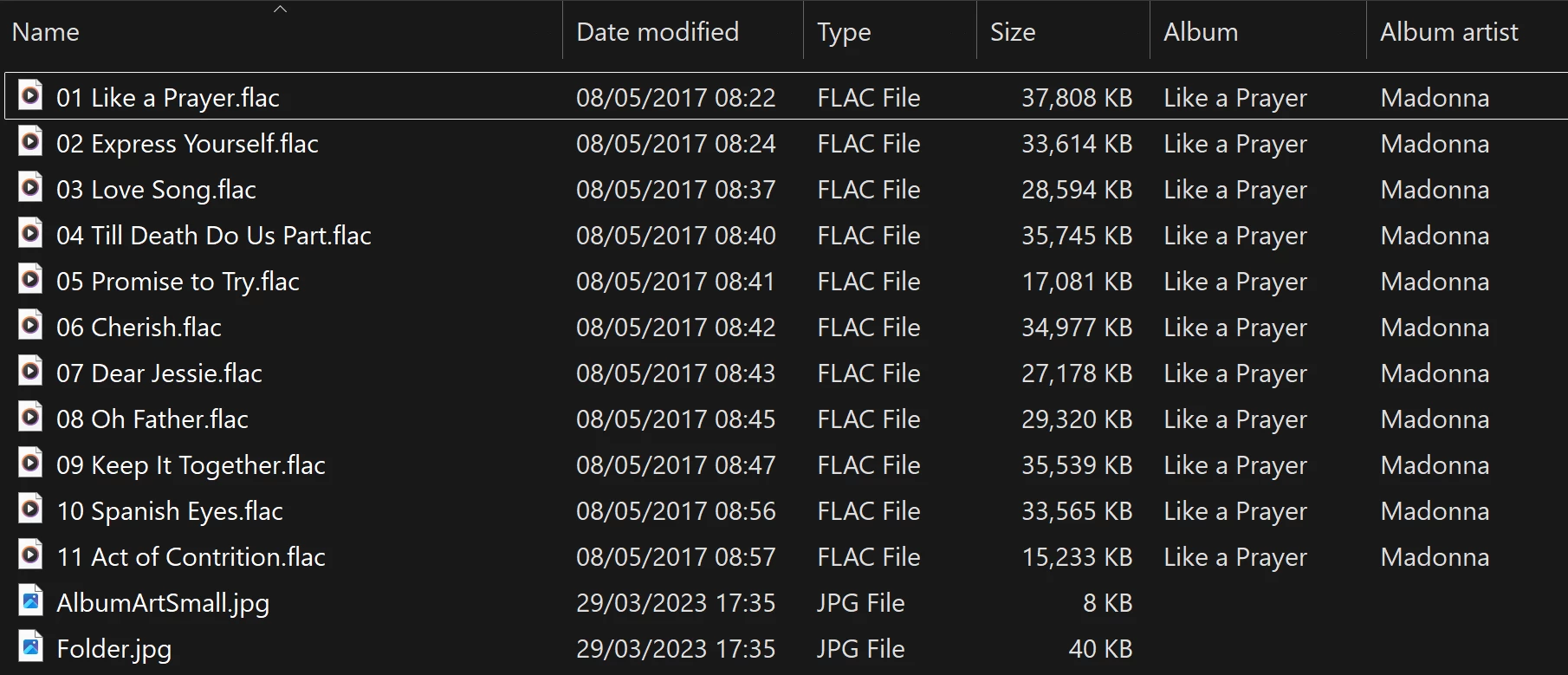
View into the folder for album

Doing a re-scan of the library does not fix the issue. But I have found that by adding a new album to my library fixes the issue after a re-scan. However I have noticed that adding a new album can correct one problem but then suddenly another suddenly is inflicted with the same issue.
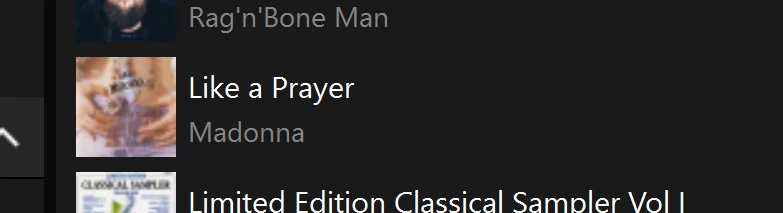
So I am very confused as why adding one album can suddenly cause this issue with other completely unrelated albums. Sorry to have rambled on.

Any thoughts anyone? 

Anthony

141 replies

kdowling
October 13, 2025

I have seen exactly the same thing. It started happening after update 91.0-68261on 9/16/25. You can locate the same album via “Folders” and it will show and play correctly from there.

Edit to say, it may have been an earlier update. I’m not positive, but it was recent. I’ve since downgraded my system, except for home theater devices, to S1. The S1 system is just way better at playing from large local libraries.

Anthony_6Author
Collaborator II
October 13, 2025

Kdowling, thanks for the reply. I was wondering if it might be a Sonos update. I’m currently running 80.29.4-release which I think is the latest. If it does turn out to be another Sonos “improvement” I will have to seriously consider moving on. Such a shame as I have had Sonos since 2006 and up to the May 2024 debacle I was quite happy, I even managed to remain patient through that period, but I think I’m getting very close to the straw that breaks the Camels back.

Anthony.

Anthony
kdowling
October 13, 2025

Hi Anthony,

80.29.4-release is a Sonos controller app version. Not the latest though. Latest is 80-30-35-release on iOS and 80.30.31-release on Andriod (although my androids haven’t received it yet, still on 80-29-6-release).

But the update I was referring to is the Sonos System update version number. Listed in the “About Your System” selection, scroll down to your devices, and it’s shown as Version: then build number.

Sonos System is referring to the software in the devices/speakers. That is what builds the library index. Not the controller. This problem arose after a Sonos System update, not the controller update.

I don’t know if rolling back to S1 is an option for you, but I can tell you it felt like a breath of fresh air. It just works. Put a smile back on my face and I’m loving my Sonos setup again. I mostly play from my large local library and seldom stream using Qobuz and Apple Music. Although they do still work on S1, not as well as on S2 and not higher res, if that matters. Up to CD quality, 

CronoCX
Enthusiast II
October 13, 2025

Yep! I can confirm this is STILL a problem. It originally showed up a year ago and at that time, Sonos said it had to do with the “Album Artist” tag. I can say, because all of my albums USE that tag and not the Compilation settings, that it’s gotta be something with how the Sonos software parses the metadata as all the folders can be accessed and played as already pointed out here.

I was gonna try to DM ​@Ken_Griffiths, but saw this thread and figured I’d join the conversation.

In the notes in the other thread, I did go through some of my tags and re-do them, but it’s always a moving target. One gets fixed and then another “breaks”. The tags are fine. It’s how they are displayed that’s the problem here I think. I can say that because sometimes just renaming the folder and re indexing fixes the issue. If it was a tagging issue, that would not work.

​@kdowling: I’ve pondered going back to S1, but then we’re dependent on how long Sonos will keep that App running for in the various App Stores. Honestly, as of right now, this duplicate album thing is the only issue I have with my system and even then it’s not wide spread. Out of my 1,429 albums, it’s happening to 8 of them. The App’s speed and such has been just fine for me.

Hardware / Software

  • iOS App Build: 80.30.35-release+20251002.f3a525e9d
  • macOS Sonos Controller: 17.2
  • Sonos One (1st gen) x3: S2, 17.5 (build 91.0-70011)
  • Play:1 x2: S2, 17.2.1 (build 86.1-69220)
  • Beam (gen 1) x2: S2, 17.5 (build 91.0-70011)
  • Sub (gen 2) x1: S2, 17.2.1 (build 86.1-69220)
  • Play:5 (gen 2) x1: S2, 17.2.1 (build 86.1-69220)
  • Move (gen 1) x1: S2, 17.5 (build 91.0-70011)

--Brian


kdowling
October 13, 2025

There was a problem regarding compilation albums / various artists and they did make a change to how they are indexed. However this problem is not related to that. It’s not related to tags at all. The tags are correct. If you add an album and reindex, the problem album is fixed and now some other albums show this anomaly. This appears to me to be a programming bug recently introduced into the indexing routines.

CronoCX
Enthusiast II
October 13, 2025

There was a problem regarding compilation albums / various artists and they did make a change to how they are indexed. However this problem is not related to that. It’s not related to tags at all. The tags are correct. If you add an album and reindex, the problem album is fixed and now some other albums show this anomaly. This appears to me to be a programming bug recently introduced into the indexing routines.

Yep, THIS. What I came to the conclusion of, now how can we get Sonos to listen...I’d be happy to submit diagnostics.

Airgetlam
October 13, 2025

Remember, as mentioned in the Diagnostics - How do they work? thread, submitting diagnostics doesn’t do any good unless followed up by a call. 

Bruce
CronoCX
Enthusiast II
October 13, 2025

Remember, as mentioned in the Diagnostics - How do they work? thread, submitting diagnostics doesn’t do any good unless followed up by a call. 

It’s on my To Do list. I really wish they’d bring back email support…..

Anyone know if Users can access the lists? I’d love to take a look at them myself.

Airgetlam
October 13, 2025

The lists? Not sure what you’re referring to, but in general, Sonos doesn’t prove lists of everything they’re working on (and status), the only thing I’ve seen is a list of things they’re aware of. 
 

There is some info here. And other info may be found by searching for KeithFromSonos on Reddit. 

Bruce
CronoCX
Enthusiast II
October 13, 2025

The lists? Not sure what you’re referring to, but in general, Sonos doesn’t prove lists of everything they’re working on (and status), the only thing I’ve seen is a list of things they’re aware of. 
 

There is some info here. And other info may be found by searching for KeithFromSonos on Reddit. 

Typo, the Diag Reports. Thought maybe they’d live in a temp directory or stored inside the Sonos.App bundle on macOS.