
Contributor I
June 16, 2024
Answered

About your system in IOS ap doesn’t show WM

  • June 16, 2024
  • 5 replies
  • 297 views

Was doing system diagnostic work and wiring more devices and noticed the S2 app isn’t showing my WM. Any fix for this?
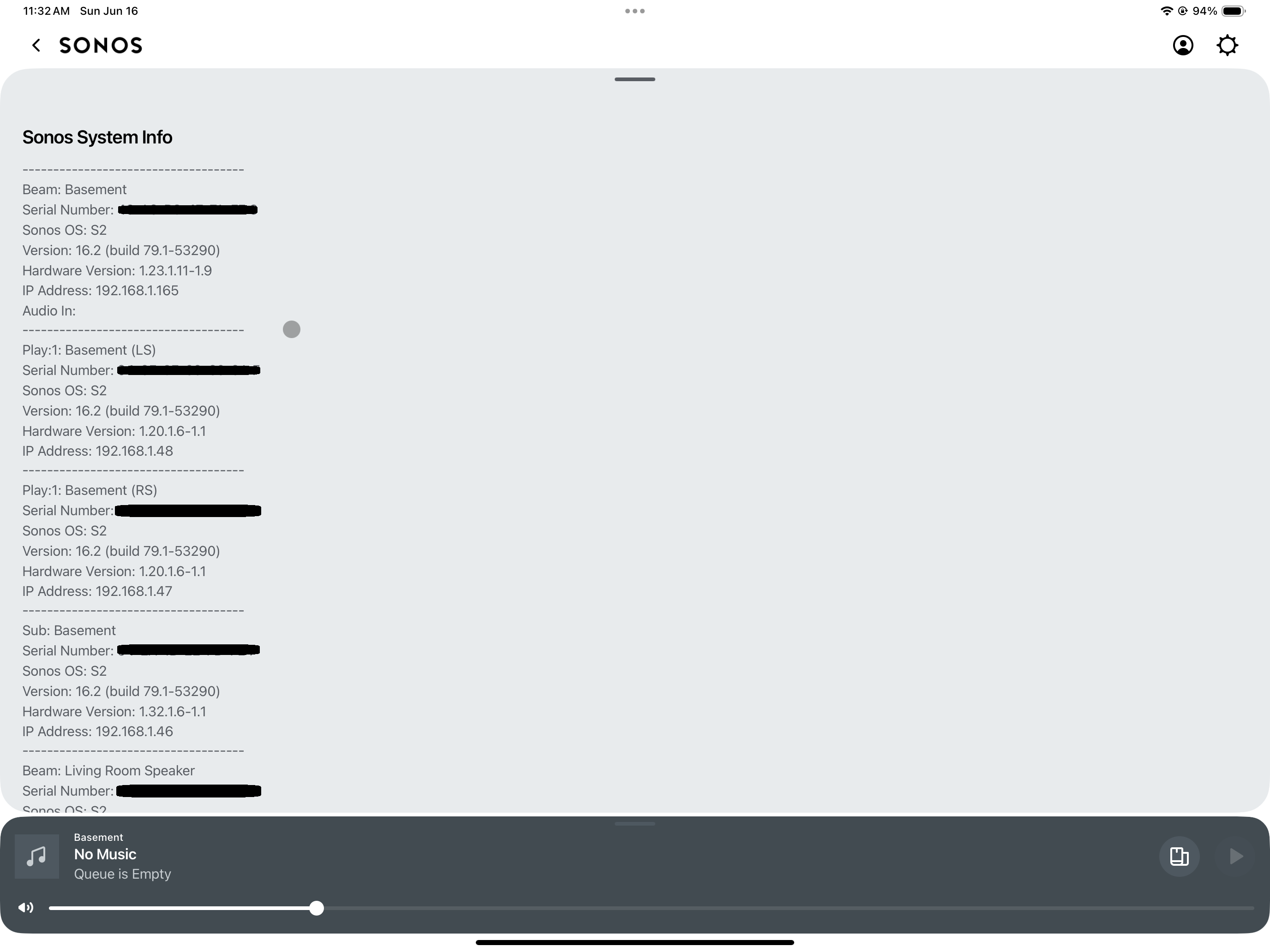
Moderator Note: Removed SN from attached screenshot. Modified in accordance with the Community Code of Conduct.

This topic has been closed for further comments. You can use the search bar to find a similar topic, or create a new one by clicking Create Topic at the top of the page.
Best answer by MAURIC3

I cannot find a way to view this information anymore, my last option was iPad app but it updated automatically so I’ve lost the pre version 8.0 update 😂 can we login and check using the speakers IP address, maybe worth a check? 


5 replies

MAURIC3
MAURIC3Answer
Lyricist III
June 18, 2024

I cannot find a way to view this information anymore, my last option was iPad app but it updated automatically so I’ve lost the pre version 8.0 update 😂 can we login and check using the speakers IP address, maybe worth a check? 


MAURIC3
Lyricist III
June 18, 2024

Sorry tried using speakers IP address to login, via web interface but was not able to 

RockoXLAuthor
Contributor I
June 20, 2024

Thanks for the suggestions! I was able to look at my client list in my router and confirmed the mac address of each of my sonos devices showed up as “wired” connections, rather than wireless. Which I believe means they are working through the sonosnet . 

MAURIC3
Lyricist III
June 20, 2024

Yes, I too can see a wired icon next to my Sonos devices set up for TV via Deco app 😄 but would be nice at Sonos level to have this info visible 😂  

controlav
Lead Maestro
June 20, 2024

Use my iOS app, will show you all of this and more: https://apps.apple.com/us/app/phonos-plus/id1511326524

Author of the leading independent Sonos apps for Android, MacOS, iOS, Windows and Xbox.