
Avid Contributor III
Jun 12, 2021 1:07 AM UTC
Answered

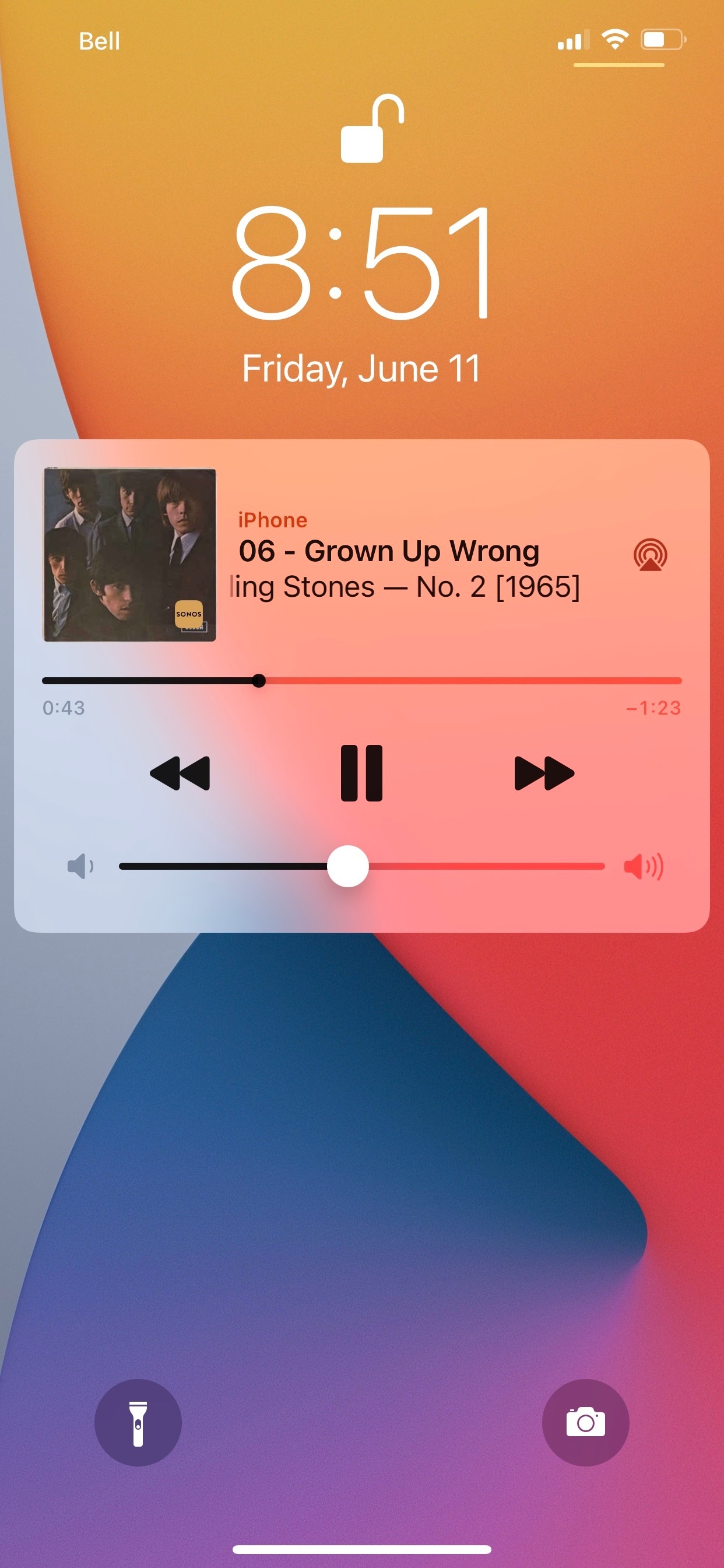
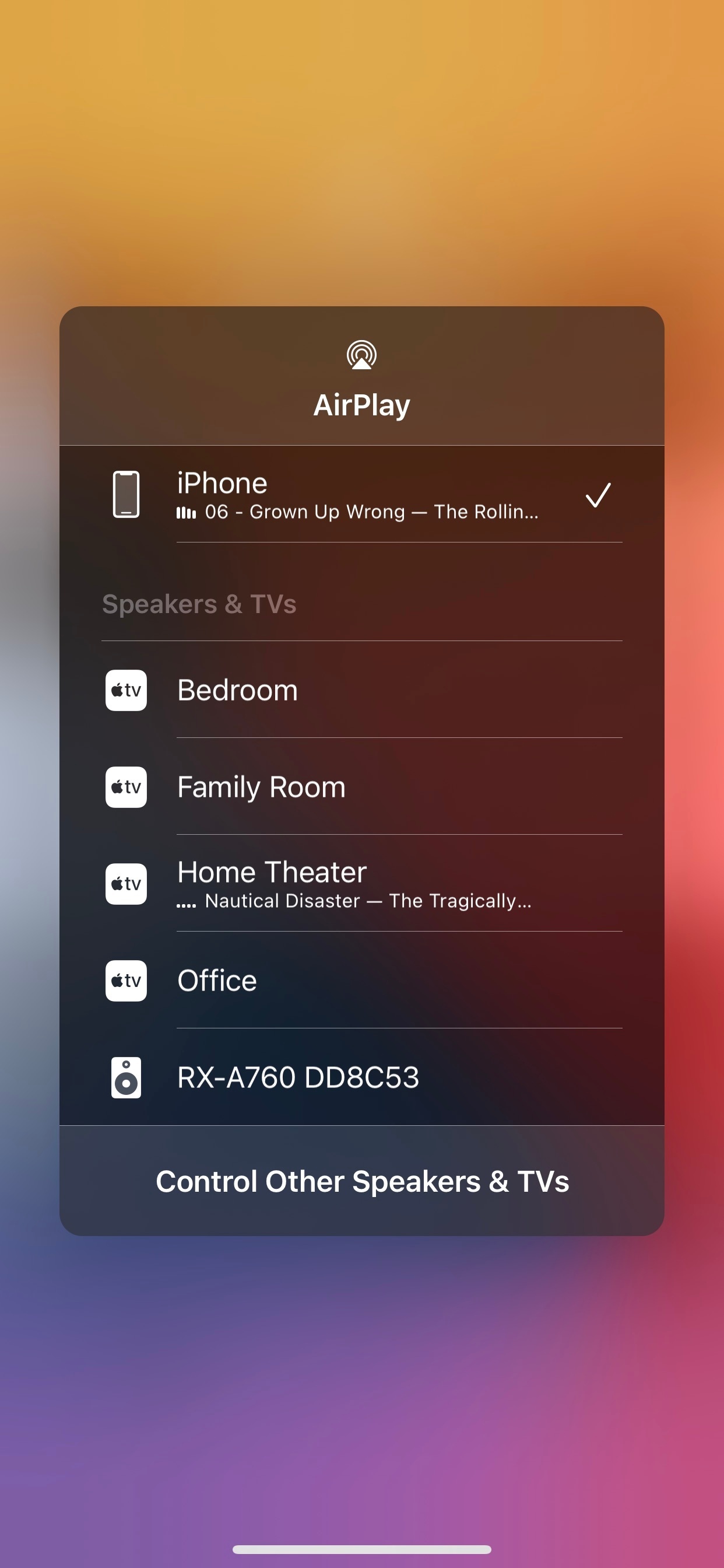
why is Sonos showing as iphone on lockscreen.

I don’t have any compatible airplay devices yet today my Sonos content which I’ve started from the Sonos app randomly shows up in lock screen with full volume control. Did I miss an update or am I stupid?


This topic has been closed for further comments. You can use the search bar to find a similar topic, or create a new one by clicking Create Topic at the top of the page.
Lead Maestro
Jun 13, 2021 2:01 PM UTC

From Sonos:

Lock screen controls will not appear in the following scenarios:

  • A non-Sonos AirPlay capable device is present.
    • Disable the AirPlay feature on all non-Sonos AirPlay endpoints to allow lock screen controls to appear when using Sonos.
  • Another app on the device is playing music or video.
  • While connected to a Bluetooth audio device.
  • VoiceOver is enabled.
  • Headphones are connected to the iOS device.

https://support.sonos.com/s/article/3381?language=en_US

"Receive with simplicity everything that happens to you." - Rashi

5 replies

Airgetlam
Jun 12, 2021 1:26 AM UTC

That sounds more like an iOS issue than a Sonos issue. If you do a hard reboot of the phone, can you reproduce the issue?

Translate
Bruce
Lead Maestro
Jun 12, 2021 4:37 AM UTC

@RAMQFTW If you have Lock Screen Controls enabled in the Sonos app, that is what you are supposed to see on the Lock Screen. You can disable this feature under App Preferences.

Translate
"Receive with simplicity everything that happens to you." - Rashi
RAMQFTWAuthor
Avid Contributor III
Jun 13, 2021 12:12 PM UTC

I do have that enabled.  
strangely today it’s not working 

I’m curious as to why this is so haptic

i want lock screen controls but I thought you needed airply2 devices in order to have lock screen functionality 

something is off with on iOS airplay or Sonos 

Translate
Lead Maestro
Jun 13, 2021 2:01 PM UTC

From Sonos:

Lock screen controls will not appear in the following scenarios:

  • A non-Sonos AirPlay capable device is present.
    • Disable the AirPlay feature on all non-Sonos AirPlay endpoints to allow lock screen controls to appear when using Sonos.
  • Another app on the device is playing music or video.
  • While connected to a Bluetooth audio device.
  • VoiceOver is enabled.
  • Headphones are connected to the iOS device.

https://support.sonos.com/s/article/3381?language=en_US

Translate
"Receive with simplicity everything that happens to you." - Rashi
Jun 13, 2021 2:40 PM UTC

If lock screen control does not show after following the above from GuitarSuperstar, try force closing and restarting the Sonos app.

Translate