
Contributor I
July 22, 2021
Answered

Sonos Windows app UI issues

  • July 22, 2021
  • 19 replies
  • 675 views

Hi,

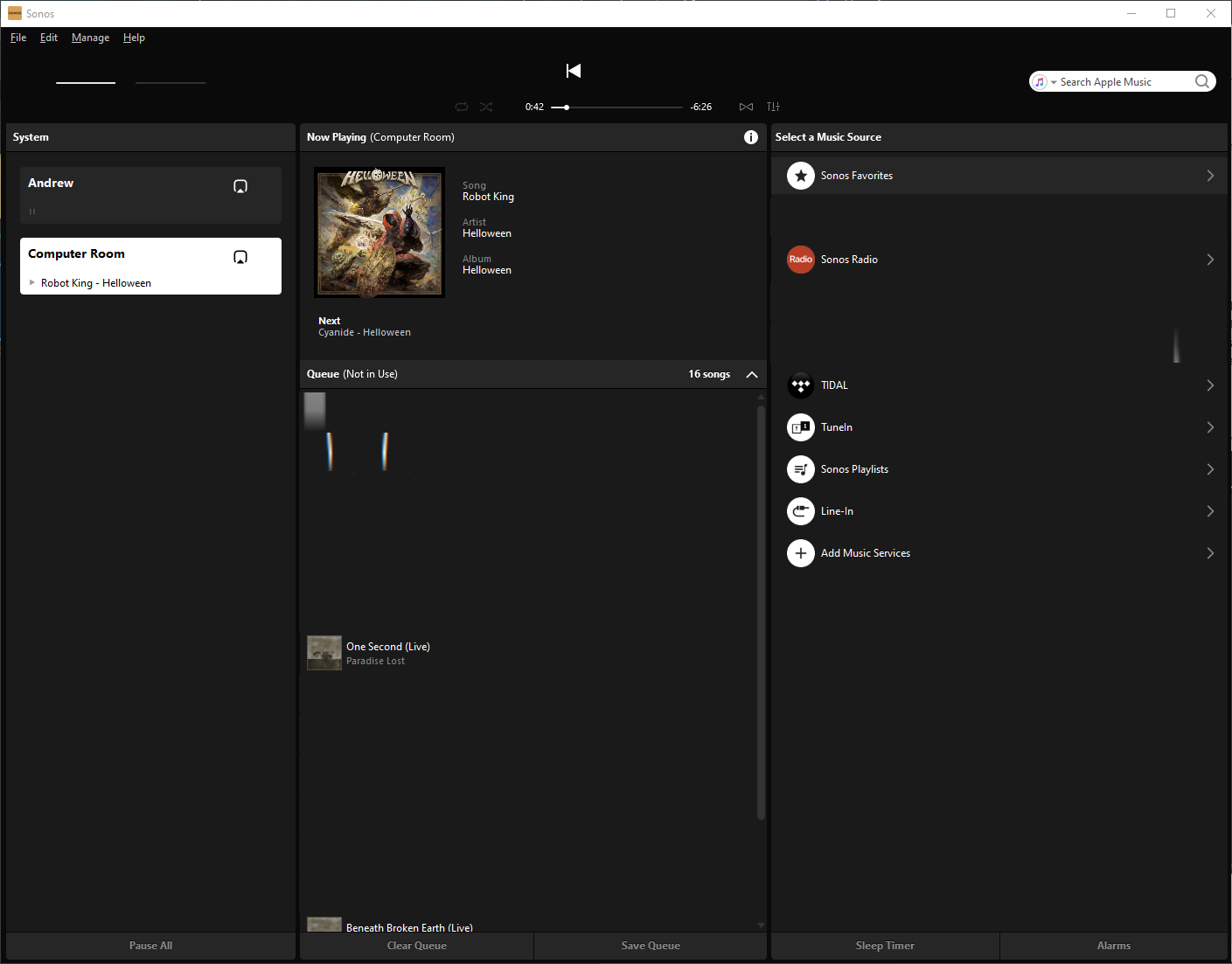
The latest update brought some significant UI bugs. When I move mouse over UI controls they disappear (see attached screenshot). It works for all controls including menu and text boxes. Items may reappear if I move mouse very slow. But it’s unpredictable. I tried to reinstall the app with no success. I must mention that I’ve been using the Windows app for quite some time and it was always working fine. I use the latest (fully updated) Windows 10. Please help.

Thanks,
Dmitry
 

This topic has been closed for further comments. You can use the search bar to find a similar topic, or create a new one by clicking Create Topic at the top of the page.
Best answer by DmitryK

I just want to inform you that I found a proper solution to this issue. Reinstalling nVidia drivers solved it only temporary. 

The solution is removing Sonic Suite applications which came as part of ASUS ROG package. After removal Sonos perfectly works.

Here is some information for whose who is interesting in details: https://github.com/dotnet/wpf/issues/707

19 replies

Airgetlam
July 28, 2021

Given the fact that Sonos hasn’t been mucking about with the software for Windows, I’d suspect a potential bad install of some software and/or drivers along the line. I’d certainly try deleting and reinstalling the Windows controller for Sonos itself, since you’ve already done the video drivers, but I’d also double check Microsoft’s updates to be sure all other aspects of the OS are up to date, including .NET. 
 

Bruce
Lyricist III
July 28, 2021

Given the fact that Sonos hasn’t been mucking about with the software for Windows, I’d suspect a potential bad install of some software and/or drivers along the line. I’d certainly try deleting and reinstalling the Windows controller for Sonos itself, since you’ve already done the video drivers, but I’d also double check Microsoft’s updates to be sure all other aspects of the OS are up to date, including .NET. 
 

I uninstalled the Sonos app multiple times and installed even an older version of it to be sure (had a version from April and one from June in the download folder). Both versions fail. Windows 10 is fully updated, no updates available. It seems weird. 

Airgetlam
July 28, 2021

Might be time to contact Sonos directly, then, and get passed beyond the first line of customer care, as I suspect they’ve not got the knowledge necessary to assist.

Or, frankly, contact NVIDIA, since this doesn’t appear to be an issue for any other video card/driver combination….and in fact seems to be unique to your specific setup, as the OPs situation was resolved by a reinstall of the driver. 

Bruce
Lyricist III
July 28, 2021

Might be time to contact Sonos directly, then, and get passed beyond the first line of customer care, as I suspect they’ve not got the knowledge necessary to assist.

Or, frankly, contact NVIDIA, since this doesn’t appear to be an issue for any other video card/driver combination….and in fact seems to be unique to your specific setup, as the OPs situation was resolved by a reinstall of the driver. 

I did some uninstalling random programs. Im not sure wich one caused the problem (it might be the Python coding programs). Sonos works again here now.

Thanks guys.

Lyricist I
August 4, 2021

So as I am fom Germany, I want to tell you that also here we have the same problems.. I have a Radeon RX580 and thats a AMD-Chip, so its not only a problem of Nvidea.  I don't know which combination is to blame, but at least it only affects the Sonos application under Windows 10.

I think it’s just a Problem of Sonos and only they can help, maybe wrong dll’s, Framework etc..

Thanks

DmitryKAuthorAnswer
Contributor I
August 22, 2021

I just want to inform you that I found a proper solution to this issue. Reinstalling nVidia drivers solved it only temporary. 

The solution is removing Sonic Suite applications which came as part of ASUS ROG package. After removal Sonos perfectly works.

Here is some information for whose who is interesting in details: https://github.com/dotnet/wpf/issues/707

Lyricist I
August 22, 2021

Hi @DmitryK 

Thank you for the information! As for me, I uninstalled Sonic Suite and everything was fine.

thanks

controlav
Lead Maestro
August 22, 2021

Wow that is some impressive slueth-ing @DmitryK 

Once again ASUS produce something to interfere with Sonos users. After their router fiascos, now they are installing software that breaks how apps render to the screen.

Author of the leading independent Sonos apps for Android, MacOS, iOS, Windows and Xbox.
Lyricist I
October 26, 2021

The Alienware Command Center from Dell also installs the nahimic service and can cause the same UI problem.

completely re-installing the Alienware Command Center application can resolve the issue. disabling the nahimic service removes sound options from the AWCC, but also resolves the UI problem.