
rosswells127
Prodigy I
June 8, 2020
Answered

Sonos S2

  • June 8, 2020
  • 180 replies
  • 12434 views

So it is 4pm on the 8th June here and still no Sonos S2 update. Hmmmmm.

    This topic has been closed for further comments. You can use the search bar to find a similar topic, or create a new one by clicking Create Topic at the top of the page.
    Best answer by larsvdberg

    Steps:

    • Update Sonos App to S1 App
    • In the S1 App go to settings → system → update
    • Update the Sonos system
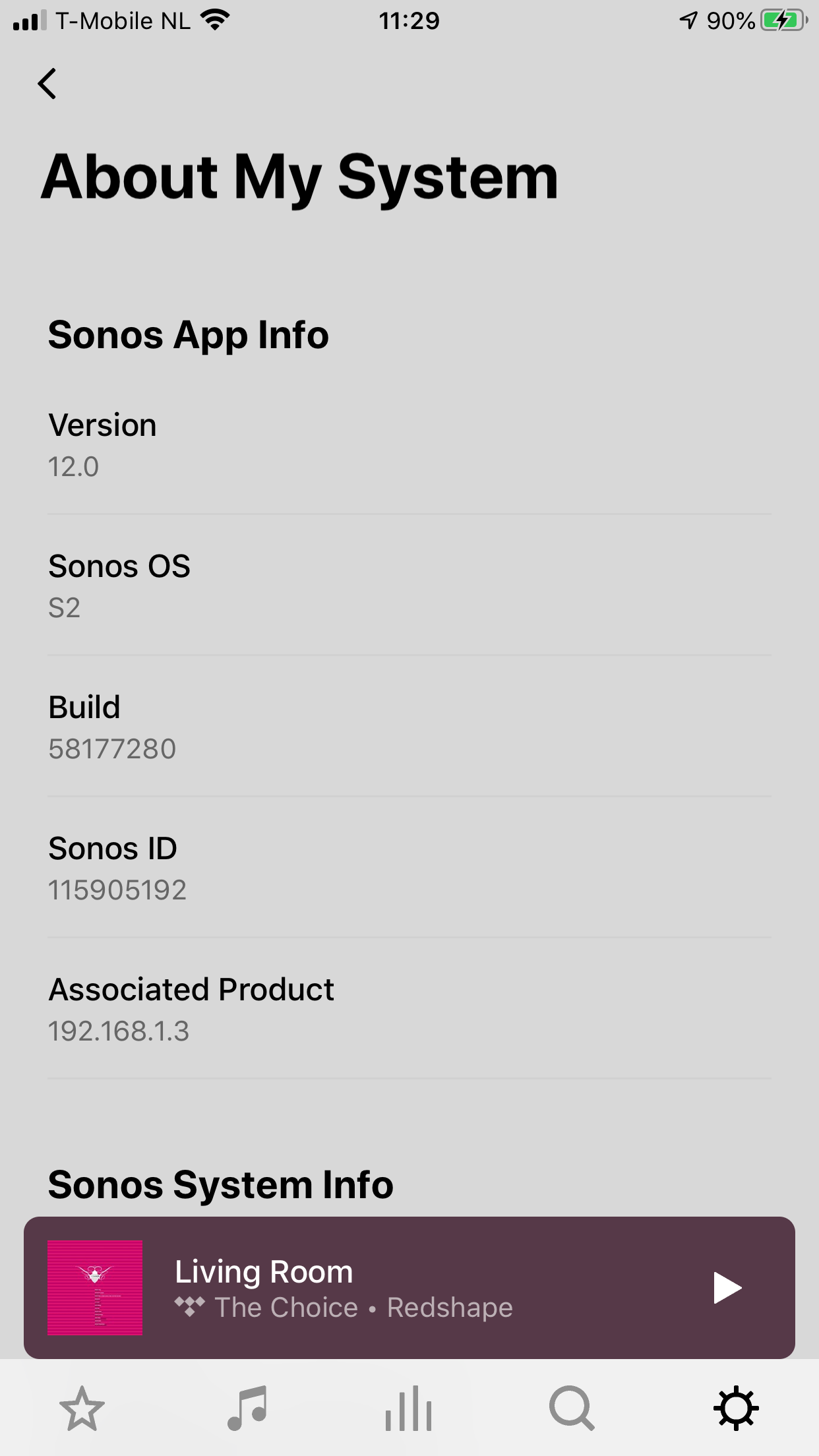
    • Enter S1 again and go to settings → system → (option below, something with S2 App)
    • Download and install S2 App
    • Open S2 App, it states stat you need to update your system (again)
    • Perform system update (unplug your AMP / Active Speakers. I have my Port via COAX connected to my active speakers and it had a nasty glitchy sound during update)
    • This should be it!

    Sonos S2 App link for iOS: https://www.sonos.com/icr2_appstore (I would follow the steps above instead of downloading the S2 App to be sure that the update goes according to the process Sonos has in mind by the way)
     

    180 replies

    ratty
    June 10, 2020

    @ratty, you know more about this than many/all.  I do think most who were aware of the forthcoming split (but maybe not part of a beta where it may have been known) were expecting to be left with a set of speakers on S1 and a set on S2, both controlled by a separate App but behaving as they previously did - but no longer able to be grouped.

    How could Sonos have achieved this?

    You know what they say: a little knowledge is a dangerous thing.

    One can conceive of a way a system (household) could be divided in two whilst leaving such things as playlists intact. It’s just software after all.

    Putting it into practice in a supportable fashion is of course a different matter, with policy and resource implications.

    FWIW I’d also hoped Sonos would have provided a household splitting tool.

    June 10, 2020

     Sonos playlists can have content from sources from more than just a NAS - mine include tracks from other sources, including Spotify, too.

    I gave up on mixed source playlists when the lack of volume normalisation across sources came in the way. But yes, in that case, I suppose these too would need rebuilding. 

    Trouble in this context just means costs, I suppose, to answer that question you raised. Sonos has to have felt that these were not justified by how many users need this facility, also with S2 being the chosen path forward for the company. Or, perhaps this requirement simply did not come to their mind, seeing the present focus of the company.


    Trending Lyricist I
    June 12, 2020

    Hi. I’m happy and content staying with S1 so that I can use my 2 legacy 5’s with my 2 Play 3’s  and 2 play 1’s. When the 5’s become incompatible I’m ready to buy 2 Gen 3 Fives and move the whole thing up to S2. My only concern is that at that time everybody else with legacy 5’s will be doing the same thing, which may cause a run on new Fives and a waiting period to get them. For that reason it has crossed my mind to buy the new Fives now and beat the rush.

    Any of you smart guys think that’s a legitimate concern or am I crazy?

    June 12, 2020

    The latter. Your 5 units will suffer hardware failure that will stop them from working. All the units out there will suffer this at different times.

    And there will be some like me that will buy other alternatives to Sonos when legacy S1 kit dies, so there is that factor as well.

    June 12, 2020

    I agree with @Kumar that a run on Fives at some future point is not worth worrying about.

    The only thing i would add is that, IMO, the gen 2 Play:5 was/is a vast improvement on the gen 1 (and by all accounts the Five is similar acoustically to the gen 2).  If the budget is there, i would consider getting them now and enjoying them.  If you order from Sonos and don’t share my view on the difference in audio quality, you could return them.

    Ken_Griffiths
    June 12, 2020

    My thoughts are slightly different and to take the current trade-up offer of 30% and use the vouchers to buy the new Play 5 (gen 3’s) and also sell on the Play 5 (gen 1’s) as they are still a sought after device by some. That way, your overall outlay should be less now, than it maybe further down the line. The trade-up offer is probably not going to be around forever.

    melvimbe
    June 12, 2020

    The trade-up offer probably won’t last forever, but I doubt it’s going to disappear this year, and I can’t imagine Sonos won’t give customers at least 30 days notice before it ends.  To me, if you plan on selling your old units, then the question of what the used value of play:5 gen 1’s is the bigger factor from a cost perspective.

    Danny
    Trending Lyricist I
    June 12, 2020

    Thanks guys, for your thoughts.:musical_note:

    Lyricist I
    July 13, 2020

    I’ve successfully completed the S2 upgrade to my system - have the S2 logo on my iPad desktop right along side the S1 controller icon - how do i safely remove the S1 controller icon from my desktop thereby only leaving the S2 logo icon?

    ratty
    July 13, 2020

    I’ve successfully completed the S2 upgrade to my system - have the S2 logo on my iPad desktop right along side the S1 controller icon - how do i safely remove the S1 controller icon from my desktop thereby only leaving the S2 logo icon?

    Delete it, as you would any other app.