
rosswells127
Prodigy I
June 8, 2020
Answered

Sonos S2

  • June 8, 2020
  • 180 replies
  • 12434 views

So it is 4pm on the 8th June here and still no Sonos S2 update. Hmmmmm.

    This topic has been closed for further comments. You can use the search bar to find a similar topic, or create a new one by clicking Create Topic at the top of the page.
    Best answer by larsvdberg

    Steps:

    • Update Sonos App to S1 App
    • In the S1 App go to settings → system → update
    • Update the Sonos system
    • Enter S1 again and go to settings → system → (option below, something with S2 App)
    • Download and install S2 App
    • Open S2 App, it states stat you need to update your system (again)
    • Perform system update (unplug your AMP / Active Speakers. I have my Port via COAX connected to my active speakers and it had a nasty glitchy sound during update)
    • This should be it!

    Sonos S2 App link for iOS: https://www.sonos.com/icr2_appstore (I would follow the steps above instead of downloading the S2 App to be sure that the update goes according to the process Sonos has in mind by the way)
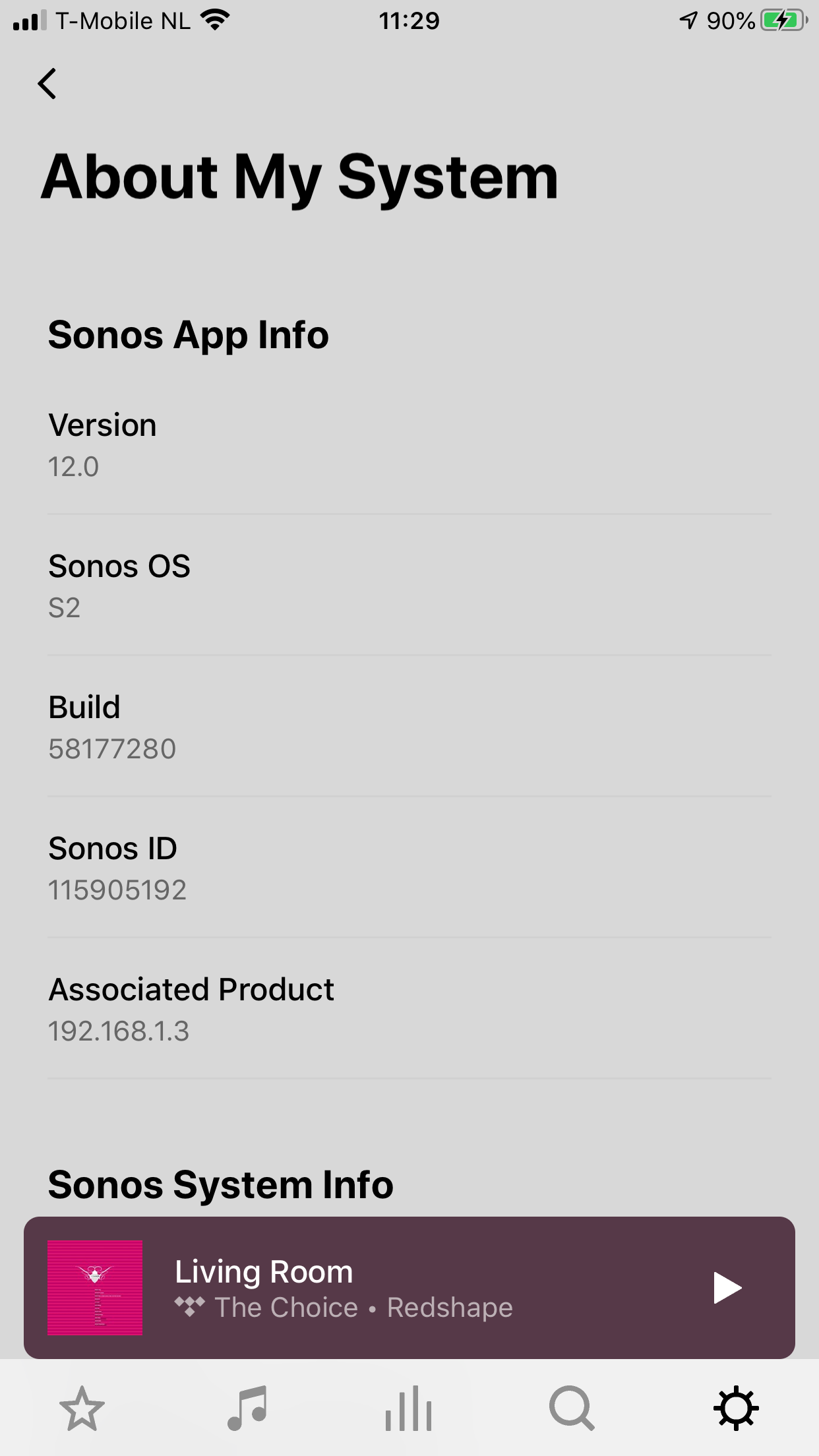
     

    180 replies

    ratty
    June 9, 2020

    It just seems bizarre to me that it needs a reset when it is already running the new S1 software and it couldn't have been split properly and kept ruining as it is now (new App/household, whatever..)

    The assumption is that users will want to move forward with S2, but they can if they want split off any S1-only units and set up a fresh system for those.

    There’s nothing to stop a user doing it the other way round: manually factory reset a few S2-compatible units, make a new system of those, and update it to S2. 

    Either way, a clean new system gets created, empty of playlists, service accounts, etc. It’s a question of which system is more important in terms of the retention of playlists etc.

    Local Superstar
    June 9, 2020

    But both are just as important.  Just because I can no longer group the speakers post-S1, it seems reasonable to assume I'd still want to listen to the same things I used to when in the room the speaker is in.

    June 9, 2020

    But both are just as important.  Just because I can no longer group the speakers post-S1, it seems reasonable to assume I'd still want to listen to the same things I used to when in the room the speaker is in.

    I agree; one system needing a rebuilding of local playlists is a downer and it does not make sense to users to have to choose between systems for this information to be retained. And even if this is some strategy to discourage split systems, there should be clear warning of this tripwire before it explodes.

    Other setting losses are probably not of great consequence - but many of my Sonos playlists have over 2000 tracks in them and I would not happy if I had to rebuild these. I would be even less happy if I discovered this after a wipe out.

    Contributor I
    June 9, 2020

    Reading about the issues with playlists, I have to admit I am confused. All mine were retained.

    Yesterday I updated my system ( Playbar, Sub (2nd Gen), Connect:AMP (2nd Gen) ) to S2 before my Arc and Gen 3 Sub arrive this week.

    I didn’t uninstall the existing Sonos apps, but downloaded and installed the new S2 app on my Windows PC, Android Phones, MacBook and iPad.

    In the S2 app, all the Preferences, Sonos Playlists and Sonos Favorites remain as before.

    NOTHING has changed - it was a flawless upgrade.


    Local Superstar
    June 9, 2020

    Yes, it sounds like you have done a simple upgrade from S1 to S2?

    The issue is that if you need to split your system because some of your devices are not compatible with S2, you first of all update everything to the new S1 software, then decide which ones are not going to be a part of S2 and they are then all removed and Factory reset - losing all of their settings, Playlists etc.  You are not left with quite the split system with them behaving as before but not able to be linked - you need to make a decision on which is more important and reset the other.

    My Play 5 Gen 1 is in a room where Grouping is not that important anymore - but listening to all the music  and Sonos Playlists, Favourites etc, that I currently do still is.

    Contributor I
    June 10, 2020

    Split S1 - S2.

    Did anyone try to upgrade part of the speakers while keeping the ones to be retained in S1 unplugged from power?

    Maybe in that case after upgrade powering them up again allows them to keep the settings and playlists….

    ratty
    June 10, 2020

    Split S1 - S2.

    Did anyone try to upgrade part of the speakers while keeping the ones to be retained in S1 unplugged from power?

    Maybe in that case after upgrade powering them up again allows them to keep the settings and playlists….

    This doesn’t work. You end up with an S1 controller that complains that the S2 units are “incompatible”, and an S2 controller that complains that the S1 units “need update”.

    Local Superstar
    June 10, 2020

    @ratty, you know more about this than many/all.  I do think most who were aware of the forthcoming split (but maybe not part of a beta where it may have been known) were expecting to be left with a set of speakers on S1 and a set on S2, both controlled by a separate App but behaving as they previously did - but no longer able to be grouped.

    How could Sonos have achieved this?

    June 10, 2020


    How could Sonos have achieved this?

    I expect the Sonos response to be that 95 percent of the user base does not use NAS anymore, and of the diminishing by the day percentage of those that do, a very small number will be interested in split systems. Of which an even smaller number will have large playlists. And are therefore not worth the trouble.

    Local Superstar
    June 10, 2020


    How could Sonos have achieved this?

    I expect the Sonos response to be that 95 percent of the user base does not use NAS anymore, and of the diminishing by the day percentage of those that do, a very small number will be interested in split systems. Of which an even smaller number will have large playlists. And are therefore not worth the trouble.


    What ‘trouble’ though?  It’s extra work for the users to attempt to get their system back where it was.  I’m trying to understand if it’s ‘technical’ or just a decision they’ve made.  Sonos playlists can have content from sources from more than just a NAS - mine include tracks from other sources, including Spotify, too.