
rosswells127
Prodigy I
June 8, 2020
Answered

Sonos S2

  • June 8, 2020
  • 180 replies
  • 12434 views

So it is 4pm on the 8th June here and still no Sonos S2 update. Hmmmmm.

    This topic has been closed for further comments. You can use the search bar to find a similar topic, or create a new one by clicking Create Topic at the top of the page.
    Best answer by larsvdberg

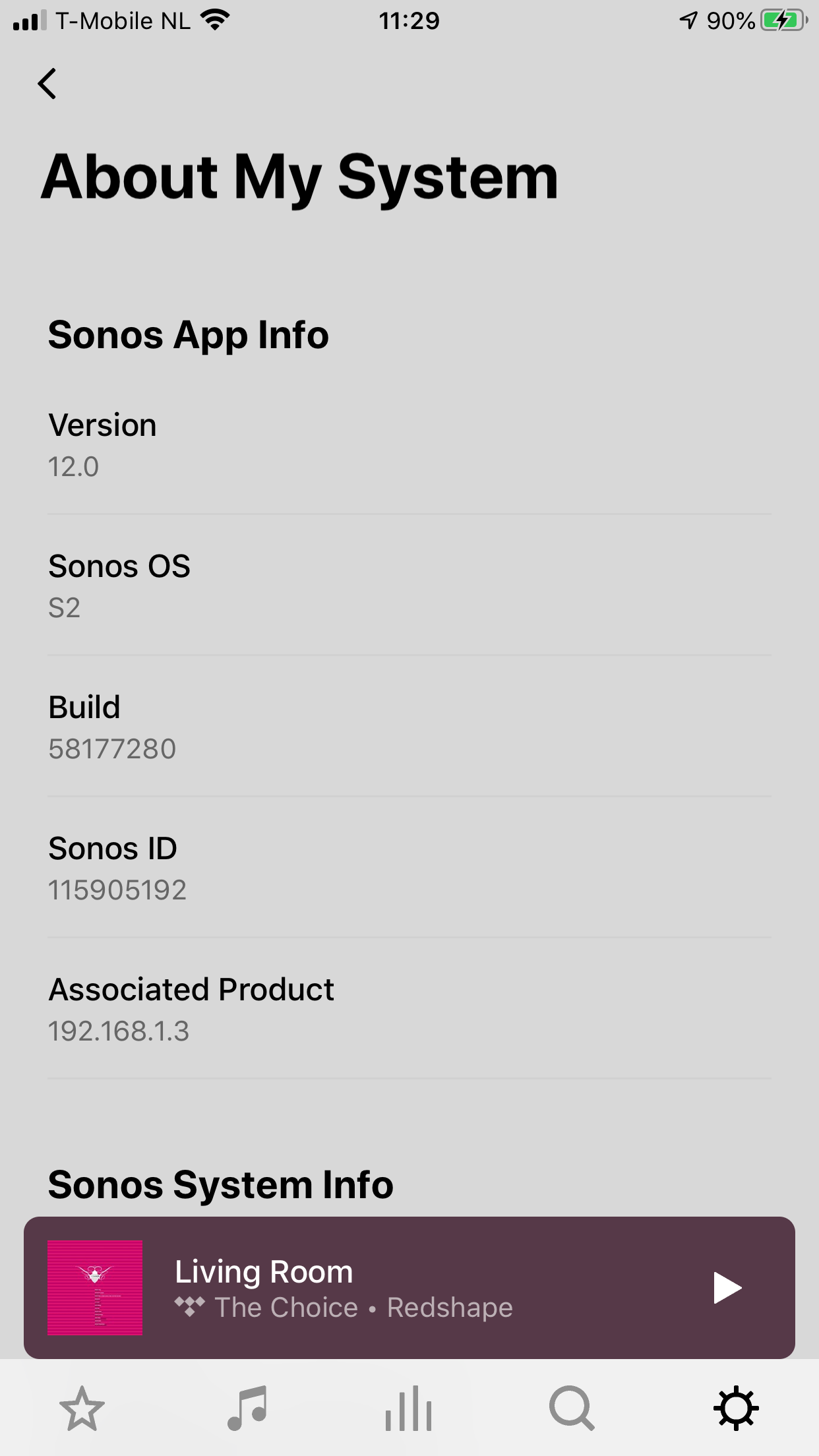
    Steps:

    • Update Sonos App to S1 App
    • In the S1 App go to settings → system → update
    • Update the Sonos system
    • Enter S1 again and go to settings → system → (option below, something with S2 App)
    • Download and install S2 App
    • Open S2 App, it states stat you need to update your system (again)
    • Perform system update (unplug your AMP / Active Speakers. I have my Port via COAX connected to my active speakers and it had a nasty glitchy sound during update)
    • This should be it!

    Sonos S2 App link for iOS: https://www.sonos.com/icr2_appstore (I would follow the steps above instead of downloading the S2 App to be sure that the update goes according to the process Sonos has in mind by the way)
     

    180 replies

    Lyricist III
    June 8, 2020

    I updated my system an hour or so ago …


    Just tried to play a couple of files that are 24/96 M4A hi-res that the original software would literally just have hissed out …


    The new one plays them but at something close to half speed!


    Tested on a Play:1 and a Play:3 … both the same!


    Is there a setting I can tweak or is Sonos still pretty useless for hi-res file support?

    ratty
    June 8, 2020

    I updated my system an hour or so ago …


    Just tried to play a couple of files that are 24/96 M4A hi-res that the original software would literally just have hissed out …


    The new one plays them but at something close to half speed!


    Tested on a Play:1 and a Play:3 … both the same!


    Is there a setting I can tweak or is Sonos still pretty useless for hi-res file support?

    Interesting. Twice the number of samples, clocked at what Sonos expects in terms of max sampling rate (48k), hence they take twice as long to play out?

    No, there’s no setting. At this point Sonos doesn’t support sampling rates for ultrasonics, audible only by certain animals.

    Prominent Collaborator I
    June 8, 2020

    I’m not sure why people are expecting Hi-Res audio  or DD+ on the Beam today.  In the case of the Beam, it’s never been promised.  For Hi-Res, Sono has hinted it was coming but never said it was going to happen today.  I get why people want it ASAP, but I tend to think the S1/S2 and 3 additional new products in the matter of 3 days is a quite a bit to deal with from a support perspective. 

    We like surprises 😁

    Mando54
    Lyricist I
    June 8, 2020

    I updated my Android phone to S2 a few hours ago.

    Mando54
    June 8, 2020

    Why do we have to rely on hints? Can't they just write a list?

    Lyricist III
    June 8, 2020

    I updated my system an hour or so ago …


    Just tried to play a couple of files that are 24/96 M4A hi-res that the original software would literally just have hissed out …


    The new one plays them but at something close to half speed!


    Tested on a Play:1 and a Play:3 … both the same!


    Is there a setting I can tweak or is Sonos still pretty useless for hi-res file support?

    Interesting. Twice the number of samples, clocked at what Sonos expects in terms of max sampling rate (48k), hence they take twice as long to play out?

    No, there’s no setting. At this point Sonos doesn’t support sampling rates for ultrasonics, audible only by certain animals.

    Just converted an album from 24/96 to 24/44.1 and Sonos plays it just fine.

    I’m happy to convert the handful of hi-res albums I have so that all devices I have can play them without having multiple versions … saves some space on my phone & DAP SD cards too!

    And no, there’s no way I’ll be complaining about missing out on some audio detail, not with my ears!


    melvimbe
    June 8, 2020

    Why do we have to rely on hints? Can't they just write a list?


    It’s 6 AM at Sonos head quarters in California right now.  Perhaps it’s best to wait a bit longer for more release notes and additional information about changes in the update.

    Danny
    June 8, 2020

    Anyone tried streaming  hires Qobuz. Does the player tell you what it is streaming? Does it play some half speed, choose the right one or ignore them all and play 16 bit.  Can someone who works for Sonos say what it has been written to do?

    Lyricist I
    June 8, 2020

    Why do we have to rely on hints? Can't they just write a list?

    Release notes are available:

    https://support.sonos.com/s/article/3521?language=en_US

    Not much help though

    Lyricist III
    June 8, 2020

    At this point Sonos doesn’t support sampling rates for ultrasonics, audible only by certain animals.

    This is a valid point, and consistent with previous Sonos messaging on the issue, I believe.

    I have been cautiously optimistic that the marketing message “S2 will bring higher resolution file types” (my summarised wording) might mean support for the most common combinations, specifically 24/96.  I completely accept that the anti-audiophile argument that I can’t hear any frequencies at that level, I’d just prefer not to have to recode all my files down to Sonos’ software-imposed (I believe) limitation.

    That said, I had made my peace with the S1 limitation before S2 was announced, so I will perform that recoding and move on - it still all sounds good and is easily controlled, which is what I actually want from my system.