

kjhhjkasdfg
September 17, 2024
Answered

Sonos mac app not working

  • September 17, 2024
  • 14 replies
  • 2560 views

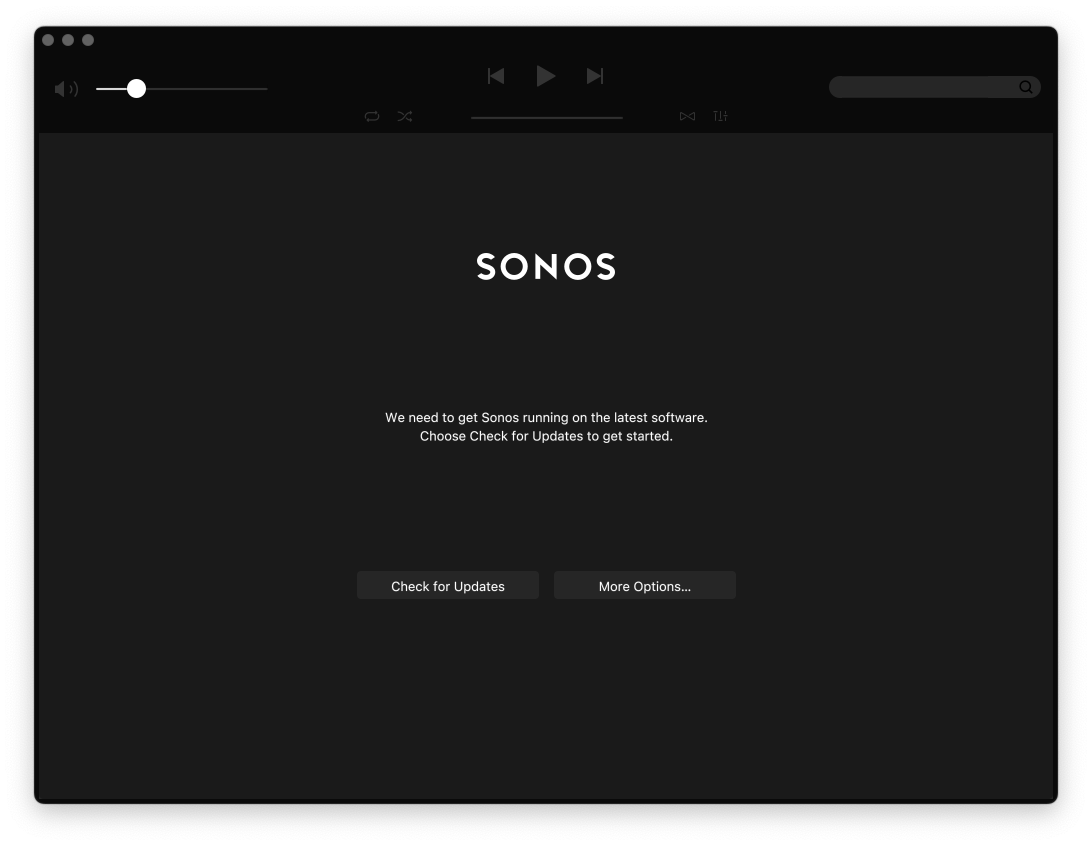
why does the sonos app no work on macos? I’ve tried downloading it from the sonos website and all it keeps saying in the sonos app from the sonos website is that sonos needs to get the latest software?

says:

We need to get Sonos running on the latest software.
Choose Check for Updates to get started.


This topic has been closed for further comments. You can use the search bar to find a similar topic, or create a new one by clicking Create Topic at the top of the page.
Best answer by Ken_Griffiths

Nah, re-installed, still doesn’t work.

I would perhaps speak to Sonos support. Here’s the link to contact ‘em..

https://support.sonos.com/s/contact

Hope you manage to get it sorted.👍

14 replies

Pools-3015
Prodigy I
September 17, 2024

The app on my Mac work great.

What speakers do you own? Are they S1 or S2 compatible?

If they are S2, select “check for updates” to see if there are any updates needed?

If they are S1, you may have downloaded the wrong app.

kjhhjkasdfg
September 17, 2024

S2 - I’ll record a video. once sec

kjhhjkasdfg
September 17, 2024

Here’s a link - should be up in a few more mins:


Ken_Griffiths
September 17, 2024

Perhaps try uninstalling the App completely and then try a fresh install of the Mac App from here…

https://support.sonos.com/en-us/downloads?language=en_US

After accepting T&C’s and firewall settings etc. then simply connect the fresh install to the existing Sonos system on the local network.

Hope that works for you.👍


kjhhjkasdfg
September 18, 2024

Nah, re-installed, still doesn’t work.


Ken_Griffiths
September 18, 2024

Nah, re-installed, still doesn’t work.

I would perhaps speak to Sonos support. Here’s the link to contact ‘em..

https://support.sonos.com/s/contact

Hope you manage to get it sorted.👍

Avid Contributor I
September 30, 2024

Yes I had a similar problem immediately upon installing macOS 15.0 Sequoia. App was not able to locate my Sonos system  Two long conversations with Sonos support not helpful. I finally found the problem.  


System Settings → Privacy & Security → Local Network


Switch Sonos to “on” position


It worked for me. Did it solve problems for others? 


I hope Sonos support persons will make not of this to help others stranded by Sequoia

Trending Lyricist I
October 3, 2024

Five months now since Sonos intentionally broke our systems.


I still do not have a fix for playing my local library from my Mac. Am told they are working on a solution compatible with the latest Mac OS and the Sonos controller which they forced onto my computer.


How many more months, Sonos????


At this point just hoping to have something cobbled together enough o be a stopgap until I have the funds to fully replace this system. No matter how or when (or if) this is resolved, I will never spend another penny on Sonos gear.


Your customers hate you. Well done.

Contributor II
October 4, 2024

Yes I had a similar problem immediately upon installing macOS 15.0 Sequoia. App was not able to locate my Sonos system  Two long conversations with Sonos support not helpful. I finally found the problem.  


System Settings → Privacy & Security → Local Network


Switch Sonos to “on” position


It worked for me. Did it solve problems for others? 


I hope Sonos support persons will make not of this to help others stranded by Sequoia


Thanks for this tip. Sonos was already “on” for me, but I toggled it off and then back on and then the Mac Sonos App was able to connect for me. 

kjhhjkasdfg
November 24, 2024

I just want to update everyone - that my issue is still not resolved and that Sonos has not been able to fix their app running on my MacOS system. 


Just want to clarify that the ‘green tick’ on these is fake and that sonos (the company) is kidding themselves.