
Contributor I
Aug 10, 2022 2:38 PM UTC
Answered

Sonos Controller for PC Keeps Taking Focus

The Sonos Controller for PC app keeps grabbing focus.  This happens while minimized and while not minimized.  I am experiencing this behavior across multiple PCs in the house.  Is anyone else experiencing the same thing?

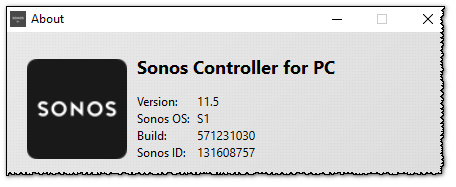
I’m using controller version 11.5.


This topic has been closed for further comments. You can use the search bar to find a similar topic, or create a new one by clicking Create Topic at the top of the page.
ratty
rattyAnswer
Aug 10, 2022 3:28 PM UTC

Errors related to music services, connectivity failures, etc trigger a popup. This activates the main controller window.

8 replies

ratty
Aug 10, 2022 2:45 PM UTC

The controller is likely to be throwing errors. Look in Help/Error Log.

Translate
buzz
Grand Maestro
Aug 10, 2022 3:20 PM UTC

I’ve never experienced this.

Translate
ratty
rattyAnswer
Aug 10, 2022 3:28 PM UTC

Errors related to music services, connectivity failures, etc trigger a popup. This activates the main controller window.

Translate
Contributor I
Aug 10, 2022 4:53 PM UTC

Thank you for the feedback @ratty!  I am indeed getting errors.  My large playlist is returning a lot of errors about improper encoding for some songs.  

Translate
ratty
Aug 10, 2022 5:19 PM UTC

This error is often caused by packet loss on the local network. To start with I'd suggest you simply restart everything, in case there's an IP conflict somewhere. If that doesn't help you should go looking for anything which might account for wireless interference. 

Translate
Contributor I
Aug 12, 2022 12:46 PM UTC

@ratty - Thanks again for your feedback.  I’ve rebooted all devices: modem, router, bridge, speakers, and laptops.  I’m still getting errors.  I’m thinking it may be a YouTube music issue.  All songs in the playlist being played when the errors occur are when playing songs from YouTube music.


Translate
ratty
Aug 12, 2022 1:04 PM UTC

If it’s limited to just one source, the “improper coding” error could indeed be just that: something going wrong at the server end or over the internet.

A local network glitch would be expected to affect all sources, with it more likely to occur on higher bandwidth content. YouTube streams at only modest bitrates.


EDIT: I just noticed your mention of “bridge”. The Sonos Bridge is now deprecated. It’s old tech and its power supply has a habit of losing voltage as it ages, giving rise to intermittent connectivity problems. 

Remove a Bridge from your Sonos system

Translate
buzz
Grand Maestro
Aug 12, 2022 2:10 PM UTC

I recommend that you assume BRIDGE is causing the issue until proven otherwise. If you have a voltmeter, the BRIDGE power supply should measure slightly over 5 Volts. Below 5 Volts you’ll experience intermittent, variable, and very hard do describe issues. If you cannot measure voltage, power down BRIDGE and wire another player if necessary.

Translate
