
Contributor I
December 25, 2017
Answered

Snooze alerts

  • December 25, 2017
  • 2 replies
  • 1907 views
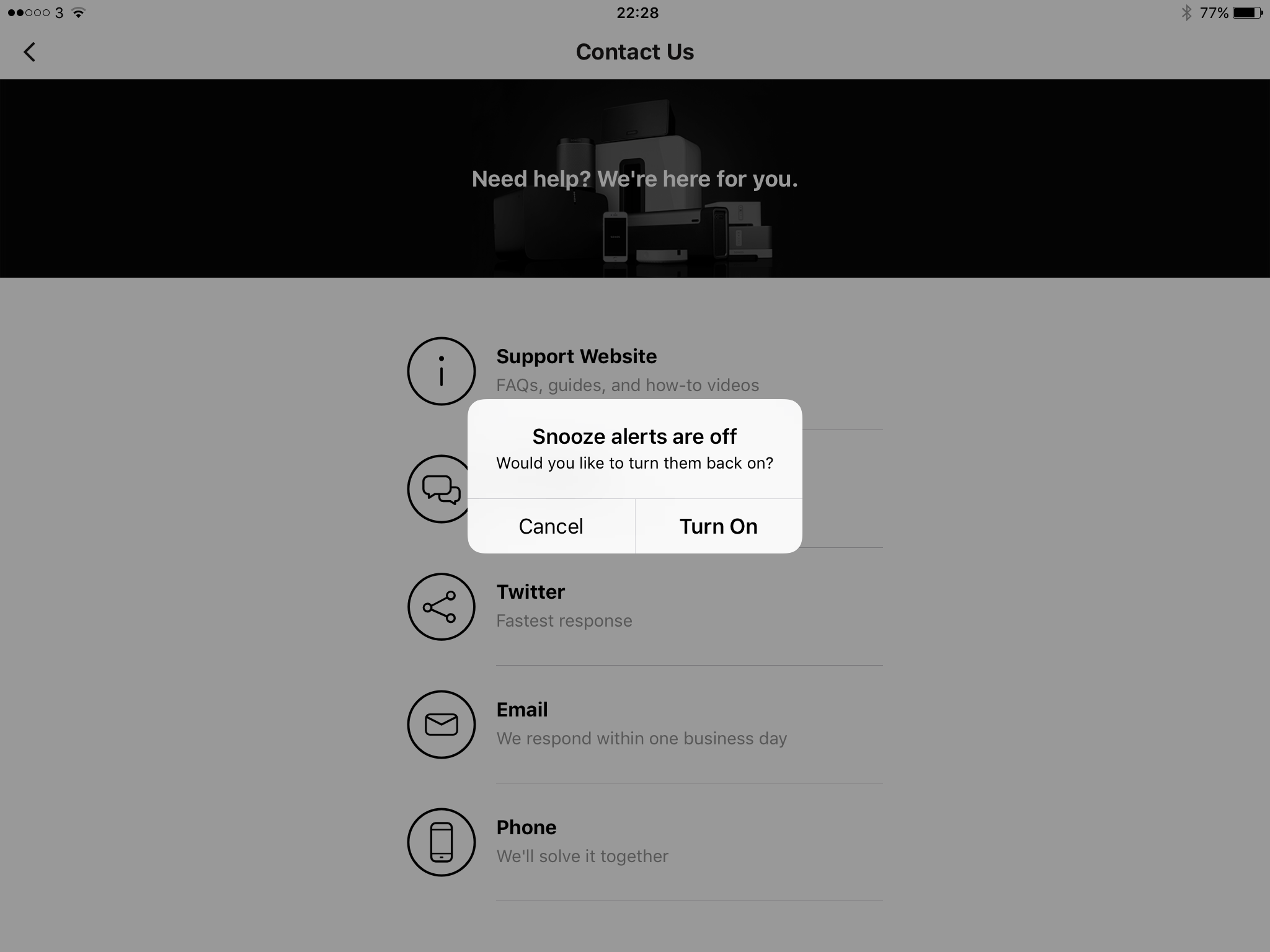
Every time I use my Sonos controller on the iPad I get a box pop up asking about snooze alerts and do I want them turned on!!
It's not a one off thing - it's been happening since the last update.
No matter what I push to use the controller - it appears.
I don't want them turned on - as in the picture, go to the contact page - it appears.
How do I stop this - it's so,annoying.
This topic has been closed for further comments. You can use the search bar to find a similar topic, or create a new one by clicking Create Topic at the top of the page.
Best answer by Hugh Jampton
Hi - thanks for replying. Had previously turned off all notifications.

Had to delete & reinstall - Wont be using the snooze function again.

2 replies

Keith N
Sonos Staff
December 26, 2017
Hello there, Hugh Jampton. Thanks for posting. By chance, have you turned off any notifications for Sonos on your iPad? This can be found by going into the iPad settings, Notifications and then select Sonos. If this is already set to give notifications, I would then suggest removing the application from the iPad and re-installing.

Thanks!
Building community is like building a garden. You build the frame, till the ground, plant the seeds, feed the plants & sometimes you gotta pull the weeds.
Hugh JamptonAuthorAnswer
Contributor I
January 2, 2018
Hi - thanks for replying. Had previously turned off all notifications.

Had to delete & reinstall - Wont be using the snooze function again.