Contributor I
Sep 24, 2021 1:17 PM UTC
Answered

S2 controller wont run on windows 10

I have installed and uninstalled the S2 controller on my desktop multiple times...BUT it won’t work.  The last time is a little better...I actually see the app open before it shuts down.  The app works fine on my tablet and phones.


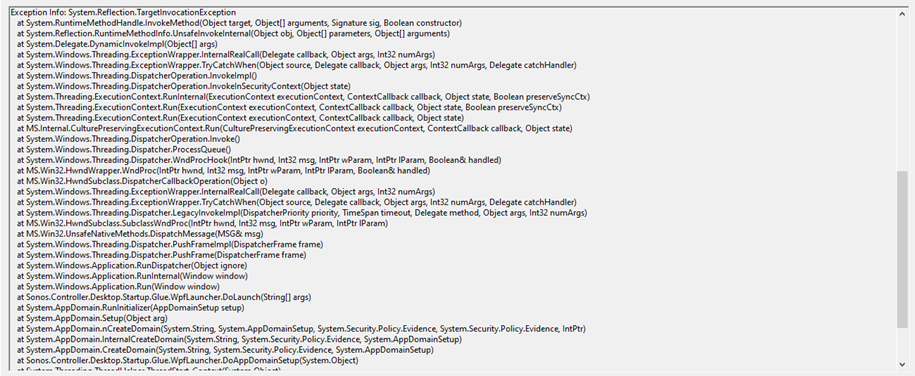
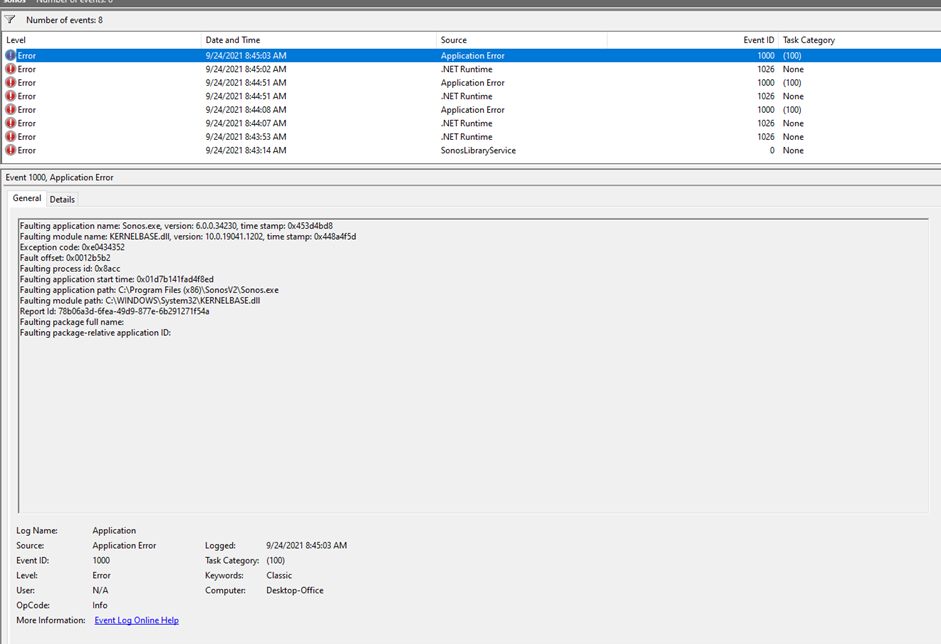
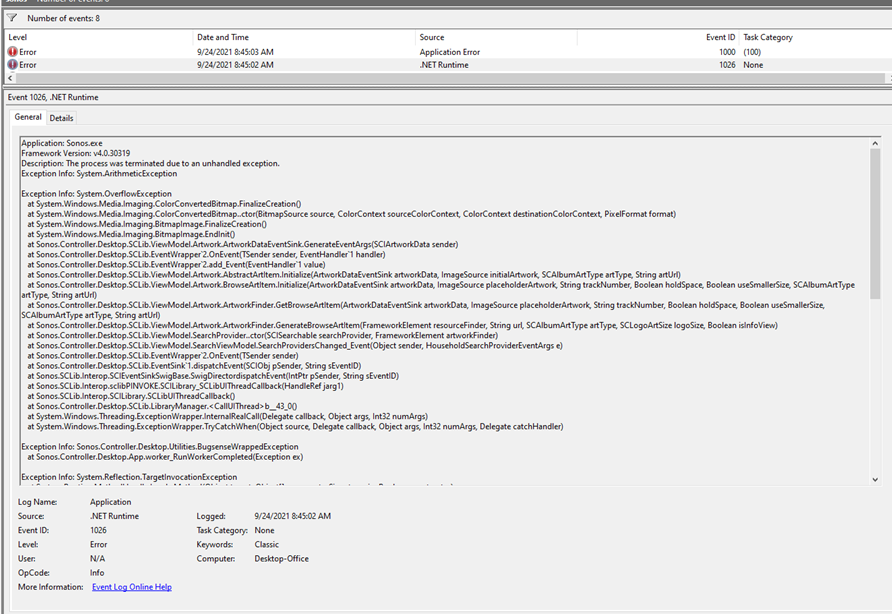
Here are the error reports.  It appears to me that it’s an app issue

Is there a fix out there ???


I prefer to create my playlists from my stored files on the big screen & keyboard, rather than on the phone or tablet….HELP !!!!


This topic has been closed for further comments. You can use the search bar to find a similar topic, or create a new one by clicking Create Topic at the top of the page.
controlav
controlavAnswer
Lead Maestro
Sep 24, 2021 2:52 PM UTC

Here it is. You need to change your monitor color management settings (!).

https://en.community.sonos.com/controllers%2Dsoftware%2D228995/sonos%2D2%2Dfails%2Dto%2Drun%2Don%2Dwindows%2D10%2Dcheck%2Dcolour%2Dmanagement%2Dsettings%2D6853219?postid=16501763#post16501763

Author of the leading independent Sonos apps for Android, MacOS, iOS, Windows and Xbox.

4 replies

controlav
Lead Maestro
Sep 24, 2021 2:51 PM UTC

Yeah this is a known bug in Windows, which I thought was fixed by now. Let me go find it...

Translate
Author of the leading independent Sonos apps for Android, MacOS, iOS, Windows and Xbox.
controlav
controlavAnswer
Lead Maestro
Sep 24, 2021 2:52 PM UTC
Author of the leading independent Sonos apps for Android, MacOS, iOS, Windows and Xbox.
controlav
Lead Maestro
Sep 24, 2021 2:53 PM UTC
Author of the leading independent Sonos apps for Android, MacOS, iOS, Windows and Xbox.
Contributor I
Sep 25, 2021 12:05 PM UTC

THANK YOU !!!!

changing the display to default worked!!!

Let the playlist building begin :)


Translate