
Trending Lyricist I
October 29, 2019
Answered

odd notification: Stopping the service...

  • October 29, 2019
  • 23 replies
  • 8530 views

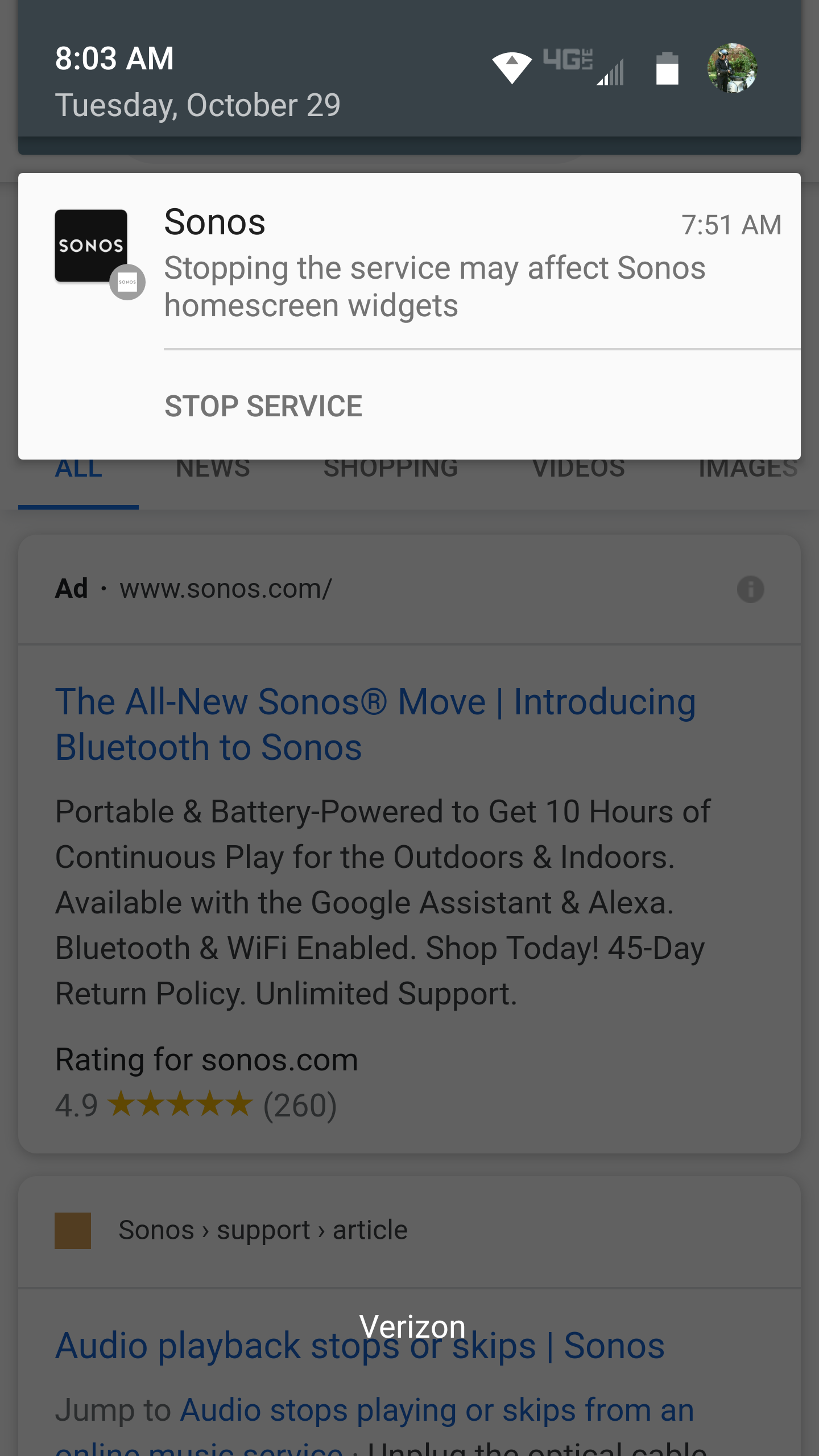
I have an old Droid Turbo. A Sonos notification popped up yesterday stating "Stopping the service may affect Sonos homescreen widgets.". And a link to Stop Service.  

There was an update, which I have now installed, but the notification remains. 

I can't clear it.  I restarted my phone. Still there.

Anyone know why it's there and how to clear it..?  I didn't generate it.

Thanks!


    This topic has been closed for further comments. You can use the search bar to find a similar topic, or create a new one by clicking Create Topic at the top of the page.
    Best answer by Ryan S

    Hi folks, nothing to worry about this one, we’re looking into if we can have it removed. If you’re seeing it though, for most Android versions, if you tap and hold on the notification, there will be an option to hide the notification without affecting the service behavior. 

    23 replies

    Contributor I
    November 23, 2019

    I’m seeing this same issue on my new Galaxy S10+.  If I stop the background notifications I can no longer close the app using the X on the notification display.  This leaves Sonos running all the time in the task bar.  Is there a better or alternative Sonos app that works on newer devices?

    November 23, 2019

    It only occurred to me in the past few days that it’s using the widget that is triggering this bug. So, I’ve just removed my widget for now, until this gets sorted out. Not really crazy about the new widget size, anyway. Now the minimum row height is 2. It was 1. Annoying.

    Contributor I
    December 30, 2019

    Any update on this? I don't have the widget installed, but still getting the message. As noted above, disabling the notification limits Sonos from functioning properly. (At least on Google Pixel 4 XL running Android 10).  Would love to see a work around for this.