
SFTechieScum
Contributor I
October 29, 2019
Question

Not getting any Notifications on Iphone

  • October 29, 2019
  • 33 replies
  • 3145 views

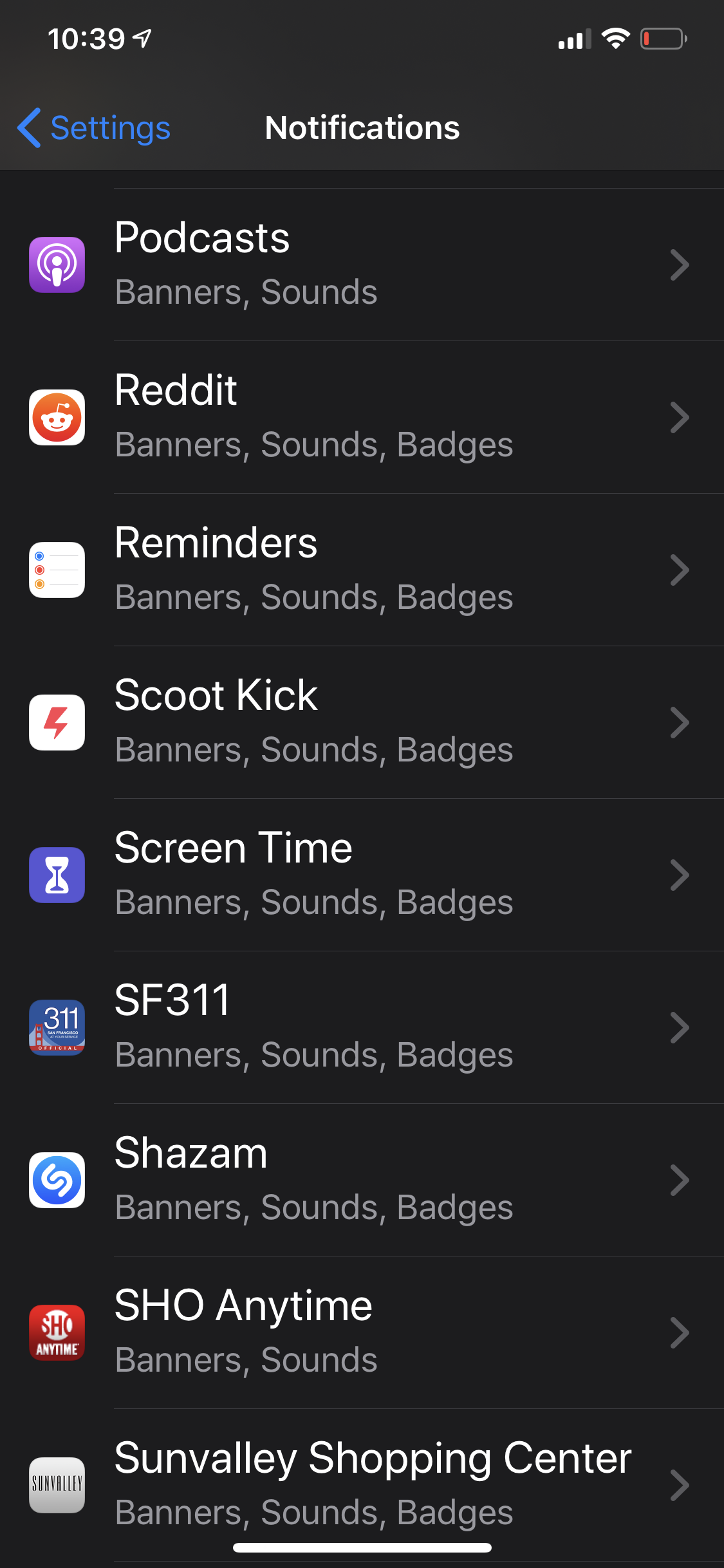
The Sonos app doesn’t show up in my notification settings. I’m unable to receive any notifications from Sonos. I would like to have my alarms show up when they are going off in the morning but that appears impossible.
 

    This topic has been closed for further comments. You can use the search bar to find a similar topic, or create a new one by clicking Create Topic at the top of the page.

    33 replies

    AjTrek1
    October 29, 2019

    Hi SFTechieScum

    Go to: Settings > Scroll down to Sonos app > Notifications > Allow notifications

    Configure how and where you want the notifications to appear, sounds and options.

    Note: Don’t forget to charge your iPhone (battery shoes critical) :sweat_smile:


    Cheers!

    Together Everyone Achieves More = T.E.A.M.
    SFTechieScum
    Contributor I
    October 29, 2019

    So I did that and there is no option for notifications.


    AjTrek1
    October 29, 2019

    OK….what version of iOS are you running?  I’m using iOS 13.1.3.  However, I have yet to move Sonos to new version of 10.5. and/or move to iOS 13.2. I’ll do so this evening (for both) and see what happens to my Sonos notifications.

    Hint: If running the latest version of iOS which is 13.2 ...power cycle your device to see if that corrects everything.

    Together Everyone Achieves More = T.E.A.M.
    AjTrek1
    October 30, 2019

    Hi SFTechieScum

    Just wanted to follow-up with you. I updated my phone to iOS 13.2 and the Sonos App to 10.5. Accessing Sonos in one of two manners below allow me to turn on/off Notifications:

    1. Settings > scroll to Sonos  
    2. Settings > Notifications > Sonos

    Assuming your iPhone can run the minimum required OS to support Sonos then everything should be as normal. If not I suggest you contact Apple Support as it appears to be an iPhone issue or setting that needs to be resolved.  Please let us know how things sort out.

    Cheers! 

    Together Everyone Achieves More = T.E.A.M.
    SFTechieScum
    Contributor I
    October 30, 2019

    Thanks for the follow-up. I have a iPhone XS MAX and all the software is up to date. Sonos is the only app not showing up in notification settings. Not really sure what else I can do. I updated my phone and now my location setting is gone. I’m just losing features left and right. Lol


    Lyricist I
    November 7, 2019

    Same problem for me...

    Lyricist II
    December 16, 2019

    Installed iOS 13.3 and Sonos app 10.6 last week and I have exactly the same issue. The notification settings for the Sonos app are completely missing.

    Lyricist I
    January 7, 2020

    Same here for iPhone XS

    Lyricist I
    January 11, 2020

    Same problem here (iPhone 11 Pro Max, iOS 11.3, newest Sonos App Version). Tried to reinstall the app but that din’t help either. Please fix!!

    Schlumpf
    Virtuoso
    January 14, 2020

    Same problem… Sonos 10.6.1 App on iPadOS 13.3 and iOS 13.3. 

    In the past i did Sonos app updates and notification settings were still there, but after deleting the app and doing a new install they are lost. :rolling_eyes:
    So no chance for alarm snooze…

    Ralf

    Ralf