
Trending Lyricist I
May 8, 2024
Question

New, May 2024 Sonos S2 app network access

  • May 8, 2024
  • 32 replies
  • 1452 views

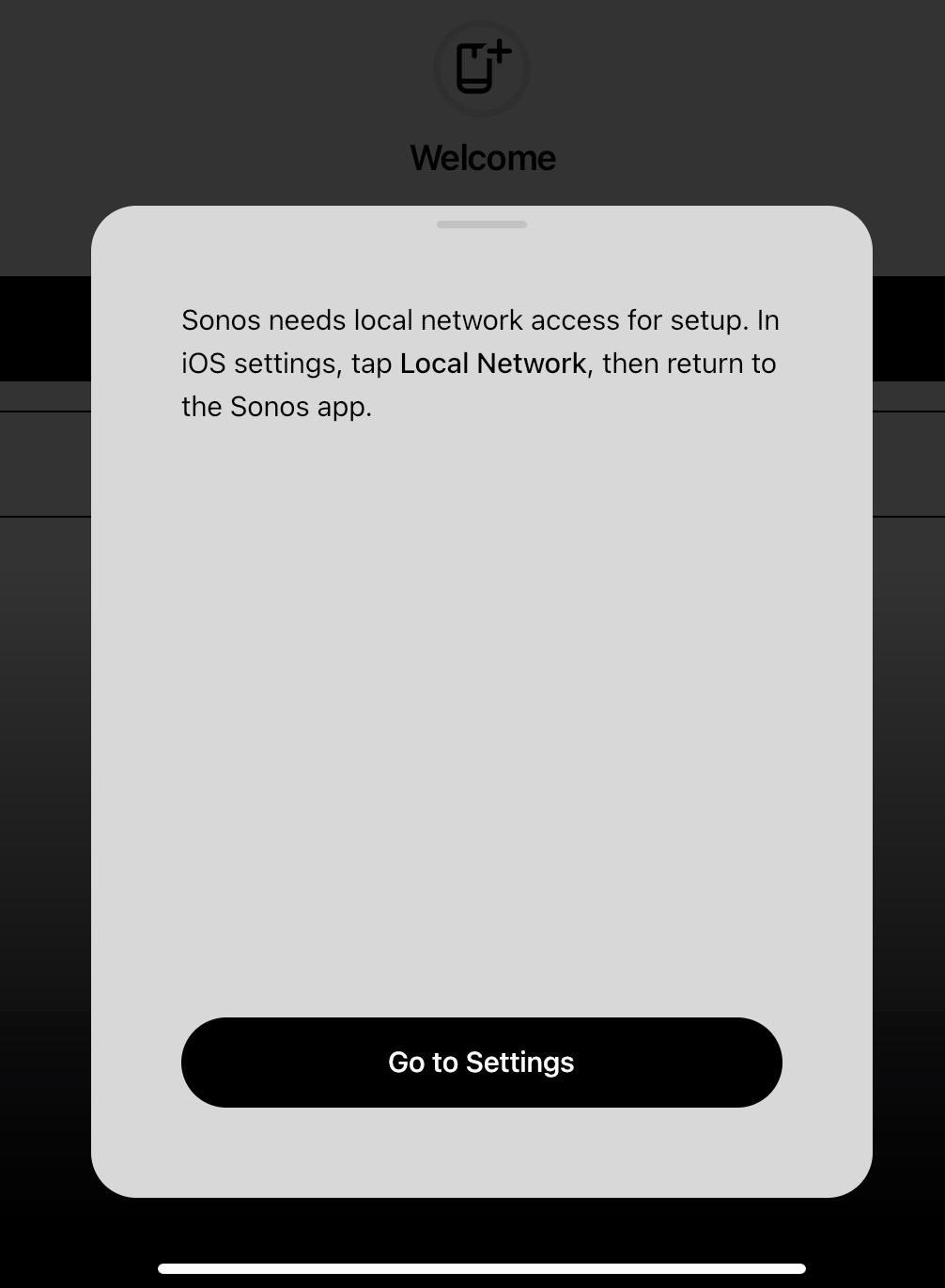
I’ve just upgraded to the new, May 2024 Sonos S2 app.  It wants local network access (photo).  It already has this.

I’ve toggled Sonos’ local network access on and off in iPadOS settings.  No luck.  The app just keeps asking for access.  I’m now unable to use my Sonos system from the device I use most.

Does anybody else have this problem, and is there a solution other than to wait for Sonos to fix it?

Peter


This topic has been closed for further comments. You can use the search bar to find a similar topic, or create a new one by clicking Create Topic at the top of the page.

32 replies

Enthusiast I
May 9, 2024

Downloading the desktop app is the only way atm to add your alarms back in that I have found. Still cannot connect my older speakers - I guess they are for the graveyard now Sonos wont let them back on the app 😩

Lyricist II
May 10, 2024

I am having the same network problem. 

Lyricist II
May 10, 2024

I have an iPhone 13 not working on that either.

Lyricist I
May 10, 2024

I have exactly the same issue IPhone 14 Pro Max …………tried everything including 50 minutes onto Sonos customer care. Still in the same boat

my iPad works however artwork is missing and you can’t form queue’s only play full albums surely this is basic stuff. We should have been warned not too update the app until these basic functions become available.


i’m really disappointed!!

I have the same problem… app working on iPad and computer but iPhone 14pro not working … 

Lyricist III
May 12, 2024

Anyone from Sonos Available to figure this out?  I'm furious about this. 

I updated the app right after a new Wi-Fi Mesh install, the app said “update your Wi-Fi connection is not available in this version, please restore or hard wire” - SO I Restored and now cannot access any of my speaker system.  


Why would you do this to your app?  insane…  So anyone buying a speaker system has paper weights while we wait for someone to correct?  This stuff isn't cheap.  I assume a lot of open box returns happening this weekend.  😡

Lyricist I
May 12, 2024

Same here.   It has been 3 days!  When will we hear answers from Sonos??

Lyricist I
May 12, 2024

Same here. just spent a lot of £ adding to my sonos setup and now cant even use it because of this app upgrade that i didnt even need or want. SONOS WHERE ARE YOU ON THIS?

Calling Sonos help didnt get me anywhere as it had a massive wait time 

using live chat just had me doing basics such as reboot everything, etc etc

very poor show so far from Sonos!

Lyricist I
May 13, 2024

I’ve just upgraded to the new, May 2024 Sonos S2 app.  It wants local network access (photo).  It already has this.

I’ve toggled Sonos’ local network access on and off in iPadOS settings.  No luck.  The app just keeps asking for access.  I’m now unable to use my Sonos system from the device I use most.

Does anybody else have this problem, and is there a solution other than to wait for Sonos to fix it?

Peter


Exactly the same issue. Iphone13. On hold to Customer Sevice. Has anybody found a fix….?

Contributor I
May 14, 2024

I had the same problem and now i don’t know how to add iTunes. 
to your problem. I had the same issue. Yesterday I was on hold with Sonos for exactly 72 minutes. I was sceptical, but my problem was that I didn’t need my small white booster anymore. The moment i disconnected it and phtnan ethernet cable into one of the speakers, the problem was solved immediately. 
Sonos still has no alarm, sleep timer and I can’t add my itunes music. Anybody else with the same problem?

anotherbquestion: do uou have to choose the music first and then the room or certain speaker?

the old Somos2 i would choose the room I am in and then search for the music. I guess i can live with it. 

Lyricist I
May 14, 2024

I also got through on the phone after 95 minutes. Tried unplugging the Boost and using a speaker instead but unfortunately no luck. The app just keeps insisting I do not have Local Network on (I do) so it is not even attempting to look for my system. Fortunately the speakers are working for the TV due optical cable and I can play music etc directly from apps such as Spotify