
Enthusiast II
August 10, 2024
Question

Music Library Compilations not playable in new app

  • August 10, 2024
  • 48 replies
  • 1442 views

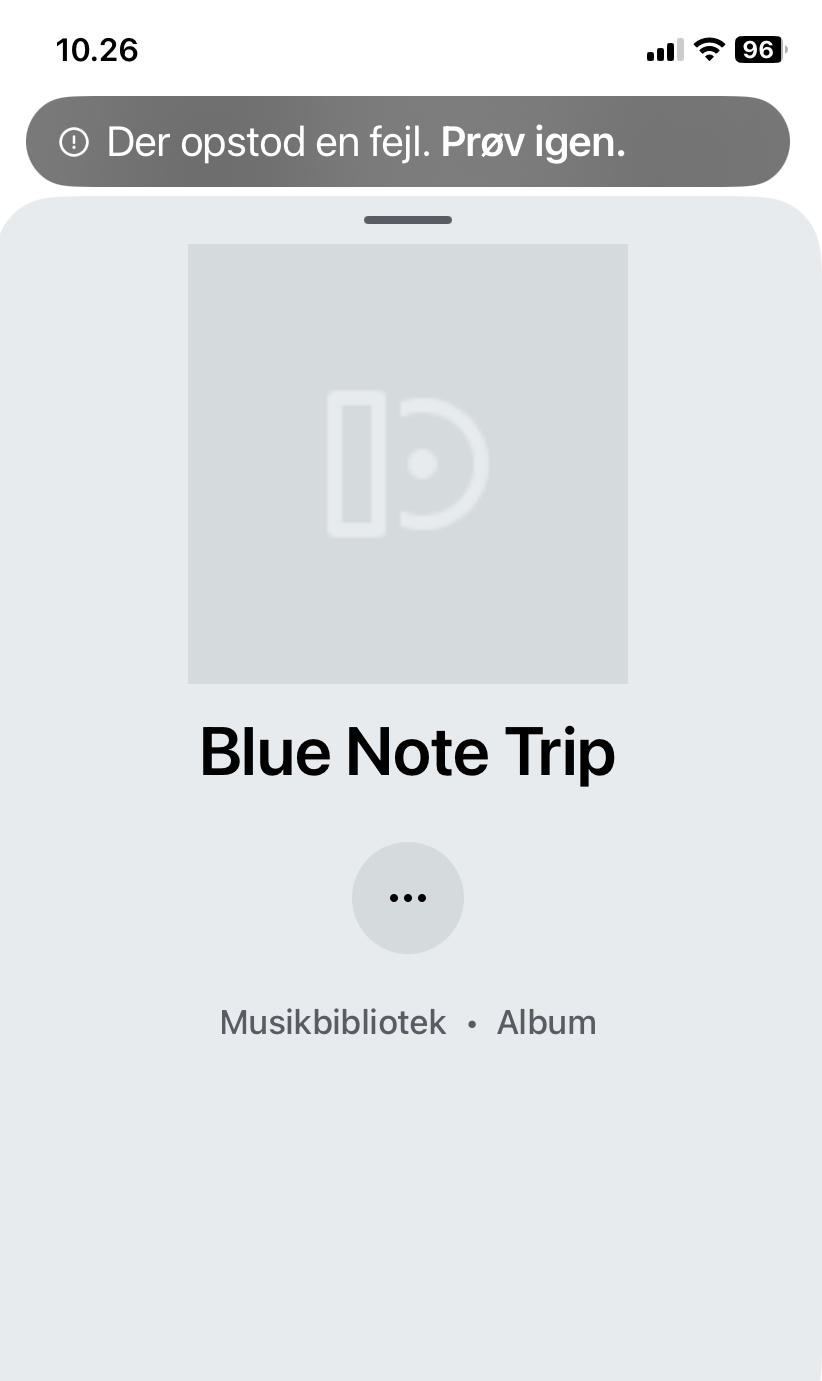
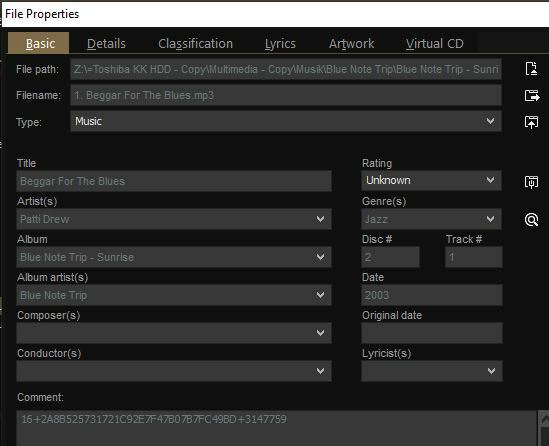
Several of my compilations (stored for many years on a NAS) now show up ‘empty’ like this in the new app (also missing album art)… I am not able to play them thru the app. However, with the pc controller I can play them normally (even though the order of songs is random). (With SonoPhone I can play the whole compilation but not the songs individually?). What is going on… miss the old app so much. (‘Error - try again’ it says in Danish). I enclose tags from Mediamonkey.


This topic has been closed for further comments. You can use the search bar to find a similar topic, or create a new one by clicking Create Topic at the top of the page.

48 replies

Ken_Griffiths
November 6, 2024

@Ken_Griffiths @Schlumpf 
Thanks for your sugeestions and i can confirm on the compilation I have just checked that the ‘Album Artist’ tag is identical on all tracks and is set to “Various Artists”, and the each ‘Artist’ tag is complete with the name of the respective artists.

I actually have another issue in that “Your Sources” no longer appears in my app Home page and therefore I cannot access the library from the apps. This happened some time back and Sonos support told me it is a recognised issue for some, but not all, people but that they do not have a timeframe for a resolution (Semms to be a common theme there!)  I can see it as an option on the Windows desktop app and Web Controller, but of course I can’t re-index from there.  If I try scanning for new content from the iPAD - tells me it’s doing it, then after a suitable time tels me it’s finished but I still have th multiple entries when I look at the library from the Windows app.  It’s getting quite tedious now,

Are you sure you are setting up an SMB v2 (or higher) library share, rather than trying to setup a HTTP shared library in the App? - Perhaps just to be sure, I would remove the current shared library link and setup the library again via the mobile Sonos App only and see what happens, rather than using the old Windows Sonos App. 

The new Sonos mobile App will definitely setup using an SMB share, as that’s the only protocol it supports. Just report back what happens when you try that. Note you must remove the old share first, before trying the mobile App setup - if no joy, then perhaps go onto try a different folder share with just a few ‘copied’ albums and compilation albums and see what happens in that case too.

Schlumpf
Virtuoso
November 6, 2024

@essenby 

Maybe we asked before… but to be sure: Firmware of your devices is on latest version?

Btw… indexing the library is also possible from within Sonos desktop controller for Win or Mac. 
Just open the menu on top and you’ll find it. 

Ralf
Enthusiast I
November 7, 2024

@Ken_Griffiths 
The library was set up from the app only and shows up on the Music Library page and worked flawlessly prior to the dreaded “New App” update 5 months back.   If I click “Scan for new content” i get the “Scanning for new content” dialogue complete with a “whirly wheel” and take a n apprecialbe length of time (10 minutes or so) to complete, after which it reports “Scanning for new content is complete”. which suggests that it is connected to the library.  This is bourne out by the fact that if I us the Windows app to set music from the library playing on any of my speakers, I can stop, start, skip, and replay the music using the app - even though “Your Sources” (containing Music Library) does not appear on the Home screen.


@Schlumpf 
As reported eailier, “ My speakers are on 16.4.4 firmaware (which I believe is the latest) and I updated my iPhone app to 80.11.51”.  

Ken_Griffiths
November 7, 2024

@Ken_Griffiths 
The library was set up from the app only and shows up on the Music Library page and worked flawlessly prior to the dreaded “New App” update 5 months back.   If I click “Scan for new content” i get the “Scanning for new content” dialogue complete with a “whirly wheel” and take a n apprecialbe length of time (10 minutes or so) to complete, after which it reports “Scanning for new content is complete”. which suggests that it is connected to the library.  This is bourne out by the fact that if I us the Windows app to set music from the library playing on any of my speakers, I can stop, start, skip, and replay the music using the app - even though “Your Sources” (containing Music Library) does not appear on the Home screen.


@Schlumpf 
As reported eailier, “ My speakers are on 16.4.4 firmaware (which I believe is the latest) and I updated my iPhone app to 80.11.51”.  

Yeah that’s fine, but note the new Sonos App (as announced in April) no longer uses SMBv1 or HTTP - that’s the point I’m trying to get across. You need SMBv2 (or higher) when sharing (ideally) a read-only local music library.

Edit: Make sure you do not use the first two library setup options in the Windows desktop controller App - use only the 3rd option that mentions NAS - even though you’re not using a NAS. Alternatively use the Sonos App for setup, but do not use an HTTP shared folder - it’s SMBv2 (or higher) folder share only.

Enthusiast I
November 8, 2024

@Ken_Griffiths 
I’m pretty certain my SMB version is compatible becasue, as I say, I was able to access the library prior to the major app update in June. and also after some of the minor updates since, but it pretty hit and miss.  As a check, I enabled connection logging on the NAS and when I launched “Scan for New Content” from the app, I was able to see each track being accessed via a SAMBA connection so the app can “see” the library and scan it but for some reason refuses to show it as one of my sources 😕

Ken_Griffiths
November 8, 2024

@Ken_Griffiths 
I’m pretty certain my SMB version is compatible becasue, as I say, I was able to access the library prior to the major app update in June. and also after some of the minor updates since, but it pretty hit and miss.  As a check, I enabled connection logging on the NAS and when I launched “Scan for New Content” from the app, I was able to see each track being accessed via a SAMBA connection so the app can “see” the library and scan it but for some reason refuses to show it as one of my sources 😕

If you’ve not done so already, it maybe best to reproduce the issue(s) seen and then immediately submit a Sonos system diagnostic report from within the Sonos App, note it’s reference and contact/chat with Sonos Support Staff via this LINK and see what the Staff can perhaps suggest to help you to resolve the matter.

schwuggy6127
Lyricist II
November 29, 2024

Several of my compilations (stored for many years on a NAS) now show up ‘empty’ like this in the new app (also missing album art)… I am not able to play them thru the app. However, with the pc controller I can play them normally (even though the order of songs is random). (With SonoPhone I can play the whole compilation but not the songs individually?). What is going on… miss the old app so much. (‘Error - try again’ it says in Danish). I enclose tags from Mediamonkey.


So glad the Windows SONOS app 

is still available. It was so much easier to add my music once I migrated to SMB2 and 3. Looks like there is still lots of work for the SONOS team to replicate the usability and the basic functionality in the Android app. Glad you were able to make sure there are lots of ads for us to avoid when all most of us really want to do is listen to our music libraries.  

Ken_Griffiths
November 29, 2024

​@schwuggy6127, 

My initial thoughts are that your compilation "Album Artist" Tag/Field needs to be set to ‘Various Artists’ rather than the same name as the actual ‘Artist’ for every track on the compilation Album.

Also ensure the ’Group Albums’ option for indexing purposes is set to ‘Album Artist’ (see attached) and perhaps see if that resolves the matter for you.