Enthusiast II
August 10, 2024
Question

Music Library Compilations not playable in new app

  • August 10, 2024
  • 48 replies
  • 1442 views

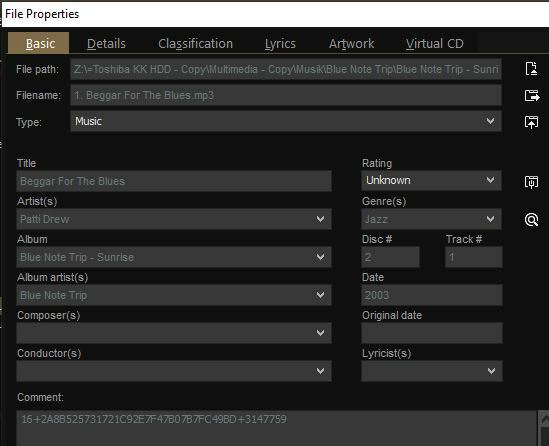
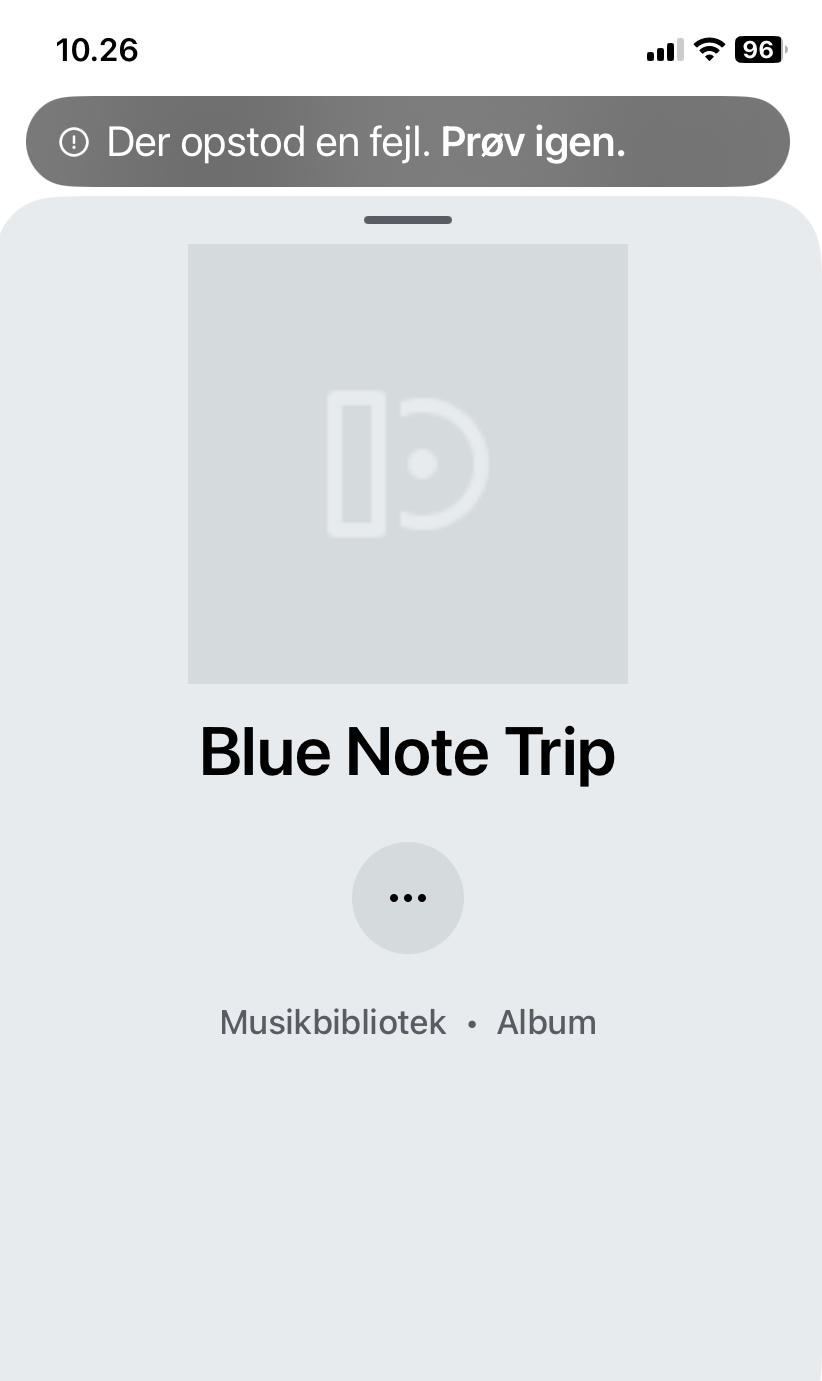
Several of my compilations (stored for many years on a NAS) now show up ‘empty’ like this in the new app (also missing album art)… I am not able to play them thru the app. However, with the pc controller I can play them normally (even though the order of songs is random). (With SonoPhone I can play the whole compilation but not the songs individually?). What is going on… miss the old app so much. (‘Error - try again’ it says in Danish). I enclose tags from Mediamonkey.


This topic has been closed for further comments. You can use the search bar to find a similar topic, or create a new one by clicking Create Topic at the top of the page.

48 replies

Trending Lyricist I
October 20, 2024


MoPac
Headliner III
October 20, 2024

 Naaah.  When I started all the tagging there was no Composer category in the controller software I was using.  I know who Beethoven is.  Excuse me…. Was.

Trending Lyricist I
October 20, 2024

😂

Collaborator II
October 20, 2024

Incidentally, my previous comment about missing album art may be an Android issue. I was infuriated to see that my wife and her iPhone have the album art displayed. I just have the grey placeholders for tracks, albums, artists on my Pixel 7. More investigation called for I fear.

Walter, you’re quite right about the album art, I have the Windows app, Android app (on a Pixel 7 just like you) & iPad app. The only one with missing artwork is the Android app.

Anthony
Trending Lyricist I
October 20, 2024

Incidentally, my previous comment about missing album art may be an Android issue. I was infuriated to see that my wife and her iPhone have the album art displayed. I just have the grey placeholders for tracks, albums, artists on my Pixel 7. More investigation called for I fear.

Walter, you’re quite right about the album art, I have the Windows app, Android app (on a Pixel 7 just like you) & iPad app. The only one with missing artwork is the Android app.


Since I wrote that (incidentally, as I said) I realised that there are very few SONOS issues that only affect one person. So I searched in other threads and, sure enough, missing album art is a common issue to all Android users. There's no cure or workaround or network setting or room temperature or brand of coffee that fixes this. It just is. I hate to say it: "we're in the hands of SONOS".

Collaborator II
October 21, 2024

There's no cure or workaround or network setting or room temperature or brand of coffee that fixes this. It just is. I hate to say it: "we're in the hands of SONOS".

😂

Anthony
Enthusiast I
November 5, 2024

As far as I know the issue should be resolved for many (not all) users, if you are on latest 16.4.2 firmware AND use „album artist“ with correct id3 tag settings. 
There seem some users to be left still running into the issue. I don’t know about the reason…

So that might be the point why Sonos still isn’t talking about the latest update as a final fix. 


My speakers are on 16.4.4 firmaware (which I believe is the latest) and I updated my iPhone app to 80.11.51 yesterday but my Music Library is still showing (most but not all) compilations as one album per artist.
Can I just ask what you mean by “correct ‘Album Artist’ id3 tag settings”>  I can see no discernable difference between the tags of my tracks which correctly display as part of a compilation album and those which incorrectly appear as albums in their own right. 

Ken_Griffiths
November 5, 2024

As far as I know the issue should be resolved for many (not all) users, if you are on latest 16.4.2 firmware AND use „album artist“ with correct id3 tag settings. 
There seem some users to be left still running into the issue. I don’t know about the reason…

So that might be the point why Sonos still isn’t talking about the latest update as a final fix. 


My speakers are on 16.4.4 firmaware (which I believe is the latest) and I updated my iPhone app to 80.11.51 yesterday but my Music Library is still showing (most but not all) compilations as one album per artist.
Can I just ask what you mean by “correct ‘Album Artist’ id3 tag settings”>  I can see no discernable difference between the tags of my tracks which correctly display as part of a compilation album and those which incorrectly appear as albums in their own right. 

Do you have your ‘Album Artist’ tag/field set to ‘Various Artists’ for your compilation albums and the actual Artist listed in the ‘Artist’ tag …or do you have something different to that? It seems to work fine if the compilation albums are tagged in this way.

Schlumpf
Virtuoso
November 5, 2024

@essenby 

Ken was faster than myself to answer. But to add: you just have to fill in anything identical you like to the „album artist“ tag for all tracks of the compilation. Don’t leave it empty. 
I also did it long time ago the way @Ken_Griffiths suggested and set the tag to „various“. 

Ralf
Enthusiast I
November 6, 2024

@Ken_Griffiths @Schlumpf 
Thanks for your sugeestions and i can confirm on the compilation I have just checked that the ‘Album Artist’ tag is identical on all tracks and is set to “Various Artists”, and the each ‘Artist’ tag is complete with the name of the respective artists.

I actually have another issue in that “Your Sources” no longer appears in my app Home page and therefore I cannot access the library from the apps. This happened some time back and Sonos support told me it is a recognised issue for some, but not all, people but that they do not have a timeframe for a resolution (Semms to be a common theme there!)  I can see it as an option on the Windows desktop app and Web Controller, but of course I can’t re-index from there.  If I try scanning for new content from the iPAD - tells me it’s doing it, then after a suitable time tels me it’s finished but I still have th multiple entries when I look at the library from the Windows app.  It’s getting quite tedious now,