
Contributor I
October 2, 2016
Question

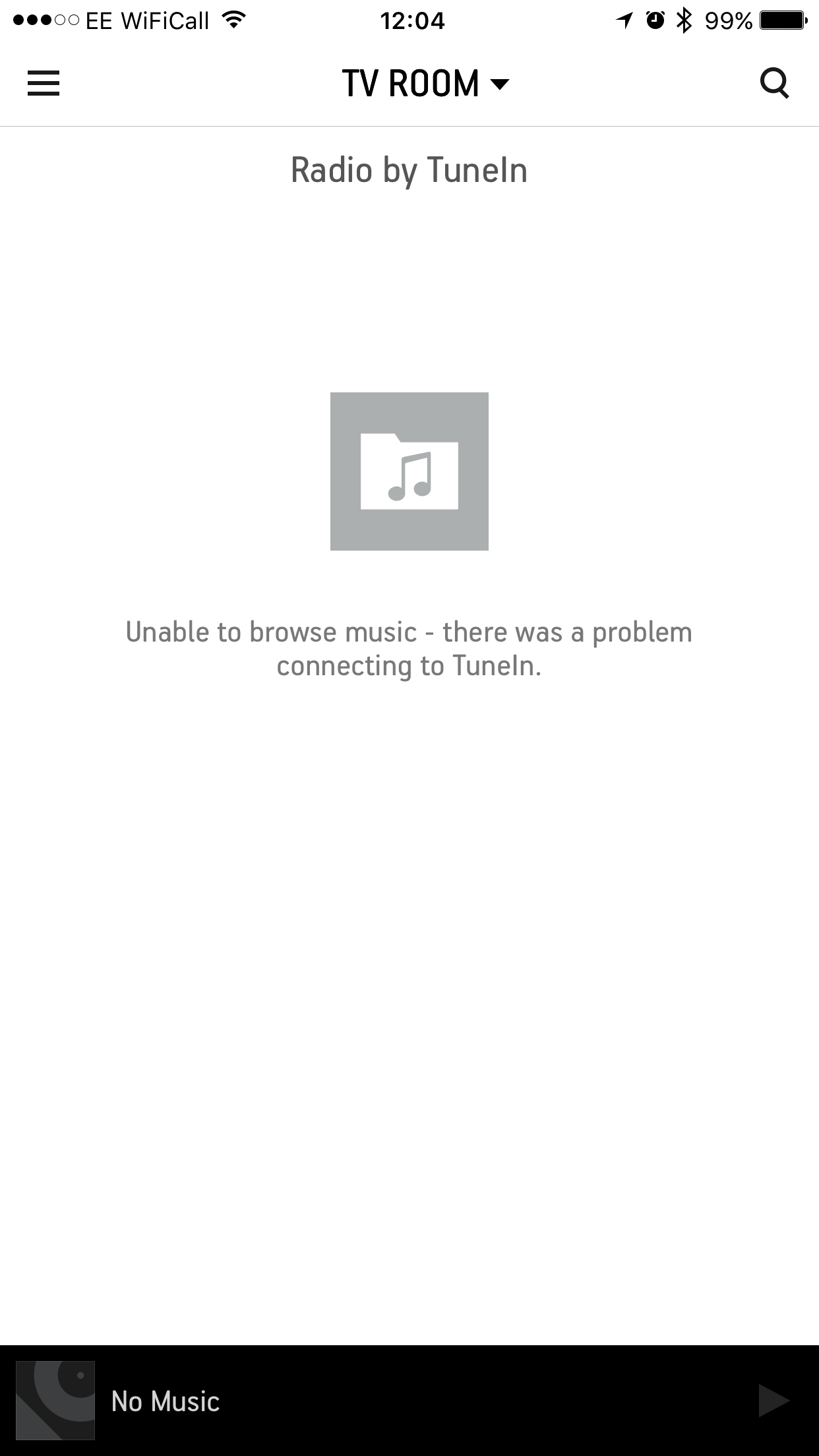
IOS10 Sonos controller cant connect to music services

  • October 2, 2016
  • 18 replies
  • 1845 views
When I navigate to a music service (apple music, plex, spotify, tunein, all of 'em!) I ge unable to browse music, there was a problem connecting to...

I had been able to fix this previously by removing my firewall from the first in the list of resolvers but I'm getting same issue again now.
Manually removing my IPv6 resolvers seems to fix the issue but they are last on my resolver list.

Do you have an IPv6 issue Sonos or am I doing something daft?
    This topic has been closed for further comments. You can use the search bar to find a similar topic, or create a new one by clicking Create Topic at the top of the page.

    18 replies

    Ryan S
    Retired Sonos Staff
    November 21, 2016
    Hey Chris, we're still working on this one. I don't have news to add on the status, though the investigation is still under way.

    From the diagnostic you posted somewhere else, it looks like you're on COGECO, if that's the case, and you have one of their routers too, you can try these steps:

    1 - Login to Cogeco Gateway/router
    2 - Navigate to LAN-> IPv6
    3 - Enable DNS Relay

    You may need to reboot the router as well to get this sitting to go into effect.

    Let me know how it goes.
    Mark good posts by pressing the like button, and select the best answer on questions you've asked to help others find solutions.
    Trending Lyricist I
    November 21, 2016
    Hey Chris, we're still working on this one. I don't have news to add on the status, though the investigation is still under way.

    From the diagnostic you posted somewhere else, it looks like you're on COGECO, if that's the case, and you have one of their routers too, you can try these steps:

    1 - Login to Cogeco Gateway/router
    2 - Navigate to LAN-> IPv6
    3 - Enable DNS Relay

    You may need to reboot the router as well to get this sitting to go into effect.

    Let me know how it goes.


    Thanks Ryan, yes, on Cogeco. They're a pretty big ISP here in the province of Ontario.

    When I get a chance I'll try that and let you know. Just to clarify....

    If I do these router changes, should I leave the iOS device to just pick up the default ISP DNS servers? Or should I still try and use the OpenDNS and/or Google DNS servers on the iOS device?

    Now that I think of it, my Mac, which works just fine, picks up the default ISP DNS servers, so perhaps the router change alone is the way to try first (if it will let me make the change!).
    Ryan S
    Retired Sonos Staff
    November 21, 2016
    Which of the COGECO routers do you have? If you have the Arris TG2472 the DNS relay setting should fix the issue without changing the DNS on the iOS device. If it's one of the other routers from COGECO though you may not have that option. The Technicolor DPC3848VM, for example, doesn't have the option, and the Cisco DPC3825 needs the DNS set on the iOS 10 devices themselves.
    Mark good posts by pressing the like button, and select the best answer on questions you've asked to help others find solutions.
    Trending Lyricist I
    November 21, 2016
    Which of the COGECO routers do you have? If you have the Arris TG2472 the DNS relay setting should fix the issue without changing the DNS on the iOS device. If it's one of the other routers from COGECO though you may not have that option. The Technicolor DPC3848VM, for example, doesn't have the option, and the Cisco DPC3825 needs the DNS set on the iOS 10 devices themselves.

    OK, thanks. I'll check tonight and see what I can see...
    Trending Lyricist I
    November 21, 2016
    Goodness gracious, great balls of fire! It worked! On Arris router, I found the setting recommended by Ryan above and that did the trick! Able to add/browse services again on iOS 10 devices; don't need to override their DNS settings - they're just picking up default ISP DNS settings.

    Will monitor over the next few hours to see if it holds....

    Thanks!!
    Lyricist I
    November 27, 2016
    Hi,

    Joining this thread with the exact same problem. Have tried all the various troubleshooting steps - sometimes works for a short period of time but never seems to fully resolve the problem.

    I am back to the same screen for all services at the top of the post. Wondering if joining the Beta and then cancelling had anything to do with it. I don't think so, but you never know with all the moving parts.

    Essentially, Sonos unusable for me now.

    B.
    Trending Lyricist I
    November 27, 2016
    Hi,

    Joining this thread with the exact same problem. Have tried all the various troubleshooting steps - sometimes works for a short period of time but never seems to fully resolve the problem.

    I am back to the same screen for all services at the top of the post. Wondering if joining the Beta and then cancelling had anything to do with it. I don't think so, but you never know with all the moving parts.

    Essentially, Sonos unusable for me now.

    B.


    Sorry to hear that. It is frustrating when that happens - I was in the same fix last weekend.

    Did you try the step of logging into your router, and changing the DNS relay settings that Ryan recommended to me a few steps above? That one is the only one that fixed it permanently for me (well, at least it has been working 100% for over a week now).

    Do you have the SONOS controller loaded onto your computer? For me, I could at least use SONOS with my Macbook while I was sorting out the iOS controller issue. And also, I had a few older iOS devices around the house that were only up to iOS9; it is iOS10 that seems to brick the controller for some ISPs.
    Lyricist I
    December 9, 2016
    Yes, I've logged into the Cogeco router and changed the DNS settings and enabled relay. No joy.
    Added open DNS addresses to the iOS phones - one works rest are not working.

    Your right the controller on my Mac Mini - no problems.

    So chasing some variable can't yet identify.