Avid Contributor I
Jul 29, 2026 1:33 PM UTC
Answered

Deleting a Queue

As of today I am bang up to date with all updates. My issue is playing Spotify through Sonos I cannot delete the track that I have played. I used to be able to delete the queue but can’t find it anymore? 

This topic has been closed for further comments. You can use the search bar to find a similar topic, or create a new one by clicking Create Topic at the top of the page.
Stanley_4
Stanley_4Answer
Grand Maestro
Jul 29, 2026 1:45 PM UTC

From the Spotify service or the Sonos queue?

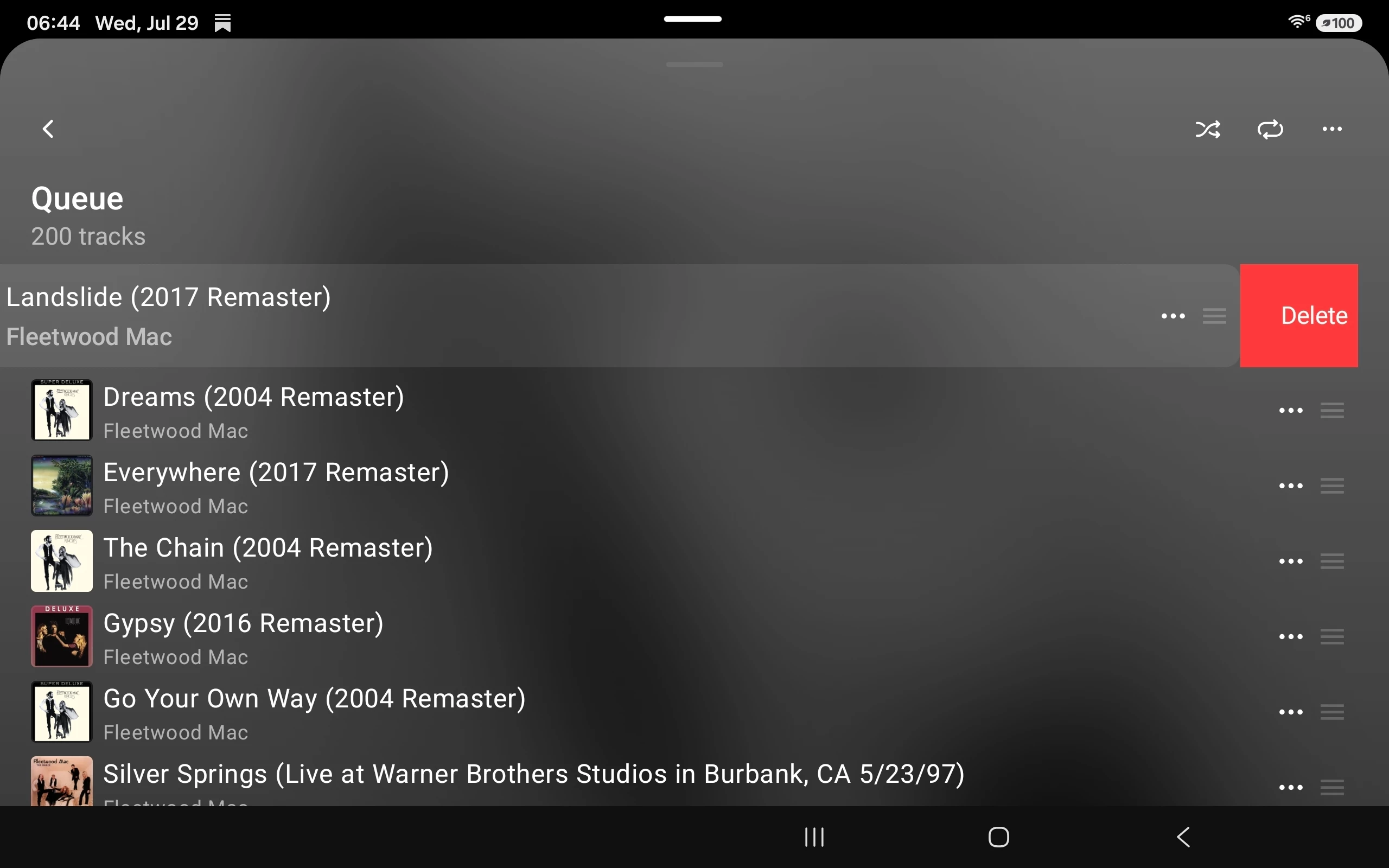
For the Sonos queue open it and slide the track off screen.

The Sonos delete queue option is under the three dot menu, top right.


4 replies

Stanley_4
Stanley_4Answer
Grand Maestro
Jul 29, 2026 1:45 PM UTC

From the Spotify service or the Sonos queue?

For the Sonos queue open it and slide the track off screen.

The Sonos delete queue option is under the three dot menu, top right.


Translate
lets_rockAuthor
Avid Contributor I
Jul 29, 2026 1:51 PM UTC

Al thank you Stanley, is this new as before I just hit the 3 dots and remove queue came up with no sliding the track? 

Translate
Stanley_4
Grand Maestro
Jul 29, 2026 2:10 PM UTC

Honestly I don't bother to try to keep up with what changed when, the app improvement process is moving too quickly for my old brain.

Hard enough to stay current with what works today given the rolling upates and the phased feature availibility.

Edit to add: And the new optional "improved navigation" option that is really nice but under fast development and frequent releases. 

Translate
MoPac
Headliner III
Jul 29, 2026 4:08 PM UTC

Tried Spotify in the Sonos app.  Initially the Clear Queue from the 3-dot menu would not clear the queue.  Had to stop Play first.  Then the Clear Queue worked.

Translate