Local Superstar
September 12, 2021

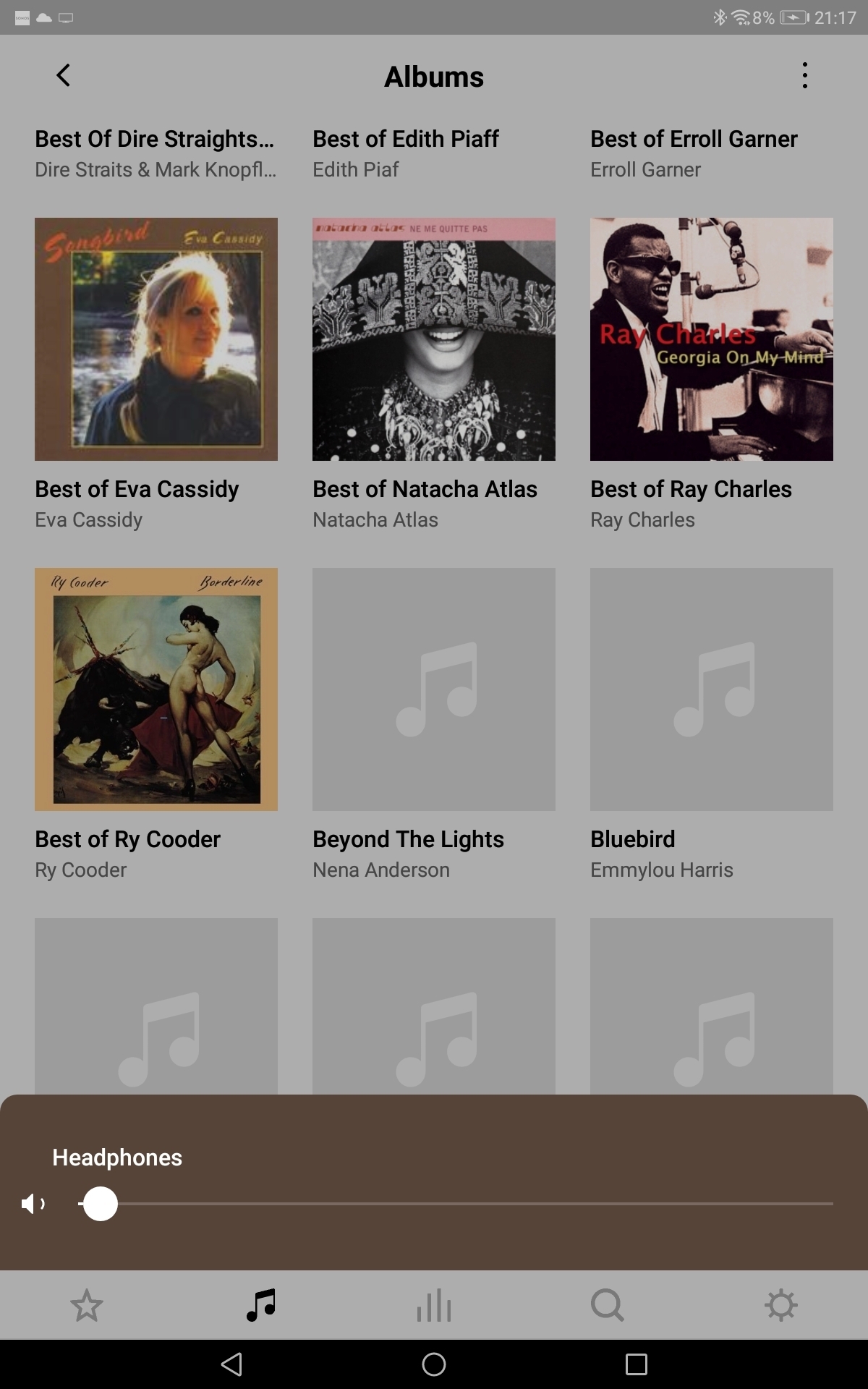
Artwork missing (randomly) - why?

  • September 12, 2021
  • 25 replies
  • 574 views

Here's what I mean - missing/greyed images vary at random.… 


This topic has been closed for further comments. You can use the search bar to find a similar topic, or create a new one by clicking Create Topic at the top of the page.

25 replies

ratty
September 13, 2021

Can you force change the Associated Product?

Esp. if the system has decided to use a Wirelessly connected one as opposed to a Wired one?

It’s not fixed. I believe it’s initially the first player to respond to the discovery when the controller cold-starts. Over time it may move around. 

castallaAuthor
Local Superstar
September 13, 2021

All my sonos devices are wireless. 

It's the courageous bee's knees - all 6 🐝🐝🐝🐝🐝🐝. - - - - - Make Sonos Great Again - - - - -
ratty
September 13, 2021

All my sonos devices are wireless. 

On your WiFi, rather than SonosNet? That could be a factor. 

Local Superstar
September 13, 2021

If you plug a cable into a WiFi connected system, it all should revert to a Sonosnet system I believe (although I have seen ‘mixed mode setups?)?

Is connecting a cable to a single unit an option (at least temporarily)?  Then the full close/re-opening of Controller.

castallaAuthor
Local Superstar
September 13, 2021

If you plug a cable into a WiFi connected system, it all should revert to a Sonosnet system I believe (although I have seen ‘mixed mode setups?)?

Is connecting a cable to a single unit an option (at least temporarily)?  Then the full close/re-opening of Controller.

Possible.... I'll have to check how easy that would be without buggering up the system.... My confidence in the Sonos matrix world isn't too strong! 

It's the courageous bee's knees - all 6 🐝🐝🐝🐝🐝🐝. - - - - - Make Sonos Great Again - - - - -