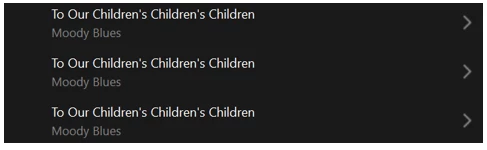
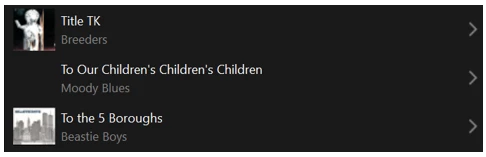
Sonos Controller - Duplicate Album Titles

  • October 20, 2025
  • 176 replies
  • 1771 views

Show first post

176 replies

  • March 23, 2026

 I’ll also add that it does not happen on S1, or, for that matter S2 software before the botched May 2024 update.

--Brian

True. But this particular problem started in Sept 2025. As I mentioned earlier in this thread: 

Back on Anthony’s thread from October, I noted that this first occurred with system update 91.0-68261 on 9/16/25. But I wasn’t positive it didn’t start with the previous update, which was 90.0-68140 on 9/2/25. It was one of those two. More than likely it was 91.0-68261.


Stanley_4
  • Grand Maestro
  • March 23, 2026

Depending on the underlying NAS file system the recycle folder can be in the root directory or in individual subdirectories. 

Some file systems also have a lost+found directory, often hidden.


Forum|alt.badge.img+6
  • Prodigy I
  • March 23, 2026

I only mentioned the #recycle behaviour as there has previously been a lot of discussion about renaming, editing and recreating files.

I did not put it forward as a reason or solution just as something to be aware of.

I have share (root) levels indexed by Sonos and each share has a #recycle folder (Synology). If one does a Sonos index after copying a track, then deleting the copy, a duplicate album will exist with the single, deleted, track as it actually still exists in the shares #recycle folder.  If the title metadata on that track has been changed prior to deletion it will show as a duplicate album with a different track.

I am still seeing and am frustrated by this issue and my share #recycle folders are empty or disabled.

To reiterate, this was not posited as a reason or solution but mentioned for awareness. It has caught me out in the past. Depending on the editing and reorganising being done it can present exactly as the fault, which undoubtedly exists, has been described.

That is all I was saying, I am sorry if I unintentionally obfuscated the issue...


Forum|alt.badge.img+4
  • Collaborator II
  • March 23, 2026

 I think with the NAS Recycle folder you could conceivably have duplicate albums with the same tracks in each album.  The duplicate album issue in Sonos is different in that there are duplicate albums, but there are different tracks in each of the albums.

But then that would indicate that Sonos is looking in other folders it does not have access to. You can assign one path to the Sonos software for indexing. MAYBE if your music was at the Root level, which I doubt many people do.. Again, what kdowing said is correct. “This threrad is about Which is an actual bug introduced in the S2 indexing which Sonos has yet to identify and fix. It is not caused by incorrect tagging or duplicate files. Nor file name strangeness.” I’ll also add that it does not happen on S1, or, for that matter S2 software before the botched May 2024 update.

--Brian

I totally agree, I kept thinking that, Sonos only looks in the path set by the user, in my case media/audio/sonos…. So Sonos would never see the recycle bin.


MoPac
Forum|alt.badge.img+19
  • Headliner III
  • March 23, 2026

This is all very interesting, but not related to the problem which this thread (and this one Albums have suddenly started to behave strangely.) is about. Which is an actual bug introduced in the S2 indexing which Sonos has yet to identify and fix. It is not caused by incorrect tagging or duplicate files. Nor file name strangeness. 

 Can you tell me an album in your library that is behaving strangely?  I’d like to try to reproduce the problem here.


  • March 23, 2026

This is all very interesting, but not related to the problem which this thread (and this one Albums have suddenly started to behave strangely.) is about. Which is an actual bug introduced in the S2 indexing which Sonos has yet to identify and fix. It is not caused by incorrect tagging or duplicate files. Nor file name strangeness. 

 Can you tell me an album in your library that is behaving strangely?  I’d like to try to reproduce the problem here.

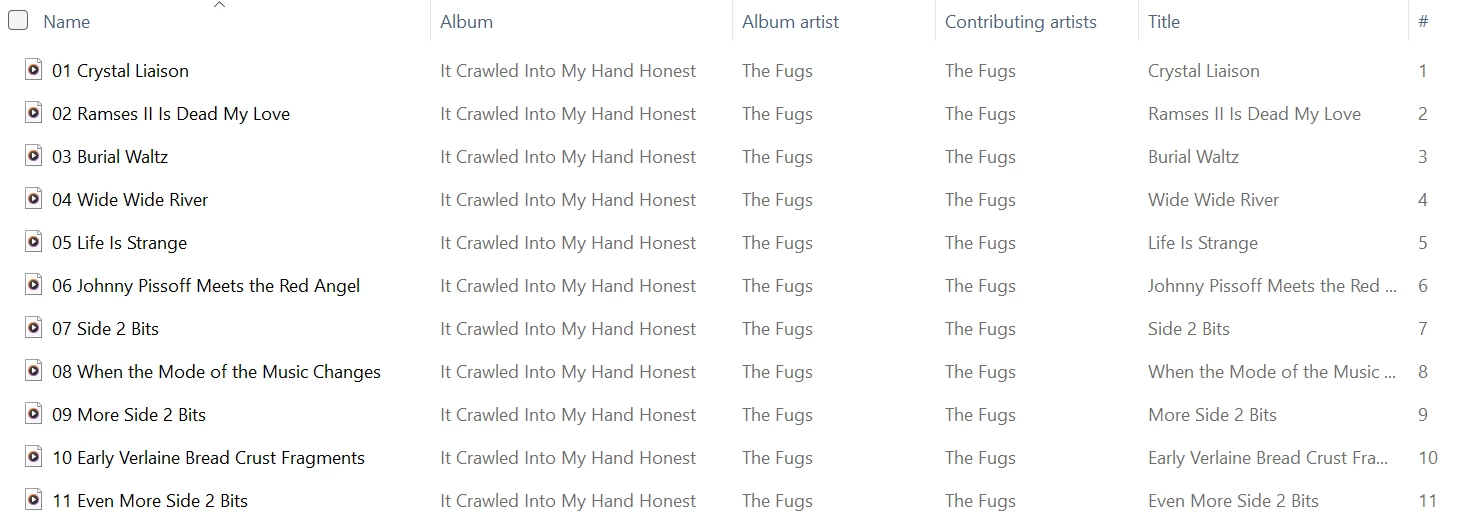
Well, that’s just it. There is no one particular album displaying this problem. All you have to do is rename a folder, any folder, and re-scan. Now the albums displaying this problem no longer do. So, there was no problem with those albums. But a whole new set of albums are now displaying the problem. Any time the library is updated, the albums displaying the problem change.


Forum|alt.badge.img+6
  • Prodigy I
  • March 23, 2026

 I think with the NAS Recycle folder you could conceivably have duplicate albums with the same tracks in each album.  The duplicate album issue in Sonos is different in that there are duplicate albums, but there are different tracks in each of the albums.

But then that would indicate that Sonos is looking in other folders it does not have access to. You can assign one path to the Sonos software for indexing. MAYBE if your music was at the Root level, which I doubt many people do.. Again, what kdowing said is correct. “This threrad is about Which is an actual bug introduced in the S2 indexing which Sonos has yet to identify and fix. It is not caused by incorrect tagging or duplicate files. Nor file name strangeness.” I’ll also add that it does not happen on S1, or, for that matter S2 software before the botched May 2024 update.

--Brian

I totally agree, I kept thinking that, Sonos only looks in the path set by the user, in my case media/audio/sonos…. So Sonos would never see the recycle bin.

It all depends on your NAS, its setup, what it supports and at which level you index folders on Sonos.

If a share:

      \\NAS\Share

containing folders of music:

       \Classical

       \Rock

is indexed then the shares #recycle folder (\\NAS\Share\#recycle) will also be indexed.

If you index at the individual folder level:

       \\NAS\Share\Classical

       \\NAS\Share\Rock

Then the #recycle folder will not be exposed.

Shares equate to a root level. Not all home NAS will support shares and may present a single root (or share) with a #recycle folder. A NAS can have many shares, I base my observations on Synology NAS capabilities.


MoPac
Forum|alt.badge.img+19
  • Headliner III
  • March 23, 2026

 I don’t use my Synology as a share ( Too loud ), but I did disable the Recycle folder.

@kdowling:  Your issue sounds like a PITA.  I don’t see a list of your Sonos devices.  Not sure it makes any difference, but do you know which Sonos device is the Associated Product ( The device that takes the index ). It’s unfortunately not listed in the new Sonos app, but it can be found in the Windows Sonos app or the old Orange app if your Android and you have that app.  Don’t know about MAC.  The Associated Product would be in the About Your System screen.  Again I do not know if a particular Associated product would have any effect on the index process.

 My Associated Product is a Beam Gen 2 at this time.  I guess that can change


  • March 23, 2026

 I don’t use my Synology as a share ( Too loud ), but I did disable the Recycle folder.

@kdowling:  Your issue sounds like a PITA.  I don’t see a list of your Sonos devices.  Not sure it makes any difference, but do you know which Sonos device is the Associated Product ( The device that takes the index ). It’s unfortunately not listed in the new Sonos app, but it can be found in the Windows Sonos app or the old Orange app if your Android and you have that app.  Don’t know about MAC.  The Associated Product would be in the About Your System screen.  Again I do not know if a particular Associated product would have any effect on the index process.

 My Associated Product is a Beam Gen 2 at this time.  I guess that can change

Back in Sept when this started, I decided to downgrade everything to S1 except one home theater setup and one pair of Ones (for testing S2). So currently on S2 are Beam Gen 2, Sub Gen 3, 2 Era 100s, 2 OneSLs and a pair of Ones. The Beam Gen 2 is currently the associated product.

Other members here have tested re-scanning with different devices (unplugging everything else), and it didn’t seem to make a difference.


Forum|alt.badge.img+6
  • Prodigy I
  • March 23, 2026

@MoPac Too loud?


MoPac
Forum|alt.badge.img+19
  • Headliner III
  • March 23, 2026

@MoPac Too loud?

 The Synology I have has a loud fan noise.  It’s not really a problem unless I’m working in the computer room while listening to music.  At this point the Synology is more of a backup NAS.  It does have the server MinimServer but I use it rarely.  
  
  The two library devices I use are the SonicTransporter i5 & the Melco N1Z.  The Sonos indexed library is in the SonicTransporter.  The Melco library & SonicTransporter library are accessed via MinimServer for systems that use the Server / Renderer protocols.  Both units are dead silent.


Stanley_4
  • Grand Maestro
  • March 23, 2026

Reading reviews Synology gets a lot of fan noise complaints not so many for drive noise.

My fanless, SSD, Pi based system was my answer to noisy NAS devices.


Forum|alt.badge.img+4
  • Collaborator II
  • March 24, 2026

Reading reviews Synology gets a lot of fan noise complaints not so many for drive noise.

My fanless, SSD, Pi based system was my answer to noisy NAS devices.

How on earth did we get from Sonos random duplicate album issues to NAS fan noise. As has been noted, just adding a single letter or number in front of an album folder name, or for that matter making any other change, and then doing a rescan results in new phantom duplicates. What really needs to happen is that Sonos need to fix this issue, an issue that appeared around September / October 2025.


Stanley_4
  • Grand Maestro
  • March 24, 2026

Might as well have a nice chat while we wait for Sonos to identify and fix the issue.

The forums have very little impact on that once the moderators have noted and forwarded the issue. Continued calls to support will likely generate more interest in solving the issue.


bockersjv
Forum|alt.badge.img+21
  • Local Superstar
  • March 24, 2026

Just to add to this thread, and apologies if it’s been mentioned in the previous 7 pages…..

My Album listing in the Sonos controller is now behaving as it used to and is great, no duplicates.

HOWEVER, a cursory glance at the Web Controller, which I have used once in the last few years, there is a real mess of duplicates.  There are no options how to group anything either.  It’s not a big issue for me but it is inconsistent.


Forum|alt.badge.img+4
  • Collaborator II
  • March 24, 2026

Continued calls to support will likely generate more interest in solving the issue.

Been there, done that & have been ignored.


Stanley_4
  • Grand Maestro
  • March 24, 2026

Probably not ignored but likely given a low priority based on Sonos surveys of what customers are using and/or asking for.

Given the low percentage of users I'm just happy they haven't dropped the music library as a feature.


Forum|alt.badge.img+4
  • Collaborator II
  • March 24, 2026

@Stanley_4 

I do agree with you. I think in the past it had been suggested that Sonos was moving towards the online streaming model. So as you say, we should be grateful for what we have. I currently only have two albums showing the duplicates issue, neither of which are albums I listen to regularly. If I do want to listen to them I can always go by the folders route. I just feel that I shouldn’t have to do that, but hey ho it’s what we have, I'm just old school. 👨‍🦳


MoPac
Forum|alt.badge.img+19
  • Headliner III
  • March 24, 2026

@Stanley_4 

I do agree with you. I think in the past it had been suggested that Sonos was moving towards the online streaming model. So as you say, we should be grateful for what we have. I currently only have two albums showing the duplicates issue, neither of which are albums I listen to regularly. If I do want to listen to them I can always go by the folders route. I just feel that I shouldn’t have to do that, but hey ho it’s what we have, I'm just old school. 👨‍🦳

 Can you send me the info on those two albums that show duplicates?  I want to possibly purchase at least one to see if I also get duplicates after an index.

 I can’t find any duplicates in my library.  Of course I haven’t gone through the entire library.


Forum|alt.badge.img+3
  • Author
  • Enthusiast II
  • March 24, 2026

Continued calls to support will likely generate more interest in solving the issue.

Been there, done that & have been ignored.


FYI: yesterday I received a ‘non-update’ via email from SONOS level 3 support:

Hi Roger, Thank you for the additional information.  Still nothing to share on this end but hopefully will have more in the next day or two.

So I guess at least they are still looking into it…???


Forum|alt.badge.img+3
  • Author
  • Enthusiast II
  • March 24, 2026

Can you send me the info on those two albums that show duplicates?  I want to possibly purchase at least one to see if I also get duplicates after an index.

...


Hi,

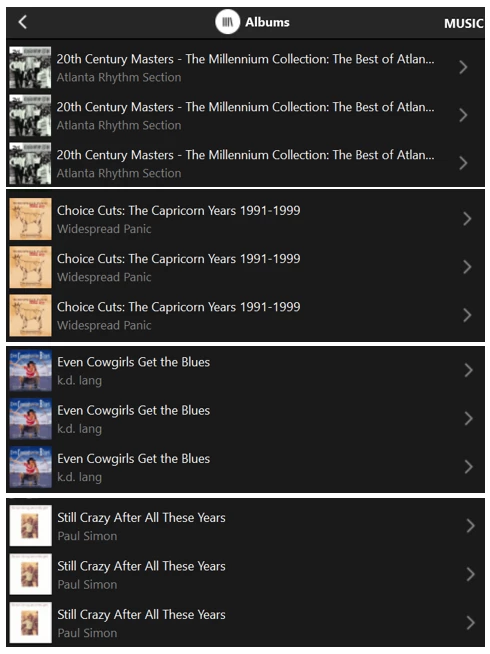
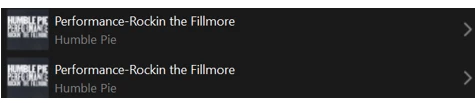
Here are the current duplicate titles that show in my Albums list:

Erroneous duplicate titles in SONOS albums list

The first three were ripped from CD, and the fourth was copied from vinyl.

I think those are the only ones I have right now.

But don’t waste your money - their ‘fame’ is fleeting… 😉


Forum|alt.badge.img+3
  • Author
  • Enthusiast II
  • March 24, 2026

Can you send me the info on those two albums that show duplicates?  I want to possibly purchase at least one to see if I also get duplicates after an index.

...


Hi,

Here are the current duplicate titles that show in my Albums list:

...

The first three were ripped from CD, and the fourth was copied from vinyl.

I think those are the only ones I have right now.

But don’t waste your money - their ‘fame’ is fleeting… 😉

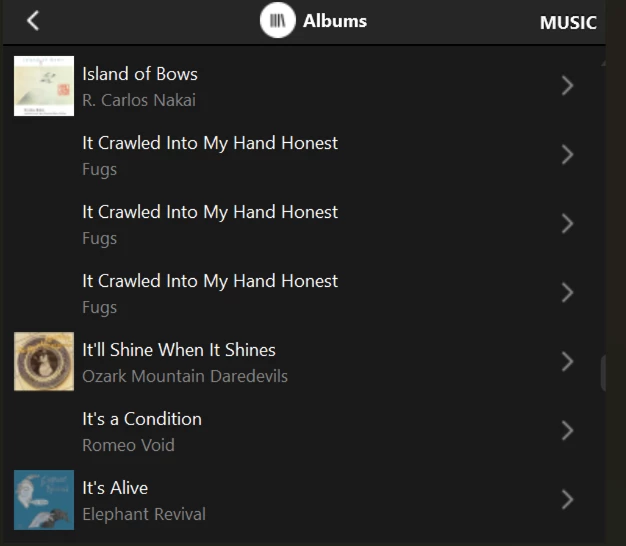
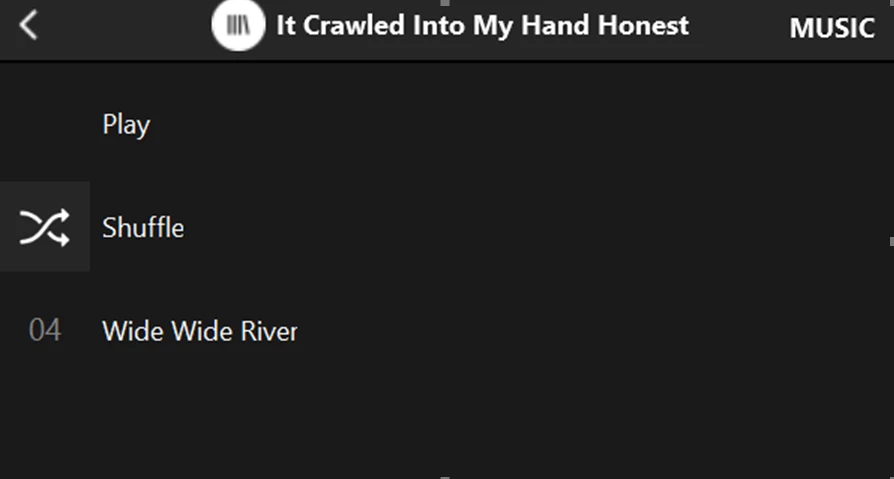
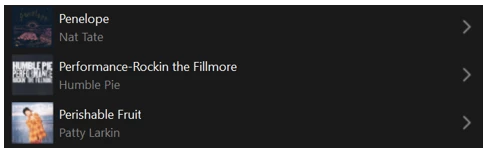
As a test, I removed those four albums from my music library and re-indexed.  Here is a new false duplicate that showed up after that:

Another SONOS false duplicate

Interesting to note that it was only listed twice. 

And just to confirm, I restored the four albums I had removed and re-indexed again.  Here is the above album now listed correctly:

Above duplicate now indexed correctly


Forum|alt.badge.img+10
  • Enthusiast II
  • March 24, 2026

fwiw, I don’t think this is a controller issue, I think it is the player firmware.

strangely, I get this issue only with grateful dead records ;-)


Forum|alt.badge.img+3
  • Author
  • Enthusiast II
  • March 24, 2026

Well, that’s just it. There is no one particular album displaying this problem. All you have to do is rename a folder, any folder, and re-scan. Now the albums displaying this problem no longer do. So, there was no problem with those albums. But a whole new set of albums are now displaying the problem. Any time the library is updated, the albums displaying the problem change.


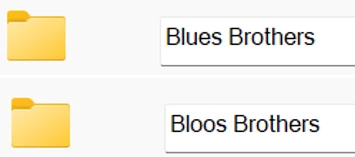
Indeed.  As a simple test, I made a trivial change to the name of one sub-folder.  Before and after:

Music sub-folder renamed

I posted a little while ago about four false duplicate titles in my Albums list.  After making the above change and re-indexing, I still have four duplicates.  Three of them are the same but one from before is gone, replaced by another.

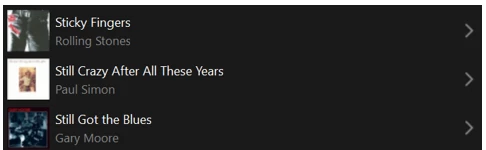
Specifically, ‘Still Crazy After All These Years’ is no longer duplicated:

An album title no longer duplicated

But this one is new:

A new false duplicate title

Finally, just to confirm, I renamed those two subfolders back the way they were.  Here is the above album title, now listed correctly:

False duplicate now gone

Been doing all the above stuff during breaks from working on income taxes. Will have to find some other break activity. 😄  Cheers!


Forum|alt.badge.img+10
  • Enthusiast II
  • March 24, 2026

Obviously, it’s super annoying when these kinds of regressions take so long to get fixed.