Sonos Controller - Duplicate Album Titles

  • October 20, 2025
  • 108 replies
  • 1318 views

Show first post

108 replies

Forum|alt.badge.img+4
  • Collaborator II
  • March 5, 2026

I would guess that music_library/folders will always be correct and reflect your library structure as that, I would think, is just a folder-file map whereas the indexing relies on metadata...

Yes, you're quite right, that's exactly how it works.


Forum|alt.badge.img+3
  • Author
  • Enthusiast II
  • March 5, 2026

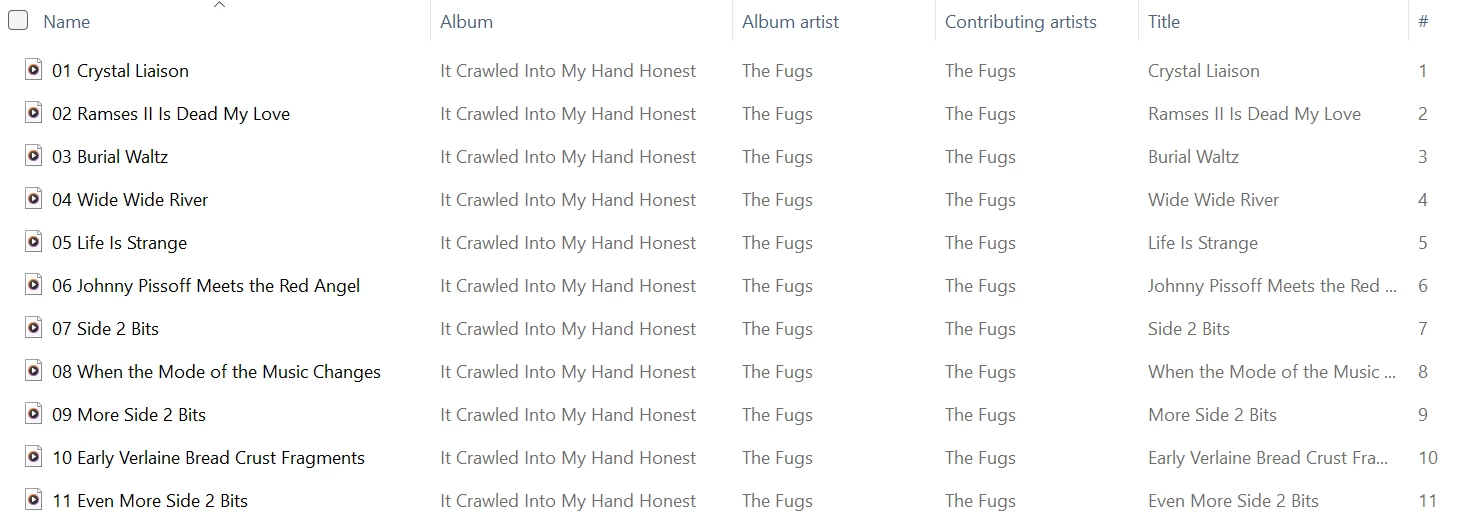
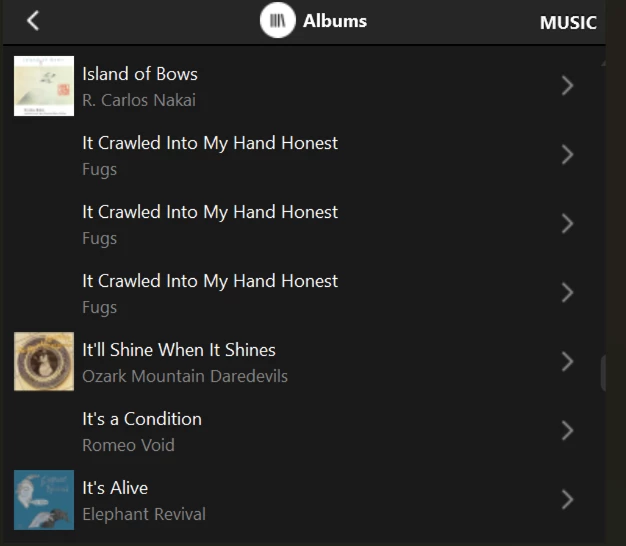
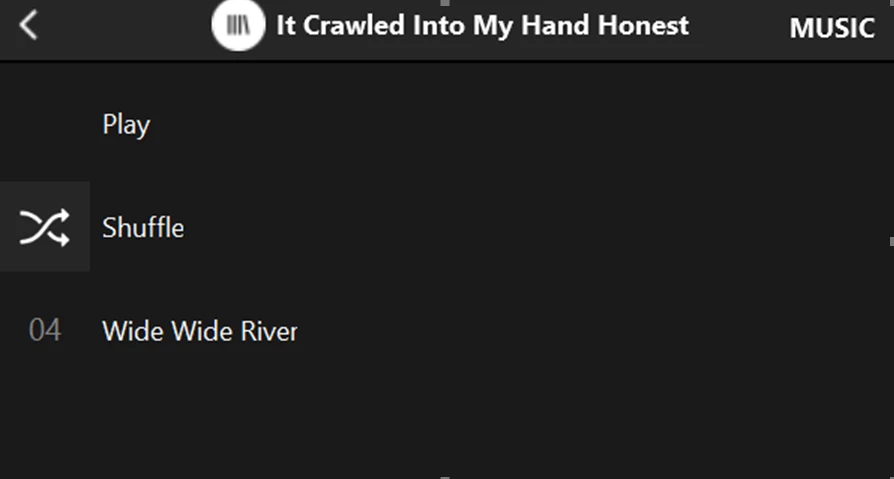
Interesting to note that, back in the first situation with the three duplicate album entries, queuing any one of the three with the Windows app produces the same result:  the queue consists of track 70 as number one in the queue, with the other 70 tracks as numbers 2-71 in the queue.

I need to say that my library doesn’t have the “Various Artists” problem that you are having. I have 338 Various Artist albums and a few are just tracks thrown together like you mentioned. Of those, the one with the most tracks has 173.

My problem has only been albums showing 3 times in a row with only 1 track (the same track) in each one. Those albums show and play correctly from “Music Library/Folders”. The albums doing this changes each time the library is updated and re-scanned. This is the problem that first started back in September with that update.

Clarification:  I’m not having a ‘Various Artists’ problem.  Of the 13 album titles I currently have with duplicate album entries, only three of them are ‘Various Artists’ albums.

The one particular album I chose to make available for SONOS does happen to be a V/A album, but I chose it just because it was compact enough to fit in my available Dropbox space and might be sufficient for SONOS to generate the problem.

I think the problem probably centers on the combined memory requirement for album title, album artist, track title, contributing artist, etc. - not just the number of tracks.

I agree with your statement of the problem, although in my case sometimes an album only shows two times.

Thanks!


Forum|alt.badge.img+3
  • Author
  • Enthusiast II
  • March 7, 2026

...

The one particular album I chose to make available for SONOS does happen to be a V/A album, but I chose it just because it was compact enough to fit in my available Dropbox space and might be sufficient for SONOS to generate the problem.

I think the problem probably centers on the combined memory requirement for album title, album artist, track title, contributing artist, etc. - not just the number of tracks.

I agree with your statement of the problem, although in my case sometimes an album only shows two times.

...

Just an update.  SONOS support acknowledged receipt of my album for testing:

Thank you for the update.  I am going to run some testing with this album and see if I can replicate the behavior on my own system.

Will post any feedback I receive.


Forum|alt.badge.img+3
  • Author
  • Enthusiast II
  • March 9, 2026

FWIW...I received this reply from SONOS Support:

“I also saw three Paste Vault albums when I moved that folder onto my machine.  I was able to clear it by opening all the tracks in Mp3tag and removing all the "Comment" metadata fields.  Most of these tracks had a bunch of 1s and 0s for comments and this seemed to be causing an issue with the index.

To quickly remove the comments, open the album in Mp3tag, then CTRL + A, right click and choose Extended Tags.  From there, change each Comment from <keep> to <remove>.  Reindex Sonos and it should clear up the duplicates.

Let me know if this works on your system or if you get different results.”

My response:

“Thanks for checking and for the feedback.  I will do as you suggest.

But, while this may clear up this one instance, it still confirms to me that there is some kind of software memory management issue in the indexing process.  Why was your process corrupted by the mere presence of comments in the metadata?  Why should I, your customer, be required to do things like this, just to make your software work correctly?

My guess is that, even after making this change, I will still see duplicates.  In fact, I recently did a test where I removed that album completely from my library, re-indexed, and still had multiple occurrences of false duplicates in the Albums list.

Can you still explore that?  Why could your software not handle the comments?

Please advise.

PS I hope you all have supported the mp3tag developer, as I have!”

So I did remove the comments from the metadata for that one album and reindexed.  That album no longer shows as a duplicate.

And, as expected, I still have other bogus duplicates. I have gone from 13 dupes down to 10. But some of the 10 are new to the list, while others of the original 13 are no longer there.

I’ll summarize these results and send back to SONOS.


Forum|alt.badge.img+4
  • Collaborator II
  • March 9, 2026

Roger,

As you quite rightly say, why should the customers cover up for errors in the Sonos software that have come about due to Sonos not checking things thoroughly before instigating changes.

Well written software should be able to deal with things out of the ordinary. Surely the software should only read the necessary tags & ignore the rest. 

It is something that many software vendors do nowadays. Release it and hope for the best.

Let's keep our fingers crossed that Sonos can finally get to the bottom of this. If they do, they should also clearly acknowledge the help that you are giving.


MoPac
Forum|alt.badge.img+19
  • Headliner III
  • March 9, 2026

 If I don’t tag properly all the control point apps I’ve ever used will tell me so.


Forum|alt.badge.img+3
  • Author
  • Enthusiast II
  • March 9, 2026

 If I don’t tag properly all the control point apps I’ve ever used will tell me so.

👍🏻 Although I don’t think this is a case of improper tagging - I think it’s their software not dealing correctly with valid tagging.

Anyway, the only reason I came back to post again right now is that, as I was scrolling my Albums list, I’m also listening to a bunch of queued tracks (from my ‘Vinyl’ folder), which I have done many times.

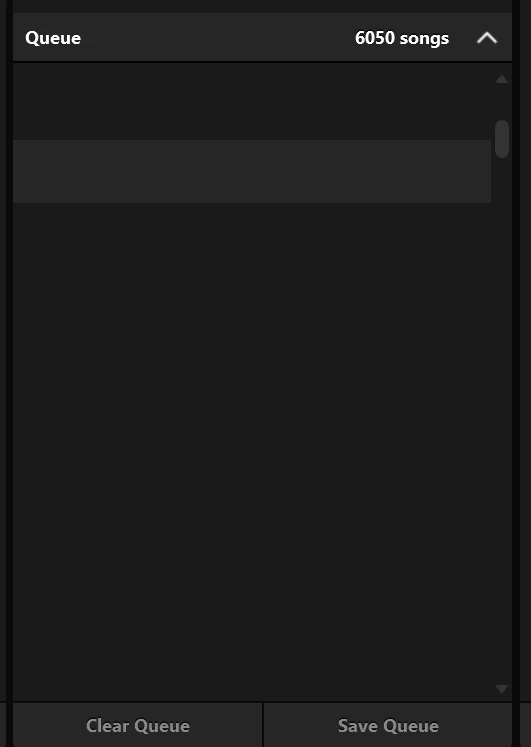
And (in the Windows controller) my queue list suddenly went blank:

Queued tracks not showing in Windows controller

Great software. But I don’t plan to pursue this, as it might not be easily re-created.  Just FYI...likely another memory management issue.


Forum|alt.badge.img+3
  • Author
  • Enthusiast II
  • March 9, 2026

Anyway, the only reason I came back to post again right now is that, as I was scrolling my Albums list, I’m also listening to a bunch of queued tracks (from my ‘Vinyl’ folder), which I have done many times.

And (in the Windows controller) my queue list suddenly went blank:

Great software. But I don’t plan to pursue this, as it might not be easily re-created.  Just FYI...likely another memory management issue.

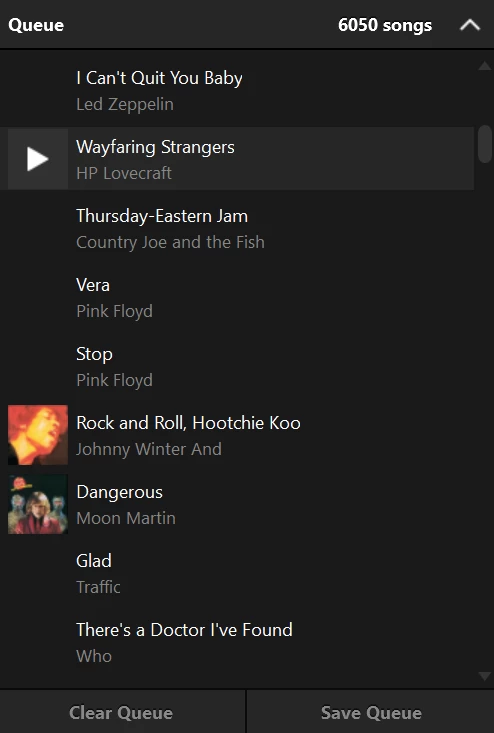
Just following up, for confirmation:  I shut down and restarted the controller.  Queue shows correctly now:

It’s all tracks I’ve copied from vinyl, queued randomly - which I often do.  Good memories… and RIP Country Joe McDonald... ;)