Question

S1 - having to press buttons twice iPhone/iPad

  • January 26, 2026
  • 3 replies
  • 47 views

Forum|alt.badge.img+12
  • Chromatic Producer I

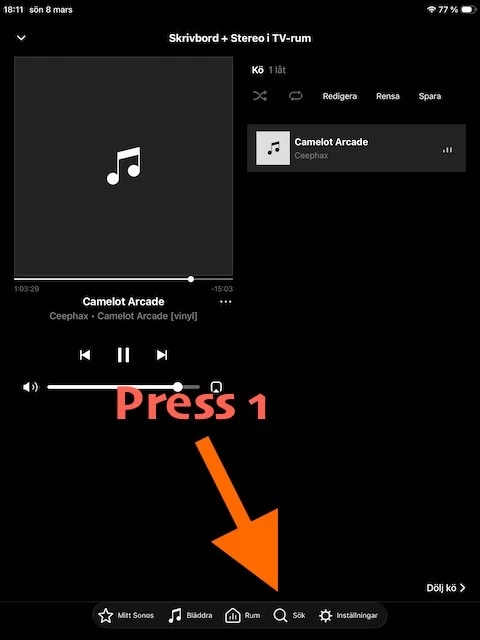
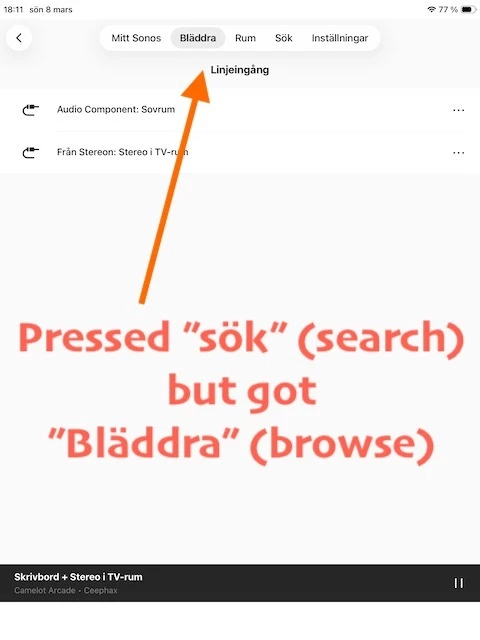
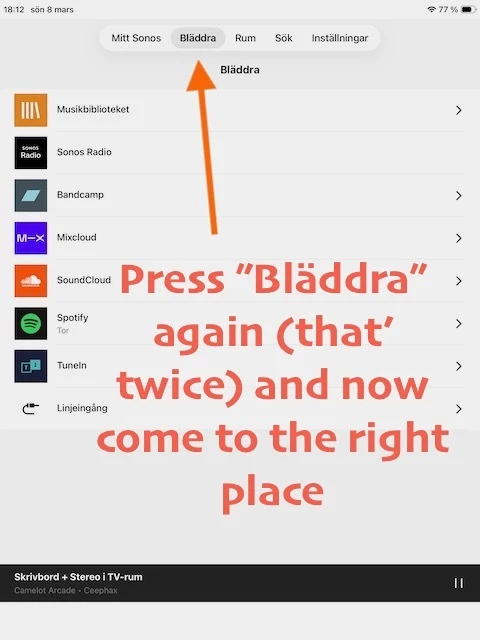
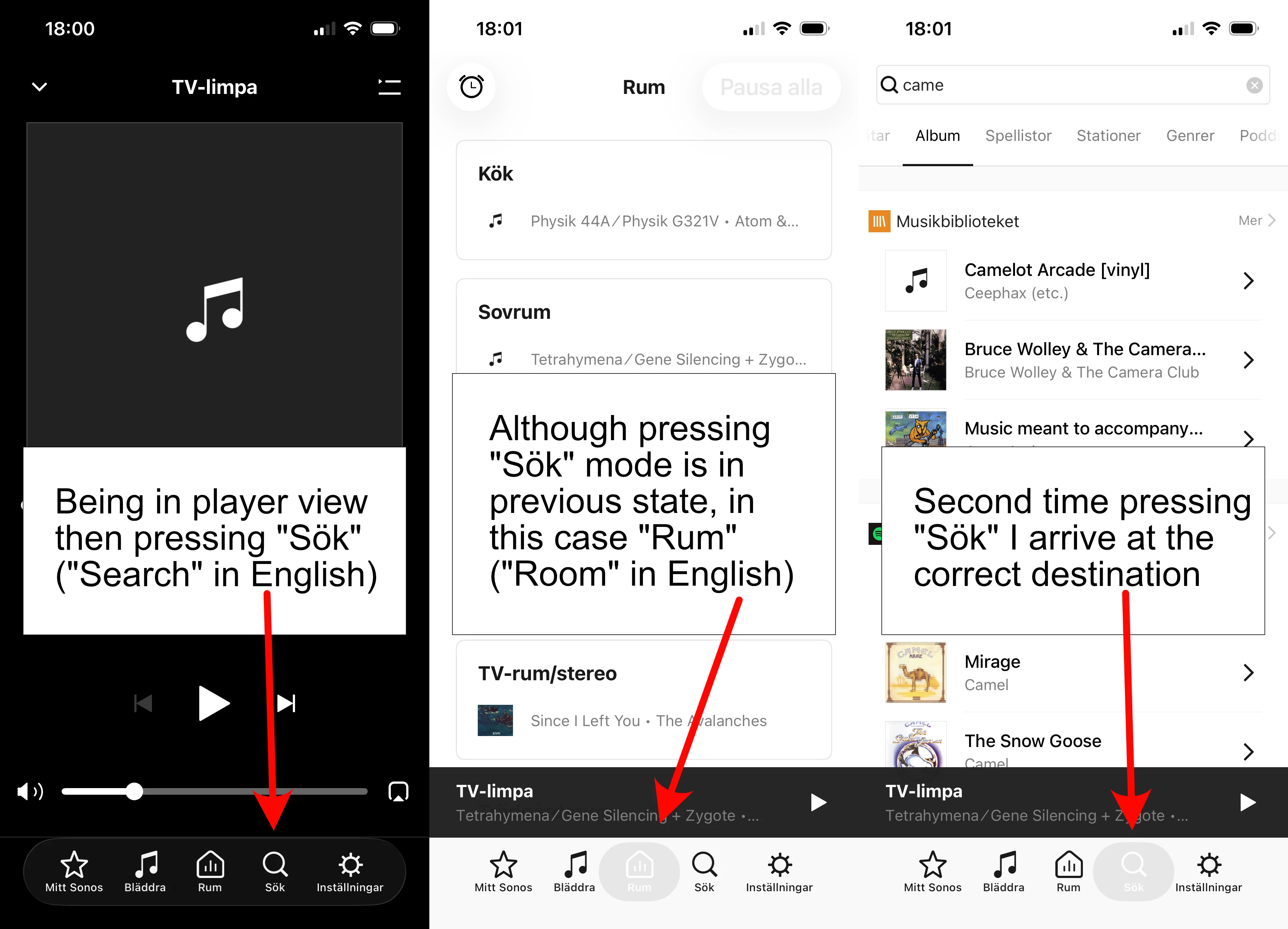
I’m not sure if I can do anything about this strange behavior in some settings or if it’s a bug. It’s present on both iPhone and iPad. If I’m in player mode like shown on left picture and want to go somewhere else the first time I press an icon, it doesn’t change to that mode but some previous mode. I’m pretty sure it did not work like this a couple of updates ago. Not sure when it changed.

On iPad it’s even worse because the controls jump from bottom to top when going from player mode in the same way as shown in the pictures. Seems like a minor bug to fix to me. If it’s not some obscure setting I haven’t found.

 

3 replies

AjTrek1
  • January 26, 2026

Your best course of action is to call Sonos Tech Support and discuss the issue as it appears to be software related and not hardware.


Forum|alt.badge.img+12
  • Author
  • Chromatic Producer I
  • February 8, 2026

So no one else has this problem on Sonos S1?


Airgetlam
  • February 8, 2026

Apparently not. It sounds a lot like you may have some network issues with the commands getting sent to and back from your speakers. But as ​@AjTrek1 suggested, confirming the data with Sonos Support seems to be indicated, and they would be able to determine if the assumption is correct…on either side,