Answered

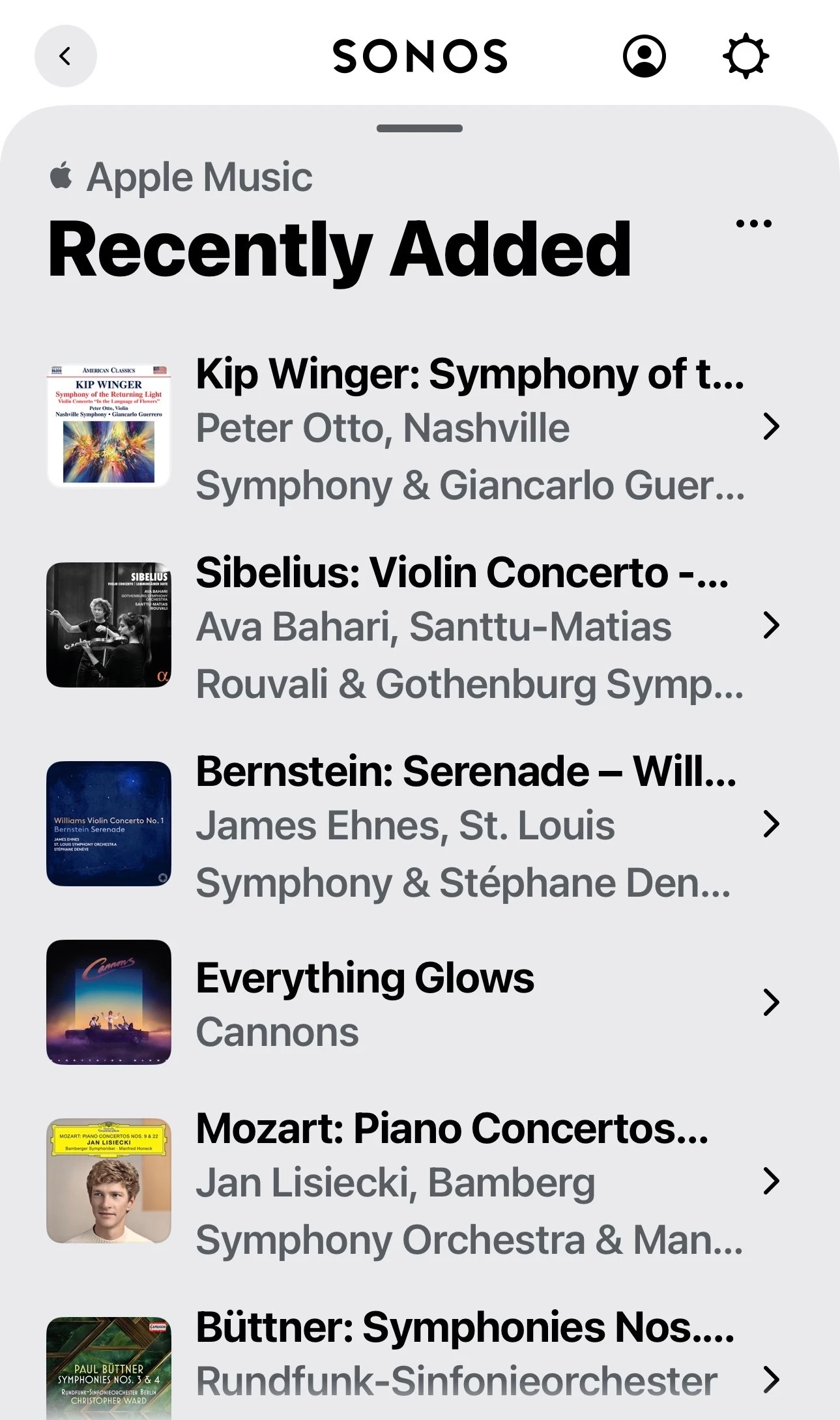
Is anyone having problem with Apple Music Recently Added? I'm getting Something went wrong

  • September 26, 2025
  • 75 replies
  • 3267 views

Show first post

75 replies

Airgetlam
  • October 16, 2025

Have you contacted Apple, since they are responsible for their ‘plug in’ in the Sonos app?

No, because I bought a Sonos product and Sonos are responsible for the service and features they offer to me. 

Interesting concept. I’ll complain to LG the next time my cable company goes down. 


Forum|alt.badge.img+2
  • Enthusiast II
  • October 16, 2025

Have you contacted Apple, since they are responsible for their ‘plug in’ in the Sonos app?

No, because I bought a Sonos product and Sonos are responsible for the service and features they offer to me. 

Interesting concept. I’ll complain to LG the next time my cable company goes down. 

That would be reasonable if LG had a history of buggy updates or, say, an app update that broke things and left them broken for over a year. 


AjTrek1
  • October 17, 2025

Recently Added for Apple Music is working on iOS, iPadOS, MacOS and Android 

If not working on your system the possible reasons are:

  1. System and App Updates haven’t rolled out to your area
  2. System and App Updates are available and you haven’t updated your Sonos
  3. System and App Updates are available and you haven’t updated your device 
  4. A combination of 2 and 3 
  5. If “no joy” after performing 2 and 3; then you should call Sonos Tech Support

Forum|alt.badge.img+18
  • Local Superstar
  • October 17, 2025

Recently Added for Apple Music is working on iOS, iPadOS, MacOS and Android 

If not working on your system the possible reasons are:

  1. System and App Updates haven’t rolled out to your area
  2. System and App Updates are available and you haven’t updated your Sonos
  3. System and App Updates are available and you haven’t updated your device 
  4. A combination of 2 and 3 
  5. If “no joy” after performing 2 and 3; then you should call Sonos Tech Support

Or wait for ​@Sotiris C. to post update:

We have informed our partners in Apple Music and are currently working together for a fix, but we have no ETA to share.

As a temporary workaround you can AirPlay to your Sonos speakers.

I will reply on this thread with an update, as soon as I get one.

I hope this helps.


controlav
Forum|alt.badge.img+24
  • Lead Maestro
  • October 17, 2025

Recently Added for Apple Music is working on iOS, iPadOS, MacOS and Android 

If not working on your system the possible reasons are:

  1. System and App Updates haven’t rolled out to your area
  2. System and App Updates are available and you haven’t updated your Sonos
  3. System and App Updates are available and you haven’t updated your device 
  4. A combination of 2 and 3 
  5. If “no joy” after performing 2 and 3; then you should call Sonos Tech Support

This is all nonsense. We know exactly what happened here, and none of these things is going to help.


  • Contributor I
  • November 27, 2025

Recently Added is functional on my iPhone, Mac and iPad. It’s not working on my Samsung TV, my Sonos or my Tesla. It seems unlikely that Samsung, Sonos and Tesla would all have a problem sinking to Apple Music at the same time, so this appears to be an Apple issue.


  • Lyricist II
  • December 7, 2025

So apparently TuneIn and Apple have a partnership, so all of 6 Apple Music live stations are free to stream with TuneIn, and there’s no annoying “Welcome to TuneIn” intro with an ad for those who are using it for free. Just pop up the TuneIn service in Sonos, and the stations are already listed in a category under “Apple Music Radio Stations”. 

The only downside is there’s no track ID that shows on the controller or app, so you might have to use the TuneIn or Apple Music app to find out, and the TuneIn stations are 2 minutes ahead for some strange reason. 

Hope this helps. 


Forum|alt.badge.img
  • Author
  • Trending Lyricist I
  • January 16, 2026

Hi, is this broken again for others as before? If it is I clearly need to go away on holiday again! :)


AjTrek1
  • January 17, 2026

Hi, is this broken again for others as before? If it is I clearly need to go away on holiday again! :)

What are you referring to? The last post was a month ago ??


Forum|alt.badge.img
  • Author
  • Trending Lyricist I
  • January 18, 2026

Hi, is this broken again for others as before? If it is I clearly need to go away on holiday again! :)

What are you referring to? The last post was a month ago ??

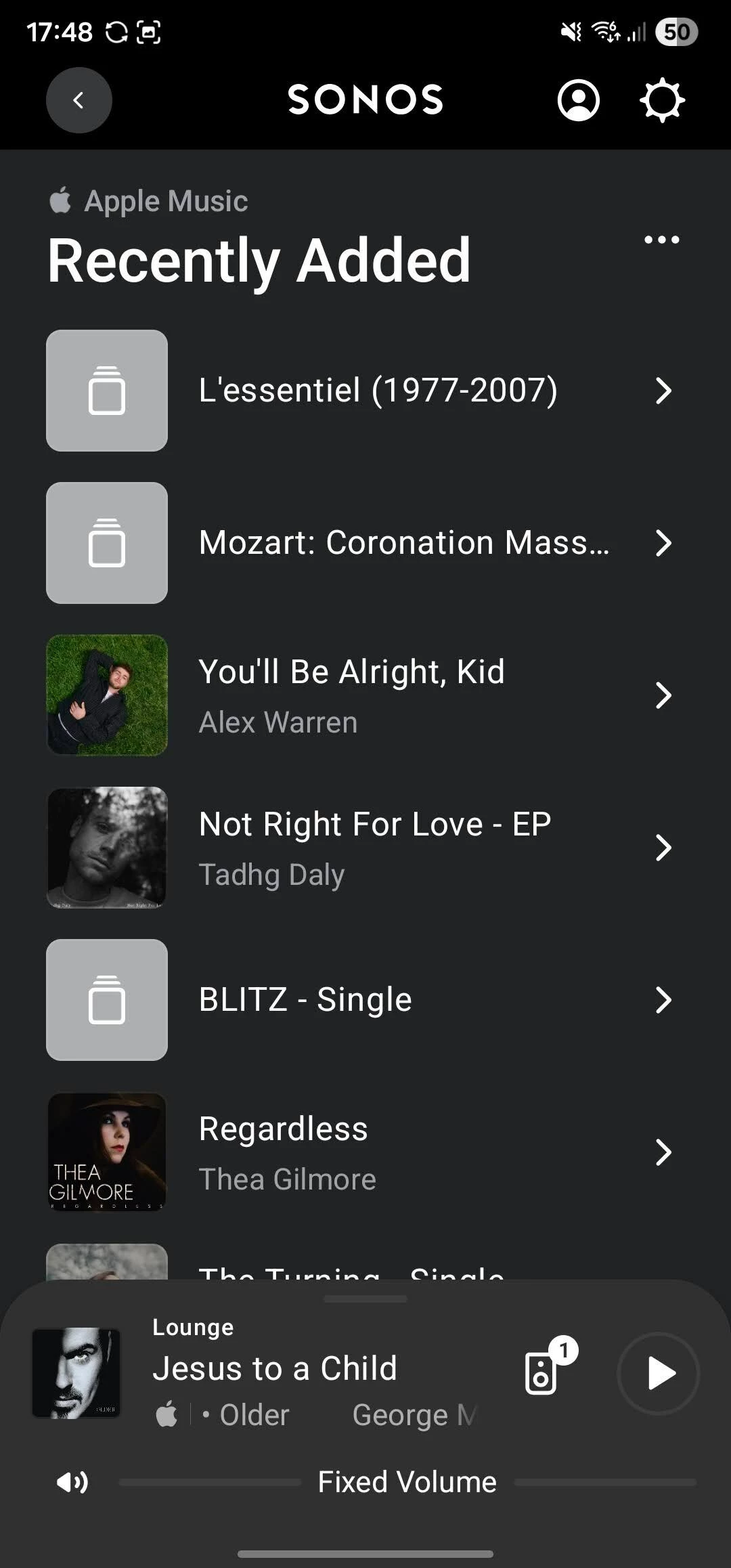
Hi, sorry should have been clearer. I’m having problems with ‘Recently Added’ again. This time new add’s are not showing up and albums that I’ve removed from the Apple Library aren’t clearing, just the album art is disappearing leaving an empty icon, as per the attached photo.

I’ve tried removing and re adding apple music service but problem remains :(


AjTrek1
  • January 18, 2026

Sorry to hear that you are having trouble again with “Recently Added” and/or “Recently Played”. Unfortunately, you’ll need to log a case (again) ☹️ with Tech Support. It seems the issue was handled with Apple but may be back again. Bottomline the issue seemingly lies with Apple.


  • Lyricist I
  • January 19, 2026

I have the same problem

I deleted it in Apple Music 


Forum|alt.badge.img
  • Author
  • Trending Lyricist I
  • January 19, 2026

Thanks ​@Thomas D . At least it's not just me. Hopefully they will sort it. 


Forum|alt.badge.img
  • Author
  • Trending Lyricist I
  • January 24, 2026

As per other thread, this is working again as of last night.


Forum|alt.badge.img+1
  • Trending Lyricist I
  • January 26, 2026

I noticed recently that my SONOS wasn’t syncing with Apple Music, specifically, music and Playlists added to Apple Music weren’t showing up in SONOS, with the mobile app and desktop app. I read several different fixes and tried all of them. It seemed that none of them worked on their own so I just started randomly repeating them. 

I wish I could delineate exactly what I did, but some repeated combination of removing/re-adding Apple Music service, toggling SONOS on & off in Mac Settings>Privacy & Security Music & Apple Music and updating Music library in SONOS desktop app seems to have worked. 


  • Lyricist III
  • January 29, 2026

Problems again ☹️


AjTrek1
  • February 3, 2026

Just an update for iOS users. It appears that “Recently Added” is misbehaving again. However, this not a Sonos issue as has been addressed before.

I’ve found that stopping the Sonos app (at least for now) and re-launching it resolves the issue. IMO that part of the API loses connection and requires a reboot. Still an Apple issue as no other part of the Apple Music interface seems to be affected.


MoPac
Forum|alt.badge.img+19
  • Headliner III
  • February 3, 2026

 I would not use AirPlay as the only reason I use Apple Music is for Dolby Atmos.  Dolby Atmos using Apple has other problems that have been reported here.  So I’ll probably dump Apple and use Amazon Music Unlimited for Atmos.


Started again 😩


AjTrek1
  • March 17, 2026

Started again 😩

Same here.

However, AppleMusic “Recently Added” appears to have a different coding within the API that somehow “compartmentalizes it” from the rest of the API. As you may recall Sonos just released an App update which may trigger the issue.

Mind you my comment is just speculation.  don’t believe this to be an issue for Sonos to fix “it’s Apple”.

Until the actual cause is determined here’s the fix (or workaround) that resolves the issue for me in IOS (the iOS version doesn’t seem to matter):

  • Stop the Sonos App (by swiping it up) and re-start it

If that doesn’t work….

  • Delete the Sonos app and reinstall it *

While deleting the app fixes the AppleMusic “Recently Added” issue you must also re-assign your “Your Preferred (Music) Serve” by clicking:

  1. Manage (to the right of Your Services)
  2. Your Preferred Service
  3. Select the service 
  4. Click the “back arrow” (<) 

I hope this helps. Maybe a Moderator can push this to engineering.


 * Be sure to select “Join an existing system”


Forum|alt.badge.img+2
  • Trending Lyricist II
  • April 11, 2026

“Recently Added” is also not working for me (the rest of Apple Music works with occasional glitches and bugs). Updating and reinstalling the app and disconnecting and reconnecting Apple Music does also not help. 
 

I appreciate that this might be “Apple’s fault” as others have noted. However, the fact remains that Apple Music works seamlessly on all my other devices but remains an unreliable mess on Sonos. As a customer I cannot fix this on my own and do not care whose fault it is. I cannot reliably use Apple Music on Sonos. 
 

For this reason I no longer purchase Sonos devices and actively warn friends and colleagues to do careful research before buying into the Sonos ecosystem. 


MoPac
Forum|alt.badge.img+19
  • Headliner III
  • April 11, 2026

My Apple Recently Added works OK.  Do you have the latest updates for the Sonos app & the latest firmware updates for the Sonos speakers?  What is the makeup of your network?  Has Recently Added worked in the past?

I used to have playback issues with Apple Music Dolby Atmos albums.  A recent app & firmware update appeared to resolve that issue.

I see you’re into classical music.  Do you play Atmos from Apple?  Have you noticed gapless pieces don’t work perfectly?  In my case there is a “Bump” when there is a track transition at a louder portion of the music.

 Never mind on the “gapless” issue.  Looking at your device list none of them are Atmos capable.


AjTrek1
  • April 11, 2026

Apple Music “Recently Added” is finicky. I can launch it and get the dreaded ​“something went wrong try again” .  Not every time but on occasion. However, the fix for me is to stop the app and relaunch it. It’s a seldom used option for me so that may be the reason in that it has to re-establish a connection with the Apple server. I don’t know but that’s the only plausible explanation I have.🤔


Forum|alt.badge.img+2
  • Trending Lyricist II
  • April 11, 2026

Thank you for the response ​@MoPac and ​@AjTrek1. As ​@AjTrek1 mentioned, it works inconsistently. I have been receiving the dreaded (and worthless) “something went wrong” error when accessing the “recently added” section for the past few days. It has just started working again. No other changes were made on my side - all devices have the latest software updates. 


MoPac
Forum|alt.badge.img+19
  • Headliner III
  • April 11, 2026

I have had occasional error messages like “Something went wrong….”.  Has not happened recently.  I think the app was not giving enough time for the request to finish.  Almost like the error message jumped the gun.  Swiping out the app then opening it worked to clear the error message and allow the requested function to work.