Question

Apple music not transferring into sonos.

  • January 18, 2026
  • 12 replies
  • 172 views

When selecting music in Apple it always transferred into Sonos automatically very quickly. Now it does not work, nothing transfers and if I delete music from Apple a grey shadow image still appears in Sonos but it doesn’t play. I have tried deleting both accounts and reinstalling but that doesn’t fix. Anyone got any ideas what is wrong?

12 replies

  • Contributor I
  • January 18, 2026

Ditto - I’m glad it’s not just my system suffering from this issue.


AjTrek1
  • January 18, 2026

@PFTTFP  ​@GeraintEd 

Not really understanding your issue as a few more details would be helpful.

What device are you using?

Are both the Sonos app and your device up to date?

Are you searching Apple Music via its app or through the Sonos App?

What do you mean when you say you deleted both accounts? 

Have you tried stopping the Sonos app and restarting it?

Can you post a picture of what you are seeing?


  • Contributor I
  • January 18, 2026

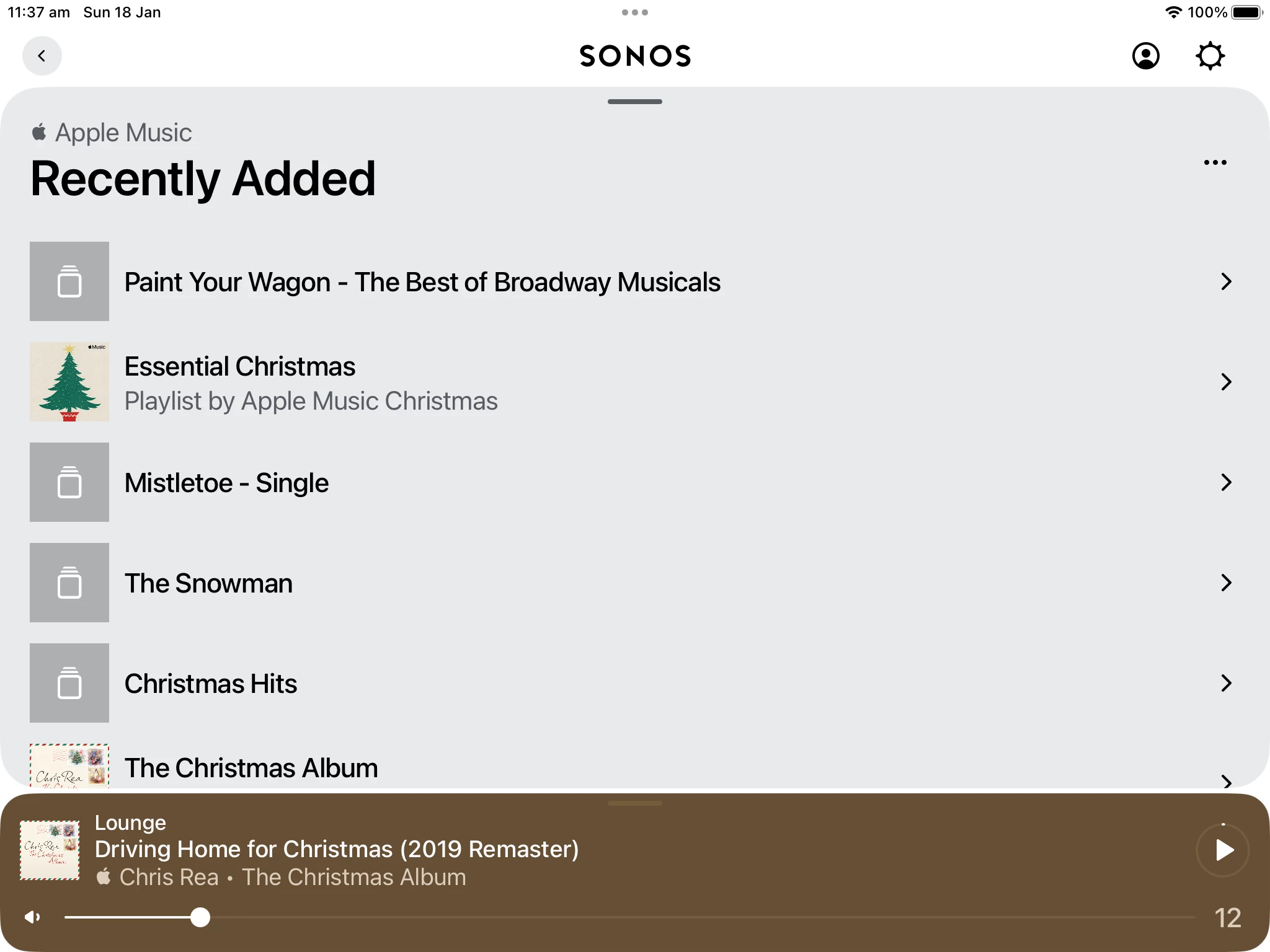
In the Sonos app (and Ive tried this on all my devices e.g. iPad, MacBook and iPhone) I select Apple Music - Library - Recently Added - and in this list, music that I’ve added two days ago do not appear in the list.

This list in the image was taken today (January 18th) but the items on the list are over 2 days old. Tracks and albums I’ve added since to Apple Music library do not appear.


  • Author
  • Contributor II
  • January 18, 2026

It seems I am not alone on this issue!

I am searching music via the Apple app. 
I have the problem on my ipad but my iPhone and my wife’s ipad have exactly the same problem so I think it’s not hardware problems?

 I deleted Apple Music and Sonos and reinstalled both and that didn’t work. 
my system software is up to date. 

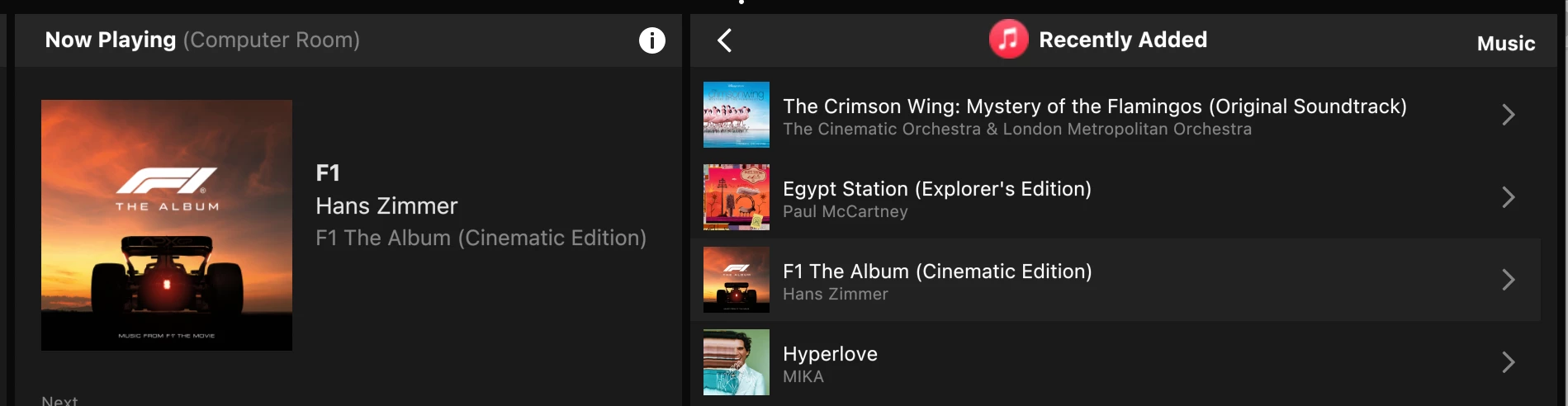
This is what I see after deleting music in Apple app. 
 

I have deleted these in Apple but still show like this in Sonos. No new music transfers. 


AjTrek1
  • January 18, 2026

If you guys do a community search for “Recently Added” and/or “Recently Played” you’ll find the issue has been broached before. The answer from a moderator was to log a case with Tech Support. It seems the issue was handled with Apple but may be back again. Bottomline the issue seemingly lies with Apple.


  • Lyricist I
  • January 20, 2026

Same issue. New added albums in my Mediathek needs a week to show up. Deviation is to mark a song as favorite. This appears under favorites playlist in about an hour. But not reliable. 


  • Author
  • Contributor II
  • January 20, 2026

Thank you for all the comments, it appears to be a common problem.  I would like to see a comment from Apple, their customer service does not seem to recognise this issue. 


Yuliza
Forum|alt.badge.img
  • Lyricist I
  • January 20, 2026

To solve this issue you should follow these steps:
-  First of all, opeen the Sonos app and then you have to completely remove the Apple Music
-  Then You should reboot Sonos speaker
-  Make sure to add Apple Music back after around 10 to 15 minutes.
-  Then you Favorites or playlits as a workaround.
-  In the final step, You have to tick mark any track as Favorite in Apple Music.


Airgetlam
  • January 20, 2026

There is no representation of Apple in the Sonos forums. If you want a comment from Apple, you’ll need to visit Apple forums. 


  • Lyricist I
  • January 20, 2026

To solve this issue you should follow these steps:
-  First of all, opeen the Sonos app and then you have to completely remove the Apple Music
-  Then You should reboot Sonos speaker
-  Make sure to add Apple Music back after around 10 to 15 minutes.
-  Then you Favorites or playlits as a workaround.
-  In the final step, You have to tick mark any track as Favorite in Apple Music.
 

Still not working.


  • Contributor I
  • January 20, 2026

I am convinced that the problem is with Apple Music because Sonos is not the only application not receiving Music updates to playlists. My MusConv application (used to transfer playlists from one music service to another (e.g., Apple Music to Sonos, Spotify, Amazon Music, etc,) does not receive updated Apple Music playlists.


  • Contributor I
  • January 21, 2026

On January 20, 2026 I spent nearly an hour with Sonos Support discussing this very issue, Apple Music Playlists that I create, albums and songs that I add (streaming) (since January 9, 2026) were not transferring into SONOS. Initially spoke to a person at Level 1 support who had me try everything that we all have seen on previous posts with this problem, reauthorize Apple Music, reboot system, add another album, add a test playlist and so on. Since he could not figure out a solution I was transferred to Level 2 support. Level 2 support asked similar questions and want me to go through the same trouble shooting steps. I did this until he wanted a screenshot of me adding a new album. I drew the line there, explained that I had been on the call for nearly an hour. He told me he would try to transfer me to engineering. After hearing my frustration he apologize and said that he would call me back. Fifteen minutes later he did call back and told me that engineering knows of the problem and they do not have and estimated time to a fix. After an hour SONOS finally tells me that they know of the problem? Why did I have to go through this support nightmare? SONOS as a company is really lacking. There is your update as of January 20, 2026.


Airgetlam
  • January 21, 2026

Isn’t the real question is if Apple is actually sending the data to Sonos (and others, as ​@whgwood suggests)? Sonos wouldn’t be able to display data that Apple wasn’t sending to them, I’d think. Sonos Engineering, Support,  and Customer Service might be aware of the issue, but they can’t control whether or not the Apple servers are sending your controller the data. And I would think they’re unlikely to throw Apple under the bus, finger pointing doesn’t win most cooperative situations.