

Apple music Chill problem

  • October 27, 2025
  • 7 replies
  • 147 views

Forum|alt.badge.img+4

Hi,


I have a problem with playing Apple Music Chill recently. Everything from Apple Music works just great, only Apple Music Chill radio won’t play and the app shows message the It’s not encoded correctly.

Everything others plays with no problem.

I tried to reauthorized the Apple Music, delete it and add it again etc.

Strange is that all other stations plays with no problem and I doubt that Apple is encoding that one station differently then the others.
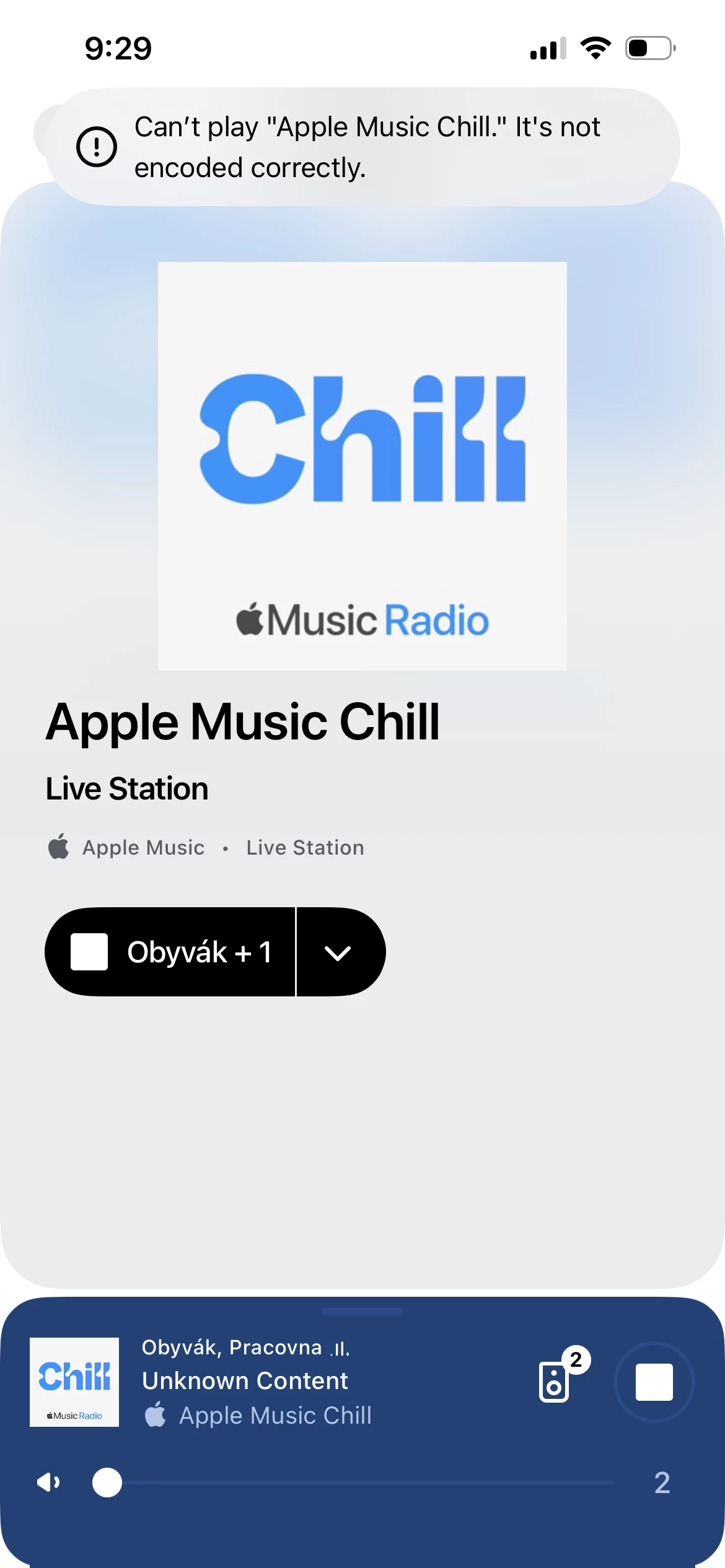
Any idea?


Thanks, Jakub 

7 replies

Forum|alt.badge.img+17
  • Local Superstar
  • October 27, 2025

The live radio issue is/was discussed in this thread, second page:


Forum|alt.badge.img+4
  • Author
  • Enthusiast I
  • October 27, 2025

Hi, thanks for reply. I’ve read that thread and I believe it is a bit different problem. The people in there are having problem to play anything from Apple Music and they keep getting error message “something went wrong”.

I can play everything (songs, playlists, live radio stations etc) except that one station “Appel Music Chill”, which gives me the message that it is not encoded correctly.


Forum|alt.badge.img+17
  • Local Superstar
  • October 27, 2025

Forum|alt.badge.img+4
  • Author
  • Enthusiast I
  • October 27, 2025

Oh, I see, thanks a lot. To be honest, I didn’t read the whole thread since I assumed that it is different problem.


  • Lyricist I
  • October 29, 2025

I’ve been having this same issue for a few weeks now. It’s come and gone in the past, but usually only sticks for a day. I can’t stream either Apple Music Chill or Apple Music Club live stations. Pretty sure everything else with Apple Music is working as expected. The stations throw an error, “Unable to play ‘Apple Music Chill’ - the song is not encoded correctly.” and will not play. Other live stations work just fine.


  • Lyricist I
  • December 7, 2025

Hi, I know this is a bit of an older post, first time posting, but hopefully this information might help.

This has been a major problem since the stations has been introduced by Apple, and Sonos is saying that it’s an Apple problem unfortunately. 

But, I have some good news, just recently Apple Music has introduced all 6 radio stations can be streamed for free by using TuneIn, since Apple has a partnership with them. Best of all, for free users, there’s no “Welcome To TuneIn” or an annoying ad afterwards when you pop on a station. 

The only major downfall being is there’s no song ID displayed on the Sonos app or controller, which can be frustrating. Sometimes I have to use either the TuneIn or Apple Music app on my phone to find out who does the song, and for some reason the TuneIn station is 2 minutes ahead from Apple.

Anyways, if you have the TuneIn service in your Sonos, it should actually pop up as a category, and all 6 Apple Music stations are there, just the only problem being that Club, Uno and Chill won’t display track ID’s. 

Hope this helps!!!


106rallye
Forum|alt.badge.img+18
  • December 7, 2025

The wording “and Sonos is saying that it’s an Apple problem unfortunately” makes it sound like you suspect this isn’t the right answer. Why?

