album artwork showing up intermittently

  • February 21, 2026
  • 38 replies
  • 132 views

Show first post

38 replies

MoPac
Forum|alt.badge.img+19
  • Headliner III
  • February 22, 2026

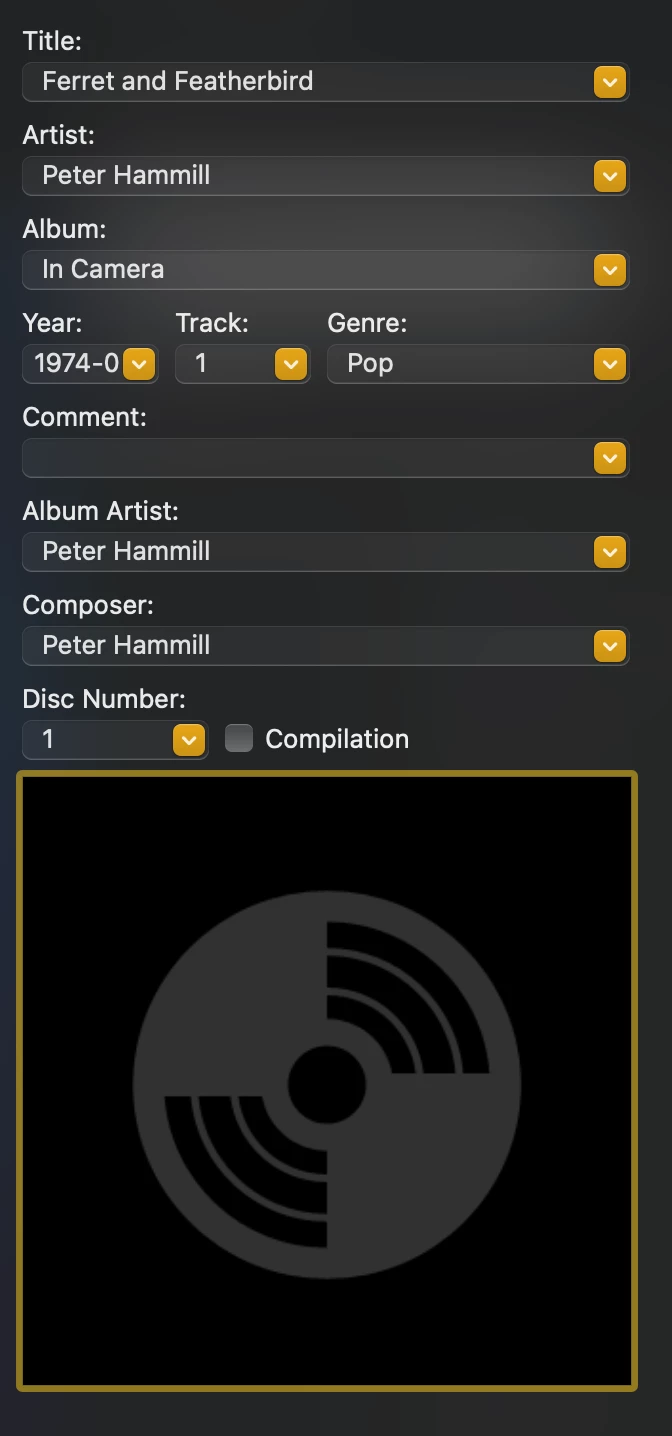
Oh, I guess if the artwork was correctly embedded I would see it here at the bottom of this panel?


 Yes.  Drag N’ drop a jpg/png album art file into that square.  Some tagging software lets you look online for a cover.  It should show in that square which indicates it’s embedded in the metadata and should show in Sonos after an index.


Forum|alt.badge.img+10
  • Author
  • Enthusiast II
  • February 22, 2026

I have a weird issue where album art from my library does not display on the album list page, or the album page, but it does show on the Now Playing page.

I mentioned on here months ago and it's still an issue. I've rebooted everything but to no avail. 

I think mine did that, too.


Forum|alt.badge.img+7
  • Enthusiast II
  • March 1, 2026

I have a weird issue where album art from my library does not display on the album list page, or the album page, but it does show on the Now Playing page.

I mentioned on here months ago and it's still an issue. I've rebooted everything but to no avail. 

So after several months of this issue, today I suddenly have album art displaying from my library in all the screens. 😂

I have changed absolutely nothing to make this happen. It's just done it of its own accord.

Hey ho. 


buzz
  • March 1, 2026

Have you recently updated the system? Lately, updates have become effective on a rolling basis. An update will be released, but certain details will not initially be available for all users. I’m not sure if the rollout is based strictly on geography or random. In any case a feature may not be available to a given user for several days after an update is released.

The system will attempt to fetch a track’s artwork for a certain time interval. If there is congestion the artwork fetch for a given track may intermittently fail. You may notice this more often while working with large Queue’s or Playlists.


Forum|alt.badge.img+7
  • Enthusiast II
  • March 1, 2026

Have you recently updated the system? Lately, updates have become effective on a rolling basis. An update will be released, but certain details will not initially be available for all users. I’m not sure if the rollout is based strictly on geography or random. In any case a feature may not be available to a given user for several days after an update is released.

The system will attempt to fetch a track’s artwork for a certain time interval. If there is congestion the artwork fetch for a given track may intermittently fail. You may notice this more often while working with large Queue’s or Playlists.

Nope. I've been up to date as new versions are released. I've got the system set up to auto update and I've always updated the app when new versions are available. I updated the latest version of the app on Wednesday. 

Very odd. 

I've not even played anything from library since Friday, but then I noticed artwork in the recently played list on the home screen this morning. It was 100% not there on Friday when I was playing the albums. 


Stanley_4
  • Grand Maestro
  • March 1, 2026

Auto update is also subject to the rolling releases, mine is often a week behind initial reports of an update being available.

The infernal (meant internal but it fits so it stays) rolling activation can also lag the download by a week or more.

There is no "up to date" for Sonos like there used to be. You have to manually check the App and firmware versions then manually check to see if each internal feature has been unlocked for your system.


Forum|alt.badge.img+10
  • Author
  • Enthusiast II
  • March 1, 2026

Just an update on my album art…. it all works fine new. I did go over this with Sonos support, and more or less worked. my only guess is that an a Sonos update pushed out made things much better. Then I only had issues with some albums. I did “groom” the library to remove extraneous png file, make sure all art was 900X900 or smaller. At this point everything is working great.


MoPac
Forum|alt.badge.img+19
  • Headliner III
  • March 1, 2026

Just an update on my album art…. it all works fine new. I did go over this with Sonos support, and more or less worked. my only guess is that an a Sonos update pushed out made things much better. Then I only had issues with some albums. I did “groom” the library to remove extraneous png file, make sure all art was 900X900 or smaller. At this point everything is working great.

 Album art can be .png and can be larger than 900x900.  I think the secret is the album art should be embedded in the album tag.  Pick one of your albums with missing album art and check to see if tagging software like MP3 Tag etc. shows the album art in the album art field.  If it does not show drag the art file into that MP3 Tag art field.  ( or whatever tagger you use ).  A Sonos index should give you album art for that album now.

 The screenshots are:

  1. An album in the library with album art larger than 900x900. ( don’t have a lot of .png )
  2. That same album in the Sonos app.


Stanley_4
  • Grand Maestro
  • March 1, 2026

None of mine are in the tags, all are stand-alone files.

I much prefer it that way as I can save more tracks to (non-Sonos) low memory players.


MoPac
Forum|alt.badge.img+19
  • Headliner III
  • March 1, 2026

None of mine are in the tags, all are stand-alone files.

I much prefer it that way as I can save more tracks to (non-Sonos) low memory players.

 Ahhh.  So Sonos looks for the file in the Album folder?  Would the rules concerning size and type of file be more important when the file is not embedded?  Does Sonos only look for the file in the album folder or does Sonos also look at the album art in the tag or both?  I do both because of the way other systems look at my library.


Stanley_4
  • Grand Maestro
  • March 2, 2026

I used 1024x1024 as a size limit, jpg and png formats. One image per folder/album.

No idea about tags for images, so many issues with simple text tags refusing to display due to Sonos having issues with the characters in them I wanted no more complications. Then I came across the storage space issues and never looked again.


MoPac
Forum|alt.badge.img+19
  • Headliner III
  • March 2, 2026

 I have had a few tracks with an apostrophe character that Sonos didn’t like.  Easy fix replacing the bad apostrophe in the track with the one on my keyboard.  That “illegal” apostrophe was part of the music file, not the tag.  I did nothing with the tag after replacing the bad apostrophe in the file name with the one on the keyboard.  Never had an issue with album art in the tag.  I have some 3000 x 3000 album art files that work fine.

 Only BlueSound forces me to keep the album art files under 600Kb.


Stanley_4
  • Grand Maestro
  • March 2, 2026

Things may have changed since 2007 when Iriped my CDs, there used to be a document giving the rules, can't find it.

I spent hours renaming files for not-allowed SMB characters many more cealing with tags Sonos couldn't process.

I've also modified my SMB share with vsf catia mappings to dynamically edit any filenames SMB doesn't natively support.