
Trending Lyricist I
April 20, 2022
Answered

Problem streaming Apple Music
  • April 20, 2022
  • 41 replies
  • 12548 views

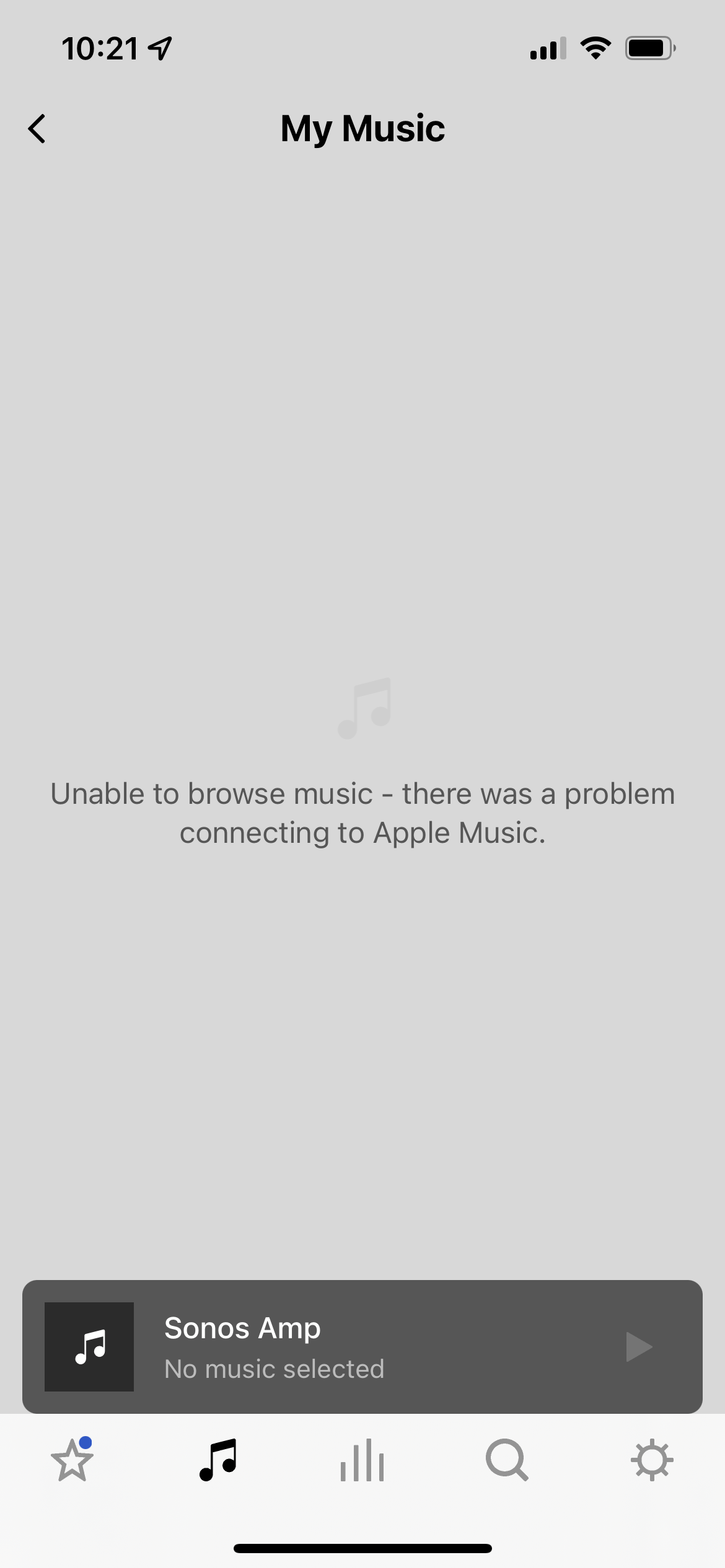
Since about 5 days ago I can’t stream Apple Music or even browse my AM library through my Sonos system. I’ve tried deleting my account via the Sonos app and reauthorizing my AM account, that didn’t help. AM results will appear in the Search screen but when I try to play them I get “unable to add songs to queue,” and when I try to browse my AM library I get the error shown in the attached screenshot. 
 

All other sources work, including Spotify and local Sonos library. I am also able to stream AM to Sonos via AirPlay. Is there a known issue with Sonos directly connecting to AM at the moment?

This topic has been closed for further comments. You can use the search bar to find a similar topic, or create a new one by clicking Create Topic at the top of the page.
Best answer by Airgetlam

When I click on ‘View real time service status’ next to your post, it shows Apple Music as a green check mark, which, along with the lack of thousands of similar posts, suggests the issue is a local one to your system. 

I’d certainly try re-authorizing the Apple Music service in your controller by removing it completely, waiting five minutes, then adding it back in, which should force an auth with Apple. But if that didn’t work, I’d submit a system diagnostic and call Sonos Support directly to discuss it. They’d be likely to pinpoint the issue in the diagnostic, and help you get back to connecting to Apple Music. 

41 replies

Lyricist I
August 14, 2022

I was having this same issue on android where I would reauthorize and I would get a message that it was completed but I would be unable to browse apple music on the sonos app.

Authorizing apple music on an iPhone got me working again, I am able to browse apple music on android apple and windows after doing so.

In my case there is some disconnect on how sonos is getting authorized with apple music on android. Which seems to be the opposite of what others have experienced.


When I authorized on my iphone it went through music > safari and I had to re-enter my password. On android it will just flash a whitescreen then show its been authorized. Maybe as a work around on android you may have to uninstall the apple music app then try to authorize to force sonos to go through the web browser instead of the apple music app? Or remove the service and re-add it on the WIndows/OSX desktop app?

Lyricist III
August 19, 2022

This issue should be fixed asap.

The thingnis Apple Music had an option to stream directly from rhe Apple Music app to Sonos. But since the last update of Apple Music it disappeared. 


The issue however is a long lasting issue. Can't play from the Sonos app for months now.


Fix this please!


I have Android 12 and Apple Music on my Samsung Phone.

106rallye
August 19, 2022

Though it seems a bit eccentric to me to want Apple Music on an Android Phone, the problems you mention should be rectified. I am not sure though if these are Apple problems or Sonos problems. Have you asked Apple?

Airgetlam
August 19, 2022

The last time this was an issue, it was a change at Apple that was required….

Bruce
Lyricist III
August 19, 2022

You think Apple can be contacted? 😂 Snowflake...

Lyricist I
August 24, 2022

I am also a Samsung Android user who has now been unable to play my apple music on Sonos for five days now. I had changed nothing on my systems the Apple Music just stopped working through Sonos suddenly. I have tried calling both Apple and Sonos and they can find nothing wrong after I have rebooted, unistalled, and reset everything. Apple even directed me to my wireless carrier (Verizon) as my apple misic subscription comes with my wireless phone plan. Nothing has worked. This has to be a software update issue. I hope it is fixed ASAP as Apple music is the only ad free subscription I have and I don't want to pay for anything else.

Lyricist I
August 24, 2022

Same problem here since Sunday.  Also an Android user and also have Apple through Verizon.  

Lyricist III
August 28, 2022

I have been having the same issue for over three weeks!  I am also an Android phone and Tablet user.

Enthusiast I
September 1, 2022

The best way to use Apple Music on a Sonos speaker: Connect your Sonos Bluetooth speaker to your iPhone, a Sonos Roam, of course! 
Open your iPhone’s Apple Music app and download all the music you want to listen… Enjoy it, relax, and forget about all these cutting off and unable to Play issues    

La discapacidad visual no es ningún impedimento, a disfrutar Bros
Lyricist I
September 2, 2022

I have had this issue with Apple Music not playing on Sonos for a while.  It appears to login but keeps asking me to reauthorize.  I deleted the service, waited a day, and re-added it -- still an issue.  I tried doing this from multiple devices and it doesn’t fix it.


I called Sonos and they said that it’s a known problem and they have NO IDEA when it will be resolved.  At least it was an honest answer, but this is completely unacceptable.  I have invested a lot of money in 4 different types of Sonos speakers and can’t launch the one music service I use the most.  That’s ludicrous!